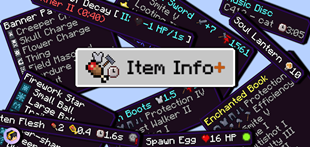
Why Item Info+ is a top-tier texture pack mod for Minecraft 1.21.132
Developed by the talented creator HonKit26113, Item Info+ stands out as a highly recommended selection for your Minecraft client. It is fully optimized, compatibility-tested, and brings a major upgrade to the gameplay experience in Minecraft version 1.21.132.
⚙️ Quick Resource Specs
| Mod Creator | HonKit26113 |
| Latest Version | 1.21.132 |
| Supported Game Versions | 1.21.132, 1.21.131, 1.21.130, 1.21.124, 1.21.123 |
| File Size | 875.59 KB |
| Last Updated | |
| Total Downloads | 612,907 downloads |

Item Info+ for Minecraft Bedrock
Check out my personal website! :D https://honkit26113.com/
Follow me on Twitter (X) for exclusive sneak peeks & announcements! x.com/honkit1103
4 different subpacks are available!
Go into Global Resources, activate the pack, and click on the cog next to the Deactivate button.
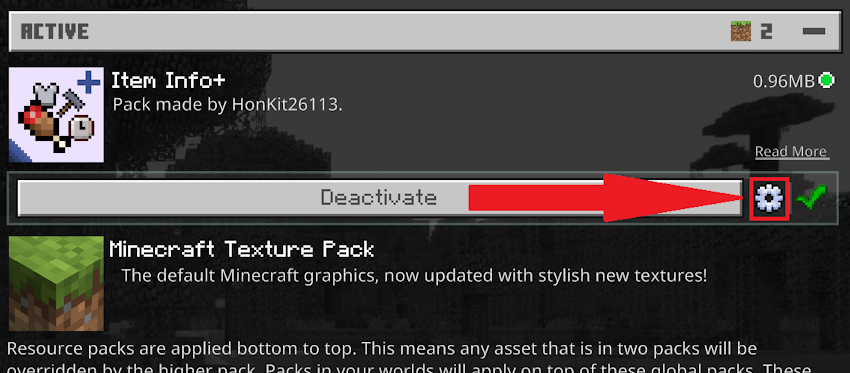
Then, simply choose what information you want to see on item names. You must restart Minecraft for the changes to take effect.
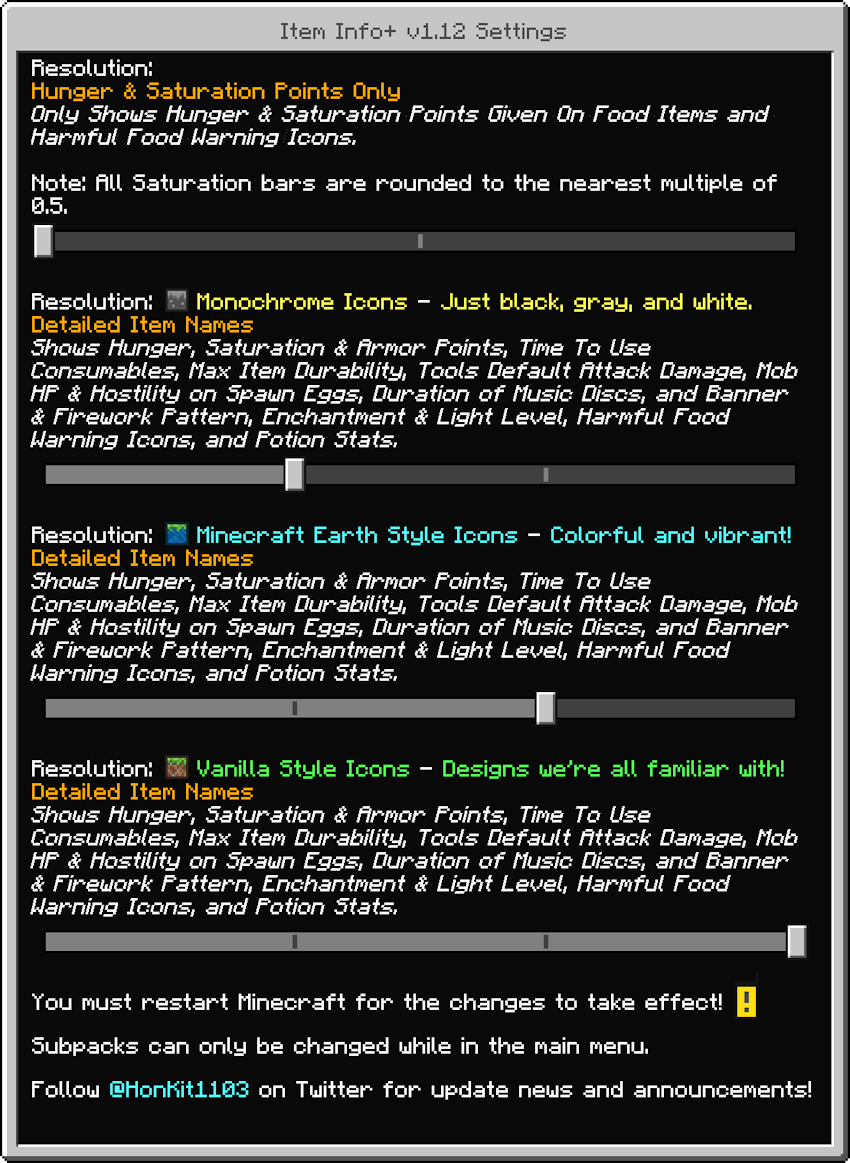
Mode 1: Hunger & Saturation Points Only
Hunger & Saturation Points Only
Only the following will be shown in item names:
- the amount of hunger points & saturation given after being consumed
- a warning icon if the food is harmful
In this mode, all saturation bars are rounded off to 1 or 0.5 due to technical and design reasons.
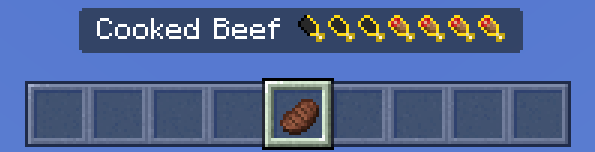
^ Cooked Beef: gives 8 Hunger Points (4 Hunger Bars) & 12.8 Saturation Points (6.4 Saturation Bars, rounded off to 6.5 bars)
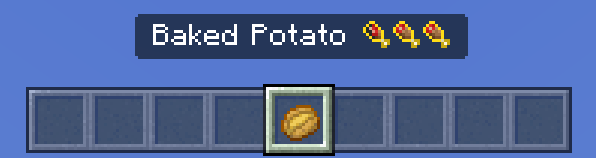
^ Baked Potato: gives 5 Hunger Points (2.5 Hunger Bars) & 6 Saturation Points (3 Saturation Bars)
Please note: Some foods give extremely low amounts of saturation, so it will be rounded to 0 bars.
Don't know how the saturation system works? The Minecraft Wiki has got you covered: https://minecraft.wiki/Hunger#Mechanics
Mode 2: Detailed Item Names
Detailed Item Names
The following will be shown in item names & descriptions:
- Hunger, Saturation & Armor Points
- Time To Use Consumables & Warning Icons for Harmful Foods
- Max Item Durability
- Tools' Default Attack Damage
- Mob HP & Hostility on Spawn Eggs
- Duration of Music Discs
- Banner Pattern & Firework Pattern Icons
- Enchantment & Light Level Icons
- Potion & Tipped Arrow Stats
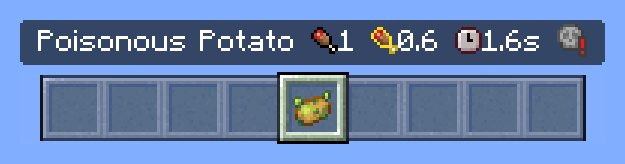
^ Poisonous Potato: fills 1 Hunger Bar, fills 0.6 Saturation Bars, takes 1.6 seconds to eat, and gives you harmful effects
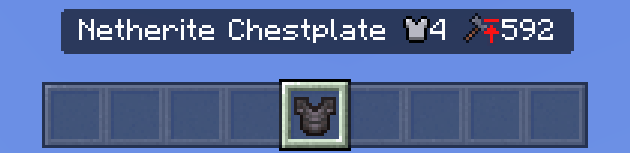
^ Netherite Chestplate: gives 4 Armor Points. It has a maximum of 592 durability.
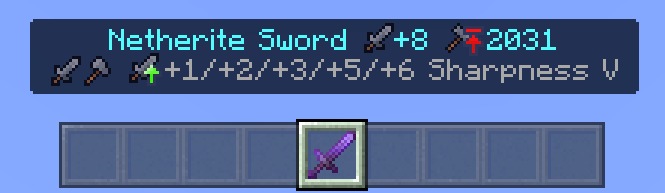
^ The Netherite Sword does +8 attack damage when unenchanted, and has a maximum of 2031 durability. Sharpness I - V gives 1, 2, 3, 5, and 6 additional attack damage respectively.
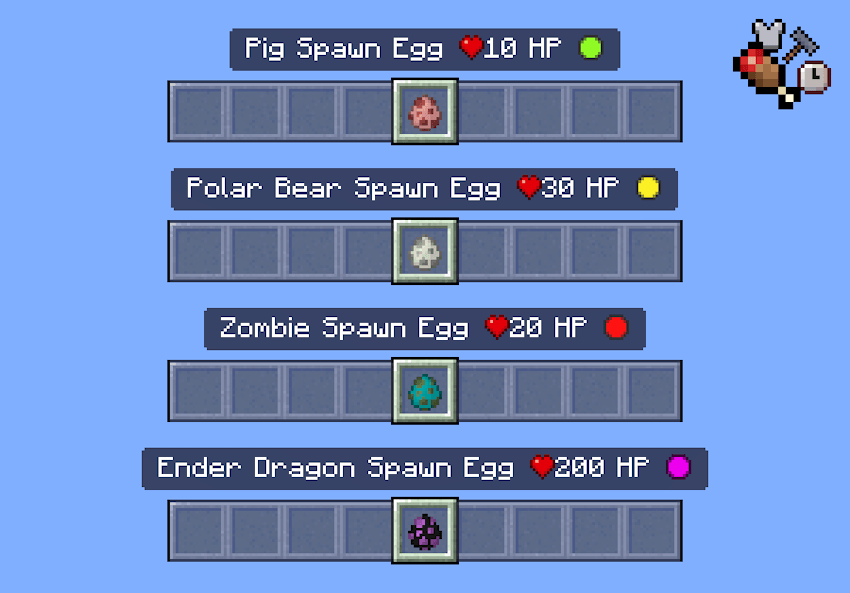
^ Spawn Eggs show the mob's HP and hostility.
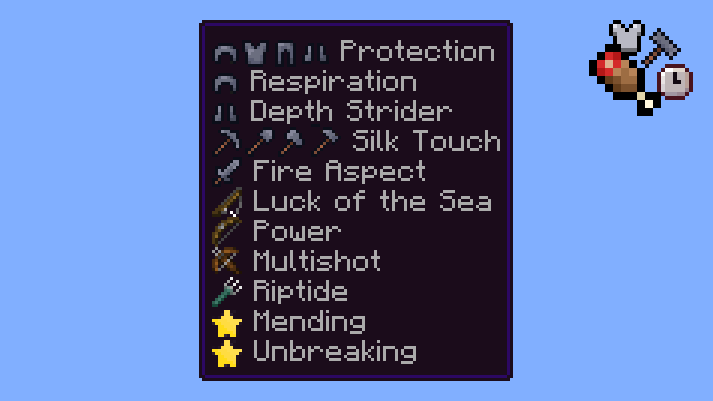
^ All Enchantments now have icons showing you what tool they can be applied to.
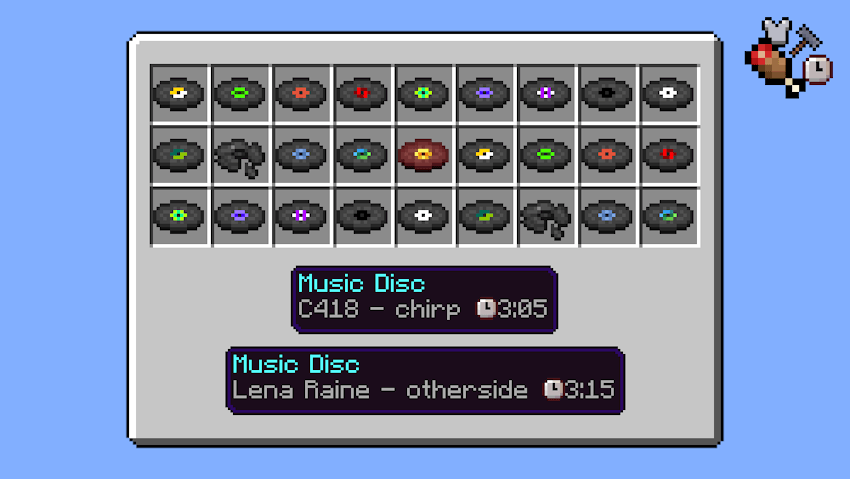
^ All Music Discs now show the duration of respective songs.
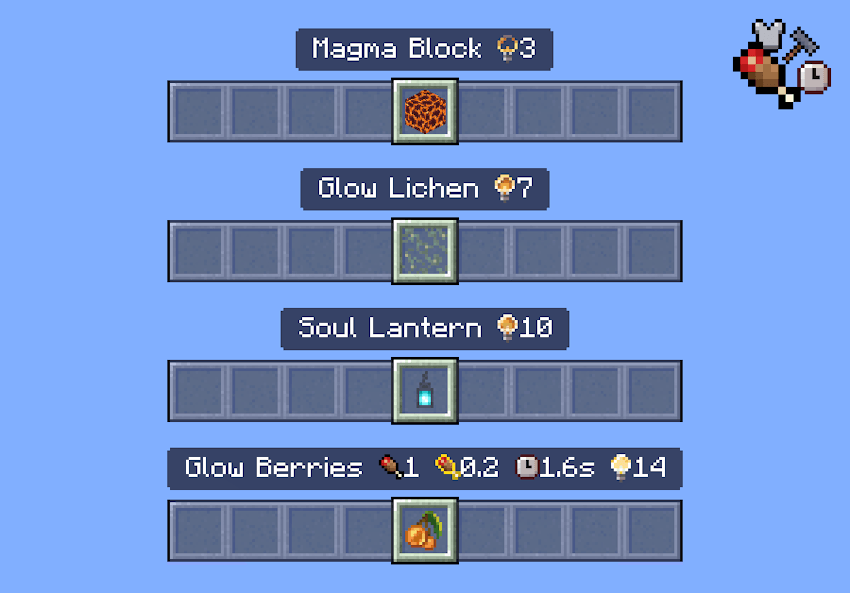
^ All Blocks & Items that emit light now have icons showing you their light level emission.
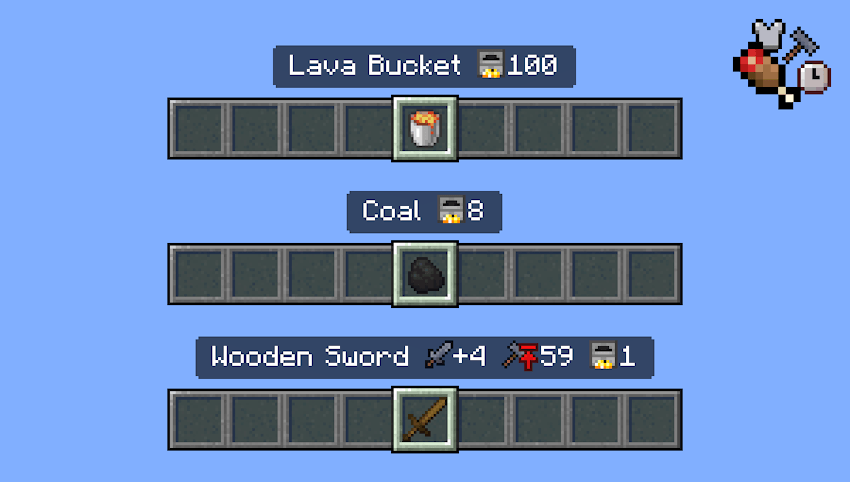
^ Items that can be used as furnace fuel now show the amount of items that can be smelted.
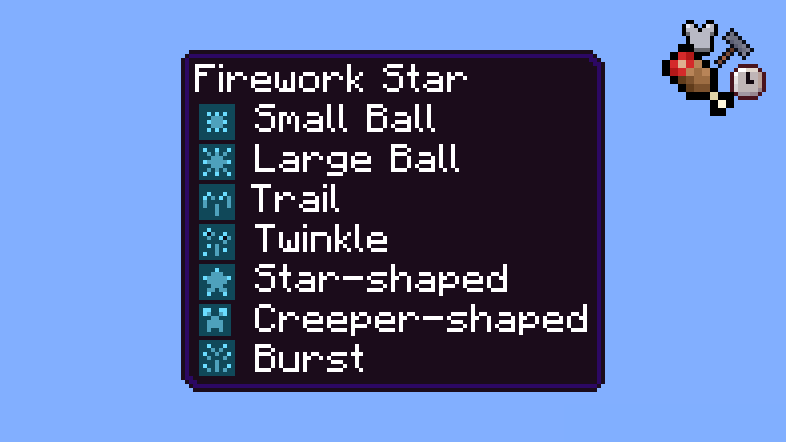
^ Firework Rockets & Firework Stars now have icons next to their pattern names!
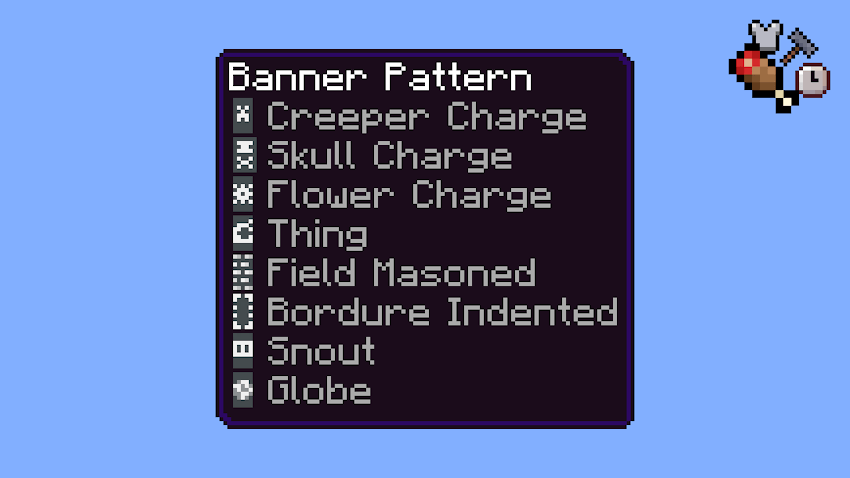
^ All Banner Patterns now have an icon next to their name.
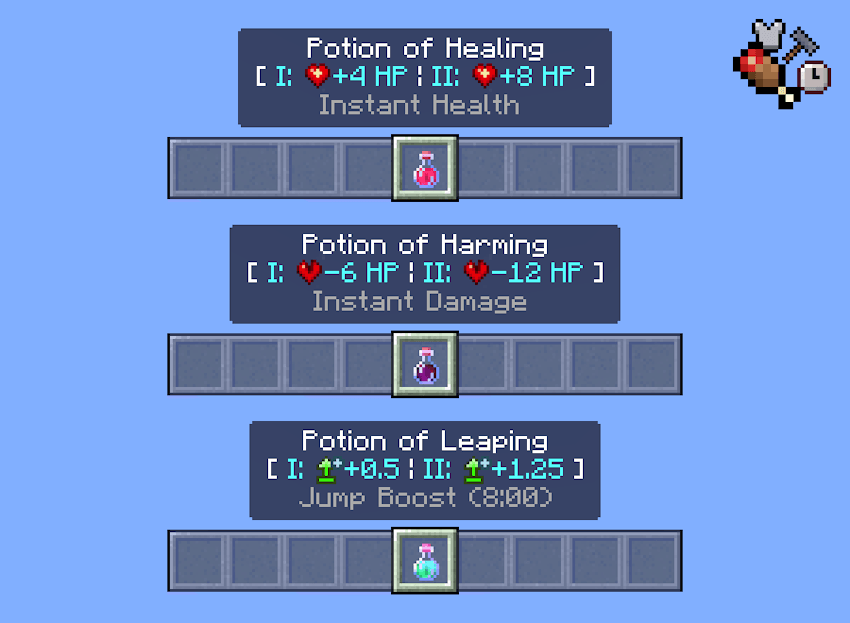
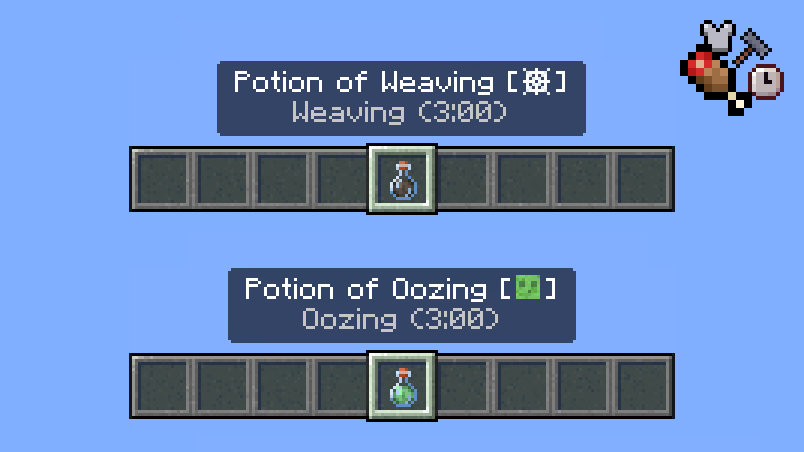
^ Potions & Tipped Arrows now have stats displayed next to their names! Please note: Some potions do not have any stats displayed, as their effects are self-explanatory.
Minecraft Earth Style Icons
If vanilla style icons are too boring for you, you might like these icons! These icons are all in the style of Minecraft Earth. Some icons are replicated from Minecraft Earth itself!
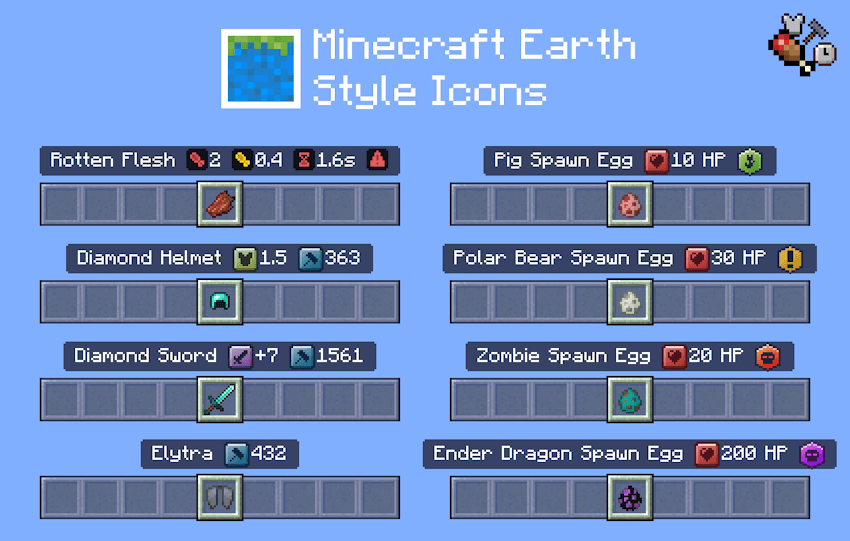
This icon style is only available for Mode 2: Detailed Item Names.
Monochrome Icons
Prefer a simpler, cleaner look? These Monochrome Icons are only in black, gray, and white.
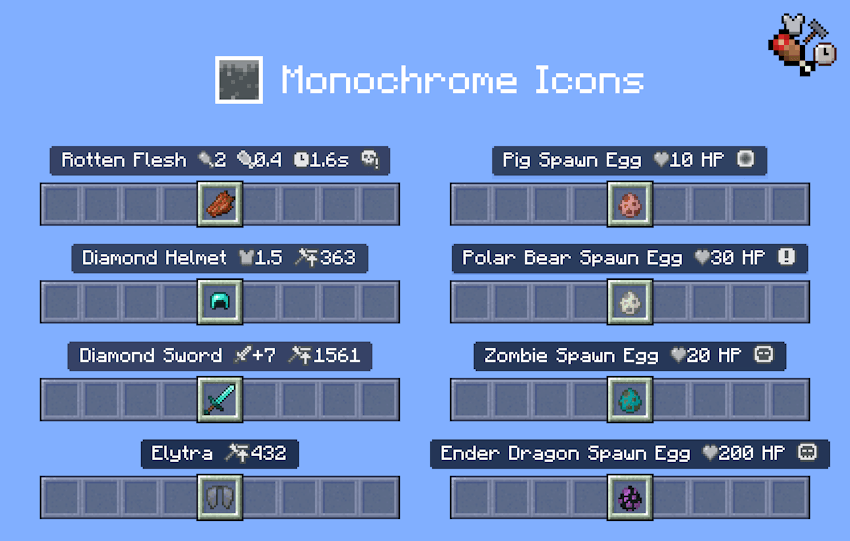
This icon style is only available for Mode 2: Detailed Item Names.
Additional Features
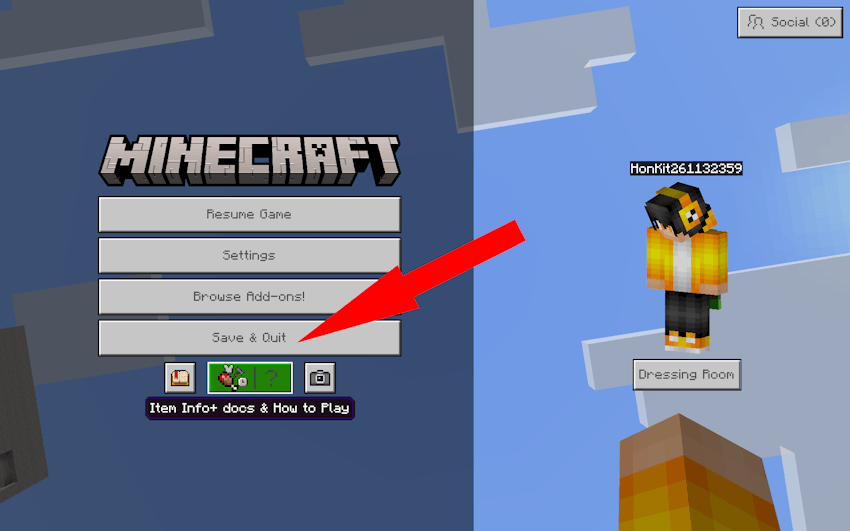
There is now a new section in How to Play! This section includes an explanation of all the icons and the changelog of the latest update, so you can check without having to revisit this site every time.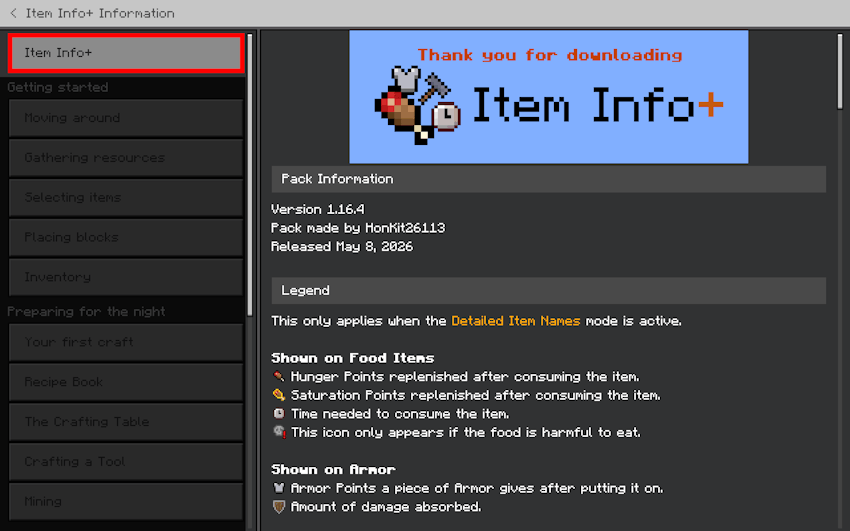
You can access this section in game easily by going to the Pause screen.
Supported Languages
This pack supports all languages in the game in addition to Vietnamese, for a total of 30 languages!
- English (US, UK)
- Deutsch (Deutschland)
- Español (España, México)
- Français (France, Canada)
- Italiano (Italia)
- 日本語 (日本)
- 한국어 (대한민국)
- Português (Brasil, Portugal)
- Русский (Россия)
- 中文 (简体, 繁體)
- Nederlands (Nederland)
- Български (България)
- Čeština (Česko)
- Dansk (Danmark)
- Ελληνικά (Ελλάδα)
- Suomi (Suomi)
- Magyar (Magyarország)
- Indonesia (Indonesia)
- Norsk bokmål (Norge)
- Polski (Polska)
- Slovenčina (Slovensko)
- Svenska (Sverige)
- Türkçe (Türkiye)
- Українська (Україна)
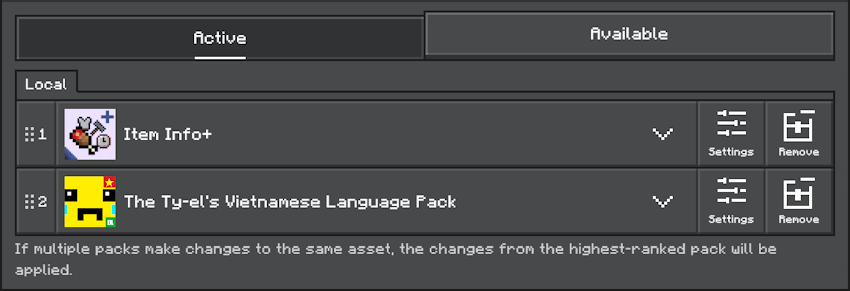
- Tiếng Việt (Việt Nam), via The Ty-el's Vietnamese Language Pack. If you would like to use this pack in Vietnamese, you must download the language pack, and then place the packs in the following order:
DLCs
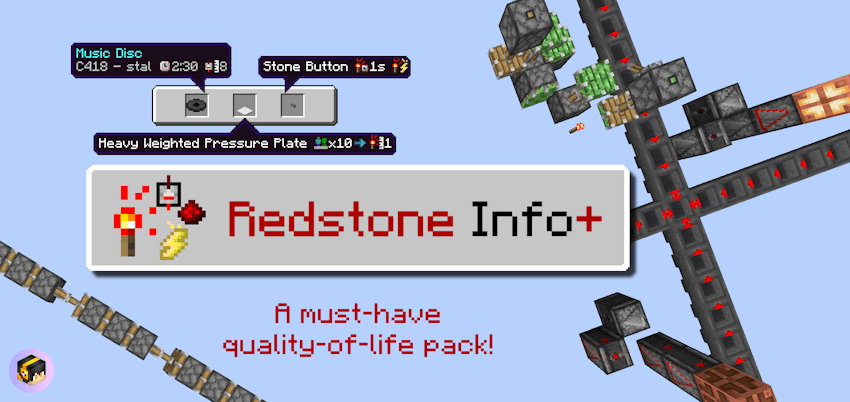
There is currently 1 DLC available. This is an additional pack that works together with Item Info+ to further enhance your gameplay experience.
- Redstone Info+: A quality of life pack that makes it easier to build with redstone! Not only are there new textures, but icons have also been added to items to display more information.
Add-on Compatibility
- This pack supports the Beyond The Underground add-on. Place the resource packs in the following order for the packs to work correctly. Even if you have already enabled the pack in Global Resources, you still need to activate it again per world.
- Beyond The Underground is an add-on that adds many new cave types for you to explore! Download the pack today!
Terms of Use
You are allowed to:
- Edit the pack for personal use.
- Use the pack in your private modpack that you aren’t releasing publicly. You cannot use the pack in a public modpack.
- Make videos & media content with the pack if you leave the link to this page.
You are NOT allowed to:
- Distribute the pack using a new download link. Always share the link to to this page.
- Monetise the pack download. Doing so could result in a copyright takedown.
The Ultimate Guide to Item Info+
If you are exploring the vast world of Minecraft modifications, Item Info+ by HonKit26113 is a standout texture that deserves your attention. With over 612,907 downloads, it has become a staple for players looking to enhance their experience. As the creator describes it, this project is "A must-have quality of life pack! Show stats on item names using simple and colorful icons! See a mob's HP, mob hostility, banner, firework, enchantment icons, foods' hunger & saturation points, armor points, potion stats, and more!". Whether you are a veteran builder constructing massive cities, or simply a casual player looking to upgrade your survival world, this guide will provide you with all the essential details on how Item Info+ alters the game.
What Makes It Special?
Unlike standard textures that simply alter superficial elements, Item Info+ introduces a wide array of visual and mechanical features designed to seamlessly blend into the vanilla aesthetic. HonKit26113 has clearly spent significant time refining the project to ensure that every aspect feels polished and responsive for version 1.21.132.
Installation Guide
Getting Item Info+ up and running is straightforward. Follow these step-by-step instructions:
- Verify Your Version: Ensure your Minecraft launcher is set to version 1.21.132.
- Install Mod Loader (if required): If this is a mod, download the compatible loader (Forge, Fabric, NeoForge).
- Download the File: Click the secure download button above to retrieve the official file from CurseForge.
- Move the File: Place the downloaded file into your `mods`, `shaderpacks`, or `resourcepacks` folder depending on the texture type.
- Launch and Enjoy: Open Minecraft, navigate to the respective settings menu, and activate Item Info+.
Compatibility & Performance
Compatibility is robust. Item Info+ is designed specifically for version 1.21.132, taking full advantage of the latest engine optimizations. During typical gameplay, this addition maintains a stable frame rate, though lower-end laptops might experience slight stuttering. We recommend pairing this with performance boosters like Sodium or Iris to guarantee a silky-smooth experience.