Why Vanilla Mending is a top-tier texture pack mod for Minecraft 1.21
Developed by the talented creator THGABS, Vanilla Mending stands out as a highly recommended selection for your Minecraft client. It is fully optimized, compatibility-tested, and brings a major upgrade to the gameplay experience in Minecraft version 1.21.
⚙️ Quick Resource Specs
| Mod Creator | THGABS |
| Latest Version | 1.21 |
| Supported Game Versions | Minecraft 1.21+ |
| File Size | 867.76 KB |
| Last Updated | |
| Total Downloads | 4,858 downloads |

Legacy post: Vanilla Improve
This pack is the Bedrock port of my pack Vanilla Mending, which mainly fix the issues and update some old textures in Jappa's way, based on the new default texture.
This resource pack was originally created to update outdated textures remained after the Texture Update, and fix vanilla texture issues. However, going deeper into Bedrock Edition, I just found that the resource issues are more than I had expected... Some textures are just from old versions of Java, and many sounds, models, fonts are either outdated or glitched. Therefore, this pack aims at a multi-side mending for assets in Minecraft, but more focused on textures. With Minecraft constantly updating, there might be less textures to be fixed, so this pack may turn to other aspects.
Features
Textures
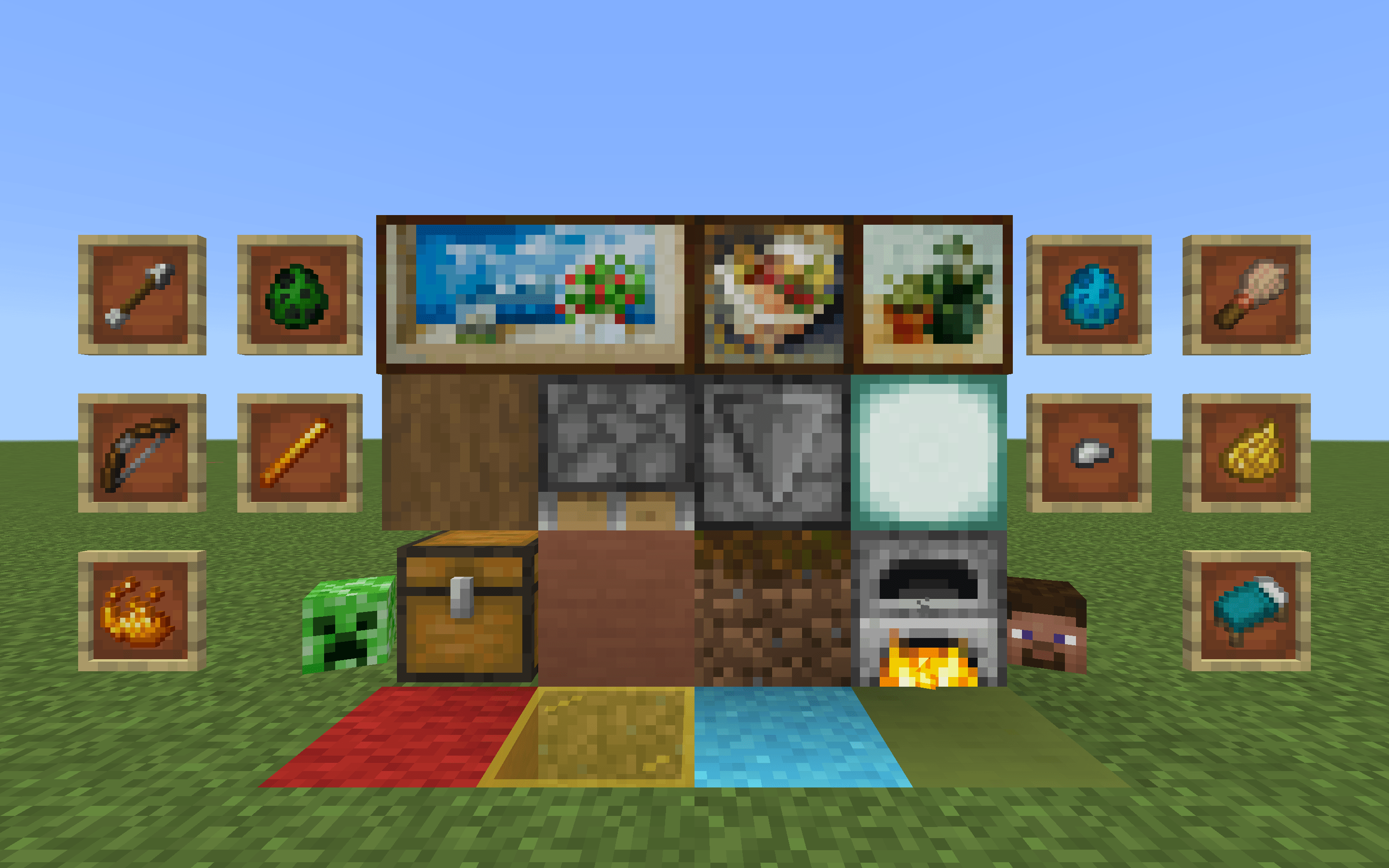
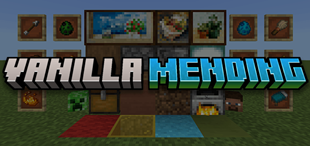
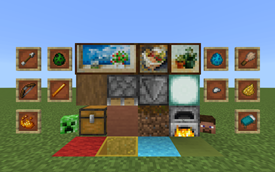
- Update outdated textures that aren't get updated in Texture Update
- Update textures that don't match new scheme, including stained glass, dye, and water particles
- Update textures that are correctly updated in Java but not in Bedrock
- Modify some updated or new textures which are still inconsistent with Jappa style
- Minor fixes for details or misplaced pixels
- Remaster vanilla Paintings (WIP)
- Plenty of fixes for TGA files, which can prevent something like over-bright plants from distance, ugly leaves under Fast graphics, etc.
- Plenty of improvements for UI element textures, including texture updates & some design modernizing, more consistent with Ore UI
- Fixes for animated textures
- Fixes for biome-specified water colors
Models
- Basic fixes: Drowned & Ravager models were glitched, now get fixed
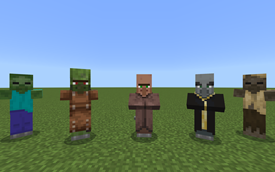
- Java-keep-up updates: Updated models of all villager-like mobs
- Mace model in hand is now in 3D, while in inventory/item frame it remains 2D
- Some incorrect use of block textures are fixed
Sounds
- Update sounds of many blocks, approximately matching Java without adding any new audio files. No endless wood/stone/grass sounds anymore!
- Fix the issue that some sounds don't play due to typo in vanilla json files
- Fully correct the water sound changes since 1.20.30, making the experience close to which in Java (can't be completely fixed though)
Fonts
- Update the default Latin font (Mojangles/Minecraft Seven) to new version (since Java 1.13)
- Update CJK marks in Unifont to the latest, and make full-width characters work as expected
- Change kana in Unifont to a Gothic (Sans Serif) version, based on which from the latest Unifont JP
- Update some emoticons used in How to Play screen
Built-in Addons
This pack has two built-in add-ons: Bedrock Features and Better Crop.
Bedrock Features
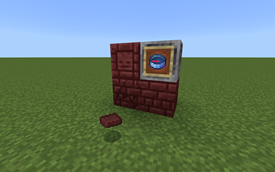
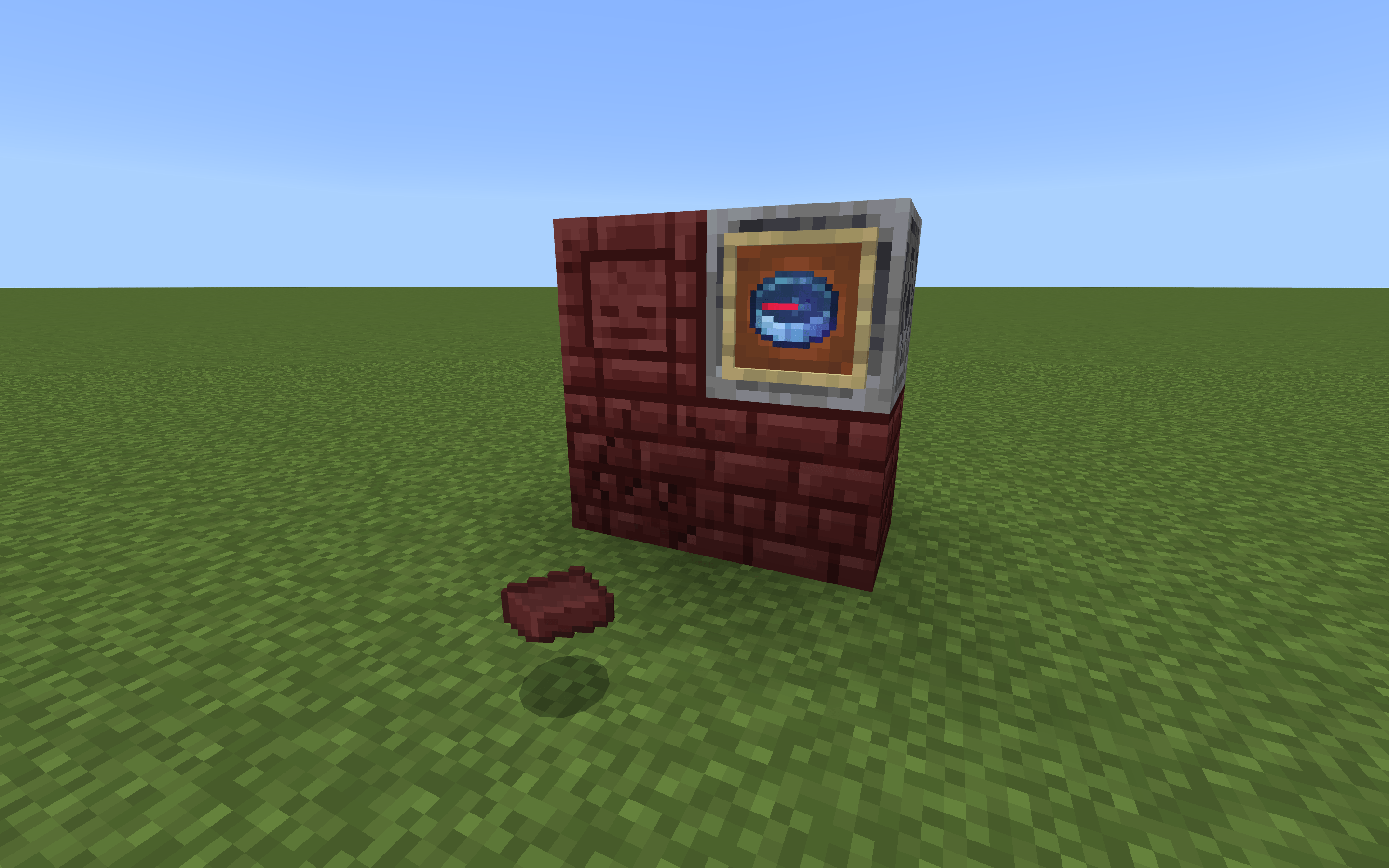
Some textures in Bedrock used to be exclusive, but updates later made them identical with Java. This add-on brings some of them back: Brighter Netherrack Bricks, and Lodestone Compass.
Better Crop
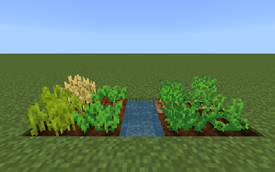
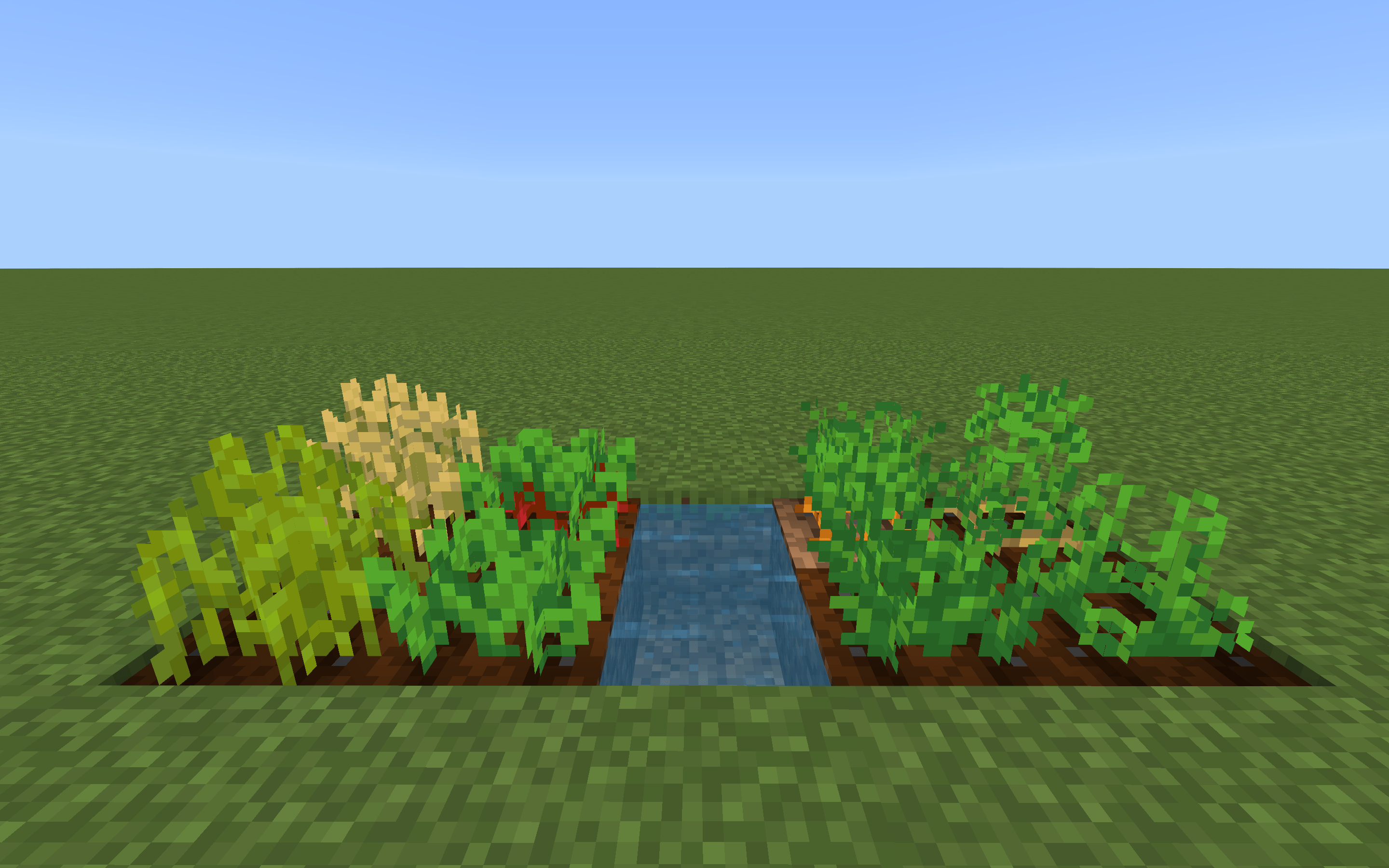
One of the most annoying thing about new textures is that some crops became hard to be distinguished. This add-on make their fully-grown state texture distinct from other states, just like the case prior to Texture Update.
Detailed Feature List
Updated textures
- Concrete Powder
- Wool
- Terracotta
- Some Glazed Terracotta
- Sea Lantern
- Grass Block top
- Podzol side
- Coarse Dirt
- Stripped Log sides
- Chest, Large Chest, and Trapped Chest
- Fire & Soul Fire
- Observer top
- All Shulker Boxes
- Player Head
- Dragon Egg
- Beacon Beam
- Most Music Discs
- All Arrows
- All Bed items
- All Spawn Eggs
- Bow
- Blaze Rod
- Breeze Rod
- Blaze Powder
- Iron Nugget
- Brush
- Firework Charge
- All Parrots
- All Shulkers
- All Llama decors
- Creeper
- Endermite
- End Crystal
- Silverfish
- Lead knot
- Normal Flame particle
Color Updates
- Some Stained Glass & Glass Panes
- Some Dyes
- All bed items
- Splash particle
- Rain particle
- Water colors in biomes added in the Nether Update and Caves & Cliffs
Java Catch-ups
- Nether Wart block
- Crimson Roots
- Weeping Vines
- Pumpkin top
- Observer back
- Light blocks
- Ender Chest item
- Piston & Sticky Piston
- Sheep
- Llama chests
- Skeleton Horse chest
- Villager details
- Conduit particles
Consistency & Detail fixes
- Animated Furnace!
- Bone block side
- Smoker bottom
- Iron block
- Melon side
- Melon & Pumpkin stems
- Lectern
- End Portal frame
- End Rod
- Loom top
- Bamboo Shoot
- Some overworld logs and doors
- Spruce, Acacia, and Jungle hanging sign blocks
- Cherry hanging sign
- Seagrass item
- Waterlily item
- Minecart with Command Block (orange → purple to match its actual color)
- Armor Stand
- Some Sign & Door items
- Iron Hoe
- Enchant'o Bottle
- Blaze (MCPE-165046)
- Illagers
- Witch
- Wandering Trader
- Iron Golem
- Zombified Piglin
- Blue Wither
- Guardian eyes
- "Armor" for Creeper & Wither
- Minecart entity
TGA fixes
- All the Leaves
- Cactus
- Grass, Fern and their tall variants
- Magma Cube
- Other textures using TGA format, listed above
Models
- Drowned
- Villagers/Illagers/Zombie Villagers/Witch
- Ravager
- Mace in hand
The Ultimate Guide to Vanilla Mending
If you are exploring the vast world of Minecraft modifications, Vanilla Mending by THGABS is a standout texture that deserves your attention. With over 4,858 downloads, it has become a staple for players looking to enhance their experience. As the creator describes it, this project is "Mend & update the new vanilla textures and even more of Minecraft". Whether you are a veteran builder constructing massive cities, or simply a casual player looking to upgrade your survival world, this guide will provide you with all the essential details on how Vanilla Mending alters the game.
What Makes It Special?
Unlike standard textures that simply alter superficial elements, Vanilla Mending introduces a wide array of visual and mechanical features designed to seamlessly blend into the vanilla aesthetic. THGABS has clearly spent significant time refining the project to ensure that every aspect feels polished and responsive for version 1.21.
Installation Guide
Getting Vanilla Mending up and running is straightforward. Follow these step-by-step instructions:
- Verify Your Version: Ensure your Minecraft launcher is set to version 1.21.
- Install Mod Loader (if required): If this is a mod, download the compatible loader (Forge, Fabric, NeoForge).
- Download the File: Click the secure download button above to retrieve the official file from CurseForge.
- Move the File: Place the downloaded file into your `mods`, `shaderpacks`, or `resourcepacks` folder depending on the texture type.
- Launch and Enjoy: Open Minecraft, navigate to the respective settings menu, and activate Vanilla Mending.
Compatibility & Performance
Compatibility is robust. Vanilla Mending is designed specifically for version 1.21, taking full advantage of the latest engine optimizations. During typical gameplay, this addition maintains a stable frame rate, though lower-end laptops might experience slight stuttering. We recommend pairing this with performance boosters like Sodium or Iris to guarantee a silky-smooth experience.