Why Import/Export Button Unhider v4 for MCPE is a top-tier texture pack mod for Minecraft 1.21.132
Developed by the talented creator faizul726, Import/Export Button Unhider v4 for MCPE stands out as a highly recommended selection for your Minecraft client. It is fully optimized, compatibility-tested, and brings a major upgrade to the gameplay experience in Minecraft version 1.21.132.
⚙️ Quick Resource Specs
| Mod Creator | faizul726 |
| Latest Version | 1.21.132 |
| Supported Game Versions | 1.21.132, 1.21.131, 1.21.130, 1.21.124, 1.21.123 |
| File Size | 6.27 KB |
| Last Updated | |
| Total Downloads | 755,282 downloads |
Update #7 | Sep 18, 2026
✨ Minecraft v26.50 is supported!
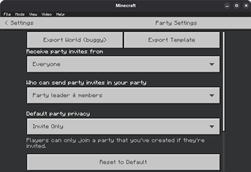
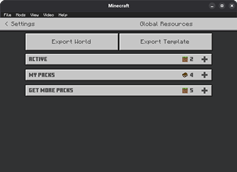
You can still export your worlds from Global Resources screen or Party Settings screen since both still use the old UI.
Warning: Export 'World' is buggy. It often outputs empty worlds which won't work at all. Sometimes the world export is incomplete. It doesn't show any update on screen.
So please use the [Export Template] button instead. But keep in mind the output world may not have your addons.
Support my work (optional)
If you like my work you can donate to support me. But because of where I live it's incredibly hard to get payment methods like PayPal/Ko-Fi. So you may do it over crypto.
Be mindful that scams often happen around cryptocurrency so do not proceed if you are not experienced.
USDT (BSC/BEP20): 0x051e391c7ac7d3586c222013e10d959cb080bcc9
USDT (TON): UQD8CSzX8-LGvmBpKspSivFatj2b5s4ymT_36MkEwaCA6kTm (no note required)
Older notices
Update #6 | Jul 22, 2026
As of MC v26.33, the "Global resources" settings section still uses JSON UI, so I have added world export and world template export button there in the v3 update. From my testing normal world export DOES NOT work but the template export does. So you can use those by pausing the game then going to Settings -> Global resources.
Special thanks to user_8ftdym1iv2g3cdlu in comments for giving me this idea.
While structure import/export buttons are still there but those stopped working after Mojang removed the core functionality of it in around Minecraft v1.21.120.
So, if you want full functionality of this texture pack use it in v1.21.31 or lower.
Update #5 | Apr 20, 2026
Starting from v1.26.13, world edit screen while in-game is now replaced with OreUI which IS NOT modifiable using any resource packs as it's hardcoded into the game now. Even cache clear + offline trick doesn't work anymore.
So, this texture pack is fully obsolete from now on. It's been an honor serving you for last 2 years :>
I HIGHLY recommended that you start using something like MB Loader as it makes game files easily accessible with some fancy features. (How to use)
If you can't, at least use 'External' as file storage location so you can backup the world later with help of Shizuku (Android 11+) or PC.
If you have file storage location set to 'Application' and have a PC, maybe you can use adb backup to backup your game data which will include your worlds. I will write a detailed guide on this later.
If you can't even do that and have a world that you need to export urgently, get yourself a 2 player Realm for a month, upload your world there, login in MB Loader or anything which will let you get world files later, then download the world.
I will write a detailed guide on all methods later.
Update #4
In v2 I have added export world button in world pause settings but it's may not work.
Update #3
Structure import/export stopped working around v1.21.120
Update #2
World import stopped working on v1.21.51
Update #1
World export stopped working on v1.21.40
Only world template export in world pause settings screen works for now.
Please don't update to 1.21.40+ if you want to keep using this.
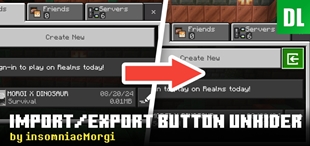
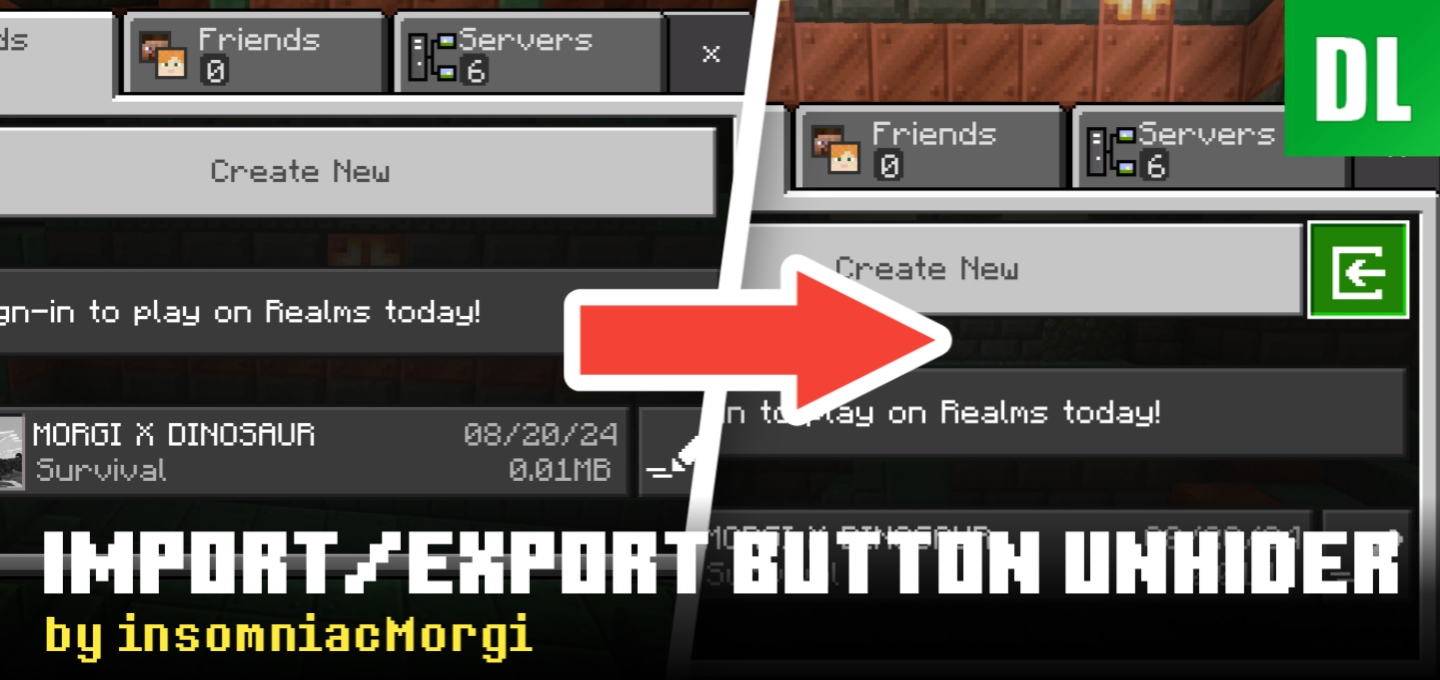
Import/Export Button Unhider is a texture pack made for Minecraft Bedrock Edition that unhides import/export button in world settings and structure blocks. Allowing you to import/export world or structure on devices those normally don't support.
(DO NOT REPOST ON ANY OTHER SITE)
Usage
- Download the texture pack.
- Import it and activate it in Settings -> Global Resource Packs or it will not work!
Video on how to export world in 26.13+ / 26.30+
Gallery
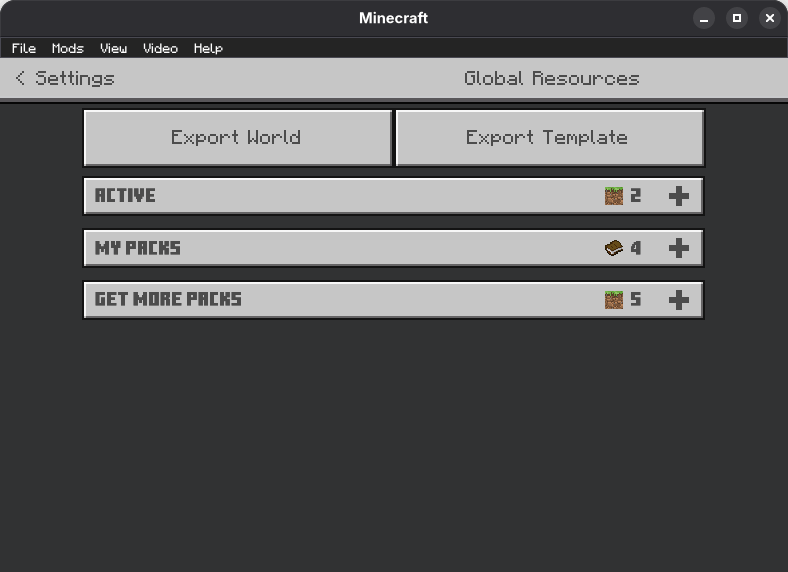
World export button in Global Resources

World import button (.mcworld)

World export button (in world edit page)

Structure import button (.mcstructure)

Structure export button
The Ultimate Guide to Import/Export Button Unhider v4 for MCPE
If you are exploring the vast world of Minecraft modifications, Import/Export Button Unhider v4 for MCPE by faizul726 is a standout texture that deserves your attention. With over 755,282 downloads, it has become a staple for players looking to enhance their experience. As the creator describes it, this project is "A texture pack to unhide import/export button in world and structure viewer section.". Whether you are a veteran builder constructing massive cities, or simply a casual player looking to upgrade your survival world, this guide will provide you with all the essential details on how Import/Export Button Unhider v4 for MCPE alters the game.
What Makes It Special?
Unlike standard textures that simply alter superficial elements, Import/Export Button Unhider v4 for MCPE introduces a wide array of visual and mechanical features designed to seamlessly blend into the vanilla aesthetic. faizul726 has clearly spent significant time refining the project to ensure that every aspect feels polished and responsive for version 1.21.132.
Installation Guide
Getting Import/Export Button Unhider v4 for MCPE up and running is straightforward. Follow these step-by-step instructions:
- Verify Your Version: Ensure your Minecraft launcher is set to version 1.21.132.
- Install Mod Loader (if required): If this is a mod, download the compatible loader (Forge, Fabric, NeoForge).
- Download the File: Click the secure download button above to retrieve the official file from CurseForge.
- Move the File: Place the downloaded file into your `mods`, `shaderpacks`, or `resourcepacks` folder depending on the texture type.
- Launch and Enjoy: Open Minecraft, navigate to the respective settings menu, and activate Import/Export Button Unhider v4 for MCPE.
Compatibility & Performance
Compatibility is robust. Import/Export Button Unhider v4 for MCPE is designed specifically for version 1.21.132, taking full advantage of the latest engine optimizations. During typical gameplay, this addition maintains a stable frame rate, though lower-end laptops might experience slight stuttering. We recommend pairing this with performance boosters like Sodium or Iris to guarantee a silky-smooth experience.