![GX 16 - High Resolution Items Fix [MCPE-169754] logo](https://media.forgecdn.net/avatars/1107/991/638658163557865798.png)
Why GX 16 - High Resolution Items Fix [MCPE-169754] is a top-tier texture pack mod for Minecraft 1.21.111
Developed by the talented creator Pixel_2_Studios, GX 16 - High Resolution Items Fix [MCPE-169754] stands out as a highly recommended selection for your Minecraft client. It is fully optimized, compatibility-tested, and brings a major upgrade to the gameplay experience in Minecraft version 1.21.111.
⚙️ Quick Resource Specs
| Mod Creator | Pixel_2_Studios |
| Latest Version | 1.21.111 |
| Supported Game Versions | 1.21.111 |
| File Size | 653.96 KB |
| Last Updated | |
| Total Downloads | 4,898 downloads |
![GX 16 - High Resolution Items Fix [MCPE-169754] screenshot active](https://media.forgecdn.net/attachments/1346/332/capture-da-c-cran-2024-10-29-105119-png.png)
Pixel 2 Studios Staff :
- BananeDX (Project Manager, General Developer)
Presentation EN
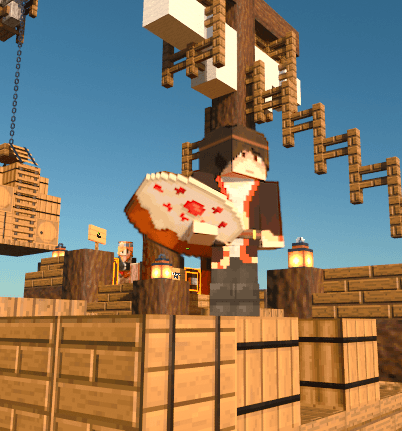
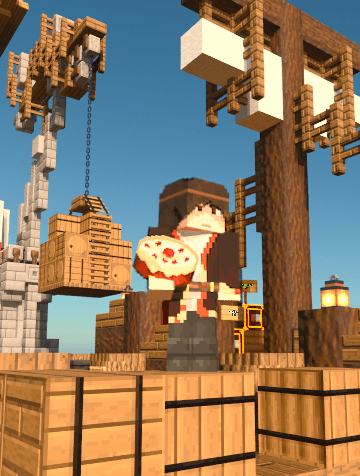
Here's an example of the bug on the left, then the fix on the right.
Presentation FR
Pour fonctionner, ce pack doit être activé par dessus le pack affecté par MCPE-169754.
Ce patch a été créé en suivant le tutoriel High Resolution Items publié sur Bedrock Wiki : https://wiki.bedrock.dev/items/high-resolution-items.html
Correction partielle pour MCPE-169754. Cependant, cela ne corrige pas les flèches, les boules de neige et l'armure de loup. Pour ajouter un item à corriger, comme un item custom, copiez un attachable existant et remplacez son id/nom par l'id/nom souhaité, ainsi que sa texture.
Si vous utilisez le pack DX Faithful RTX, ce correctif est inclus dans celui-ci.
How to add a new item to the patch ?
As said above, you just need to create an attachable for the chosen item, even if it is a custom item.
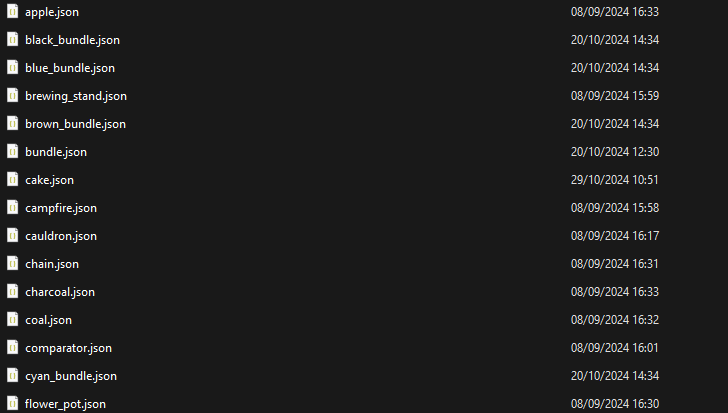
To do this, go to the pack files, then to the attachables folder.
You can also use this method to update the pack yourself if you don't want to wait for it to be updated here.
Comment ajouter un nouvel item au correctif ?
Comme dit plus haut, il vous suffit de créer un attachable pour l'item souhaité, même s'il s'agit d'un item custom.
Pour cela, rendez-vous dans les fichiers du pack, puis dans le dossier attachables.
Vous pouvez également utiliser cette méthode pour mettre à jour le pack vous-même si vous ne souhaitez pas attendre qu'il soit mis à jour ici.
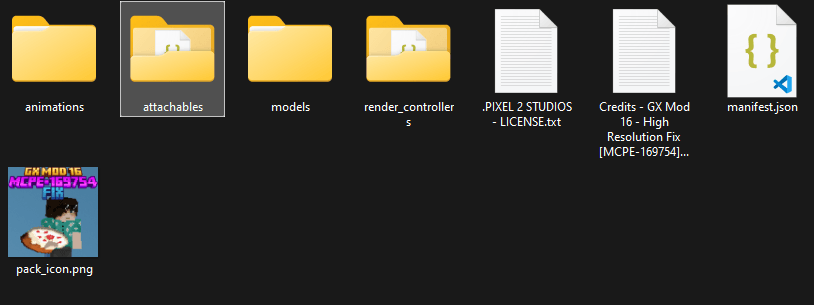
You will find one file per item, to add one, you will then have to create (or copy then modify) a new attachable for your item.
Vous y trouverez un fichier par item, pour en ajouter un, vous devrez créer (ou copier puis modifier) un nouvel attachable pour votre item.
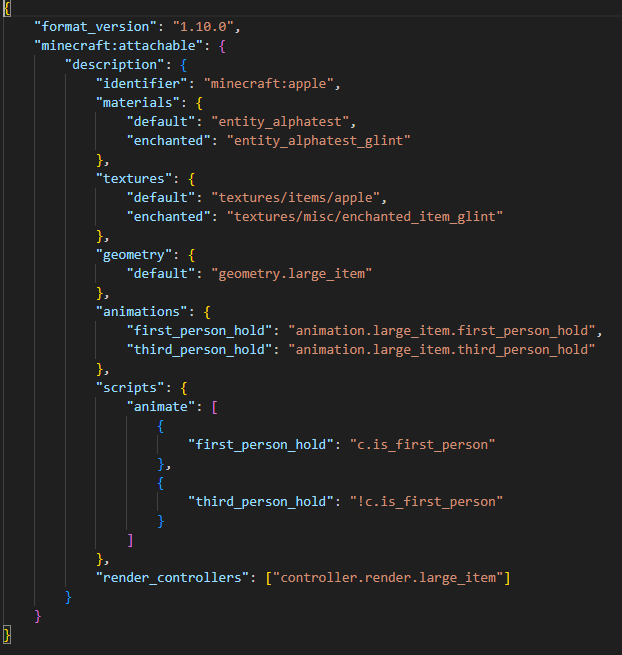
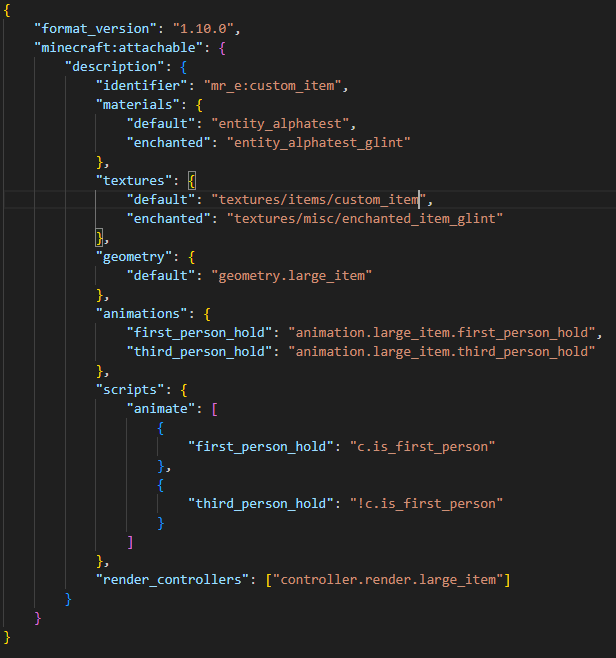
Here is the code template, you just have to change the values of the identifier and the texture so that your item is patched. You can also have fun with animations and 3D models, but this is not a tutorial for those things, so I won't explain how to do it.
For this tutorial, Visual Studio Code is used, but it also works with other code editors, as long as you don't change the .json extension or any other part of the code that you are not familiar with.
Voici le modèle de code, il vous suffit de modifier les valeurs de l'id et de la texture pour que votre item soit patché. Vous pouvez également vous amuser avec les animations et modèles 3D, mais ce n'est pas un tutoriel pour ces choses-là, donc je ne vais pas vous expliquer comment faire.
Pour ce tutoriel, Visual Studio Code est utilisé, mais il fonctionne également avec d'autres éditeurs de code, à condition de ne pas modifier l'extension .json ou toute autre partie du code que vous ne connaissez pas.
The Ultimate Guide to GX 16 - High Resolution Items Fix [MCPE-169754]
If you are exploring the vast world of Minecraft modifications, GX 16 - High Resolution Items Fix [MCPE-169754] by Pixel_2_Studios is a standout texture that deserves your attention. With over 4,898 downloads, it has become a staple for players looking to enhance their experience. As the creator describes it, this project is "This is a temporary fix for bug MCPE-169754 (Carried models of some items will be larger when using any HD texture pack).". Whether you are a veteran builder constructing massive cities, or simply a casual player looking to upgrade your survival world, this guide will provide you with all the essential details on how GX 16 - High Resolution Items Fix [MCPE-169754] alters the game.
What Makes It Special?
Unlike standard textures that simply alter superficial elements, GX 16 - High Resolution Items Fix [MCPE-169754] introduces a wide array of visual and mechanical features designed to seamlessly blend into the vanilla aesthetic. Pixel_2_Studios has clearly spent significant time refining the project to ensure that every aspect feels polished and responsive for version 1.21.111.
Installation Guide
Getting GX 16 - High Resolution Items Fix [MCPE-169754] up and running is straightforward. Follow these step-by-step instructions:
- Verify Your Version: Ensure your Minecraft launcher is set to version 1.21.111.
- Install Mod Loader (if required): If this is a mod, download the compatible loader (Forge, Fabric, NeoForge).
- Download the File: Click the secure download button above to retrieve the official file from CurseForge.
- Move the File: Place the downloaded file into your `mods`, `shaderpacks`, or `resourcepacks` folder depending on the texture type.
- Launch and Enjoy: Open Minecraft, navigate to the respective settings menu, and activate GX 16 - High Resolution Items Fix [MCPE-169754].
Compatibility & Performance
Compatibility is robust. GX 16 - High Resolution Items Fix [MCPE-169754] is designed specifically for version 1.21.111, taking full advantage of the latest engine optimizations. During typical gameplay, this addition maintains a stable frame rate, though lower-end laptops might experience slight stuttering. We recommend pairing this with performance boosters like Sodium or Iris to guarantee a silky-smooth experience.