Why AD FPS BOOSTER (BG) is a top-tier mod mod for Minecraft 1.21
Developed by the talented creator BudgetGamer1503, AD FPS BOOSTER (BG) stands out as a highly recommended selection for your Minecraft client. It is fully optimized, compatibility-tested, and brings a major upgrade to the gameplay experience in Minecraft version 1.21.
⚙️ Quick Resource Specs
| Mod Creator | BudgetGamer1503 |
| Latest Version | 1.21 |
| Supported Game Versions | Minecraft 1.21+ |
| File Size | 157.02 KB |
| Last Updated | |
| Total Downloads | 265,155 downloads |
Discord
🌟 AD FPS Booster (REMADE)
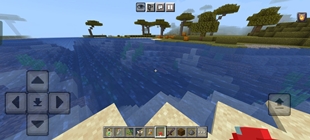
AD FPS Booster is a resource pack for Minecraft Bedrock Edition built to improve performance on all devices.
Whether you play on a phone, tablet, console, or low-end PC, this pack helps deliver higher FPS, smoother gameplay, and a more stable experience.
📈 Performance & Optimization Core Highlights:
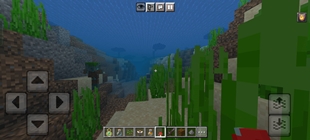
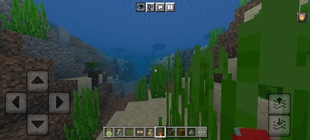
- 🎨 Texture Optimization: Introduced a new texture management system that automatically balances visual fidelity with performance, ensuring you get the best look for your hardware without the lag.
- 🌿 Optimized Models & Leaves: Replaced standard complex models with new, lightweight alternatives—including simplified leaf rendering—to provide an immediate and noticeable boost to FPS.
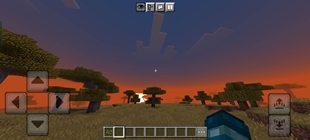
- 🌍 Terrain Optimization: Overhauled terrain rendering logic to improve chunk loading speeds and reduce CPU overhead when traversing the world.
- 🧹 Smart AI Particles Reduction(Beta State): Implemented a smarter particle culling system. Unnecessary or non-visible particles are now dynamically reduced, slashing render times without making the game feel empty.
- 👁️ Visuals Optimization(Beta stage): Streamlined core visual shaders and materials. We've cut down on unneeded rendering calculations, achieving higher base FPS numbers while preserving the pack's signature look.
- 🖥️ UI Optimization: Improved the performance of UI elements and forms. Navigating menus and interacting with the game interface is now snappier, more responsive, and consumes less memory.
📊 Performance Gains
- 📱 Low-end devices: Up to +70% FPS
- 💻 Mid-range devices: Around +30–40% FPS
- 🖥️ High-end devices: Stable frame rates and fewer stutters
⚡ Actual results depend on your device and world size
📥 How to Install
- Download the .mcpack file
- Open it with Minecraft Bedrock Edition
- Go to Settings → Global Resources and apply the pack
- Restart Minecraft for best results
📱 Supported Platforms
- ✔️ Android / iOS
- ✔️ Windows 10 & 11 (Bedrock)
- ✔️ Xbox / PlayStation (via file import)
👤 Credits
- Creator: BUDGETGAMER1503
- Studio: EchoCore Studio
- Blog: budgetgamer1503.blogspot.com
💡 Found a bug or want to suggest a feature?
👉 Report it here
✨ Enjoy smoother gameplay with AD FPS Booster V3.0! 🚀
The Ultimate Guide to AD FPS BOOSTER (BG)
If you are exploring the vast world of Minecraft modifications, AD FPS BOOSTER (BG) by BudgetGamer1503 is a standout mod that deserves your attention. With over 265,155 downloads, it has become a staple for players looking to enhance their experience. As the creator describes it, this project is "The Ultimate Minecraft Bedrock Resource Pack for FPS & Performance (FPS BOOSTER)". Whether you are a veteran builder constructing massive cities, or simply a casual player looking to upgrade your survival world, this guide will provide you with all the essential details on how AD FPS BOOSTER (BG) alters the game.
What Makes It Special?
Unlike standard mods that simply alter superficial elements, AD FPS BOOSTER (BG) digs deep into the game's engine to provide a cohesive, performance-focused experience. BudgetGamer1503 has clearly spent significant time refining the project to ensure that every aspect feels polished and responsive for version 1.21.
Installation Guide
Getting AD FPS BOOSTER (BG) up and running is straightforward. Follow these step-by-step instructions:
- Verify Your Version: Ensure your Minecraft launcher is set to version 1.21.
- Install Mod Loader (if required): If this is a mod, download the compatible loader (Forge, Fabric, NeoForge).
- Download the File: Click the secure download button above to retrieve the official file from CurseForge.
- Move the File: Place the downloaded file into your `mods`, `shaderpacks`, or `resourcepacks` folder depending on the mod type.
- Launch and Enjoy: Open Minecraft, navigate to the respective settings menu, and activate AD FPS BOOSTER (BG).
Compatibility & Performance
Compatibility is robust. AD FPS BOOSTER (BG) is designed specifically for version 1.21, taking full advantage of the latest engine optimizations. Since this is heavily focused on optimization, you can expect significant frame rate improvements on both low-end and high-end hardware.