Why Trailer Graphics is a top-tier shader mod for Minecraft 1.21.101
Developed by the talented creator Aleeee, Trailer Graphics stands out as a highly recommended selection for your Minecraft client. It is fully optimized, compatibility-tested, and brings a major upgrade to the gameplay experience in Minecraft version 1.21.101.
⚙️ Quick Resource Specs
| Mod Creator | Aleeee |
| Latest Version | 1.21.101 |
| Supported Game Versions | 1.21.101 |
| File Size | 3.13 MB |
| Last Updated | |
| Total Downloads | 51,957 downloads |
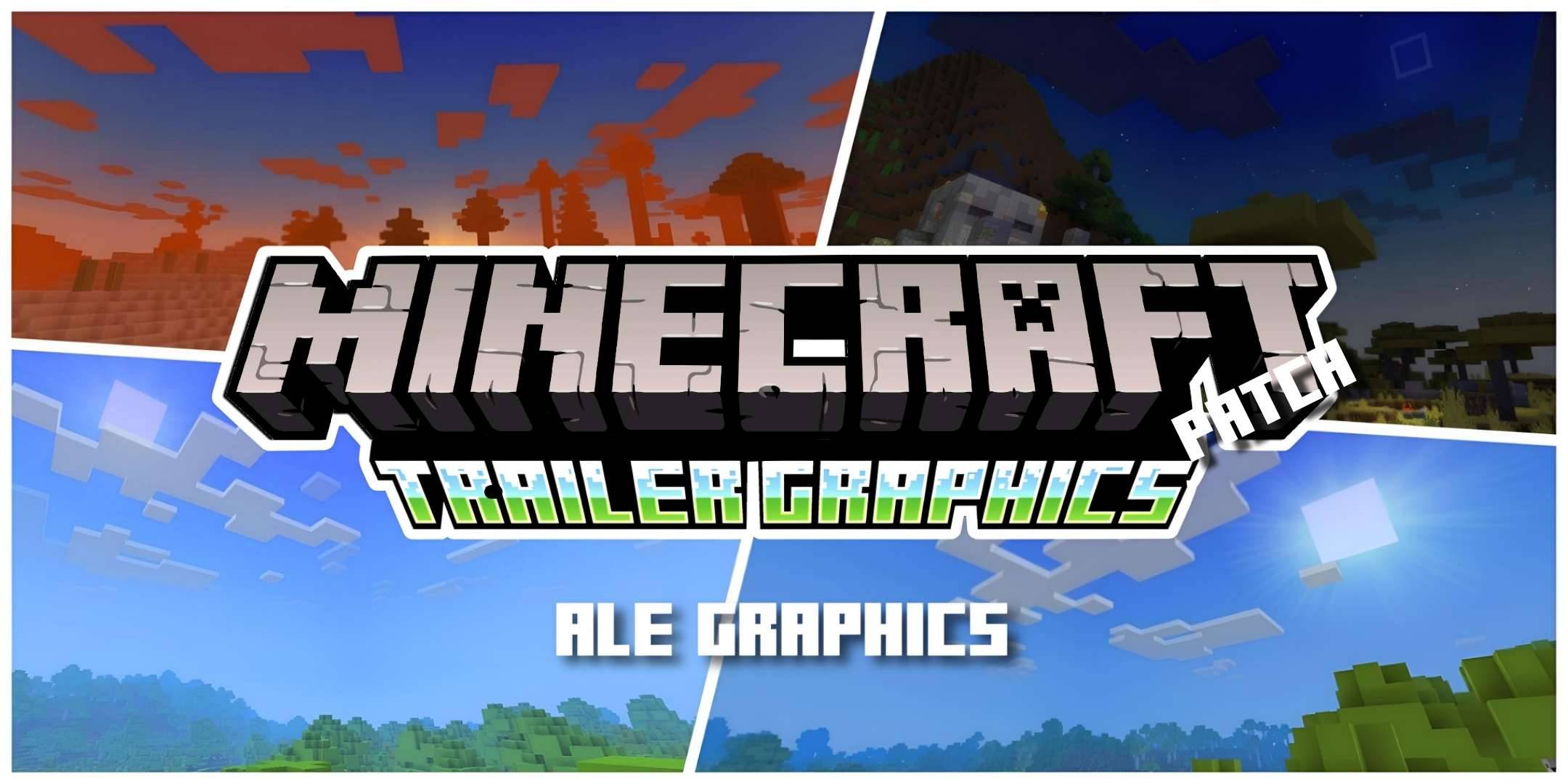
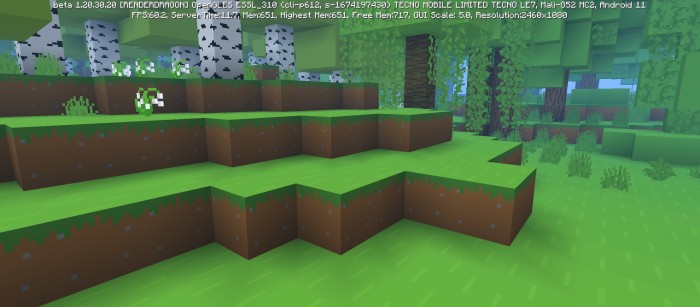
After a long time the trailer graphics have returned. Trailer Graphics has arrived after so many patches and bug fixes, but what are Trailer Graphics? Have you ever wanted to play Minecraft but with the graphics shown in its trailers? Don't worry because you have just found the perfect package to fulfill your desires, as the name says, this package is based on the graphics of the Minecraft trailers, the best thing about this graphics package is that it does not have any type of delay. performance and is compatible with all Minecraft Bedrock Edition compatible devices. I invite you to try this package, I am sure you will not regret it.
Changes
- Now compatible with 1.21.44
- Fixed bug in tree textures
- Download links have been changed
- Better performance
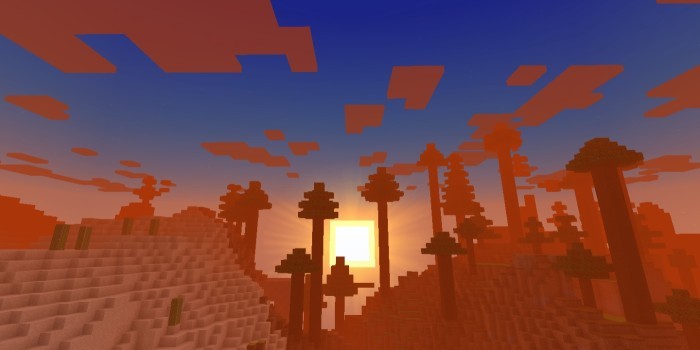
Screenshots
This graphics package comes with vanilla textures by default, but we recommend using the Bare Bones package for more similarity to the trailers.
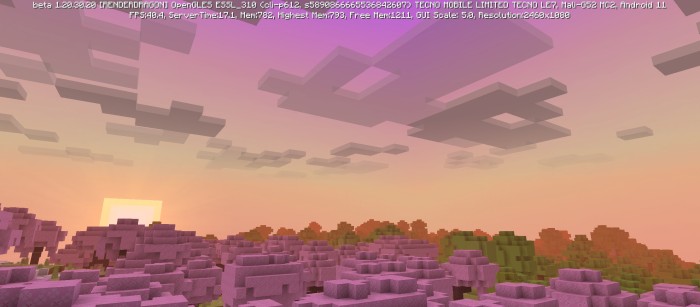
(Mode Fancy)
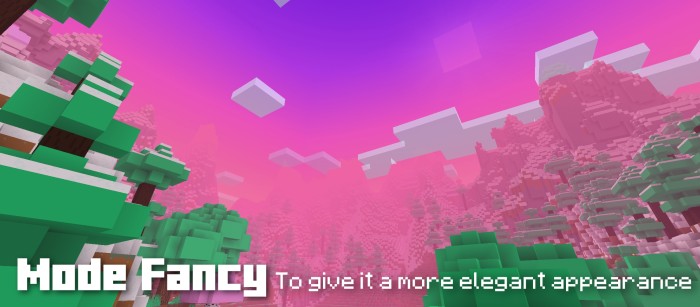
- This new mode is intended to give it a more elegant, shiny and colorful appearance.

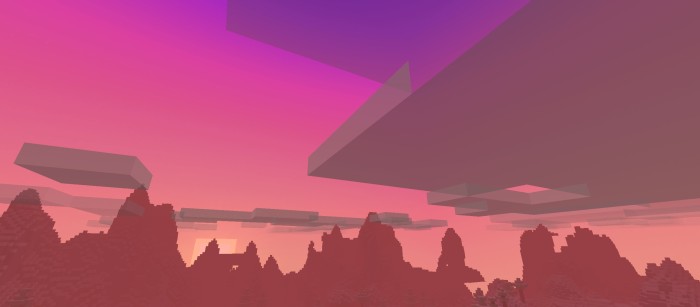
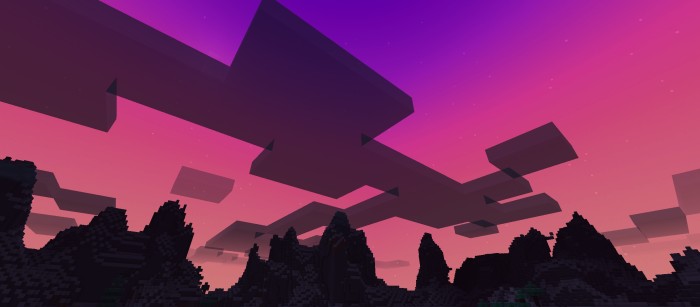
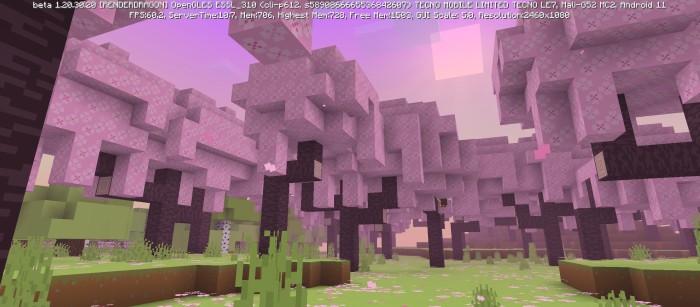
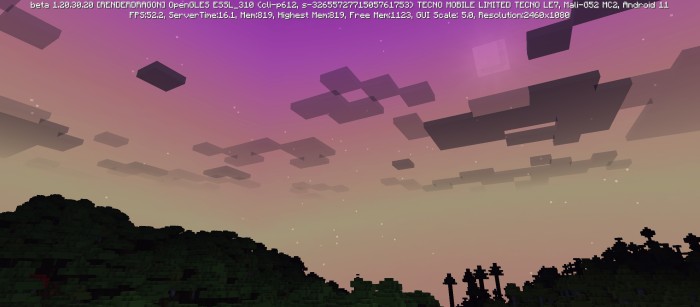
(Mode Cherry)
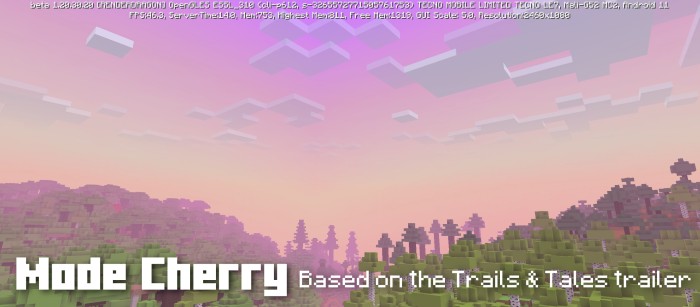
- This mode tries to make it as similar as possible to the graphics of the Minecraft 1.20 Trailer Trails & Tales.
(Mode Day)
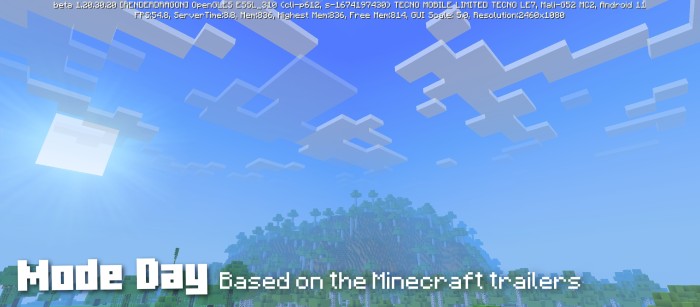
- This mode tries to be the most similar to Minecraft trailers in general.
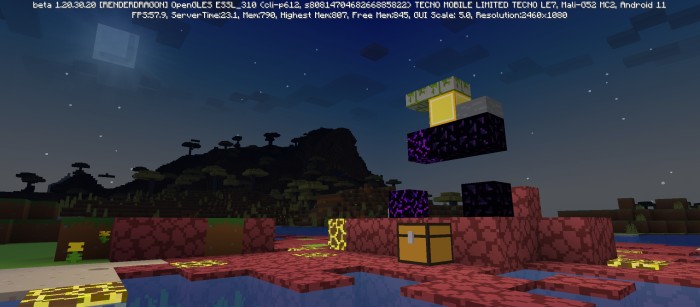
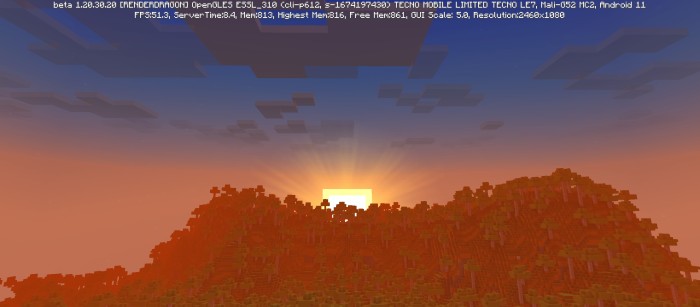
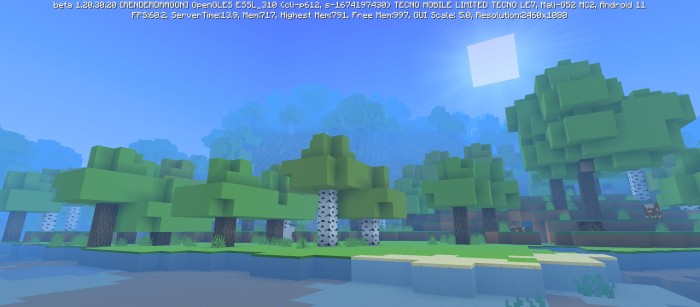
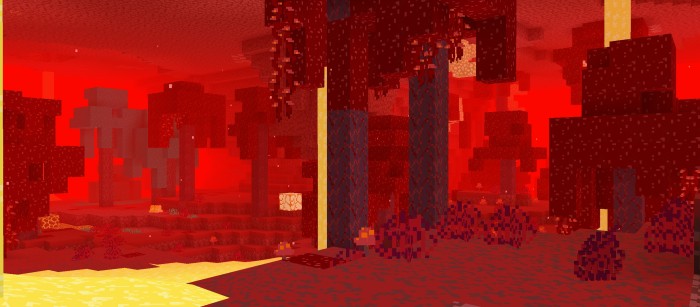
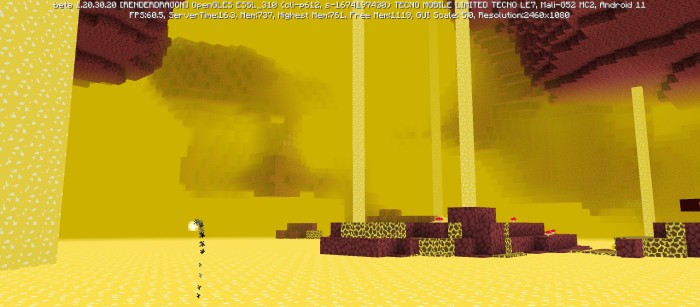
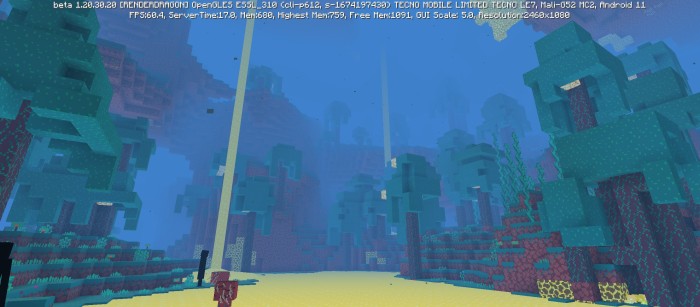
(Dimensions)
Featured
- Fancy mode for a brighter and more colorful gaming look.
- Cherry mode similar to the graphics of the Minecraft 1.20 trailer trails & tales.
- New deferred rendering mode.
- Shadow effect on earth blocks.
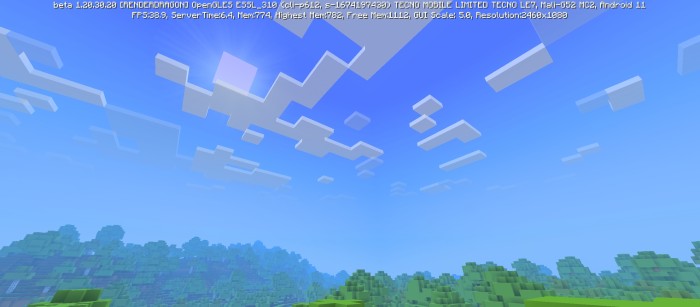
- Modified textures to simulate a double layer cloud effect.
- Beautiful and colorful setting, the closest thing to the Minecraft trailers.
- Colorful sky.
- Fog that blends with the sky.
- Blue and transparent water.
- Heavy fog in the rain.
- Fog in the nether and in the End.
- It does not affect the performance section.
Notes
- It is recommended to use the Bare Bones texture pack for a closer resemblance to the graphics in the trailers.
- This graphics pack is compatible with any texture.
- This is not a shader.
- Based on the graphics from the Minecraft trailers.
- If you want a more complete shader based on the Minecraft trailers, I recommend the Newb X Trailer.
- May be modified for personal use only.
- It is forbidden to distribute this texture pack with modifications in the code.
- You may not take this resource pack and publish it in your own name.
- It is possible that this resource pack has any, if so, please report the bug to me on my Discord.
- This texture pack works on any device.
- This resource pack is compatible with minecraft versions +1.18.30 which means that it is also compatible with (Renderdragon).
- Many thanks to SparkSkye (Creator of Skye Graphics) For helping me with this package.
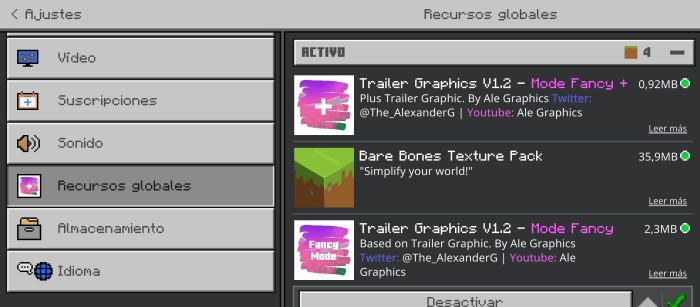
- The new Fancy mode brings its plus version apart from the day mode and cherry mode versions, for that reason I recommend using both in case the user wants to give the appearance of their Minecraft the same as those in the images, in this order you must activate the packages:
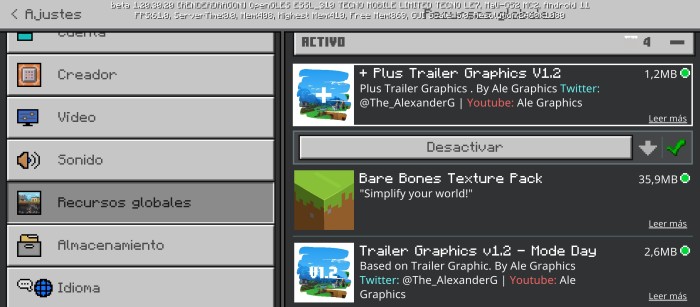
- And lastly and most importantly, I recommend that you activate the trailer graphics pack first and then the Bare Bones texture pack and finally the trailer graphics plus (this is in case you want a more similar experience to the trailer graphics, in case you don't want the basic textures, don't worry, the trailer graphics come with vanilla textures by default). In this order to be clearer:
- For those who are wondering, what function does the plus V1.2 have? It brings new features such as the brightness of the sun and the moon, New saturation on the grass blocks, shadow effect on the dirt blocks, modified textures to simulate double layers of clouds, new particles and new water drops for greater similarity to the trailer graphics. I recommend using it in case you also want to use the basics, if you don't use the basics, no problem. These features are already built into Trailer Graphics.
If you want to have better quality content, I invite you to donate your grain of sand.

The Ultimate Guide to Trailer Graphics
If you are exploring the vast world of Minecraft modifications, Trailer Graphics by Aleeee is a standout shader that deserves your attention. With over 51,957 downloads, it has become a staple for players looking to enhance their experience. As the creator describes it, this project is "After a long time the trailer graphics have returned. Trailer Graphics has arrived after so many patches". Whether you are a veteran builder constructing massive cities, or simply a casual player looking to upgrade your survival world, this guide will provide you with all the essential details on how Trailer Graphics alters the game.
What Makes It Special?
Unlike standard shaders that simply alter superficial elements, Trailer Graphics introduces a wide array of visual and mechanical features designed to seamlessly blend into the vanilla aesthetic. Aleeee has clearly spent significant time refining the project to ensure that every aspect feels polished and responsive for version 1.21.101.
Installation Guide
Getting Trailer Graphics up and running is straightforward. Follow these step-by-step instructions:
- Verify Your Version: Ensure your Minecraft launcher is set to version 1.21.101.
- Install Mod Loader (if required): If this is a mod, download the compatible loader (Forge, Fabric, NeoForge).
- Download the File: Click the secure download button above to retrieve the official file from CurseForge.
- Move the File: Place the downloaded file into your `mods`, `shaderpacks`, or `resourcepacks` folder depending on the shader type.
- Launch and Enjoy: Open Minecraft, navigate to the respective settings menu, and activate Trailer Graphics.
Compatibility & Performance
Compatibility is robust. Trailer Graphics is designed specifically for version 1.21.101, taking full advantage of the latest engine optimizations. During typical gameplay, this addition maintains a stable frame rate, though lower-end laptops might experience slight stuttering. We recommend pairing this with performance boosters like Sodium or Iris to guarantee a silky-smooth experience.