PiglixMCMods LogoPiglixMCMods
HomeShadersTexturesModsLow-End ShadersRTX ShadersSavedGuidesAbout
GET IT ONGoogle Play
📱 OFFICIAL MOBILE APP

Get the Android App — Free on Play Store

Download hand-tested shaders, texture packs & mods directly to your Android device with 1-click install links.

GET IT ONGoogle Play
PiglixMCMods Logo

PiglixMCMods

Curated Minecraft Resources

Curated Minecraft resource discovery with a dark, crafted interface for fans and creators.

Independent Minecraft fan hub

Quick Links

  • Home
  • Saved Library
  • Guides & Installation
  • About Us
  • Sponsor & Partner
  • Contact

Performance Hub

  • Best Low-End Shaders
  • MCPE Performance Mods

Realism & RTX

  • Realistic RTX Shaders
  • RTX Texture Packs for MCPE

Platform Compatibility

  • Minecraft PE Shaders 1.21
  • Shaders for Android & iOS

Gameplay Vibe

  • Top PvP Texture Packs
  • Medieval Texture Packs

Community & Socials

  • Get Android App
  • YouTube Channel
  • Instagram Community
HomeGuidesAbout UsSponsor & PartnerContactPrivacy PolicyTerms & ConditionsDisclaimer

© 2026 PiglixMCMods. All rights reserved.

Designed for Minecraft explorers, builders, and shader fans.

Minecraft>Shaders>Newb X Stars Shader | Compatible with Minecraft v26.44
Newb X Stars Shader | Compatible with Minecraft v26.44 logo

Newb X Stars Shader | Compatible with Minecraft v26.44

By👤Aleeee

Now Compatible with version V26.44+ An update has just arrived for Newb X Stars starred version.

Why Newb X Stars Shader | Compatible with Minecraft v26.44 is a top-tier shader mod for Minecraft 1.21

Now Compatible with version V26.44+ An update has just arrived for Newb X Stars starred version.

⚙️ Quick Resource Specs

Mod CreatorAleeee
Latest Version1.21
Supported Game VersionsMinecraft 1.21+
File Size7.67 MB
Last UpdatedUpdated: August 25, 2026
Total Downloads472,642 downloads
Newb X Stars Shader | Compatible with Minecraft v26.44 screenshot active
Discover new possibilities in your world with Newb X Stars Shader | Compatible with Minecraft v26.44, a premium shaders project created by Aleeee. Designed to run smoothly on Minecraft 1.21, this addition brings both quality improvements and immersive elements to your setup.

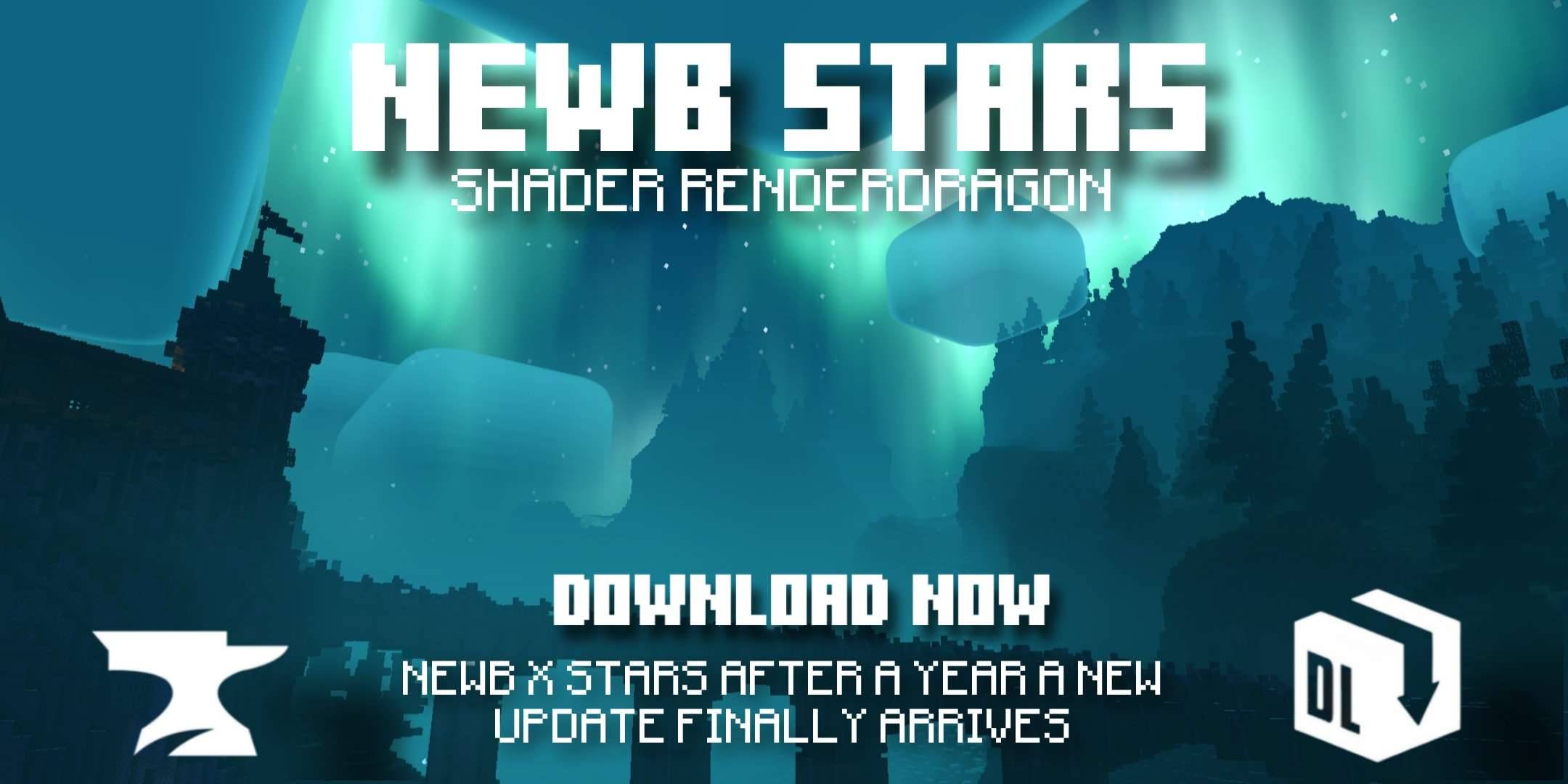
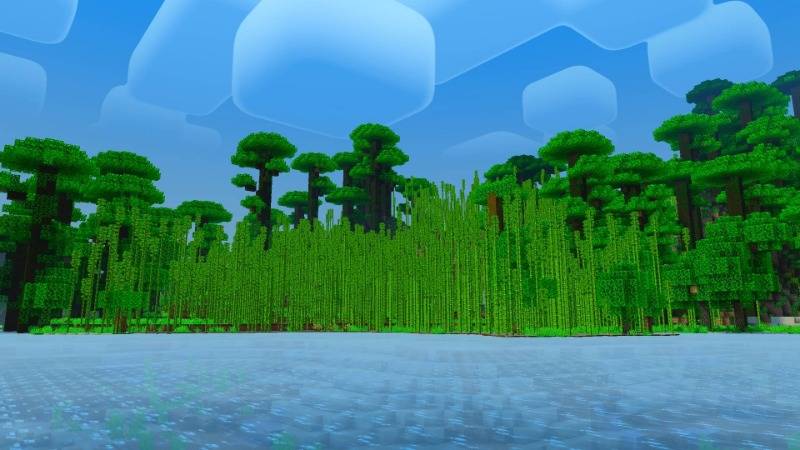
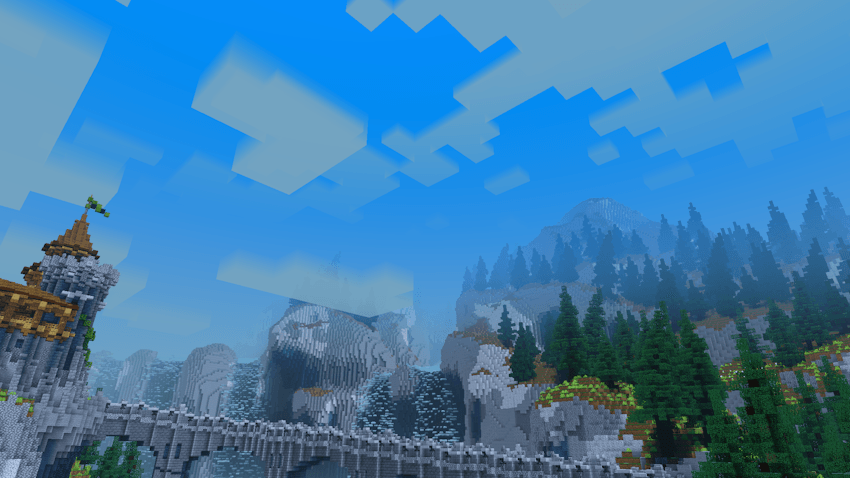
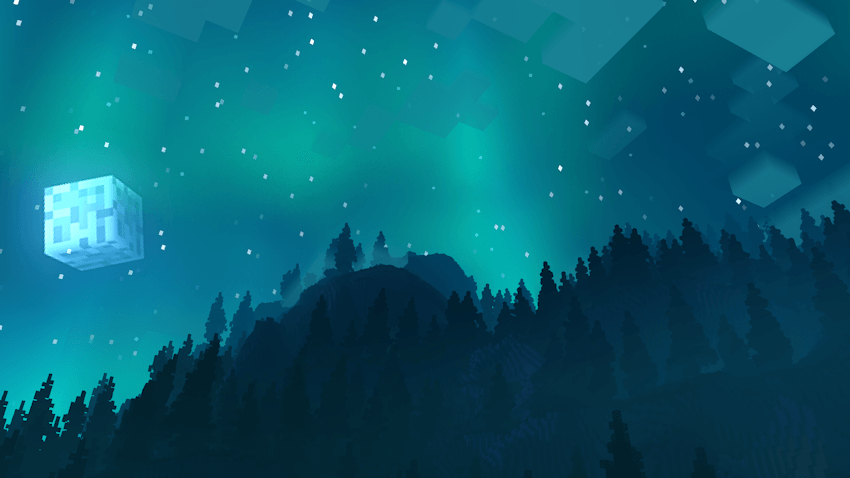
Newb X Stars shaders are back. It's a new, customized variant of the Newb shader created by VeteranDev. This shader is based on the concept of the universe, which is why it's called Newb X Stars, and this is also reflected in the cool tones of the universe. The best thing about this shader is that it can run on low-end devices. Check it out! I promise you won't regret it.


Newb X Stars Reimagined

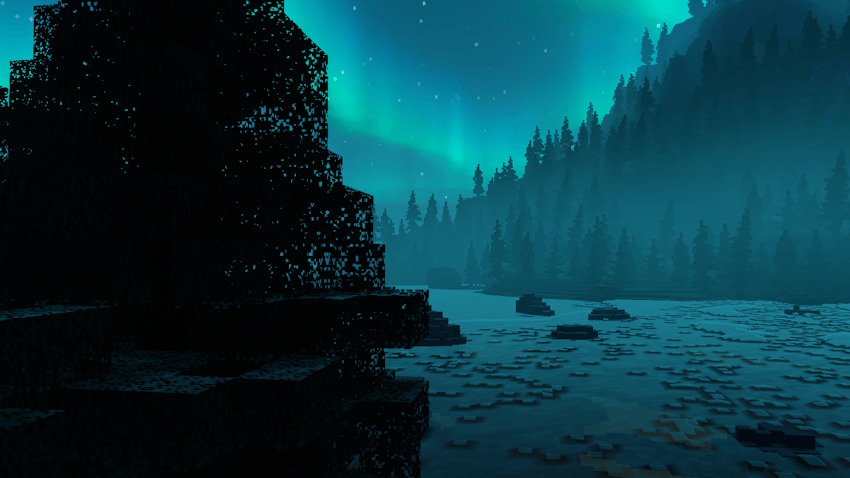
  • Night


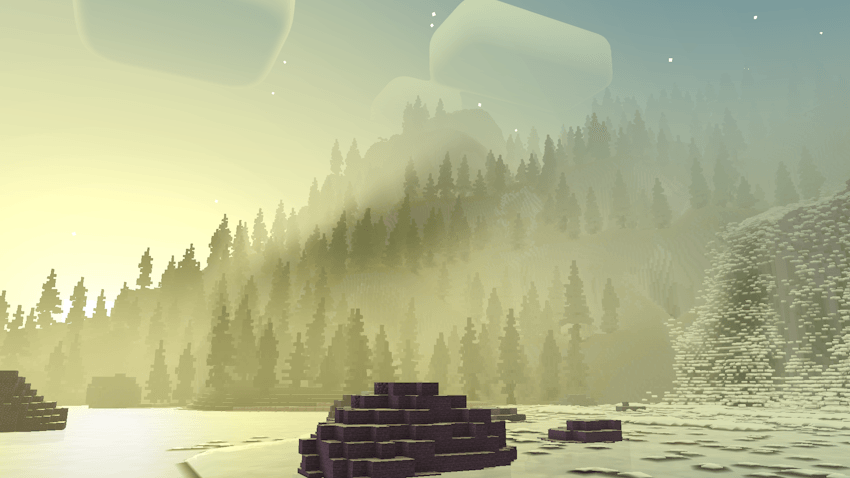
  • Sunset


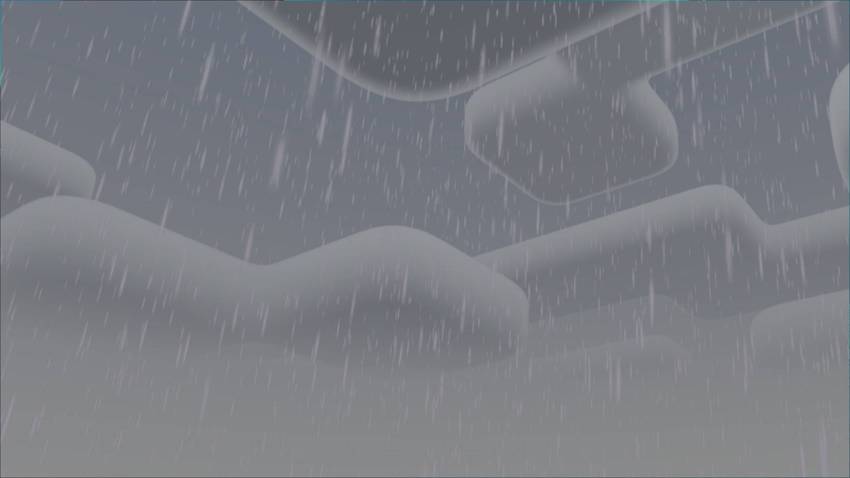
  • Rain


  • Day


  • End


Newb X Stars Lite

  • Day


  • Sunset


  • Night


  • End


Featured

  • Java-like lighting.
  • Multiple glowing blocks.
  • Colorful vanilla-style skies.
  • Reimagined complementary clouds.
  • Realistic rippling water.
  • Warm lighting.
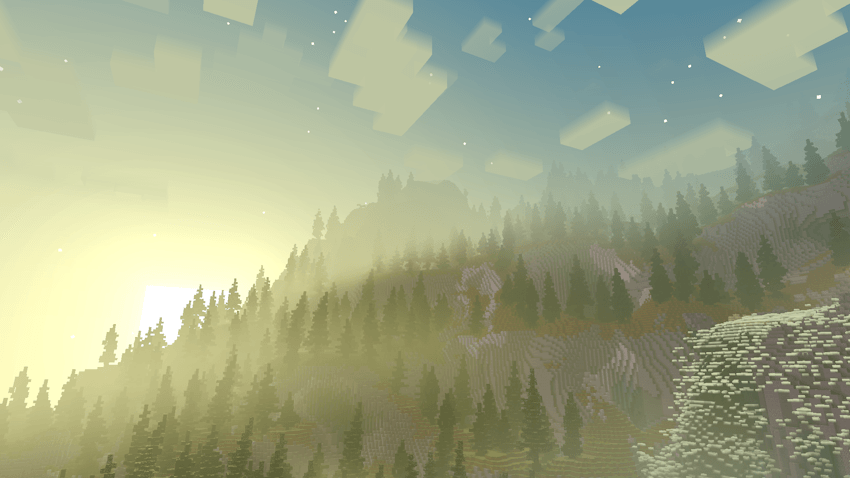
  • Beautiful sunrises, sunsets, and night skies.
  • Light blue and purple aurora borealis.
  • Movement in plants.
  • Beautiful sunrises, sunsets, and night skies.
  • Realistic shadows.
  • Wet effect when it rains.
  • Sun rays.
  • Sparkling minerals.
  • Luminous background.
  • Shooting stars.
  • Illuminated and glowing Nether.
  • Blue and black extreme.
  • Starry night sky.
  • Starry sky ultimate

Changes

  • New Realistic auroras have been added to the sky.
  • Better Clouds Reimagined and Clouds Lite.
  • Stars identical to those in the Complementary Shader have been implemented.
  • The white pixels in the textures have been removed.
  • Better glow effect on minerals and glowing blocks.
  • The lava has been improved for a more realistic appearance.
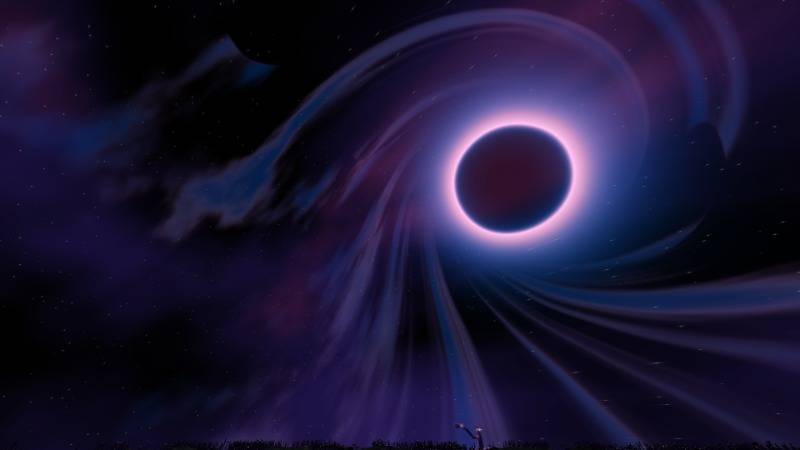
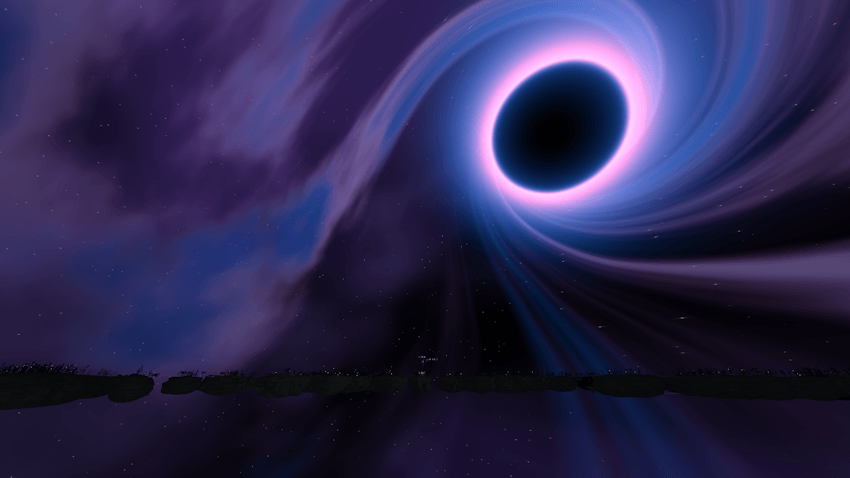
  • New End with black hole, Nebula, Cosmic Dust and Stars.
  • Itemhand, itemtextured, itemcolor, and actorglint have been added
  • Compatible with Minecraft v26.21+

Notes

  • Need Minecraft v26.20+ and MBLoader.
  • Need Minecraft Hynis in iOS.
  • You need Wyvern for Windows, in case it does not work, use the method of replacing material.bin files with Maject.
  • I recommend that you the old version of this shader if you have it installed to avoid errors.
  • This shader is only compatible with Android,Windows and iOS
  • Use this mcpedl link if you want to share this shader.
  • Please do not create another link for this shader.
  • This shader may not be supported on some devices, if so tell me about the error on my Discord.
  • I will temporarily remove the Unbound and Lite versions as they consume a lot of my time, which I don't currently have
  • Credits: Ale

If you want to have better quality content, I invite you to donate your grain of sand.

The Ultimate Guide to Newb X Stars Shader | Compatible with Minecraft v26.44

If you are exploring the vast world of Minecraft modifications, Newb X Stars Shader | Compatible with Minecraft v26.44 by Aleeee is a standout shader that deserves your attention. With over 472,642 downloads, it has become a staple for players looking to enhance their experience. As the creator describes it, this project is "Now Compatible with version V26.44+ An update has just arrived for Newb X Stars starred version.". Whether you are a veteran builder constructing massive cities, or simply a casual player looking to upgrade your survival world, this guide will provide you with all the essential details on how Newb X Stars Shader | Compatible with Minecraft v26.44 alters the game.

What Makes It Special?

Unlike standard shaders that simply alter superficial elements, Newb X Stars Shader | Compatible with Minecraft v26.44 introduces a wide array of visual and mechanical features designed to seamlessly blend into the vanilla aesthetic. Aleeee has clearly spent significant time refining the project to ensure that every aspect feels polished and responsive for version 1.21.

Installation Guide

Getting Newb X Stars Shader | Compatible with Minecraft v26.44 up and running is straightforward. Follow these step-by-step instructions:

  1. Verify Your Version: Ensure your Minecraft launcher is set to version 1.21.
  2. Install Mod Loader (if required): If this is a mod, download the compatible loader (Forge, Fabric, NeoForge).
  3. Download the File: Click the secure download button above to retrieve the official file from CurseForge.
  4. Move the File: Place the downloaded file into your `mods`, `shaderpacks`, or `resourcepacks` folder depending on the shader type.
  5. Launch and Enjoy: Open Minecraft, navigate to the respective settings menu, and activate Newb X Stars Shader | Compatible with Minecraft v26.44.

Compatibility & Performance

Compatibility is robust. Newb X Stars Shader | Compatible with Minecraft v26.44 is designed specifically for version 1.21, taking full advantage of the latest engine optimizations. During typical gameplay, this addition maintains a stable frame rate, though lower-end laptops might experience slight stuttering. We recommend pairing this with performance boosters like Sodium or Iris to guarantee a silky-smooth experience.


Details

Downloads:472,642
Created:1 year ago
Updated:2 days ago
Project ID:1248967
License:All Rights Reserved
Environment:Client

🤝 Join Community for Support

Need help installing this resource or want to see more showcases? Join our community!

Subscribe on YouTubeFollow on Instagram

Newb X Stars Shader | Compatible with Minecraft v26.44

Screenshot 0
Screenshot 1
A
Aleeee
SHADERS CREATOR
Downloads473K
Version1.21
TypeSHADERS
File Size7.67 MB

About This shaders

Now Compatible with version V26.44+ An update has just arrived for Newb X Stars starred version.

Newb X Stars shaders are back. It's a new, customized variant of the Newb shader created by VeteranDev. This shader is based on the concept of the universe, which is why it's called Newb X Stars, and this is also reflected in the cool tones of the universe. The best thing about this shader is that it can run on low-end devices. Check it out! I promise you won't regret it.


Newb X Stars Reimagined

  • Night


  • Sunset


  • Rain


  • Day


  • End


Newb X Stars Lite

  • Day


  • Sunset


  • Night


  • End


Featured

  • Java-like lighting.
  • Multiple glowing blocks.
  • Colorful vanilla-style skies.
  • Reimagined complementary clouds.
  • Realistic rippling water.
  • Warm lighting.
  • Beautiful sunrises, sunsets, and night skies.
  • Light blue and purple aurora borealis.
  • Movement in plants.
  • Beautiful sunrises, sunsets, and night skies.
  • Realistic shadows.
  • Wet effect when it rains.
  • Sun rays.
  • Sparkling minerals.
  • Luminous background.
  • Shooting stars.
  • Illuminated and glowing Nether.
  • Blue and black extreme.
  • Starry night sky.
  • Starry sky ultimate

Changes

  • New Realistic auroras have been added to the sky.
  • Better Clouds Reimagined and Clouds Lite.
  • Stars identical to those in the Complementary Shader have been implemented.
  • The white pixels in the textures have been removed.
  • Better glow effect on minerals and glowing blocks.
  • The lava has been improved for a more realistic appearance.
  • New End with black hole, Nebula, Cosmic Dust and Stars.
  • Itemhand, itemtextured, itemcolor, and actorglint have been added
  • Compatible with Minecraft v26.21+

Notes

  • Need Minecraft v26.20+ and MBLoader.
  • Need Minecraft Hynis in iOS.
  • You need Wyvern for Windows, in case it does not work, use the method of replacing material.bin files with Maject.
  • I recommend that you the old version of this shader if you have it installed to avoid errors.
  • This shader is only compatible with Android,Windows and iOS
  • Use this mcpedl link if you want to share this shader.
  • Please do not create another link for this shader.
  • This shader may not be supported on some devices, if so tell me about the error on my Discord.
  • I will temporarily remove the Unbound and Lite versions as they consume a lot of my time, which I don't currently have
  • Credits: Ale

If you want to have better quality content, I invite you to donate your grain of sand.

📌Supported Minecraft Versions: Minecraft 1.21+

How to Install

1. Download Iris Shader Mod or OptiFine for Minecraft 1.21+. 2. Open Minecraft and go to Options > Video Settings > Shader Packs. 3. Tap 'Open Shader Folder' and place the downloaded .zip file inside.