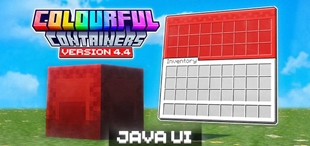
Why Colourful Containers BE: Java is a top-tier texture pack mod for Minecraft 1.21
Developed by the talented creator RedstoneChicken, Colourful Containers BE: Java stands out as a highly recommended selection for your Minecraft client. It is fully optimized, compatibility-tested, and brings a major upgrade to the gameplay experience in Minecraft version 1.21.
⚙️ Quick Resource Specs
| Mod Creator | RedstoneChicken |
| Latest Version | 1.21 |
| Supported Game Versions | Minecraft 1.21+ |
| File Size | 5.06 MB |
| Last Updated | |
| Total Downloads | 133,379 downloads |
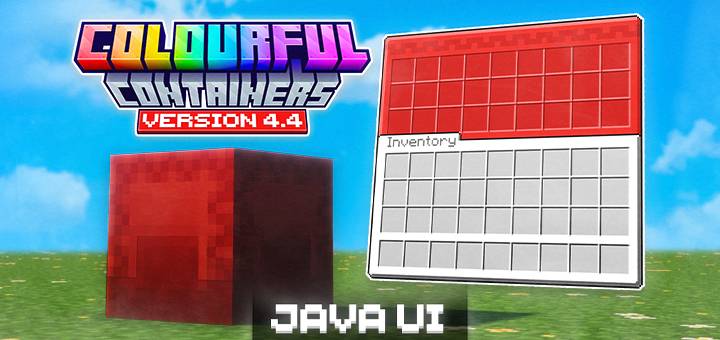



Colourful Containers BE is a resource pack ported for Minecraft Bedrock Edition that replaces the default boring, grey container GUIs with vibrant themed interfaces! Every menu gets a unique texture inspired by the block or entity it's from, making your UI feel like a natural part of the game.



Overhauled UI list:
| GUI | Extras |
|---|---|
| Anvil | |
| Barrel | |
| Beacon | |
| Blast Furnace | MIXED ONLY — Recipe Book |
| Brewing Stand | COMPAT — VDX Brewing Guide |
| Cartography Table | ANIMATED |
| Chest | |
| Chest Boats | NEW — Wood-type specific textures |
| Chest Hoppers | |
| Chest Minecarts | NEW |
| Chest Raft | NEW |
| Coloured Shulker Boxes | NEW |
| Copper Chest | NEW |
| Crafter | REACTIVE TEXTURES |
| Crafting Table | |
| Dispenser | |
| Dropper | |
| Enchanting Table | ANIMATED |
| Ender Chest | ANIMATED |
| Furnace | MIXED ONLY — Recipe Book |
| Grindstone | |
| Hopper | |
| Loom | |
| Mount UI | REVAMPED |
| Recipe Book | JAVA UI ONLY |
| Shulker Box | |
| Smithing Table | |
| Smoker | MIXED ONLY — Recipe Book |
| Stonecutter | |
| Villagers | NEW — Profession-based textures |
| Wandering Villagers |
Colourful Containers BE is avaliable in dark mode as well:
Previous Update Videos;
- v4.0~v4.3:
- v1, v2, v3;

To use the Coloured Shulker Boxes & Wood Type Chest Boats feature, you can either:
- Use the Colourful Containers BE: Script pack!
- Rename the items in an Anvil!

This texture pack is made to be used with Colourful Containers BE: Script, as it enables the automation of renaming items such as the Chest Boats or Shulker Boxes so you can use Coloured Shulker Boxes or Wood-Type Specific Chest Boat textures seamlessly!
Or
If you want to use the Anvil method, simply remove the empty space at the end of the item name!
- Colour Codes for Chest Boats and Coloured Shulkers:
-> Shulkers:
Display Prefix Color Name
Default (nothing) Purple
§f§r White
§p§r Orange
§5§r Magenta
§b§r Light Blue
§e§r Yellow
§a§r Lime
§d§r Pink
§8§r Gray
§7§r Light Gray
§3§r Cyan
§u§r Purple
§9§r Blue
§n§r Brown
§2§r Green
§c§r Red
§0§r Black
-> Chest Boats:
Display Prefix Color Name
Default (nothing) Purple
§f§r White
§p§r Orange
§5§r Magenta
§b§r Light Blue
§e§r Yellow
§a§r Lime
§d§r Pink
§8§r Gray
§7§r Light Gray
§3§r Cyan
§u§r Purple
§9§r Blue
§n§r Brown
§2§r Green
§c§r Red
§0§r Black
-> Villager Professions (Hard coded, only for info purposes):
aq Armorer
bq Butcher
cq Cartographer
dq Cleric
eq Farmer
fq Fisherman
gq Fletcher
hq Leatherworker
iq Librarian
jq Shepherd
kq Tool Smith
lq Weapon Smith
mq Stone Mason
nq Wandering Trader


Colourful Containers BE is recommended to play with the following packs:
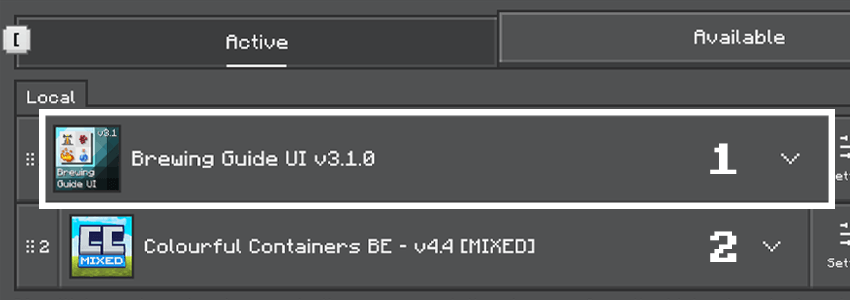
- VDX Brewing Guide UI
- Christmas Chests
- Cat Villagers (Linked in the files tab)

Credits:
Original creator of Colourful Containers:
XENO: https://www.planetminecraft.com/member/chris_xeno/
The pack's code is based off:
CrisXolt: https://www.curseforge.com/members/crisxolt/projects
Original chest boat and minecart textures:
Vi_Tul: https://www.curseforge.com/members/vi_tul/projects
Helped create the UI detection logic systems:
Joao Pedro: https://x.com/IjoaopedroAnd
UI texture detection logic created by:
Ashura Tepes: https://www.curseforge.com/members/ashura_tepes/projects
Villager profession, shulker box UI code reference:
LukasPAH: https://mcpedl.com/color-coded-shulker-box-gui-resource-pack/
Dark mode theme based on:
Vanilla Tweaks: https://vanillatweaks.net/
Bedrock Tweaks: https://bedrocktweaks.net/

Frequently Asked Questions & Support:
Will you add compatibility for Pocket UI?
No, I'll be soley focused on the classic UI mode.
Tips if the pack is not working:
- Make sure you have your 'gui' settings to 'classic' (NOT 'POCKET')
- If dark mode is not working. Try restarting your game after activating the subpack!

Term of Use:
You may:
- Use the pack in your own worlds and servers,
- Showcase the pack in videos as long as you credit me, Xeno and CrisXolt with the link to this page,
- Edit the pack for private use.
You cannot:
- Share the pack with your own download links,
- Edit the pack and say it's your own,
- Sharing the edited pack without permission.
The Ultimate Guide to Colourful Containers BE: Java
If you are exploring the vast world of Minecraft modifications, Colourful Containers BE: Java by RedstoneChicken is a standout texture that deserves your attention. With over 133,379 downloads, it has become a staple for players looking to enhance their experience. As the creator describes it, this project is "Say goodbye to boring inventories. Colourful Containers BE: Java gives Minecraft Bedrock vibrant, block-themed GUIs with a more accurate UI port of the original pack!". Whether you are a veteran builder constructing massive cities, or simply a casual player looking to upgrade your survival world, this guide will provide you with all the essential details on how Colourful Containers BE: Java alters the game.
What Makes It Special?
Unlike standard textures that simply alter superficial elements, Colourful Containers BE: Java introduces a wide array of visual and mechanical features designed to seamlessly blend into the vanilla aesthetic. RedstoneChicken has clearly spent significant time refining the project to ensure that every aspect feels polished and responsive for version 1.21.
Installation Guide
Getting Colourful Containers BE: Java up and running is straightforward. Follow these step-by-step instructions:
- Verify Your Version: Ensure your Minecraft launcher is set to version 1.21.
- Install Mod Loader (if required): If this is a mod, download the compatible loader (Forge, Fabric, NeoForge).
- Download the File: Click the secure download button above to retrieve the official file from CurseForge.
- Move the File: Place the downloaded file into your `mods`, `shaderpacks`, or `resourcepacks` folder depending on the texture type.
- Launch and Enjoy: Open Minecraft, navigate to the respective settings menu, and activate Colourful Containers BE: Java.
Compatibility & Performance
Compatibility is robust. Colourful Containers BE: Java is designed specifically for version 1.21, taking full advantage of the latest engine optimizations. During typical gameplay, this addition maintains a stable frame rate, though lower-end laptops might experience slight stuttering. We recommend pairing this with performance boosters like Sodium or Iris to guarantee a silky-smooth experience.