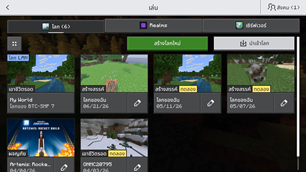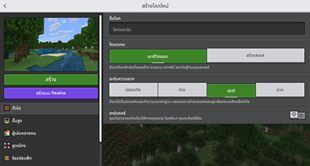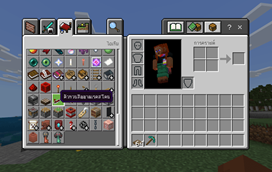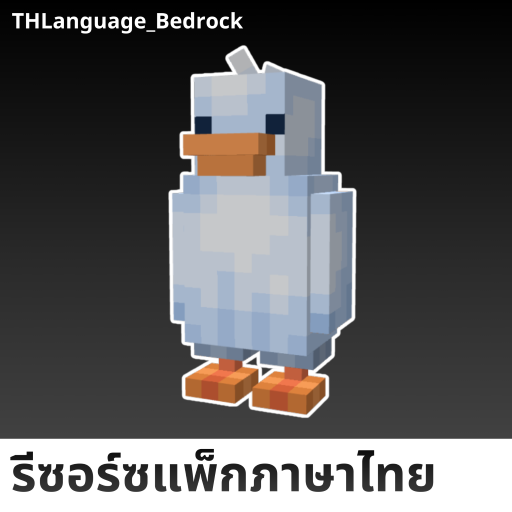
Why THLanguage Bedrock is a top-tier texture pack mod for Minecraft 1.21
Developed by the talented creator MineGarp, THLanguage Bedrock stands out as a highly recommended selection for your Minecraft client. It is fully optimized, compatibility-tested, and brings a major upgrade to the gameplay experience in Minecraft version 1.21.
⚙️ Quick Resource Specs
| Mod Creator | MineGarp |
| Latest Version | 1.21 |
| Supported Game Versions | Minecraft 1.21+ |
| File Size | 3.04 MB |
| Last Updated | |
| Total Downloads | 185,689 downloads |
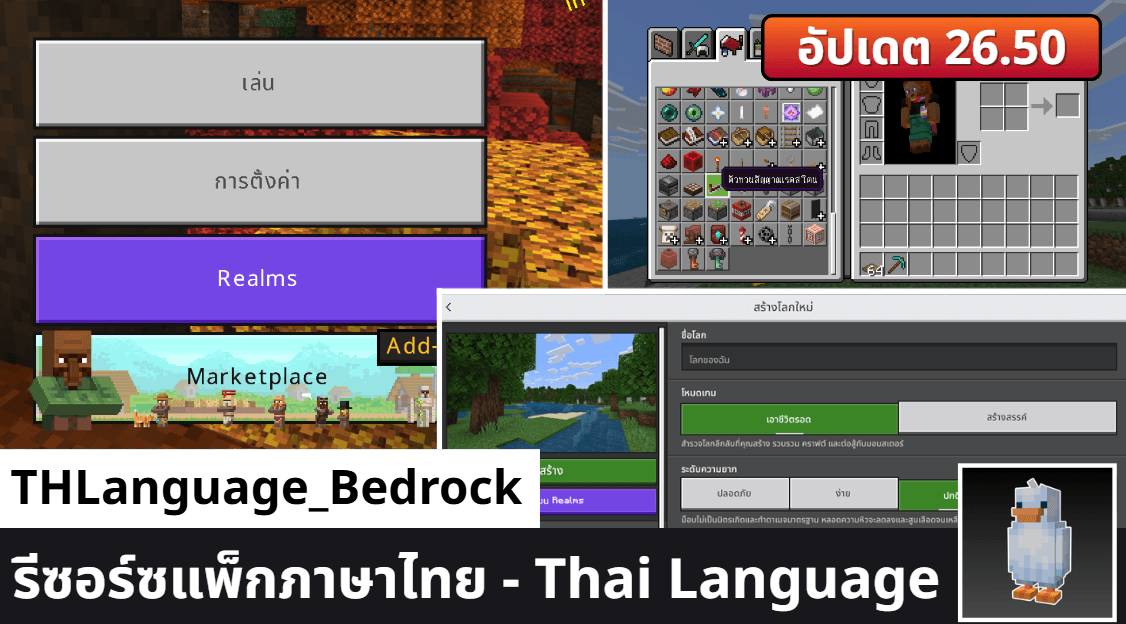
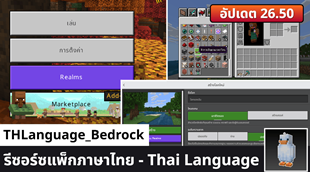
THLanguage Bedrock - รีซอร์ซแพ็กภาษาไทยสำหรับ Minecraft Bedrock
โปรเจกต์รีซอร์ซแพ็กภาษาไทยสำหรับเกม Minecraft: Bedrock Edition ที่สมบูรณ์และอัปเดตที่สุด จัดทำและดูแลโดยชุมชน MineGarp (มายก๊าบดอทเป็ด) โดยมีเป้าหมายเพื่อมอบประสบการณ์การเล่นเกมฉบับภาษาไทยที่ถูกต้องและเป็นธรรมชาติที่สุดสำหรับผู้เล่นทุกคน
โปรเจกต์นี้เปิดเป็นโอเพนซอร์ส (Open Source) ทุกคนสามารถเข้าถึงซอร์สโค้ด นำไปใช้งาน และร่วมพัฒนาได้ภายใต้สัญญาอนุญาต MIT License
This project is the most complete and up-to-date Thai Language Resource Pack for Minecraft: Bedrock Edition, created and maintained by the MineGarp (or MineGarp.PED) community. Its goal is to provide the most accurate and natural Thai-language experience for all players.
This project is open source. Everyone can access the source code, use it, and contribute to its development under the MIT License
⚠️ ข้อจำกัดความรับผิด (Disclaimer)
โปรเจกต์นี้เป็นผลงานที่จัดทำขึ้นโดยชุมชนผู้เล่น และ ไม่มีส่วนเกี่ยวข้องใด ๆ กับ Mojang Studios หรือ Microsoft
This project is a fan-made community project and is not affiliated with Mojang Studios or Microsoft.
🚀 วิธีการดาวน์โหลด (Download)
คุณสามารถดาวน์โหลดรีซอร์ซแพ็กล่าสุดได้จากในหน้า Releases ของเรา
📥 วิธีการติดตั้ง (Installation)
เมื่อคุณดาวน์โหลดไฟล์มาเสร็จสิ้นแล้วสามารถกดเพื่อติดตั้งรีซอร์ซแพ็กเพื่อทำการติดตั้งแล้วเปิดใช้งานได้เลย
หรือหากติดตั้งไม่ได้สามารถใช้วิธีตามที่สะดวกของในแต่ละอุปกรณ์ได้
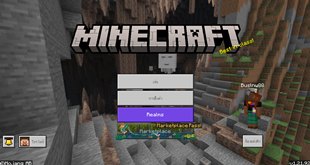
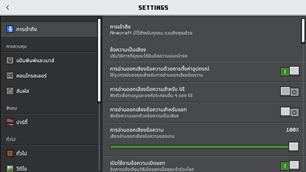
วิธีการเปิดใช้งาน: เข้าไปหน้า ตั้งค่า (Setting) -> เลือกหน้า ภาษา (Language) -> เลือก ภาษาไทย (ประเทศไทย)
เมื่อเลือกเปิดใช้งานเสร็จสิ้นแนะนำ เปิด/ปิด ตัวเกม Minecraft ใหม่ 1 ครั้ง เพื่อความสมบูรณ์ของรีซอร์ซแพ็ก
หมายเหตุ: มีการเพิ่มฟอนต์สำหรับภาษาไทย Noto Sans เป็นค่าเริ่มต้นหลัก หากไม่ต้องการสามารถเข้าไปที่การตั้งค่าของแพ็ก แล้วปรับเป็นฟอนต์ดั้งเดิมของตัวเกม หรือ Unicode Font ได้ (มีผลเฉพาะ JsonUI)
ℹ️ ปัญหาที่รับทราบแล้ว (Known Issues)
- ปัญหาการแสดงผลฟอนต์ Unicode ที่ยังคงเหลือจากการแก้ไข (MCPE-166005) - MCPE-224612
📚 แหล่งอ้างอิงข้อมูล (References)
เพื่อให้คำแปลมีคุณภาพและเป็นมาตรฐานเดียวกันกับทาง Java Edition โปรเจกต์ของเราได้มีการอ้างอิงข้อมูลคำศัพท์ภาษาไทย จากแหล่งข้อมูลทางการและชุมชนที่น่าเชื่อถือ ดังนี้:
- Minecraft Wiki (ภาษาไทย) - สำหรับอ้างอิงคำศัพท์เฉพาะทางเทคนิคและชื่อไอเทมต่าง ๆ ภายในเกม
- Crowdin (Minecraft) - แพลตฟอร์มการแปลภาษาอย่างเป็นทางการของ Minecraft: Java Edition
หมายเหตุ: โปรเจกต์นี้ได้ปรับแต่งคำแปลโดยใช้ AI
🧂 แอดออน & รีซอร์ซแพ็กที่รองรับ (Compatible Add-Ons & Resource packs)
หากคุณเป็นผู้พัฒนาส่วนเสริม Add-Ons หรือ Resource Pack ที่ต้องการให้ผลงานของคุณรองรับภาษาไทยโดยใช้ไฟล์ของพวกเรา คุณสามารถทำมันได้เลย!
พวกเราจะรู้สึกยินดีเป็นอย่างมาก สามารถแวะมาบอกเล่าเกี่ยวกับผลงานของคุณให้พวกเราฟังใน Discord ก็ได้นะ🤩
และนี่คือรายชื่อของแอดออนและรีซอร์ซแพ็กที่รองรับในตอนนี้
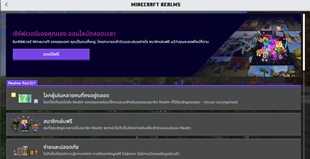
แอดออนที่รองรับภาษาไทย (Thai Language Add-Ons Support in Marketplace)
- Over Mob Add-On โดย Overtales Studio
- FARMING Add-On โดย Podcrash
- GARDENING Add-On โดย Podcrash
- RPG Skills Add-On โดย Podcrash
รีซอร์ซแพ็กที่รองรับภาษาไทย
- None - ที่เรารู้ในตอนนี้อ่ะนะ :3
🤝 การมีส่วนร่วมกับโปรเจกต์ (Contributing)
ยินดีต้อนรับทุกคนที่ต้องการเข้ามามีส่วนร่วมในการแปลและพัฒนาโปรเจกต์นี้:
- รายงานคำแปลที่ผิดพลาด: หากพบเจอคำแปลที่ผิด, ไม่เป็นธรรมชาติ หรือมีข้อเสนอแนะ สามารถเปิด Issue บน GitHub ได้เลย
- เสนอคำแปลใหม่ (Pull Request): หากคุณต้องการแก้ไขหรือเพิ่มเติมคำแปล เกมเวอร์ชันใหม่ สามารถ Fork โปรเจกต์นี้แล้วส่ง Pull Request กลับมาได้นะครับ
- แลกเปลี่ยนและเสนอแนะ: เข้าร่วมพูดคุยและเสนอแนะเกี่ยวกับโปรเจกต์ได้ที่ Discord ของ มายก๊าบดอทเป็ด
🔠 รายละเอียดเกี่ยวกับฟอนต์ (Font Details)
- MinecraftTenTH (เฉพาะตัวไทยทั้งหมด) - ImNotSus555
- MinecraftTen (ไม่รวมตัวไทยทั้งหมด) - Mojang Studios
- Noto Sans Thai - โมโนไทป์ (Monotype), คัดสรร ดีมาก
The Ultimate Guide to THLanguage Bedrock
If you are exploring the vast world of Minecraft modifications, THLanguage Bedrock by MineGarp is a standout texture that deserves your attention. With over 185,689 downloads, it has become a staple for players looking to enhance their experience. As the creator describes it, this project is "This project is a comprehensive Thai language (ภาษาไทย) resource pack for Minecraft: Bedrock Edition, maintained by the "MineGarp" community. The goal is to provide the most accurate, natural, and up-to-date Thai translation for all players.". Whether you are a veteran builder constructing massive cities, or simply a casual player looking to upgrade your survival world, this guide will provide you with all the essential details on how THLanguage Bedrock alters the game.
What Makes It Special?
Unlike standard textures that simply alter superficial elements, THLanguage Bedrock introduces a wide array of visual and mechanical features designed to seamlessly blend into the vanilla aesthetic. MineGarp has clearly spent significant time refining the project to ensure that every aspect feels polished and responsive for version 1.21.
Installation Guide
Getting THLanguage Bedrock up and running is straightforward. Follow these step-by-step instructions:
- Verify Your Version: Ensure your Minecraft launcher is set to version 1.21.
- Install Mod Loader (if required): If this is a mod, download the compatible loader (Forge, Fabric, NeoForge).
- Download the File: Click the secure download button above to retrieve the official file from CurseForge.
- Move the File: Place the downloaded file into your `mods`, `shaderpacks`, or `resourcepacks` folder depending on the texture type.
- Launch and Enjoy: Open Minecraft, navigate to the respective settings menu, and activate THLanguage Bedrock.
Compatibility & Performance
Compatibility is robust. THLanguage Bedrock is designed specifically for version 1.21, taking full advantage of the latest engine optimizations. During typical gameplay, this addition maintains a stable frame rate, though lower-end laptops might experience slight stuttering. We recommend pairing this with performance boosters like Sodium or Iris to guarantee a silky-smooth experience.