![Anti-Lag [FPS+] logo](https://media.forgecdn.net/avatars/1378/958/638894462123452523.png)
Why Anti-Lag [FPS+] is a top-tier texture pack mod for Minecraft 1.21.132
Developed by the talented creator wiitzk, Anti-Lag [FPS+] stands out as a highly recommended selection for your Minecraft client. It is fully optimized, compatibility-tested, and brings a major upgrade to the gameplay experience in Minecraft version 1.21.132.
⚙️ Quick Resource Specs
| Mod Creator | wiitzk |
| Latest Version | 1.21.132 |
| Supported Game Versions | 1.21.132, 1.21.131, 1.21.130, 1.21.124, 1.21.123 |
| File Size | 398.01 KB |
| Last Updated | |
| Total Downloads | 105,141 downloads |
![Anti-Lag [FPS+] screenshot active](https://media.forgecdn.net/attachments/1271/195/pack_icon-png.png)
Anti-Lag [FPS+] – Ultra Performance Texture Pack for Minecraft Bedrock
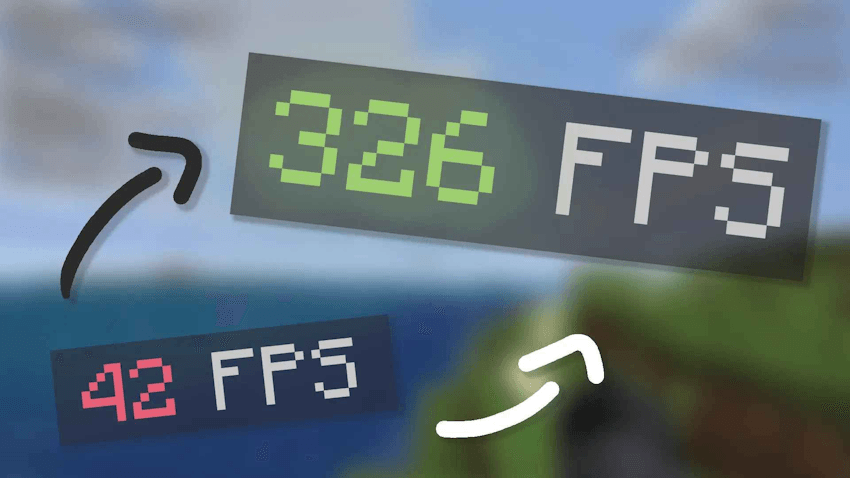
Anti-Lag [FPS+] was created with one clear goal: deliver the highest possible performance in Minecraft Bedrock Edition. This texture pack is ideal for players looking to maximize FPS, reduce input delay, and gain a competitive edge, especially in PvP scenarios.
Whether you're using a low-end device or just want a cleaner, faster gameplay experience, this pack does the job with excellence.
Key Features:
- ✅ Removes most particles, including critical hit, potion splash, and ambient effects.
- ✅ Disables general animations, such as water, lava, fire, and other visual effects.
- ✅ No lighting lag – reduced lightmap complexity for smoother transitions.
- ✅ Perfect for PvP – clear visuals with no distractions.
- ✅ FPS boost guaranteed, especially noticeable in crowded servers or battles.
Forget frame drops and visual clutter. With Anti-Lag [FPS+], your game runs faster and stays stable even under heavy load.
The Ultimate Guide to Anti-Lag [FPS+]
If you are exploring the vast world of Minecraft modifications, Anti-Lag [FPS+] by wiitzk is a standout texture that deserves your attention. With over 105,141 downloads, it has become a staple for players looking to enhance their experience. As the creator describes it, this project is "Anti-Lag [FPS+] is a lightweight texture pack for Minecraft Bedrock that removes particles, disables animations, and boosts FPS. Perfect for PvP and low-end devices.". Whether you are a veteran builder constructing massive cities, or simply a casual player looking to upgrade your survival world, this guide will provide you with all the essential details on how Anti-Lag [FPS+] alters the game.
What Makes It Special?
Unlike standard textures that simply alter superficial elements, Anti-Lag [FPS+] digs deep into the game's engine to provide a cohesive, performance-focused experience. wiitzk has clearly spent significant time refining the project to ensure that every aspect feels polished and responsive for version 1.21.132.
Installation Guide
Getting Anti-Lag [FPS+] up and running is straightforward. Follow these step-by-step instructions:
- Verify Your Version: Ensure your Minecraft launcher is set to version 1.21.132.
- Install Mod Loader (if required): If this is a mod, download the compatible loader (Forge, Fabric, NeoForge).
- Download the File: Click the secure download button above to retrieve the official file from CurseForge.
- Move the File: Place the downloaded file into your `mods`, `shaderpacks`, or `resourcepacks` folder depending on the texture type.
- Launch and Enjoy: Open Minecraft, navigate to the respective settings menu, and activate Anti-Lag [FPS+].
Compatibility & Performance
Compatibility is robust. Anti-Lag [FPS+] is designed specifically for version 1.21.132, taking full advantage of the latest engine optimizations. Since this is heavily focused on optimization, you can expect significant frame rate improvements on both low-end and high-end hardware.