Why Custom Damage Sounds+ V1.5 is a top-tier texture pack mod for Minecraft 1.21
Developed by the talented creator GeckoWed, Custom Damage Sounds+ V1.5 stands out as a highly recommended selection for your Minecraft client. It is fully optimized, compatibility-tested, and brings a major upgrade to the gameplay experience in Minecraft version 1.21.
⚙️ Quick Resource Specs
| Mod Creator | GeckoWed |
| Latest Version | 1.21 |
| Supported Game Versions | Minecraft 1.21+ |
| File Size | 1.83 MB |
| Last Updated | |
| Total Downloads | 22,264 downloads |
Changes the default player damage sound, you can choose between:
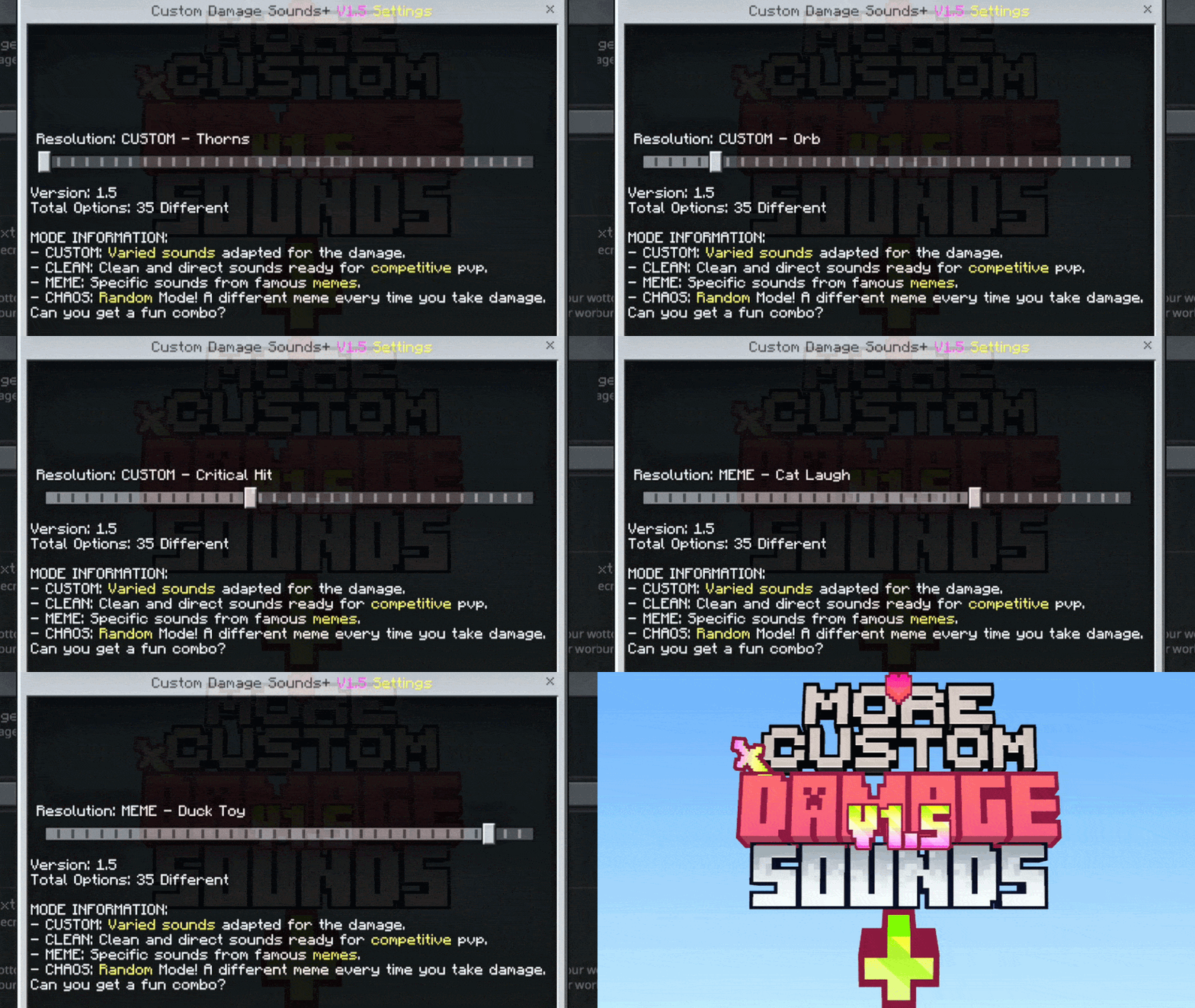
I recommend using this in PVP, it works when you hit someone and when they hit you.
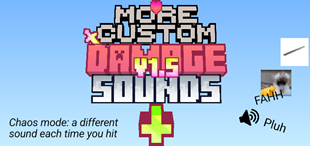
🔊 Custom Damage Sounds+ V1.5
Tired of the same old, boring damage sound every time you take a hit? Custom Damage Sounds+ is the ultimate audio overhaul for Minecraft Bedrock! This pack allows you to fully customize your "Hurt" sound through an easy-to-use in-game slider.
Whether you want a competitive advantage, a nostalgic trip, or just want to laugh while falling into the void, this pack has something for you!
🚀 Key Features
- 40 Unique Sound Modes: From classic sounds to the wildest memes.
- In-Game Slider (Subpacks): Switch sounds instantly without leaving the game (requires world restart to apply).
- Optimized for PvP: Includes "CLEAN" sounds that are short and sharp, perfect for competitive play.
- The CHAOS Update: Introducing a randomized mode for the truly brave!
📂 Featured Sound Categories
🛠️ CUSTOM Mode
Varied sounds specifically edited to fit perfectly with Minecraft's atmosphere.
- Includes: Thorns, Classic Hurt, Enderdragon, Villager, and more!
⚔️ CLEAN Mode
Specifically designed for PvP and Competitive players. These sounds provide clear audio feedback without cluttering your game.
- Featured: Sharp Sword hits and Pickaxe impact sounds.
🤡 MEME Mode
Make your deaths legendary with the internet's most iconic sounds.
- Highlights: Vine Boom, Roblox Oof, GTA V Wasted, Metal Pipe, Among Us Kill, Duck Toy, and the legendary Fahh.
🌀 CHAOS Mode (NEW!)
Can't decide? Let the game choose for you! Every time you take damage, a random meme sound will play. No two fights will sound the same! It'll feel like you're in a viral video!

📜 Some New Sounds
- Originals: Minecraft Default, Legacy Minigames (Old School).
- Creatures: Villager, Dolphin, Enderdragon, Enderman, Wandering Trader, Pufferfish Sting.
- Effects: Explode, Pop, Shield, Critical Hit, Broken Potion, Orb.
- Memes: Cat Laugh, Pluh, Gawddamn, Lego Break, among many others!
🛠️ How to Install & Use
- Download the
.mcpackand open it with Minecraft. - Go to Settings > Global Resources.
- Activate Custom Damage Sounds+.
- Click the Gear Icon (⚙️) next to the "Deactivate" button.
5. Use the slider to change the sound and enjoy!
📝 Feedback
- Version: 1.5
- Compatibility: Works on all Bedrock platforms (Android, iOS, Windows 10/11, Xbox, PlayStation, Switch).
Found a bug or have a sound suggestion? Leave a comment below! If you enjoy the pack, don't forget to give it a ⭐⭐⭐⭐⭐!!
Terms of Use
- Download this pack only from the official pages on mcpedl.com or curseforge.com
- Do not reupload or redistribute this pack
- Do not upload modified versions of this pack
- Personal modifications are allowed for private use only
- Do not claim this pack as your own
The Ultimate Guide to Custom Damage Sounds+ V1.5
If you are exploring the vast world of Minecraft modifications, Custom Damage Sounds+ V1.5 by GeckoWed is a standout texture that deserves your attention. With over 22,264 downloads, it has become a staple for players looking to enhance their experience. As the creator describes it, this project is "Customize your hurt sounds with 40 unique options! Includes competitive PvP sounds, classic hurts, funny memes, and a randomized CHAOS mode using an in-game slider. Attack!!🤩🤩". Whether you are a veteran builder constructing massive cities, or simply a casual player looking to upgrade your survival world, this guide will provide you with all the essential details on how Custom Damage Sounds+ V1.5 alters the game.
What Makes It Special?
Unlike standard textures that simply alter superficial elements, Custom Damage Sounds+ V1.5 introduces a wide array of visual and mechanical features designed to seamlessly blend into the vanilla aesthetic. GeckoWed has clearly spent significant time refining the project to ensure that every aspect feels polished and responsive for version 1.21.
Installation Guide
Getting Custom Damage Sounds+ V1.5 up and running is straightforward. Follow these step-by-step instructions:
- Verify Your Version: Ensure your Minecraft launcher is set to version 1.21.
- Install Mod Loader (if required): If this is a mod, download the compatible loader (Forge, Fabric, NeoForge).
- Download the File: Click the secure download button above to retrieve the official file from CurseForge.
- Move the File: Place the downloaded file into your `mods`, `shaderpacks`, or `resourcepacks` folder depending on the texture type.
- Launch and Enjoy: Open Minecraft, navigate to the respective settings menu, and activate Custom Damage Sounds+ V1.5.
Compatibility & Performance
Compatibility is robust. Custom Damage Sounds+ V1.5 is designed specifically for version 1.21, taking full advantage of the latest engine optimizations. During typical gameplay, this addition maintains a stable frame rate, though lower-end laptops might experience slight stuttering. We recommend pairing this with performance boosters like Sodium or Iris to guarantee a silky-smooth experience.