PiglixMCMods LogoPiglixMCMods
HomeShadersTexturesModsLow-End ShadersRTX ShadersSavedGuidesAbout
GET IT ONGoogle Play

Popular Collections

📱 Performance HubBest Low-End ShadersMCPE Performance Mods
✨ Realism & RTXRealistic RTX ShadersRTX Texture Packs for MCPE
🤖 Platform CompatibilityMinecraft PE Shaders 1.21Shaders for Android & iOS
⚔️ Gameplay VibeTop PvP Texture PacksMedieval Texture Packs
🤝 Community & SocialsYouTubeInstagram
Get the Android App — Free on Play Store
HomeGuidesAbout UsSponsor & PartnerContactPrivacy PolicyTerms & ConditionsDisclaimer
Minecraft>Textures>Utility Dark
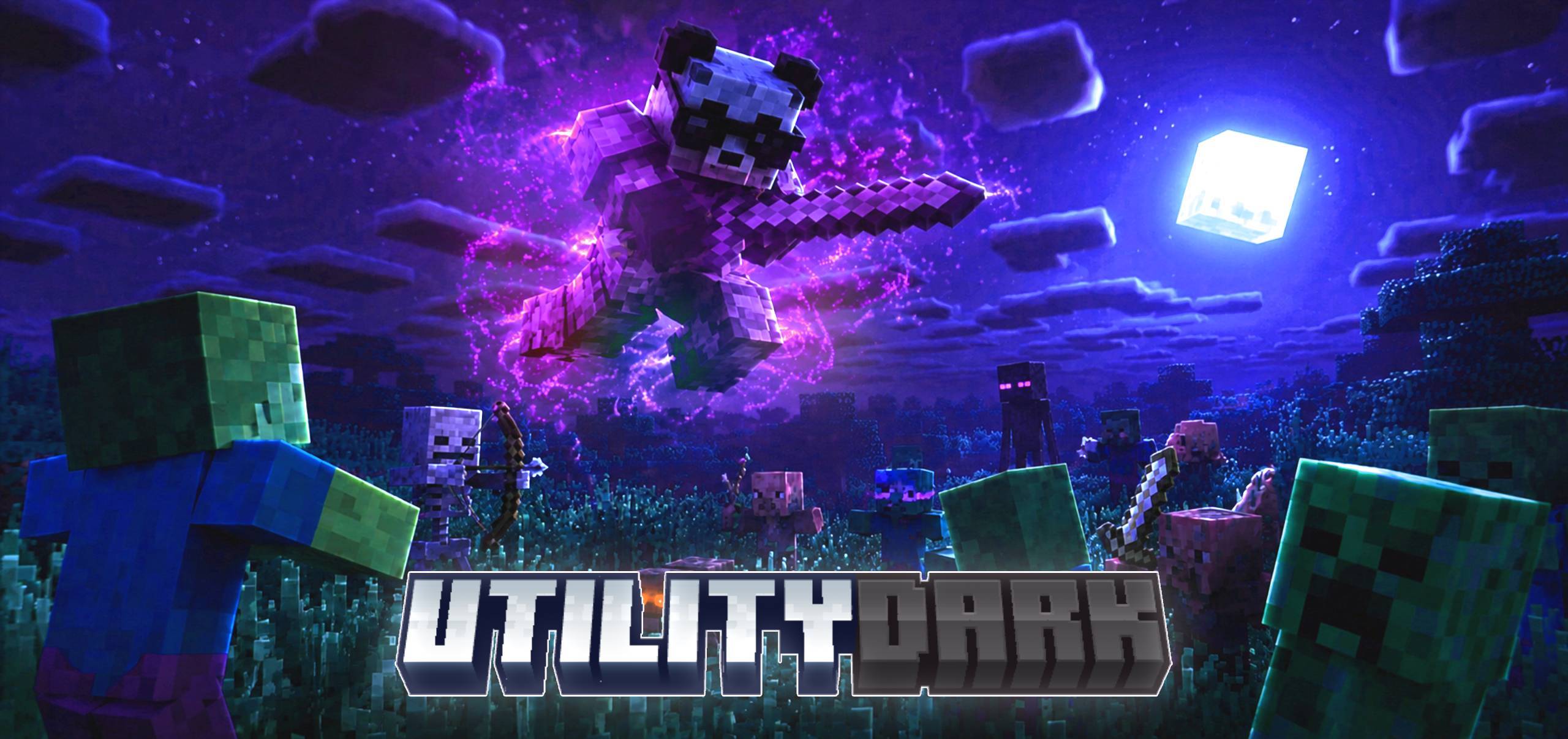
Utility Dark logo

Utility Dark

By👤showdacks

Useful texture pack, that adds various features and textures that enhance your gameplay, while also helping to optimize Minecraft Bedrock with simple settings.

Why Utility Dark is a top-tier texture pack mod for Minecraft 1.21.120

Developed by the talented creator showdacks, Utility Dark stands out as a highly recommended selection for your Minecraft client. It is fully optimized, compatibility-tested, and brings a major upgrade to the gameplay experience in Minecraft version 1.21.120.

⚙️ Quick Resource Specs

Mod Creatorshowdacks
Latest Version1.21.120
Supported Game Versions1.21.120, 1.21, 1.20
File Size3.68 MB
Last UpdatedUpdated: August 1, 2026
Total Downloads52,329 downloads
Utility Dark screenshot active
If you want to elevate your Minecraft gameplay, Utility Dark is a fantastic choice. Developed by showdacks, this textures offers a fresh way to customize your virtual world. It is fully compatible with Minecraft 1.21.120 and is highly rated by the community.

This is a texture pack that changes your interface to a pleasant dark mode, adds various new features and textures to your Minecraft Bedrock, and also helps you achieve better optimization and a better gaming experience.

🛸 DISCORD | ☕️ DONATIONS | 🌐 SOCIAL MEDIA


REVIEW


FEATURES:

  • Dark Mode
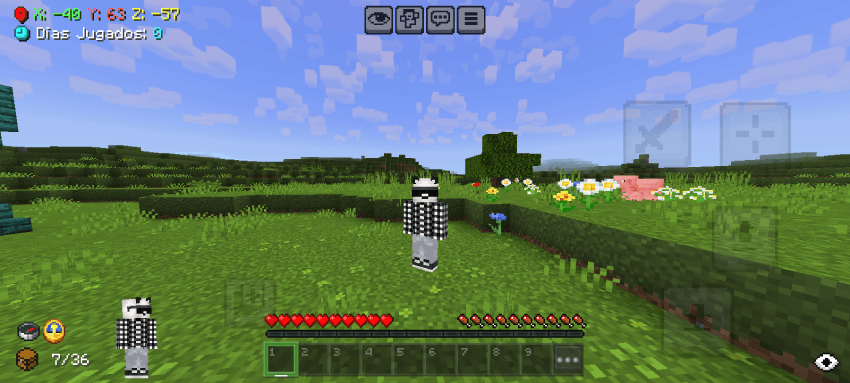
  • Compass and clock added to the HUD (Fully functional)
  • Less intrusive item names
  • F1 button added
  • Improved coordinates and days played
  • Quick settings and option to disable Vsync, in settings screen
  • Inventory viewer added
  • Durability viewer added
  • Invisible haptic button
  • Paper doll activated at the bottom (Always active)
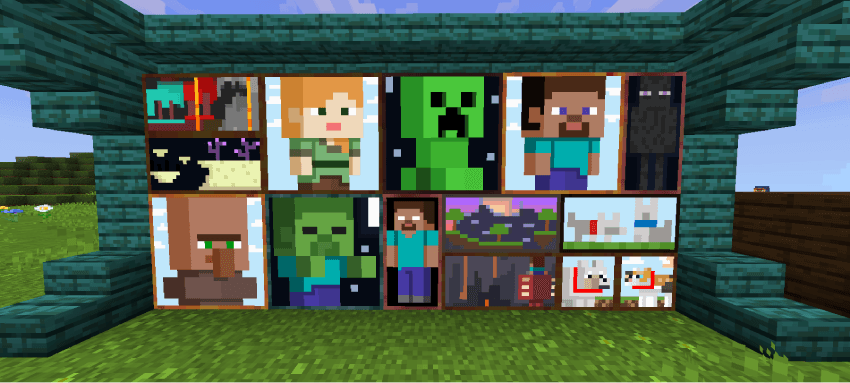
  • Glowing decoration templates
  • Map with directions
  • Transparent water
  • Invisible glitter frame
  • White selection border
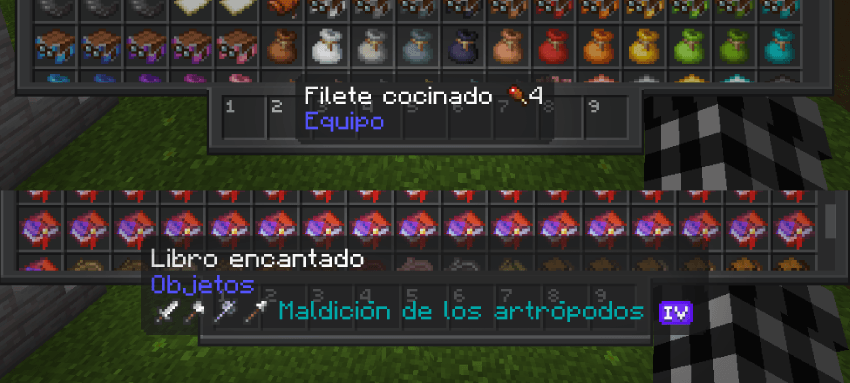
  • Enchanted books with guidance icons
  • Enchanting levels with unique icons
  • New menu sounds
  • Powder snow more visible
  • More visible vault rewards
  • More visible suspicious sand and gravel
  • More visible infested stones
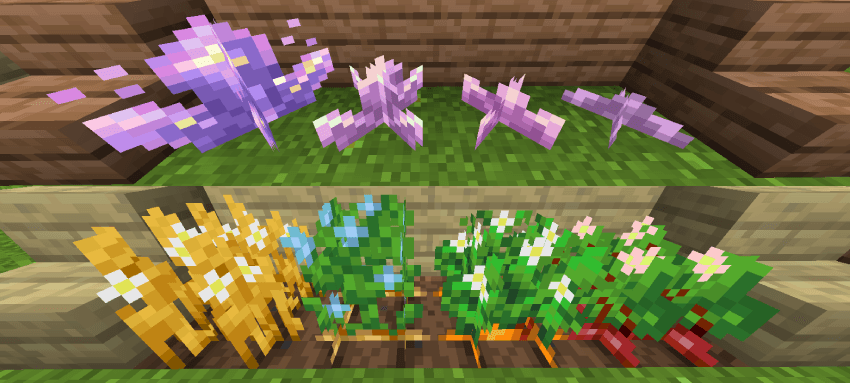
  • More visible amethyst growth
  • More visible anvil states
  • More visible trap chests
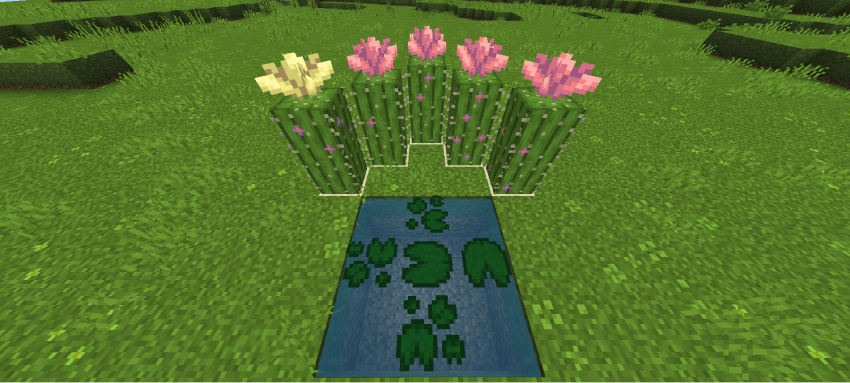
  • Maxed crops decorated with flowers
  • Sun, moon and cloud more cubic
  • Projectiles with 3D models
  • Potions with guidance icons
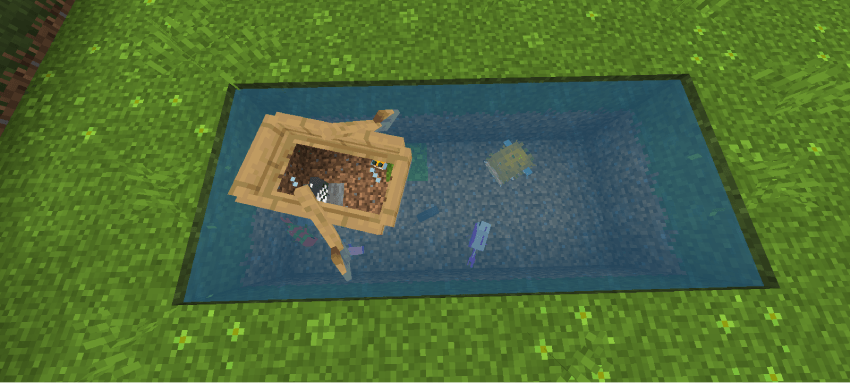
  • Boat with glass
  • Variations with added decoration: Grass, mycelium, podzol, crimson nilium, and deformed nilium.
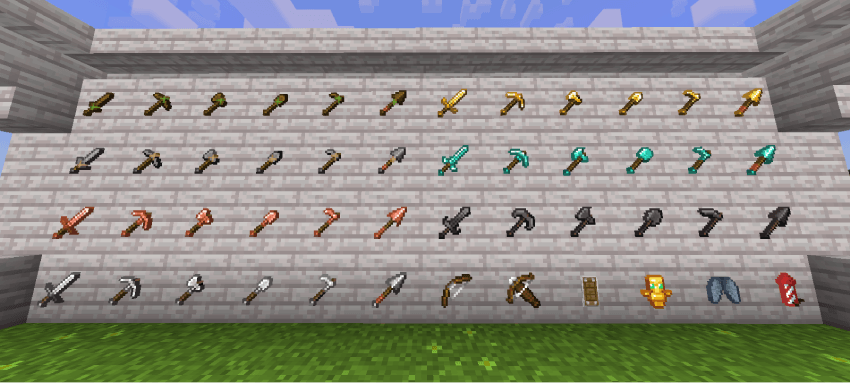
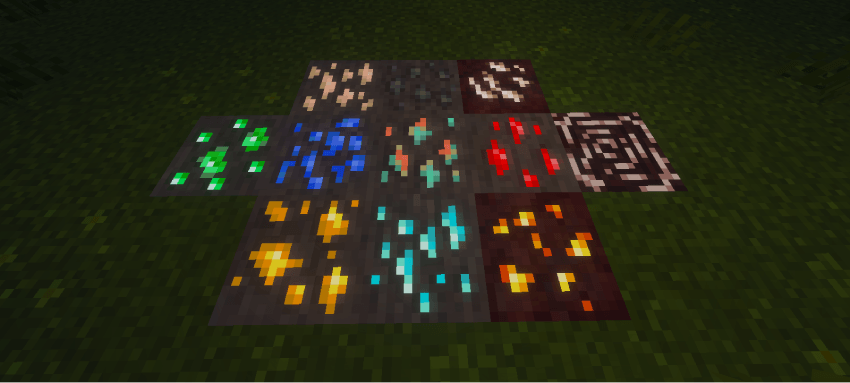
  • Various retextures: Armor, tools, food, torches, minerals, shield, totem, blocks, etc.

MUCH MORE DETAILS

AESTHETICS:

- Horizontal Nuggets

- Softer Wool

- Colorful Particle Enchanting Table

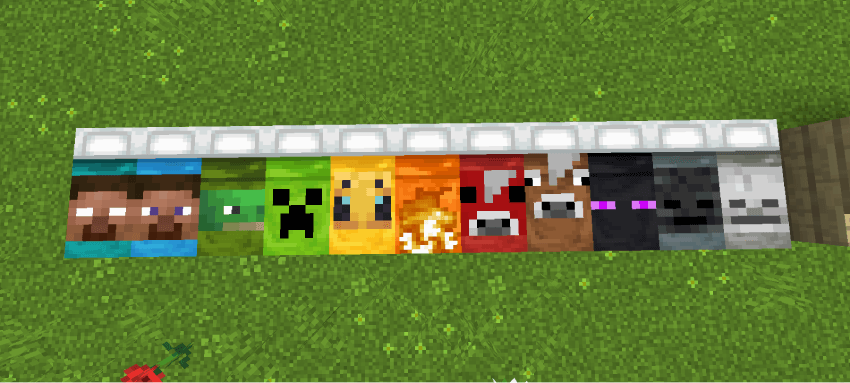
- HD Shield Banner Patterns

- Pink Rods

- Ashless Campfires

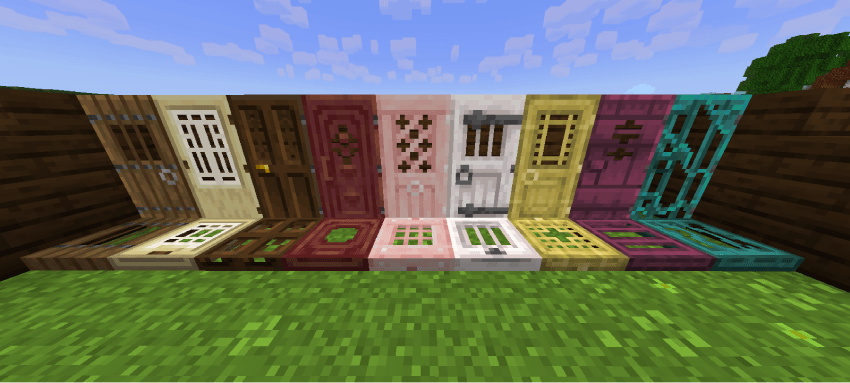
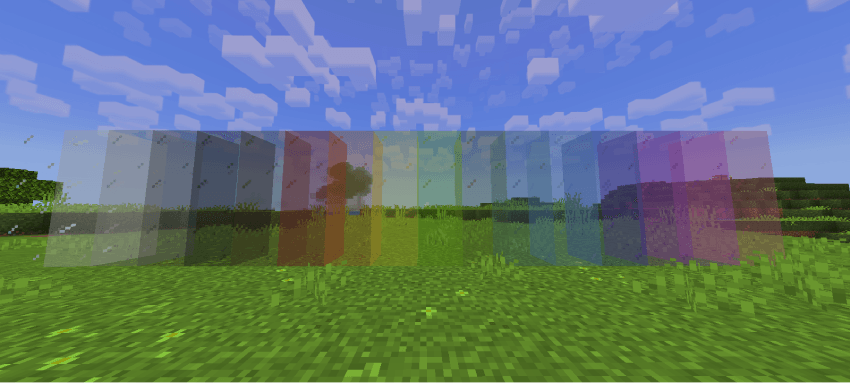
- Crystal Doors and Trapdoors

- Precise Spyglass

- Alternate Cut Copper

- Brick-Polished Stones


TERRAIN:

- Shorter Grass

- Shorter Tall Grass

- Alternate Bedrock

- Circular Log Caps

- Smoother Oak Log

- Smoother Stones

- Brighter Nether

- Elegant Sunflowers


BOTTOM & SIDES:

- Grass Sides

- Mycelium Sides

- Grass Path Sides

- Podzol Sides

- Snow Sides

- Crimson Nilium Sides

- Warped Nilium Sides


VARIATION:

- Assorted Bricks

- Assorted Red Fungus Blocks

- Assorted Shelving


USEFULNESS:

- Assorted Stems

- 25-Year-Old Algae

- Sticky Piston Sides

- Directional Hoppers

- Directional Spotters

- Visible Tripwires

- Compass Lodestone

- Potion Brewing Guide


DISCRETE:

- Discrete Rain

- Discrete Snow

- No Cherry Leaf Particles (Subpack)

- No Pale Garden Leaf Particles (Subpack)

- Clean Scaffolding

- Reduced and Transparent Fire

- Reduced Shield

- No Pumpkin Overlay

- No Spyglass Overlay

- No Vignette


3D:

- Mallet 3D

- Sun & Moon 3D


GUI:

- Translucent tooltips

- Trade assistant

- Quick crafting

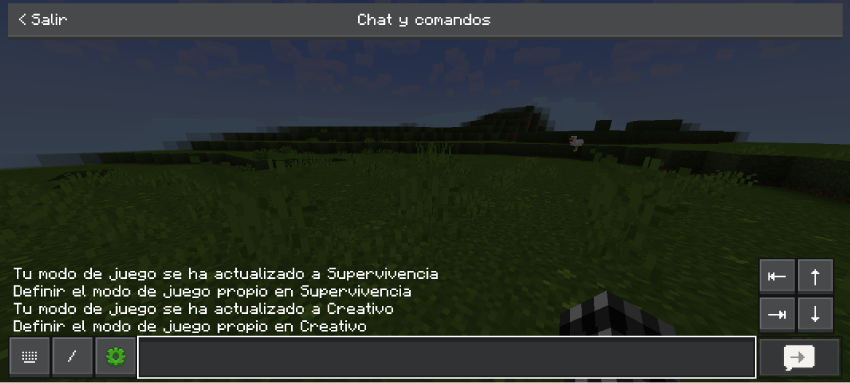
- Quick chat

- No game instructions


CROSSTALK:

- Crosshair and dot crosshair


FIXES AND CONSISTENCIES:

- Redstone wire fix

- Cactus background fix

- Cocoa bean fix

- Double slab fix

- Uniform smooth stone

- Smoker background fix

- Prettier, faster leaves

- Consistent buckets

- Consistent tadpole bucket


Thanks Bedrock Tweaks:)


SUBPACKS:

  • No particles mode
  • No animations mode

COMPATIBILITY:

  • Vibrant visuals support (Glowing minerals)
  • Actions and stuff  support (Only 16x and 32x)

IMAGES:

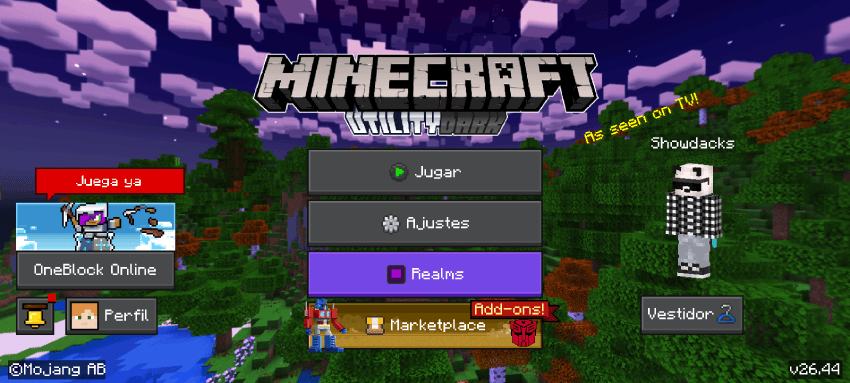
MENU


QUICK SETTINGS

width=850


HUD

width=850


QUICK CHAT


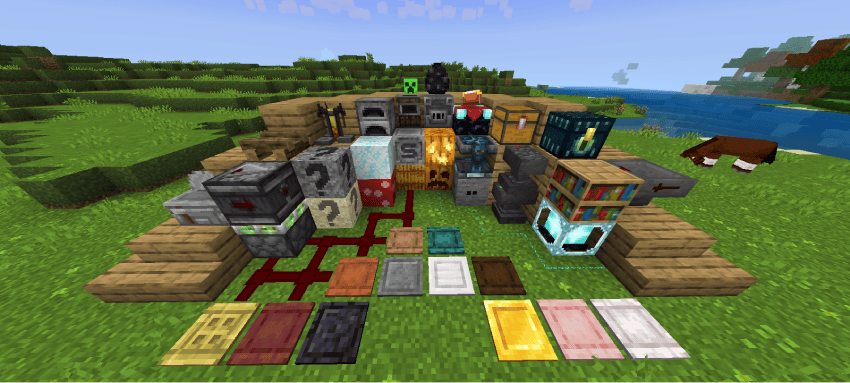
BLOCKS
width=850


VIBRANT VISUALS

width=850


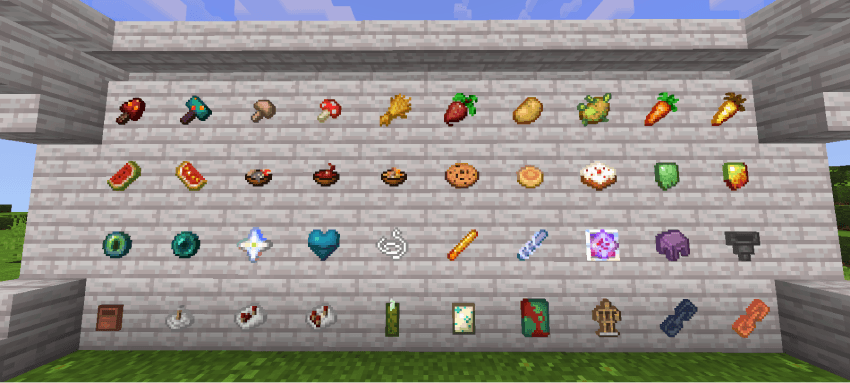
ITEMS


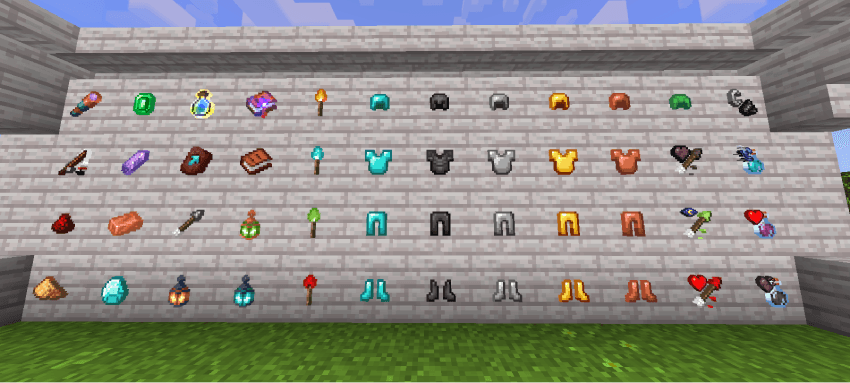
ARMORS

width=850


LOW FIRE SEMITRANSPARENT


CHANGES

V1.0.2

• Changed the package icon.

ADDED

• Added glass canisters and projectiles with 3D models.

IMPROVEMENTS

• New retexture:

• ITEMS:

Many items have been improved

armor, shield, bow, crossbow, arrows, books, food, crops, soups, bricks, dyes, hopper, flowerpot, flowers, mushrooms, chain, leaf litter, mangrove propagule, rose petals, music discs, upgrade template, candles, sea pickle, slime ball, magma cream, sniffer egg, turtle egg, wildflowers, and wolf armor.

• BLOCKS:

Blocks have been improved

Furnaces, enchanting table, crafting table, end chest, stone cutter, beacon, crops, dragon egg, ladder, and rails.

Improved variations of bookshelves, cactus, cactus flowers, plaques, and red mushroom blocks.


V1.0.3

• Compatible with the new version 1.21.111.

IMPROVEMENTS

• Texture improvements:

Improved all "Copper Age" textures, made the sun and moon more cubic, all crystals are now semi-transparent, vault rewards are much more visible, and improved potion support.

ADDED

• Added decoration variations:

Grass, Mycelium, Podzol, Crimson Nylium, and Warped Nylium.

REMOVED

• Removed the bowl-based inks, as Mojang added their own.

SOLUTIONS

• Fixed the bug with the copper torch.


V1.0.4

ADDED

• Added a new font.

• Subpackage configuration with Spanish and English languages.

IMPROVEMENTS

• Minor general improvements.

TERMS OF USE

IF ALLOWED

• You are allowed to modify my texture for personal use.

• You can use the contents of my texture pack for new creations but, you have to contact me first and credit me.

NOT ALLOWED

• Claim the texture pack as yours.

• You may not upload my texture pack to other sites without first notifying me.

• You may not steal the content.

CREDITS

Thanks to each of the creators.

• Bedrock Tweaks

• D-uzi

• CTG153146561

• DimzCraft

• notnicto

• Yuka0745

• Parzival_

• Itzriyo157


One click download

The Ultimate Guide to Utility Dark

If you are exploring the vast world of Minecraft modifications, Utility Dark by showdacks is a standout texture that deserves your attention. With over 52,329 downloads, it has become a staple for players looking to enhance their experience. As the creator describes it, this project is "Useful texture pack, that adds various features and textures that enhance your gameplay, while also helping to optimize Minecraft Bedrock with simple settings. ". Whether you are a veteran builder constructing massive cities, or simply a casual player looking to upgrade your survival world, this guide will provide you with all the essential details on how Utility Dark alters the game.

What Makes It Special?

Unlike standard textures that simply alter superficial elements, Utility Dark introduces a wide array of visual and mechanical features designed to seamlessly blend into the vanilla aesthetic. showdacks has clearly spent significant time refining the project to ensure that every aspect feels polished and responsive for version 1.21.120.

Installation Guide

Getting Utility Dark up and running is straightforward. Follow these step-by-step instructions:

  1. Verify Your Version: Ensure your Minecraft launcher is set to version 1.21.120.
  2. Install Mod Loader (if required): If this is a mod, download the compatible loader (Forge, Fabric, NeoForge).
  3. Download the File: Click the secure download button above to retrieve the official file from CurseForge.
  4. Move the File: Place the downloaded file into your `mods`, `shaderpacks`, or `resourcepacks` folder depending on the texture type.
  5. Launch and Enjoy: Open Minecraft, navigate to the respective settings menu, and activate Utility Dark.

Compatibility & Performance

Compatibility is robust. Utility Dark is designed specifically for version 1.21.120, taking full advantage of the latest engine optimizations. During typical gameplay, this addition maintains a stable frame rate, though lower-end laptops might experience slight stuttering. We recommend pairing this with performance boosters like Sodium or Iris to guarantee a silky-smooth experience.


Details

Downloads:52,329
Created:11 months ago
Updated:13 days ago
Project ID:1344915
License:All Rights Reserved
Environment:Client

Game Versions

1.21.1201.211.20

🤝 Join Community for Support

Need help installing this resource or want to see more showcases? Join our community!

Subscribe on YouTubeFollow on Instagram

Utility Dark

Screenshot 0
Screenshot 1
S
showdacks
TEXTURES CREATOR
Downloads52K
Version1.21.120
TypeTEXTURES
File Size3.68 MB

About This textures

Useful texture pack, that adds various features and textures that enhance your gameplay, while also helping to optimize Minecraft Bedrock with simple settings.

This is a texture pack that changes your interface to a pleasant dark mode, adds various new features and textures to your Minecraft Bedrock, and also helps you achieve better optimization and a better gaming experience.

🛸 DISCORD | ☕️ DONATIONS | 🌐 SOCIAL MEDIA


REVIEW


FEATURES:

  • Dark Mode
  • Compass and clock added to the HUD (Fully functional)
  • Less intrusive item names
  • F1 button added
  • Improved coordinates and days played
  • Quick settings and option to disable Vsync, in settings screen
  • Inventory viewer added
  • Durability viewer added
  • Invisible haptic button
  • Paper doll activated at the bottom (Always active)
  • Glowing decoration templates
  • Map with directions
  • Transparent water
  • Invisible glitter frame
  • White selection border
  • Enchanted books with guidance icons
  • Enchanting levels with unique icons
  • New menu sounds
  • Powder snow more visible
  • More visible vault rewards
  • More visible suspicious sand and gravel
  • More visible infested stones
  • More visible amethyst growth
  • More visible anvil states
  • More visible trap chests
  • Maxed crops decorated with flowers
  • Sun, moon and cloud more cubic
  • Projectiles with 3D models
  • Potions with guidance icons
  • Boat with glass
  • Variations with added decoration: Grass, mycelium, podzol, crimson nilium, and deformed nilium.
  • Various retextures: Armor, tools, food, torches, minerals, shield, totem, blocks, etc.

MUCH MORE DETAILS

AESTHETICS:

- Horizontal Nuggets

- Softer Wool

- Colorful Particle Enchanting Table

- HD Shield Banner Patterns

- Pink Rods

- Ashless Campfires

- Crystal Doors and Trapdoors

- Precise Spyglass

- Alternate Cut Copper

- Brick-Polished Stones


TERRAIN:

- Shorter Grass

- Shorter Tall Grass

- Alternate Bedrock

- Circular Log Caps

- Smoother Oak Log

- Smoother Stones

- Brighter Nether

- Elegant Sunflowers


BOTTOM & SIDES:

- Grass Sides

- Mycelium Sides

- Grass Path Sides

- Podzol Sides

- Snow Sides

- Crimson Nilium Sides

- Warped Nilium Sides


VARIATION:

- Assorted Bricks

- Assorted Red Fungus Blocks

- Assorted Shelving


USEFULNESS:

- Assorted Stems

- 25-Year-Old Algae

- Sticky Piston Sides

- Directional Hoppers

- Directional Spotters

- Visible Tripwires

- Compass Lodestone

- Potion Brewing Guide


DISCRETE:

- Discrete Rain

- Discrete Snow

- No Cherry Leaf Particles (Subpack)

- No Pale Garden Leaf Particles (Subpack)

- Clean Scaffolding

- Reduced and Transparent Fire

- Reduced Shield

- No Pumpkin Overlay

- No Spyglass Overlay

- No Vignette


3D:

- Mallet 3D

- Sun & Moon 3D


GUI:

- Translucent tooltips

- Trade assistant

- Quick crafting

- Quick chat

- No game instructions


CROSSTALK:

- Crosshair and dot crosshair


FIXES AND CONSISTENCIES:

- Redstone wire fix

- Cactus background fix

- Cocoa bean fix

- Double slab fix

- Uniform smooth stone

- Smoker background fix

- Prettier, faster leaves

- Consistent buckets

- Consistent tadpole bucket


Thanks Bedrock Tweaks:)


SUBPACKS:

  • No particles mode
  • No animations mode

COMPATIBILITY:

  • Vibrant visuals support (Glowing minerals)
  • Actions and stuff  support (Only 16x and 32x)

IMAGES:

MENU


QUICK SETTINGS

width=850


HUD

width=850


QUICK CHAT


BLOCKS
width=850


VIBRANT VISUALS

width=850


ITEMS


ARMORS

width=850


LOW FIRE SEMITRANSPARENT


CHANGES

V1.0.2

• Changed the package icon.

ADDED

• Added glass canisters and projectiles with 3D models.

IMPROVEMENTS

• New retexture:

• ITEMS:

Many items have been improved

armor, shield, bow, crossbow, arrows, books, food, crops, soups, bricks, dyes, hopper, flowerpot, flowers, mushrooms, chain, leaf litter, mangrove propagule, rose petals, music discs, upgrade template, candles, sea pickle, slime ball, magma cream, sniffer egg, turtle egg, wildflowers, and wolf armor.

• BLOCKS:

Blocks have been improved

Furnaces, enchanting table, crafting table, end chest, stone cutter, beacon, crops, dragon egg, ladder, and rails.

Improved variations of bookshelves, cactus, cactus flowers, plaques, and red mushroom blocks.


V1.0.3

• Compatible with the new version 1.21.111.

IMPROVEMENTS

• Texture improvements:

Improved all "Copper Age" textures, made the sun and moon more cubic, all crystals are now semi-transparent, vault rewards are much more visible, and improved potion support.

ADDED

• Added decoration variations:

Grass, Mycelium, Podzol, Crimson Nylium, and Warped Nylium.

REMOVED

• Removed the bowl-based inks, as Mojang added their own.

SOLUTIONS

• Fixed the bug with the copper torch.


V1.0.4

ADDED

• Added a new font.

• Subpackage configuration with Spanish and English languages.

IMPROVEMENTS

• Minor general improvements.

TERMS OF USE

IF ALLOWED

• You are allowed to modify my texture for personal use.

• You can use the contents of my texture pack for new creations but, you have to contact me first and credit me.

NOT ALLOWED

• Claim the texture pack as yours.

• You may not upload my texture pack to other sites without first notifying me.

• You may not steal the content.

CREDITS

Thanks to each of the creators.

• Bedrock Tweaks

• D-uzi

• CTG153146561

• DimzCraft

• notnicto

• Yuka0745

• Parzival_

• Itzriyo157


One click download

📌Supported Minecraft Versions: 1.21.120, 1.21, 1.20

How to Install

1. Download the resource pack .zip file. 2. Open Minecraft and go to Options > Resource Packs. 3. Drag and drop the downloaded file into the list and activate it.