Why FPS Booster Pack | No Lag + Performance is a top-tier texture pack mod for Minecraft 1.21
Developed by the talented creator XiaoCraft, FPS Booster Pack | No Lag + Performance stands out as a highly recommended selection for your Minecraft client. It is fully optimized, compatibility-tested, and brings a major upgrade to the gameplay experience in Minecraft version 1.21.
⚙️ Quick Resource Specs
| Mod Creator | XiaoCraft |
| Latest Version | 1.21 |
| Supported Game Versions | Minecraft 1.21+ |
| File Size | 768.00 KB |
| Last Updated | |
| Total Downloads | 271,707 downloads |
FPS Booster Pack | No Lag + Performance
Enhance your gameplay with FPS Booster Pack, a lightweight optimization resource pack designed to reduce lag, improve stability, and deliver consistently smooth FPS across all devices, including low-end hardware.
This pack focuses on performance-first adjustments while maintaining a clean and visually pleasing experience, ensuring smoother gameplay without compromising core aesthetics.
What's New
- In-game settings menu — tap the ⚙️ gear on the pack to tune it, no reinstall
- Effect Density slider — scale how many particles each effect spawns
- Burst Limit slider — cap any single effect, aimed at splash potions
- Three effect toggles — grouped by where the particles come from
- Fixed auto-selection — phones and tablets now default to Turbo instead of the lighter mode
- Renamed modes — Turbo and Lite, both now fully self-contained
⚙️ In-Game Settings
Tap the gear icon on the pack to open the settings screen. Every control works in both modes, not just one.
| Setting | Default | What it does |
|---|---|---|
| Effect Density (0–100%) | 100 | Scales how many particles each effect spawns. Fewer spawned is cheaper than making them fade faster |
| Max Particles Per Burst (4–32) | 32 | Hard ceiling on any single effect. Most spawn 1–5 and never hit it — this is aimed at splash potions, which throw 30 at once |
| Your Own Effects | On | Potion swirls on you and your mobs, splash potions, lingering clouds |
| Mob & Block Magic | On | Witch brewing, evoker fangs, tipped arrow trails, cauldron drips |
| Geothermal Effects | On | Geyser puffs and noxious gas clouds |
Defaults reproduce v2.3 exactly, so updating changes nothing until you move a control.
Key Features
- 171 particle effects cut in Turbo mode, 45 in Lite — the largest single source of GPU overdraw on Bedrock
- Per-biome fog tuning across 79 biomes, with two completely different fog profiles to pick from
- Clean and minimal UI — 224 interface textures flattened, 42 of them down to a single solid colour
- Simplified block textures — 43 water, bubble-column and fire textures reduced in Turbo mode
- Flat cloud layer — clouds reduced to two colours in Turbo mode
- Grass and nylium side-overlays removed — 6 block types render one texture on every face instead of compositing a tinted overlay
- Desaturated 64×64 colormaps — less VRAM and more natural foliage tone
- Quieter ambient mix — 85 mobs plus 44 individual sound events pulled down, and 39 sound definitions overridden
- Sky and weather textures reduced — end sky, end flash and rain splash cut to 1×1
- Fully compatible with the Render Dragon engine
🌫️ Subpacks
Pick one from the subpack list when you activate the pack. On low-memory devices Turbo is now selected automatically.
- 🔴 Turbo — Short Fog + Max FPS — fog closes in at 60 blocks so the game stops drawing distant geometry, 171 particle effects silenced, flattened block and cloud textures. The heaviest optimization.
- 🟡 Lite — Clear View + Light Touch — fog pushed past the horizon for maximum visibility, 45 particle effects silenced, vanilla block textures. For when you want the view back.
Both modes share the settings menu, the flattened UI, the colormaps and the quieter sound mix.
🖥️ Compatibility
- Minecraft Bedrock Edition 1.26.40+
- Android, iOS/iPadOS, Windows 10/11, Xbox, PlayStation
- No experimental features required
- Works on existing worlds — no reset needed
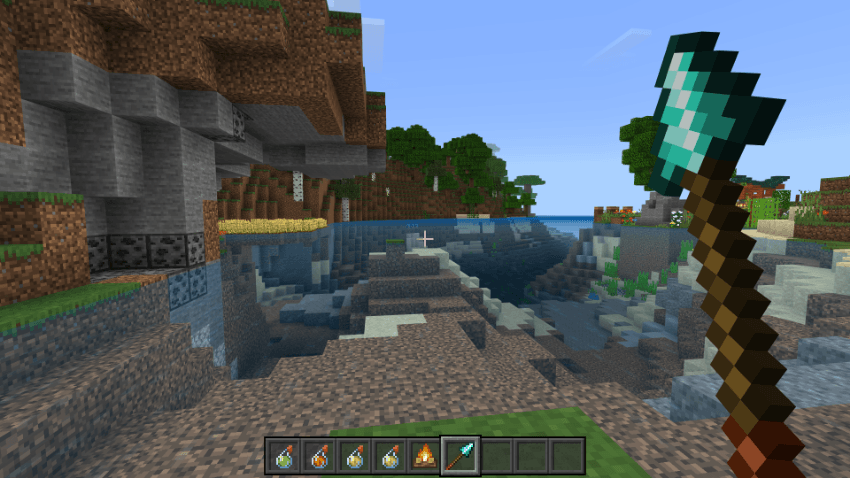
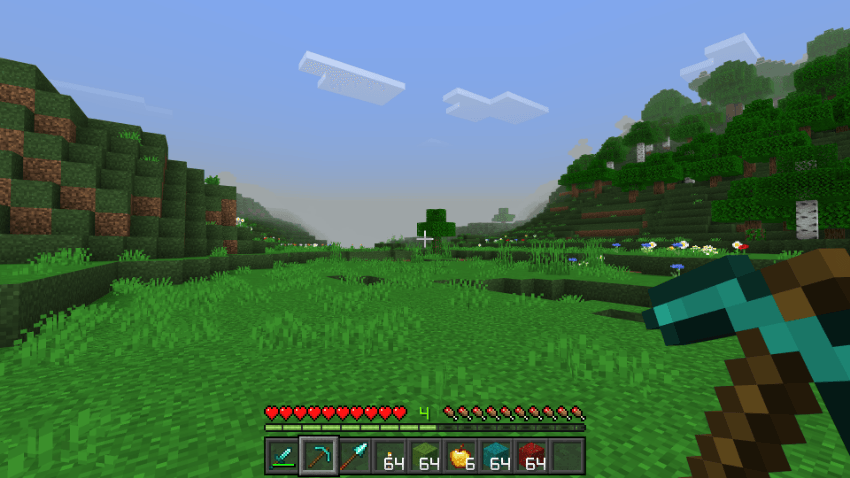
Images:
The Ultimate Guide to FPS Booster Pack | No Lag + Performance
If you are exploring the vast world of Minecraft modifications, FPS Booster Pack | No Lag + Performance by XiaoCraft is a standout texture that deserves your attention. With over 271,707 downloads, it has become a staple for players looking to enhance their experience. As the creator describes it, this project is "FPS optimization pack for Minecraft Bedrock (MCPE) that boosts performance, reduces lag, and ensures smooth gameplay on all devices.". Whether you are a veteran builder constructing massive cities, or simply a casual player looking to upgrade your survival world, this guide will provide you with all the essential details on how FPS Booster Pack | No Lag + Performance alters the game.
What Makes It Special?
Unlike standard textures that simply alter superficial elements, FPS Booster Pack | No Lag + Performance digs deep into the game's engine to provide a cohesive, performance-focused experience. XiaoCraft has clearly spent significant time refining the project to ensure that every aspect feels polished and responsive for version 1.21.
Installation Guide
Getting FPS Booster Pack | No Lag + Performance up and running is straightforward. Follow these step-by-step instructions:
- Verify Your Version: Ensure your Minecraft launcher is set to version 1.21.
- Install Mod Loader (if required): If this is a mod, download the compatible loader (Forge, Fabric, NeoForge).
- Download the File: Click the secure download button above to retrieve the official file from CurseForge.
- Move the File: Place the downloaded file into your `mods`, `shaderpacks`, or `resourcepacks` folder depending on the texture type.
- Launch and Enjoy: Open Minecraft, navigate to the respective settings menu, and activate FPS Booster Pack | No Lag + Performance.
Compatibility & Performance
Compatibility is robust. FPS Booster Pack | No Lag + Performance is designed specifically for version 1.21, taking full advantage of the latest engine optimizations. Since this is heavily focused on optimization, you can expect significant frame rate improvements on both low-end and high-end hardware.