Why Enhanced Spears v3 is a top-tier texture pack mod for Minecraft 1.21.132
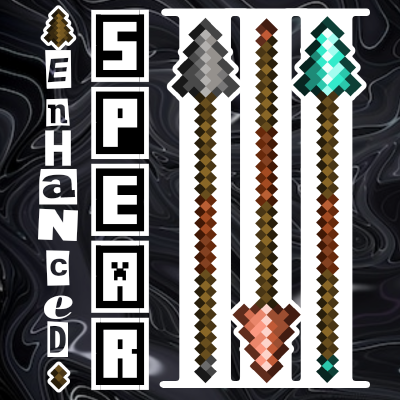
Developed by the talented creator Asterx, Enhanced Spears v3 stands out as a highly recommended selection for your Minecraft client. It is fully optimized, compatibility-tested, and brings a major upgrade to the gameplay experience in Minecraft version 1.21.132.
⚙️ Quick Resource Specs
| Mod Creator | Asterx |
| Latest Version | 1.21.132 |
| Supported Game Versions | 1.21.132, 1.21.131, 1.21.130 |
| File Size | 608.74 KB |
| Last Updated | |
| Total Downloads | 37,032 downloads |

| Changelog : |
Summary : Add 8 subpacks, 12 outline colors, 7x20 custom option and remove unnecessary things
|
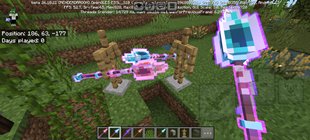
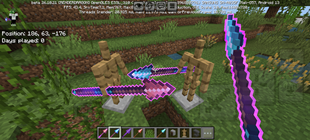
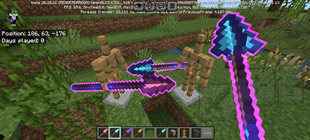
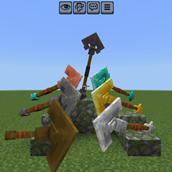
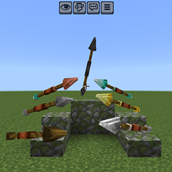
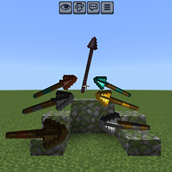
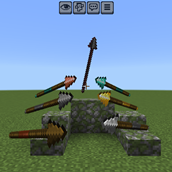
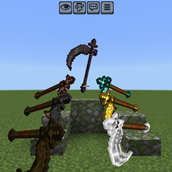
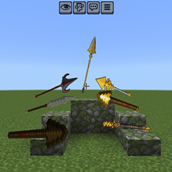
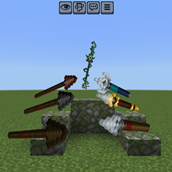
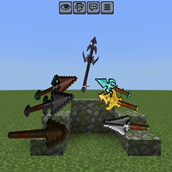
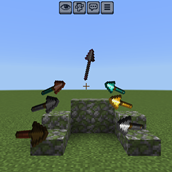
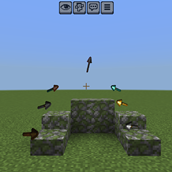
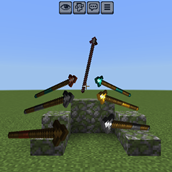
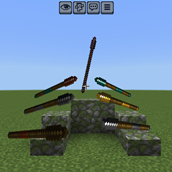
have you been bored with the new weapon a.k.a spear textures?
well, with this texture packs you can use a plenty of textures and models for the spear.
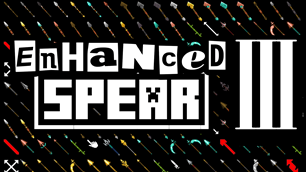
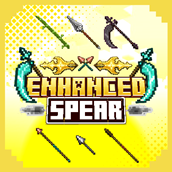
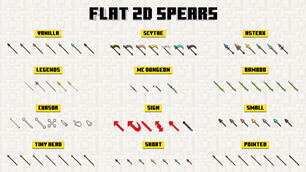
there's about 20+ variants you can choose. and not only that, you can even pick whichever model for each spear's variants. giving you a whole flexibility to it.
|
SUBPACKS
|
DESCRIPTION
|
| CUSTOM | Pick which one you like. You can set them in the pack settings, even when you're still play or inside the world |
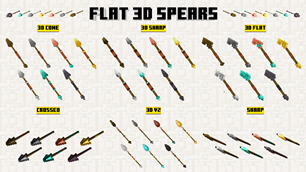
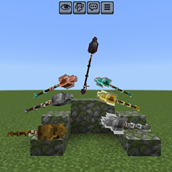
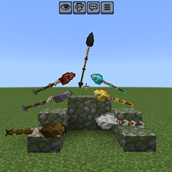
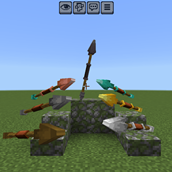
| 3D v2 | New Textures and Model for the previous 3D spears |
| 3D FLAT | Another 3D model for the spear |
| 3D SHARP | Make it Sharp but keep it 3D not Flat |
| 3D CONE | The cone is more triangular |
| 3D v1 | old 3D Model |
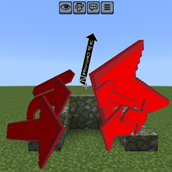
| SHARP | Makes the Blade even more sharper |
| CROSSED | Makes the Blade crossed each other |
| SCYTHE | Become a Grim Reaper |
| SCYTHE [for Action n Stuff] | Action and Stuff have different spear rotation, so i make this for it's not going through player head in 3rd person view |
| LEGENDS | Spears from some Games and Myths |
| MC DUNGEON | Minecraft Dungeons Spears |
| ASTERX | My own spears texture |
| SHORT | Making the handle shorter |
| SMALL | Smaller and Cute. so it'll not covering your right screen |
| TINY HEAD | Make the blade tiny |
| POINTED | Make the blade straight |
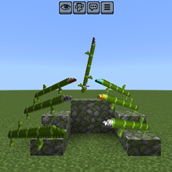
| BAMBOO | Inspired from Bambu Runcing RRRAAHHH 🦅🦅🇮🇩🇲🇾🇵🇭🇹🇭🇹🇱🇲🇲🇻🇳🇰🇭🇱🇦🇧🇳🇸🇬 |
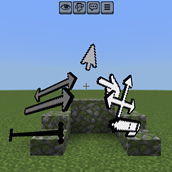
| CURSOR | At first i just wanted to add pointed cursor, but i think it would be nice if i add a whole set |
| SIGN | Looking at Spear's vanilla texture, they look alike an arrow LoL, so what if i make a real arrow sign instead |
| VANILLA | Keep everything as original or default minecraft |


Changing to a different Subpacks or Variant
if you're new in Minecraft, and don't know what the subpacks is. please scroll down at the bottom of this Description, and read the FAQ below → you'll find "Pack Settings & Subpacks" section
Set Custom Subpacks
below subpack slider, there's a lot of customization you can set. i separate them so you can choose which variant and model you want. it only set the texture or model to the spear variant you choose, so it'll not messing around with the other variants. it's also giving you a flexibility to use a different model through every subpacks.
How to Control it?
- Make sure you've set the subpack to "CUSTOM"
- Below it, there's a dropdown button
- every spear variants have a dropdown option, with the description above it of which spear variant it'll set
- After you pick which one, you're done :)
- Even you can change this settings while playing the game
- At the very bottom there's dropdown for outline color that's appears when the spear is enchanted.
Subpacks
- I'm not Adding Outline Enchantment because it's not ready yet, you can use custom subpacks to try it
- the Textures that's using 128px resolution will appear thin and feel small. it's because the original model minecraft use
Custom Subpacks
- You can only use 2D texture on "Default" option
- I can't add old 3D spear model to Custom Model Option, because mojang only allow us to add 20 option to the dropdown setting
- the Outline will not appear in first person view when using Vibrant Visual due to different rendering system
- Unfortunately, the game only allows dropdown setting to have 20 option. can't be more
- ✔ Edit this pack for your private/personal use
- ✔ Make videos & media content with this pack as long as you leave a link to my CurseForge or MCPEDL page
- ✔ Distribute the pack using your own or new download link (this pack already using direct link that's safe)
- ✖ Monetise the pack download. Doing so will result in a copyright takedown.
If you have encountered any issues, i'm open to any of your feedbacks and suggestions. it would be soo useful so i can be better and better next time.
You can leave the feedback in the comment of my page (Curseforge/MCPEDL) or Youtube video. or else, you can also join my Discord Server by clicking the discord logo button down there
big thanks to [勝] Ne Zha (@banshokai) - True Spear (@not_rllybad) - CH40S KN1GHT (@ch40skn1ght) - kaiio.xt (@kaiio.xt) for helping me making and giving an advice for this project.
 |
 |
 |
 |
 |
| Global Resources Pack | Local Packs | ||
 |
|
||
| Game settings |
|
||
| can be use everywhere in the game [both local world & server] |
|
||
| Support achievement |
|
||
| only you and anyone who activate the pack that can see the modification |
|


Subpacks allow you to select between different add-on 'configurations'. it's located inside pack settings.
- first of all, you can only change the subpacks from an active pack.

/ 
Activate button on Old UI
Activate button on New UI
- To change the subpack, go to settings.

/ 
Global Resources Settings
Local World Settings
- Find the active pack you wanted to change it's settings.
- Tap the pack and Press the
gear/settings icon.
/ 
Pack settings button on Old UI
Pack settings button on New UI
- then slide the slider at the top to change the subpack.

→ 

→ 
- As far as i know, in MCPEDL all of the files located at the bottom of the pack page description. i don't really know if its having all of the pack version or not
- So, I recommend you to go to CurseForge web. if you're currently in MCPEDL, you can scroll at the top, there's a CurseForge button of this pack.
- if you've already in Curseforge page. at the top of the page, there's a tab called 'Files'.
- there you can find another version or Variations of the pack
[i made this tutorial for user that's on mobile. if you have no idea about this at all, i recommend you to install zArchiver app first].
Sometimes i made a pack that have a lot of variation, and i think making them to be in a subpacks is not a good idea.

I wrapped them into one file, so you can choose which one you like. You just need to extract the files, in some files i told you to change its extension name to a .zip. here's how :
- First, open zArchiver or something similar
- Find the pack file
- Long press and choose 'Rename'

- at the end of it's name you'll find one of the words
'.Mcpack/.Mcaddon/.Skinpack/.mctemplate/.mcworld'

- Change it to
.Zip[don't forget to add the .period] After you Rename it. Tap again the file.

- choose
'Extract'or'Extract to <archive name…>'

- either all of the files inside it pops up in your current folder, or it'll make a new folder with its file name.

→ 
- there you have it. just install it as usual.
→ 
-
Adding 2 or more Packs
when you're put 2 or more packs that requires to change
.entity, .animation, .geo, .render_controllers.json file, having a high risk for not working as intended.because, they'll overlapping to each other, where the last pack you add will be the most functional pack in the game.
-
ACTION & STUFF [AnS]
nowadays it's really hard to make a texture pack that's also support AnS. they obfuscate the code making it even harder to read h4h4.
if something related to any variations of entity animation, model and texture that requires to change entity file, it's
hard to change.yet you can still use any pack that only change the textures that
doesn't require any .entity, .geo, .render_controllers file modification. -
Pack Order
when you add 2 or more packs, the game will read or use the most top order.

/ 
Pack order button on Old UI
Pack order button on New UI
as example:
    you add 2 packs that'll change the grass texture.
    call it Pack A [that turn grass to bread]
    and Pack B [that turn the grass to a ball].

    if you put Pack A [bread] on top of Pack B,
    the game will choose Pack A texture.
    n so either the other way.

    but then, if you add more pack
    [Pack C that'll change grass to a Car]
    on top of pack B and pack A.
    The game will choose Pack C [car].

    so, the game will only read or use the most top pack.
    note that this might will makes any other stuff
    from pack B and pack A being glitched,
    not working or disappear.
    defend of the pack order.
so, choose wisely of your pack order :p
The Ultimate Guide to Enhanced Spears v3
If you are exploring the vast world of Minecraft modifications, Enhanced Spears v3 by Asterx is a standout texture that deserves your attention. With over 37,032 downloads, it has become a staple for players looking to enhance their experience. As the creator describes it, this project is "Add more variety spear texture - 2D to 3D - [now support Action & Stuff]". Whether you are a veteran builder constructing massive cities, or simply a casual player looking to upgrade your survival world, this guide will provide you with all the essential details on how Enhanced Spears v3 alters the game.
What Makes It Special?
Unlike standard textures that simply alter superficial elements, Enhanced Spears v3 introduces a wide array of visual and mechanical features designed to seamlessly blend into the vanilla aesthetic. Asterx has clearly spent significant time refining the project to ensure that every aspect feels polished and responsive for version 1.21.132.
Installation Guide
Getting Enhanced Spears v3 up and running is straightforward. Follow these step-by-step instructions:
- Verify Your Version: Ensure your Minecraft launcher is set to version 1.21.132.
- Install Mod Loader (if required): If this is a mod, download the compatible loader (Forge, Fabric, NeoForge).
- Download the File: Click the secure download button above to retrieve the official file from CurseForge.
- Move the File: Place the downloaded file into your `mods`, `shaderpacks`, or `resourcepacks` folder depending on the texture type.
- Launch and Enjoy: Open Minecraft, navigate to the respective settings menu, and activate Enhanced Spears v3.
Compatibility & Performance
Compatibility is robust. Enhanced Spears v3 is designed specifically for version 1.21.132, taking full advantage of the latest engine optimizations. During typical gameplay, this addition maintains a stable frame rate, though lower-end laptops might experience slight stuttering. We recommend pairing this with performance boosters like Sodium or Iris to guarantee a silky-smooth experience.