Why Better Texture Tweaks is a top-tier texture pack mod for Minecraft 1.21.124
Developed by the talented creator TwistyLime, Better Texture Tweaks stands out as a highly recommended selection for your Minecraft client. It is fully optimized, compatibility-tested, and brings a major upgrade to the gameplay experience in Minecraft version 1.21.124.
⚙️ Quick Resource Specs
| Mod Creator | TwistyLime |
| Latest Version | 1.21.124 |
| Supported Game Versions | 1.21.124, 1.21.123, 1.21.122, 1.21.121, 1.21.120 |
| File Size | 604.17 KB |
| Last Updated | |
| Total Downloads | 17,959 downloads |
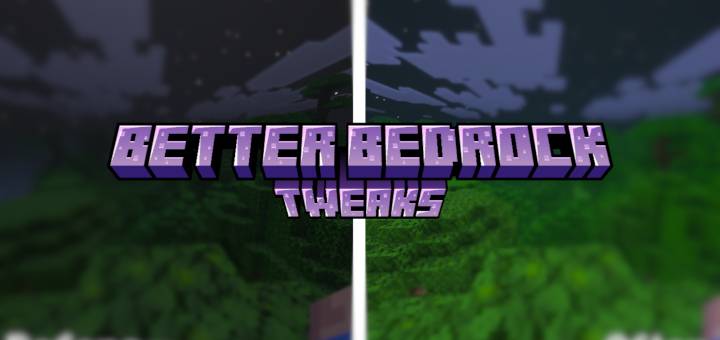

Better Bedrock Tweaks is a complete Minecraft Bedrock Edition texture enhancement pack designed to improve visibility, clarity, UI design, particles, blocks, items, PvP readability, and overall gameplay comfort.
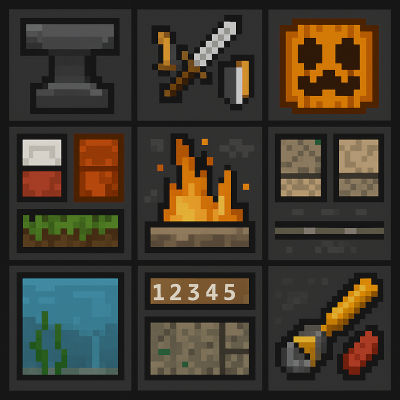
This all-in-one Bedrock resource pack includes the most requested visual upgrades such as Dark Mode UI, Clear Pumpkin Blur, Small Swords, Better Grass, Full Bright, Clear Underwater, Outlined Ores, Transparent Rain, and dozens of performance-friendly tweaks used by the community.
If you're searching for a cleaner, sharper, more optimized Minecraft Bedrock experience, this texture pack delivers exactly that.
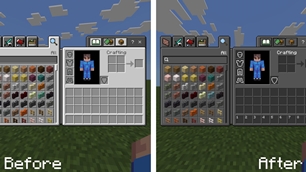
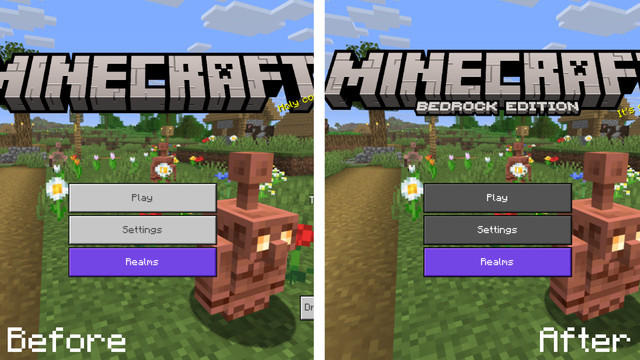
🌙 1. Dark Mode UI
A smooth, elegant Dark Mode interface that reduces eye strain and gives menus a modern, professional look.

🔨 2. Big Anvil Name Input
Improved larger anvil text box, making renaming tools and items much easier and readable.

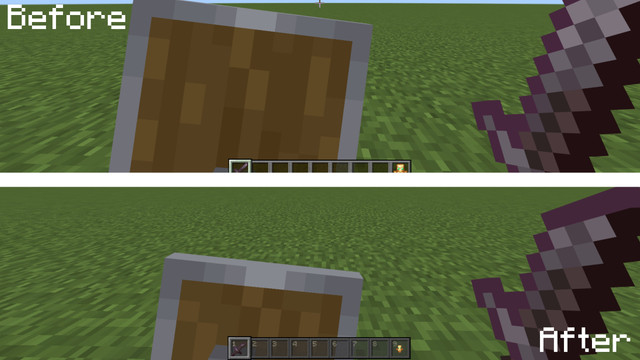
⚔️ 3. Small Swords, Totems & Shields
Compact, PvP-optimized reduced-size swords, totems, and shields for better screen visibility and combat awareness.

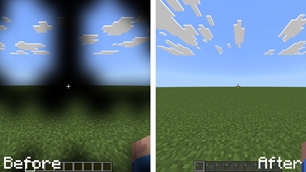
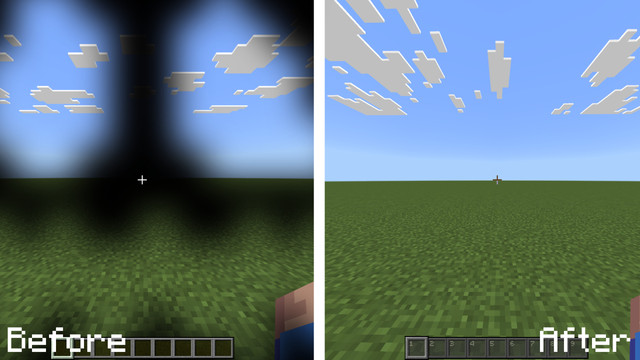
🎃 4. Clear Pumpkin Blur
Removes the obstructive pumpkin overlay for full visibility in survival and PvP.
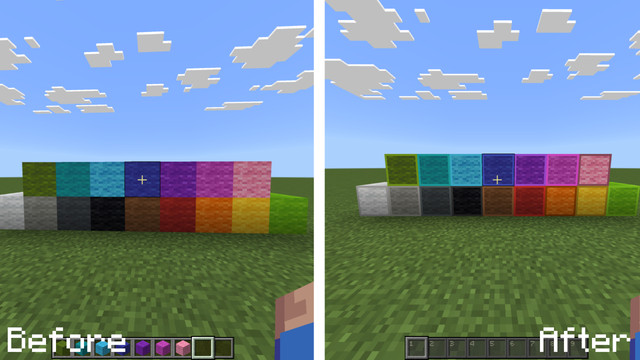
🧵 5. Bordered Wool Textures
Every wool block gets a clear border, making building, counting, and pattern alignment easier.
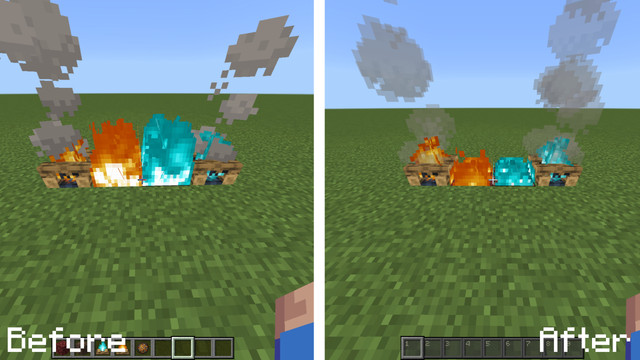
🔥 6. Small Fire Texture
Reduces fire height for a cleaner view during PvP and Nether exploration.
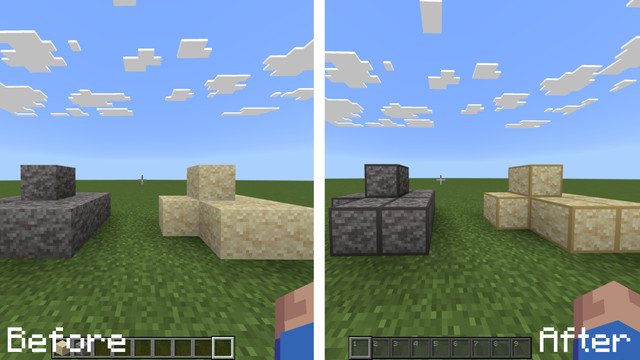
🏺 7. Suspicious Sand & Gravel Borders
Highly visible borders for archaeology blocks. Quickly identify suspicious sand and suspicious gravel.
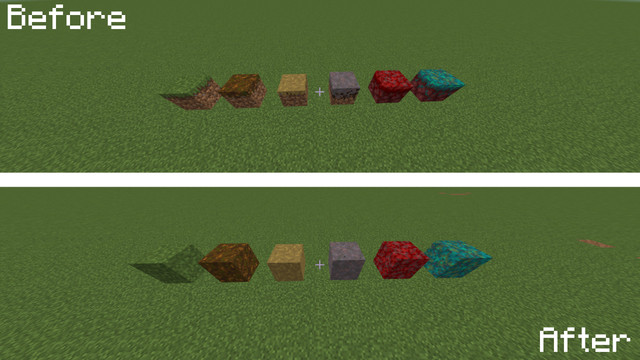
🌿 8. Fast Better Grass
Applies full-side grass textures to grass, warped, crimson, and similar blocks — improving aesthetics and terrain blending.
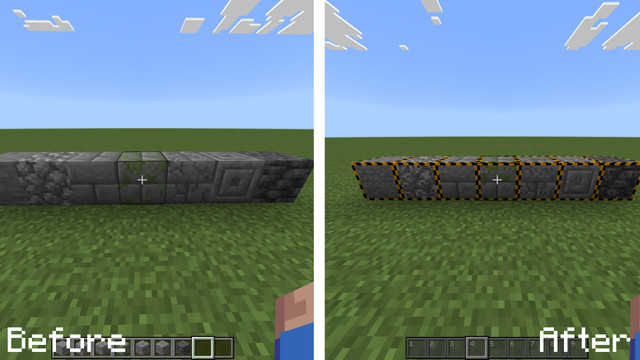
🧱 9. Outlined Infested Blocks
Instantly identify silverfish-infested stone variants, preventing trap deaths and stronghold surprises.
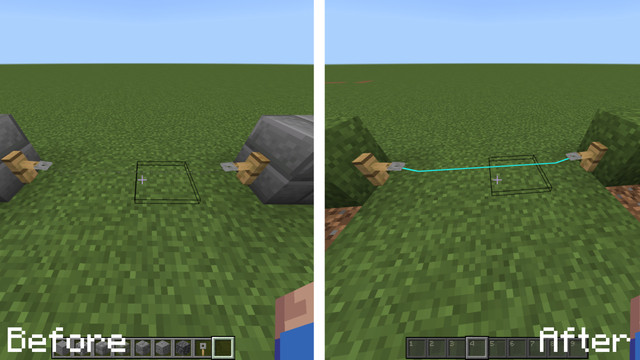
🪢 10. Visible Tripwires
Tripwire strings become much more visible, perfect for redstone traps, farms, and adventure maps.
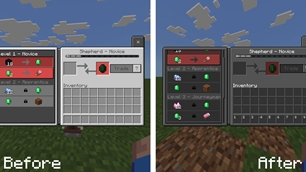
🔒 11. Visible Locked Villager Trades
Locked or unavailable villager trades are clearly highlighted for simpler villager management and trading halls.

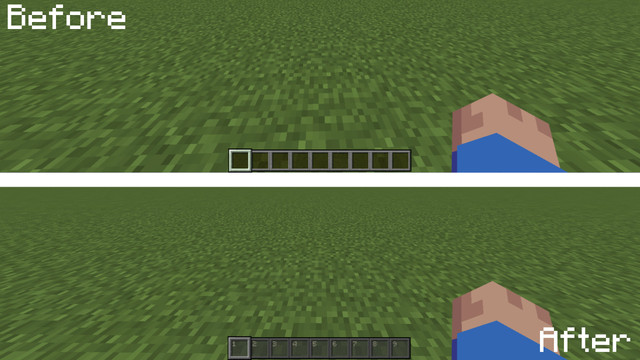
🔢 12. Numbered Hotbar
Adds clean, sharp numbers to each hotbar slot — ideal for PvP, hotkey switching, and speedrunning.
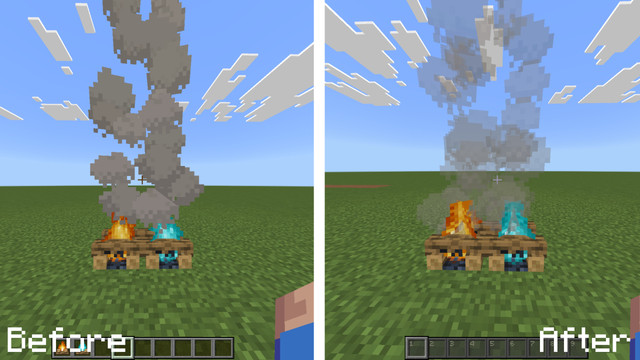
☁️ 13. Transparent Smoke Particles
Reduces smoke opacity for better visibility in bases, mob farms, and builds.
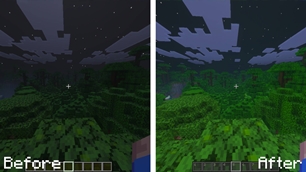
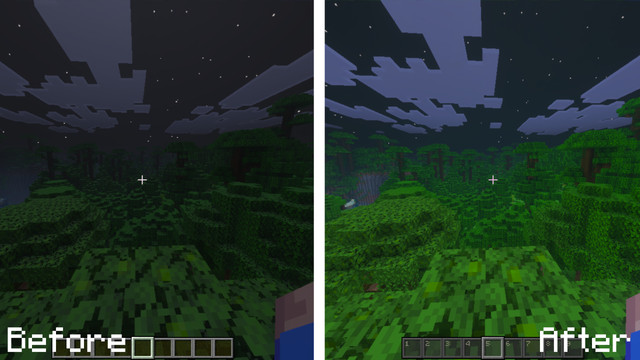
💡 14. Full Bright (Requires Vibrant Visuals)
Removes in-game darkness completely — the classic FullBright effect, similar to Java gamma tweaks.
💎 15. Outlined Ores
High-contrast, clean ore outlines for easier mining, cave runs, and resource detection.

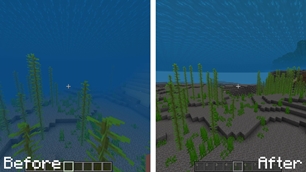
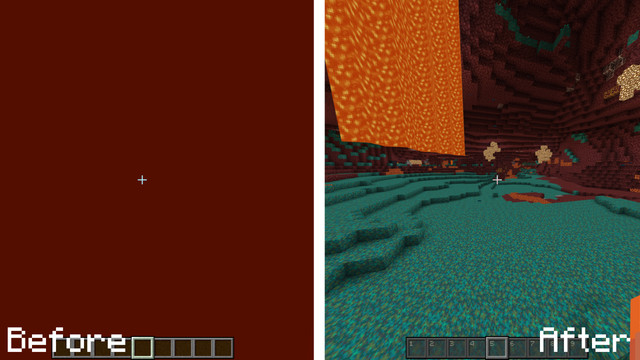
🌊 16. Clear Underwater & Lava
Improves underwater visibility and slightly clarifies lava — perfect for exploring oceans and navigating the Nether.

📱 17. Bedrock Edition ULogo
Restores or adds a stylized “Minecraft Bedrock Edition” logo for a more accurate game identity.
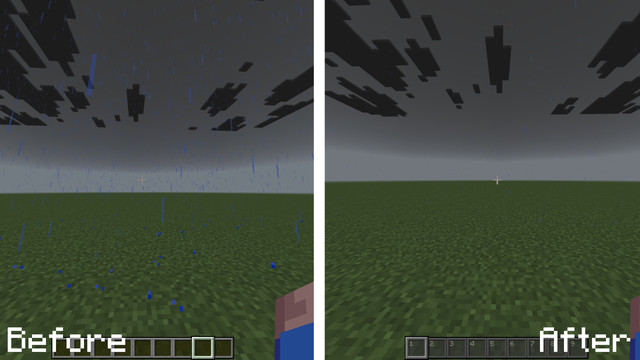
🌧️ 18. More Clear Rain
Significantly reduces rain opacity for a cleaner screen and smoother visual performance.
🔭 19. Clear Spyglass
Removes the intrusive spyglass overlay, giving maximum visibility while zooming.

🍗 20. Food Text Improvements
Food names now display the hunger value restored, improving survival decision-making.

📦 Why Choose Better Bedrock Tweaks?
- Ideal for PvP, Survival, Hardcore, Factions, and Speedrunning
- Inspired by the most popular Java Edition QoL packs
🔧 Compatibility
✔ Fully compatible with Minecraft Bedrock Edition 1.21+
✔ Works perfectly with Vibrant Visuals for the FullBright module
The Ultimate Guide to Better Texture Tweaks
If you are exploring the vast world of Minecraft modifications, Better Texture Tweaks by TwistyLime is a standout texture that deserves your attention. With over 17,959 downloads, it has become a staple for players looking to enhance their experience. As the creator describes it, this project is "Better Bedrock Tweaks is a complete Minecraft Bedrock Edition texture enhancement pack designed to improve visibility, clarity, UI design, particles, blocks, items, PvP readability, and overall gameplay comfort.". Whether you are a veteran builder constructing massive cities, or simply a casual player looking to upgrade your survival world, this guide will provide you with all the essential details on how Better Texture Tweaks alters the game.
What Makes It Special?
Unlike standard textures that simply alter superficial elements, Better Texture Tweaks introduces a wide array of visual and mechanical features designed to seamlessly blend into the vanilla aesthetic. TwistyLime has clearly spent significant time refining the project to ensure that every aspect feels polished and responsive for version 1.21.124.
Installation Guide
Getting Better Texture Tweaks up and running is straightforward. Follow these step-by-step instructions:
- Verify Your Version: Ensure your Minecraft launcher is set to version 1.21.124.
- Install Mod Loader (if required): If this is a mod, download the compatible loader (Forge, Fabric, NeoForge).
- Download the File: Click the secure download button above to retrieve the official file from CurseForge.
- Move the File: Place the downloaded file into your `mods`, `shaderpacks`, or `resourcepacks` folder depending on the texture type.
- Launch and Enjoy: Open Minecraft, navigate to the respective settings menu, and activate Better Texture Tweaks.
Compatibility & Performance
Compatibility is robust. Better Texture Tweaks is designed specifically for version 1.21.124, taking full advantage of the latest engine optimizations. During typical gameplay, this addition maintains a stable frame rate, though lower-end laptops might experience slight stuttering. We recommend pairing this with performance boosters like Sodium or Iris to guarantee a silky-smooth experience.