PiglixMCMods LogoPiglixMCMods
HomeShadersTexturesModsLow-End ShadersRTX ShadersSavedGuidesAbout
GET IT ONGoogle Play

Popular Collections

📱 Performance HubBest Low-End ShadersMCPE Performance Mods
✨ Realism & RTXRealistic RTX ShadersRTX Texture Packs for MCPE
🤖 Platform CompatibilityMinecraft PE Shaders 1.21Shaders for Android & iOS
⚔️ Gameplay VibeTop PvP Texture PacksMedieval Texture Packs
🤝 Community & SocialsYouTubeInstagram
Get the Android App — Free on Play Store
HomeGuidesAbout UsSponsor & PartnerContactPrivacy PolicyTerms & ConditionsDisclaimer
Minecraft>Shaders>Lumina Visuals
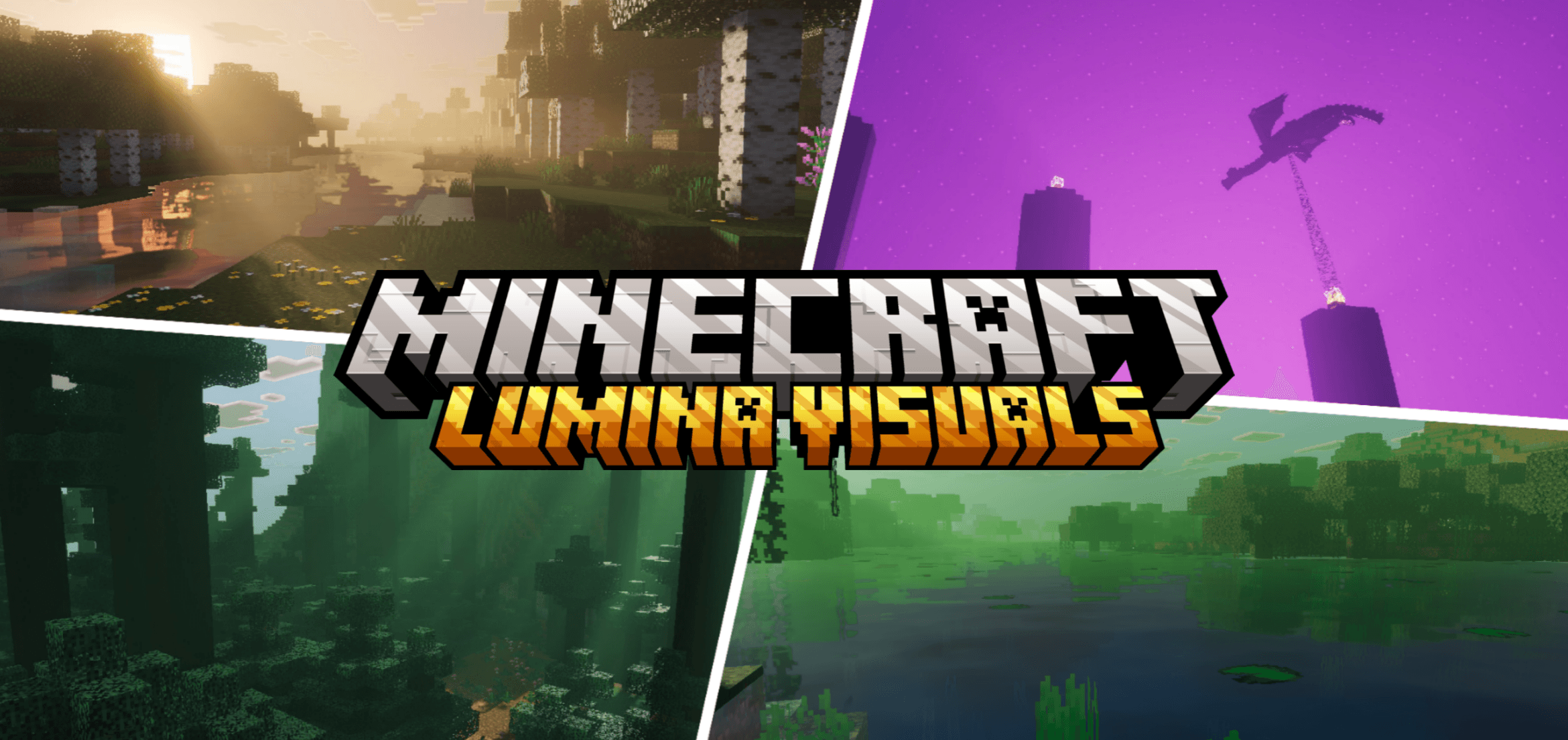
Lumina Visuals logo

Lumina Visuals

By👤HoneyStudios

A beautiful visual upgrade adding realistic lighting, soft shadows, and vibrant colors to Minecraft Bedrock.

Why Lumina Visuals is a top-tier shader mod for Minecraft 1.21.132

Developed by the talented creator HoneyStudios, Lumina Visuals stands out as a highly recommended selection for your Minecraft client. It is fully optimized, compatibility-tested, and brings a major upgrade to the gameplay experience in Minecraft version 1.21.132.

⚙️ Quick Resource Specs

Mod CreatorHoneyStudios
Latest Version1.21.132
Supported Game Versions1.21.132, 1.21.131, 1.21.130, 1.21.124, 1.21.123
File Size3.56 MB
Last UpdatedUpdated: August 5, 2026
Total Downloads88,055 downloads
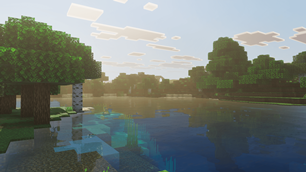
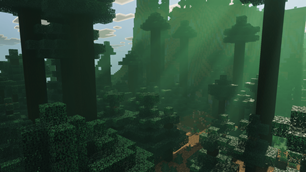
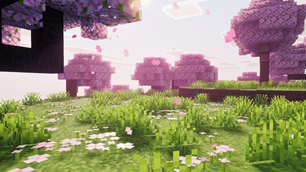
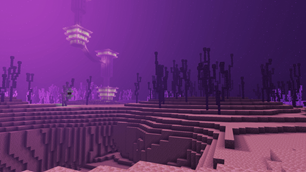
Lumina Visuals screenshot active
Discover new possibilities in your world with Lumina Visuals, a premium shaders project created by HoneyStudios. Designed to run smoothly on Minecraft 1.21.132, this addition brings both quality improvements and immersive elements to your setup.

Lumina Visuals is built for players who want their world to look stunning without compromising gameplay. Every effect is tuned biome by biome, so a cherry grove at midday and a dark forest in the rain each get atmosphere built specifically for them.

Skies run from a clean daylight blue through violet-over-gold at dusk into deep moonlit blue at night. Water reflects it all back. Nothing here asks you to stop playing to look at it.

WHAT'S NEW IN THIS UPDATE

  • Full per-biome customization across all 88 biomes
  • 23 volumetric fog profiles with biome-specific colour
  • Reworked sunrise and sunset with violet skies above warm horizons
  • New moonlit night lighting, deep blue rather than washed grey
  • Rebalanced daytime sky, clearer and no longer blown out around the sun
  • Fog density rebalanced per biome so haze reads without swallowing the view

FEATURES

  • Realistic deferred lighting on the current Vibrant Visuals pipeline
  • Per-biome fog, lighting, atmosphere and colour grading
  • Chromatic volumetric fog tuned individually for every biome
  • Violet-and-gold sunrise and sunset skies
  • Moon-driven night lighting with true blue tones
  • Soft cinematic shadows - Bloom & glow highlights
  • Reflective water surface - Enhanced foliage shading
  • Full Nether support — crimson, warped, soulsand valley and basalt deltas

WHY LUMINA VISUALS?

FPS-friendly - Optimized for smooth gameplay, no stutters or lag spikes

Vibrant, not oversaturated - Rich colour that still looks like Minecraft

Survival-ready - Enhances your world without distracting from playing it

Every biome, genuinely different - Cherry groves, taiga, swamps and dark forests each get their own fog colour, density and light, not one preset stretched across the world

REQUIREMENTS

Vibrant Visuals must be enabled in your world or global video settings. Place Lumina Visuals at the top of your resource pack stack for best results.

The Ultimate Guide to Lumina Visuals

If you are exploring the vast world of Minecraft modifications, Lumina Visuals by HoneyStudios is a standout shader that deserves your attention. With over 88,055 downloads, it has become a staple for players looking to enhance their experience. As the creator describes it, this project is "A beautiful visual upgrade adding realistic lighting, soft shadows, and vibrant colors to Minecraft Bedrock.". Whether you are a veteran builder constructing massive cities, or simply a casual player looking to upgrade your survival world, this guide will provide you with all the essential details on how Lumina Visuals alters the game.

What Makes It Special?

Unlike standard shaders that simply alter superficial elements, Lumina Visuals introduces a wide array of visual and mechanical features designed to seamlessly blend into the vanilla aesthetic. HoneyStudios has clearly spent significant time refining the project to ensure that every aspect feels polished and responsive for version 1.21.132.

Installation Guide

Getting Lumina Visuals up and running is straightforward. Follow these step-by-step instructions:

  1. Verify Your Version: Ensure your Minecraft launcher is set to version 1.21.132.
  2. Install Mod Loader (if required): If this is a mod, download the compatible loader (Forge, Fabric, NeoForge).
  3. Download the File: Click the secure download button above to retrieve the official file from CurseForge.
  4. Move the File: Place the downloaded file into your `mods`, `shaderpacks`, or `resourcepacks` folder depending on the shader type.
  5. Launch and Enjoy: Open Minecraft, navigate to the respective settings menu, and activate Lumina Visuals.

Compatibility & Performance

Compatibility is robust. Lumina Visuals is designed specifically for version 1.21.132, taking full advantage of the latest engine optimizations. During typical gameplay, this addition maintains a stable frame rate, though lower-end laptops might experience slight stuttering. We recommend pairing this with performance boosters like Sodium or Iris to guarantee a silky-smooth experience.


Details

Downloads:88,055
Created:8 months ago
Updated:8 days ago
Project ID:1401694
License:All Rights Reserved
Environment:Client

Game Versions

1.21.1321.21.1311.21.1301.21.1241.21.1231.21.122

🤝 Join Community for Support

Need help installing this resource or want to see more showcases? Join our community!

Subscribe on YouTubeFollow on Instagram

Lumina Visuals

Screenshot 0
Screenshot 1
Screenshot 2
Screenshot 3
Screenshot 4
Screenshot 5
Screenshot 6
H
HoneyStudios
SHADERS CREATOR
Downloads88K
Version1.21.132
TypeSHADERS
File Size3.56 MB

About This shaders

A beautiful visual upgrade adding realistic lighting, soft shadows, and vibrant colors to Minecraft Bedrock.

Lumina Visuals is built for players who want their world to look stunning without compromising gameplay. Every effect is tuned biome by biome, so a cherry grove at midday and a dark forest in the rain each get atmosphere built specifically for them.

Skies run from a clean daylight blue through violet-over-gold at dusk into deep moonlit blue at night. Water reflects it all back. Nothing here asks you to stop playing to look at it.

WHAT'S NEW IN THIS UPDATE

  • Full per-biome customization across all 88 biomes
  • 23 volumetric fog profiles with biome-specific colour
  • Reworked sunrise and sunset with violet skies above warm horizons
  • New moonlit night lighting, deep blue rather than washed grey
  • Rebalanced daytime sky, clearer and no longer blown out around the sun
  • Fog density rebalanced per biome so haze reads without swallowing the view

FEATURES

  • Realistic deferred lighting on the current Vibrant Visuals pipeline
  • Per-biome fog, lighting, atmosphere and colour grading
  • Chromatic volumetric fog tuned individually for every biome
  • Violet-and-gold sunrise and sunset skies
  • Moon-driven night lighting with true blue tones
  • Soft cinematic shadows - Bloom & glow highlights
  • Reflective water surface - Enhanced foliage shading
  • Full Nether support — crimson, warped, soulsand valley and basalt deltas

WHY LUMINA VISUALS?

FPS-friendly - Optimized for smooth gameplay, no stutters or lag spikes

Vibrant, not oversaturated - Rich colour that still looks like Minecraft

Survival-ready - Enhances your world without distracting from playing it

Every biome, genuinely different - Cherry groves, taiga, swamps and dark forests each get their own fog colour, density and light, not one preset stretched across the world

REQUIREMENTS

Vibrant Visuals must be enabled in your world or global video settings. Place Lumina Visuals at the top of your resource pack stack for best results.

📌Supported Minecraft Versions: 1.21.132, 1.21.131, 1.21.130, 1.21.124, 1.21.123, 1.21.122

How to Install

1. Download Iris Shader Mod or OptiFine for Minecraft 1.21+. 2. Open Minecraft and go to Options > Video Settings > Shader Packs. 3. Tap 'Open Shader Folder' and place the downloaded .zip file inside.