PiglixMCMods LogoPiglixMCMods
HomeShadersTexturesModsLow-End ShadersRTX ShadersSavedGuidesAbout
GET IT ONGoogle Play

Popular Collections

📱 Performance HubBest Low-End ShadersMCPE Performance Mods
✨ Realism & RTXRealistic RTX ShadersRTX Texture Packs for MCPE
🤖 Platform CompatibilityMinecraft PE Shaders 1.21Shaders for Android & iOS
⚔️ Gameplay VibeTop PvP Texture PacksMedieval Texture Packs
🤝 Community & SocialsYouTubeInstagram
Get the Android App — Free on Play Store
HomeGuidesAbout UsSponsor & PartnerContactPrivacy PolicyTerms & ConditionsDisclaimer
Minecraft>Textures>[BE] Better Chinese Localization Pack
[BE] Better Chinese Localization Pack logo

[BE] Better Chinese Localization Pack

By👤yutayamamoto212

Correcting many incorrect and even absurd translations for Chinese players of Bedrock Edition and providing a high-quality experience similar to the Java Edition.

Why [BE] Better Chinese Localization Pack is a top-tier texture pack mod for Minecraft 1.21

Developed by the talented creator yutayamamoto212, [BE] Better Chinese Localization Pack stands out as a highly recommended selection for your Minecraft client. It is fully optimized, compatibility-tested, and brings a major upgrade to the gameplay experience in Minecraft version 1.21.

⚙️ Quick Resource Specs

Mod Creatoryutayamamoto212
Latest Version1.21
Supported Game VersionsMinecraft 1.21+
File Size4.67 KB
Last UpdatedUpdated: June 19, 2026
Total Downloads1,719 downloads
[BE] Better Chinese Localization Pack screenshot active
If you want to elevate your Minecraft gameplay, [BE] Better Chinese Localization Pack is a fantastic choice. Developed by yutayamamoto212, this textures offers a fresh way to customize your virtual world. It is fully compatible with Minecraft 1.21 and is highly rated by the community.

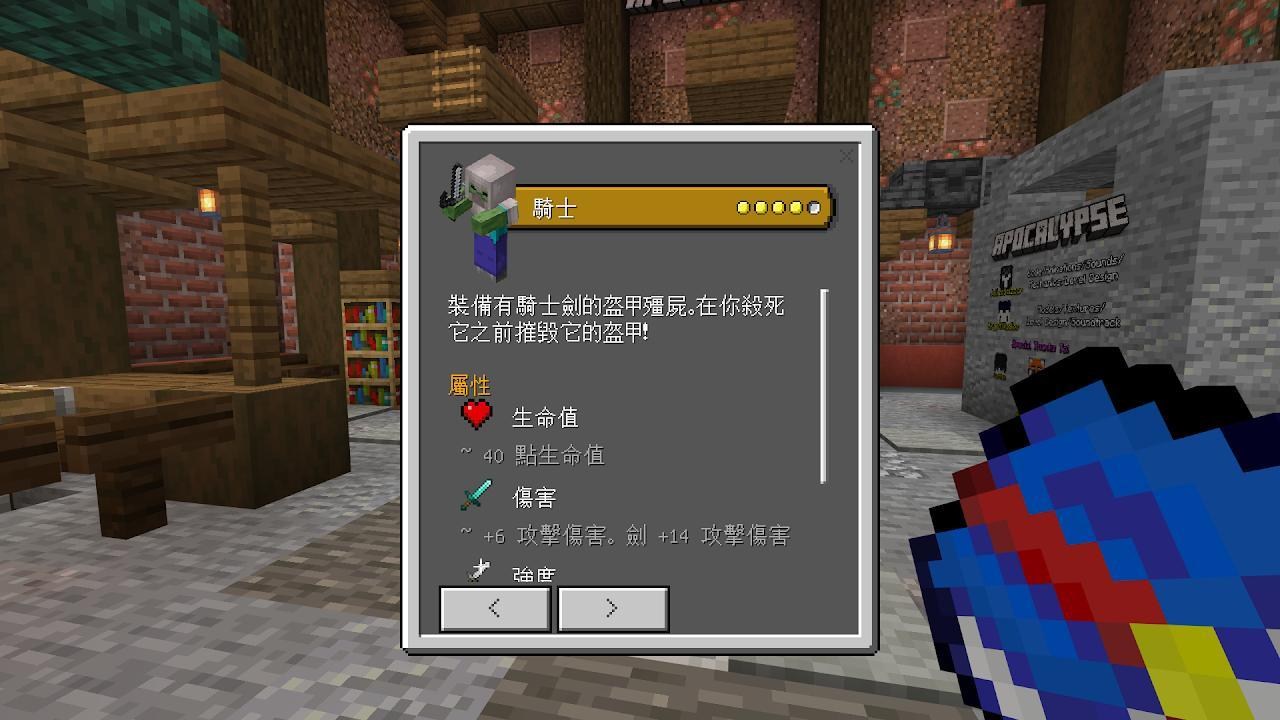
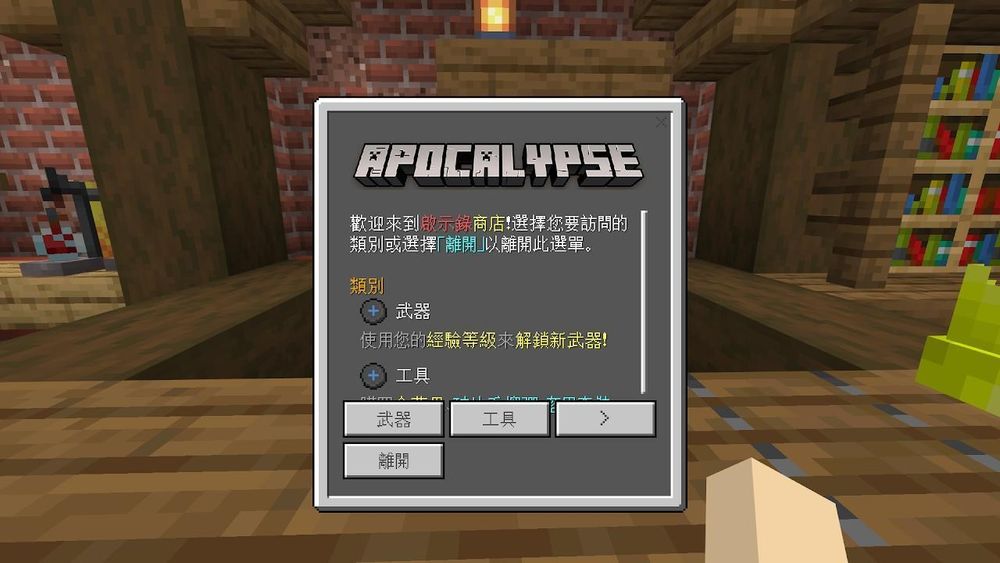
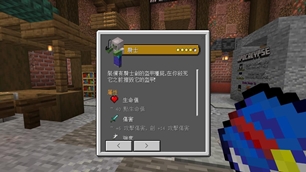
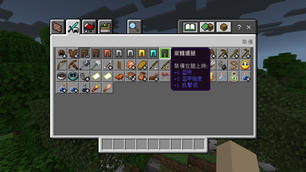
This resource pack aims to provide a better experience for Chinese players. Not only does it change all the wording from the vanilla version to be the same as the Java Edition and Minecraft Wiki, but it also corrects a lot of incorrect or even ridiculous translations. In addition, translations for some mods, add-ons, maps, and UI packs are also provided, and two languages ​​have been added—Traditional Chinese (Hong Kong SAR) and experimental Classical Chinese (Hua Xia).

Better Bedrock Chinese Experience

Hereby declare: The language proofreading and correction of the vanilla are performed by me personally, and there is no act of plagiarizing other people's works.


Translations for Mods, Add-ons and Maps

This resource pack provides Chinese translations for some mods, add-ons and maps.
Add-on Translation 1

Add-on Translation 2

Add-on Translation 3

Add-on Translation 4

Map Translation 1

Map Translation 2

Map Translation 3

Welcome to Crowdin to participate in the translation!

  • Current translation progress:

Translation Progress


Correction of the Vanilla Translation
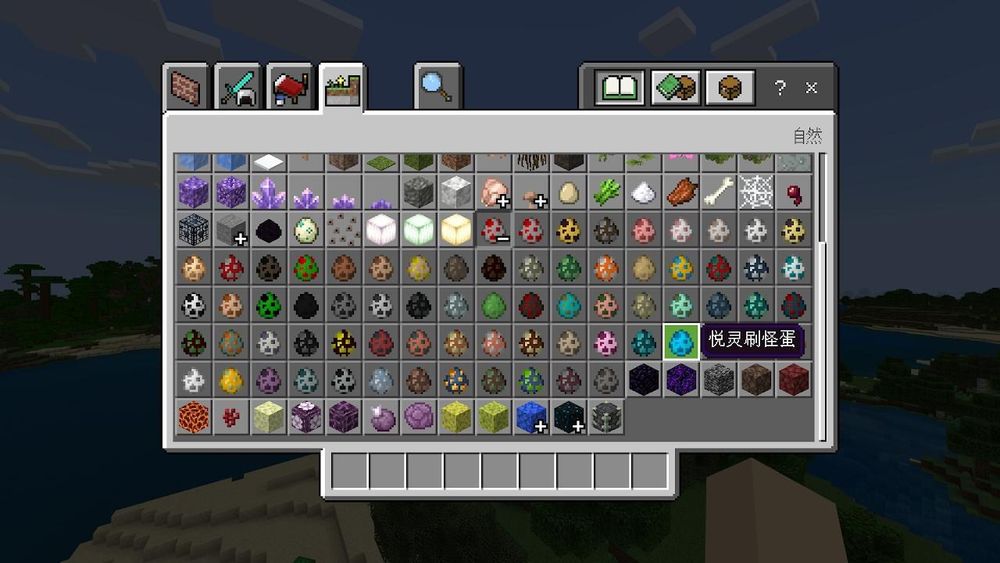
Some translations can feel ridiculous. For example (Traditional Chinese):

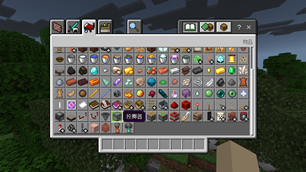
  • Dropper should be translated as "投擲器." Translating to "墜落遊戲" makes players wonder why the dropper block is used to play a game for falling.
  • Silk Touch should be translated as "絲綢之觸." Translating to "聚寶" makes players wonder why this enchantment can't gather treasures, but only collects the block itself.
  • Conduit should be translated as "海靈核心." Translating to "導管" might make players wonder why this item is called that when it's clearly not a pipe.
  • Vex should be translated as "惱鬼" and should not be transliterated as "維克絲."

This resource pack fixes a lot of translation problems and changes many wordings to be the same as Java Edition.

Although other people have made resource packs to correct translations, in order to support the translation of mods, add-ons, and maps, I proofread and correct the vanilla translations from scratch.

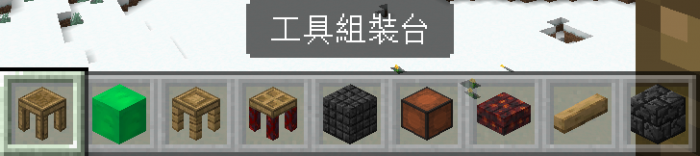
  • Fixes for blocks, items, entities, etc:

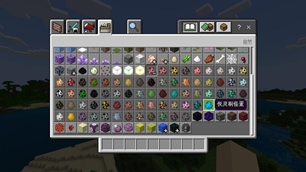
Item Translation Fix 1

Item Translation Fix 2

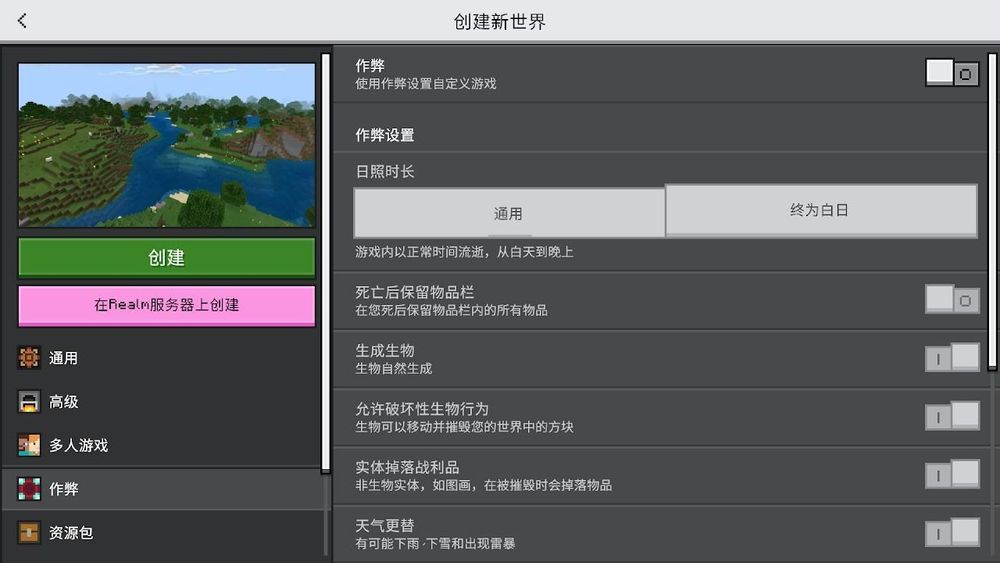
  • Game rule names are corrected and unified with Java Edition:

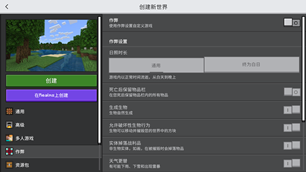
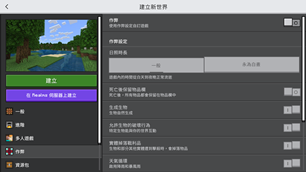
Game Rule Translation Fix 1

Game Rule Translation Fix 2

  • Correction of command output results:

Command Translation Fix

  • Correction of typos:

Typo Fix

  • Correction of the content of How to Play:

How To Play Translation Fix

  • Correction of other content.

Translation Fix


Traditional Chinese (Hong Kong SAR) Translations

HK Translation


Classical Chinese (Hua Xia) Translations (Experimental)

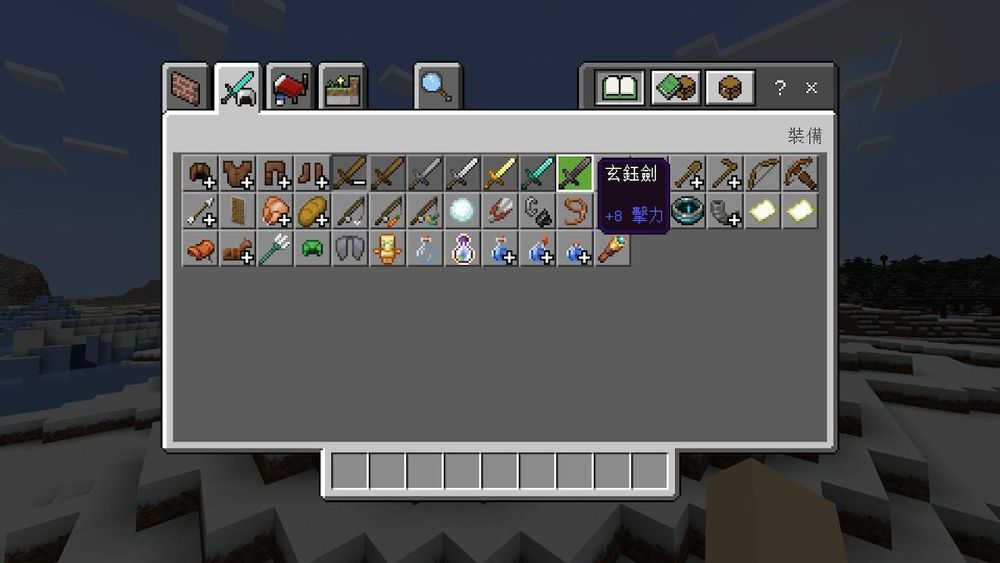
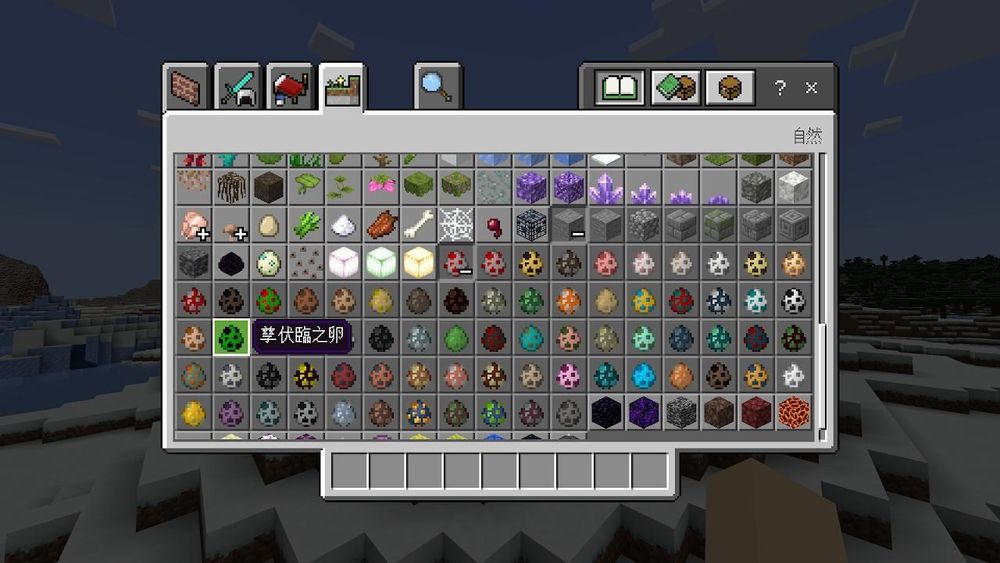
  • Items:

Classical Chinese Item Translation 1

Classical Chinese Item Translation 2

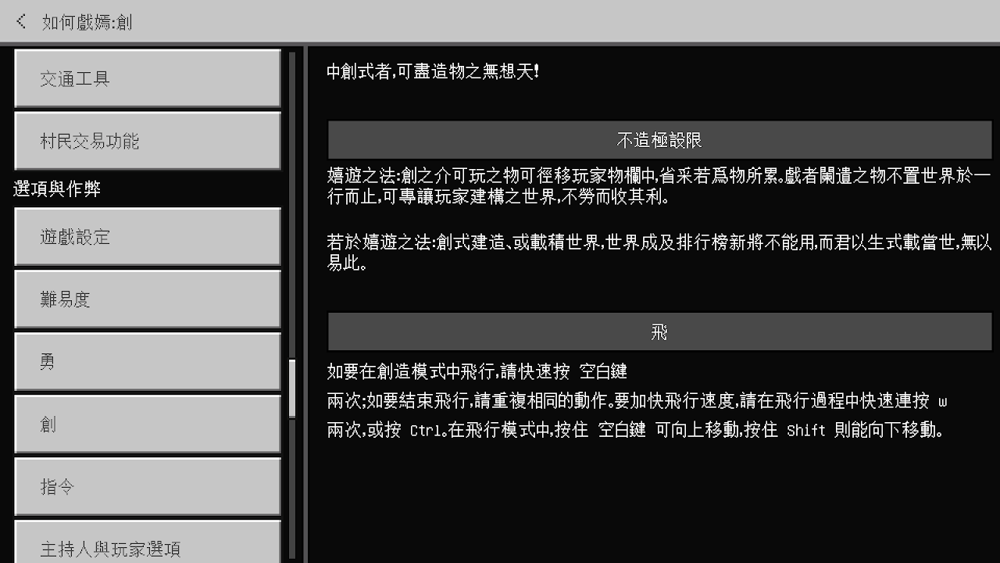
  • How to play:

Classical Chinese How to Play Translation

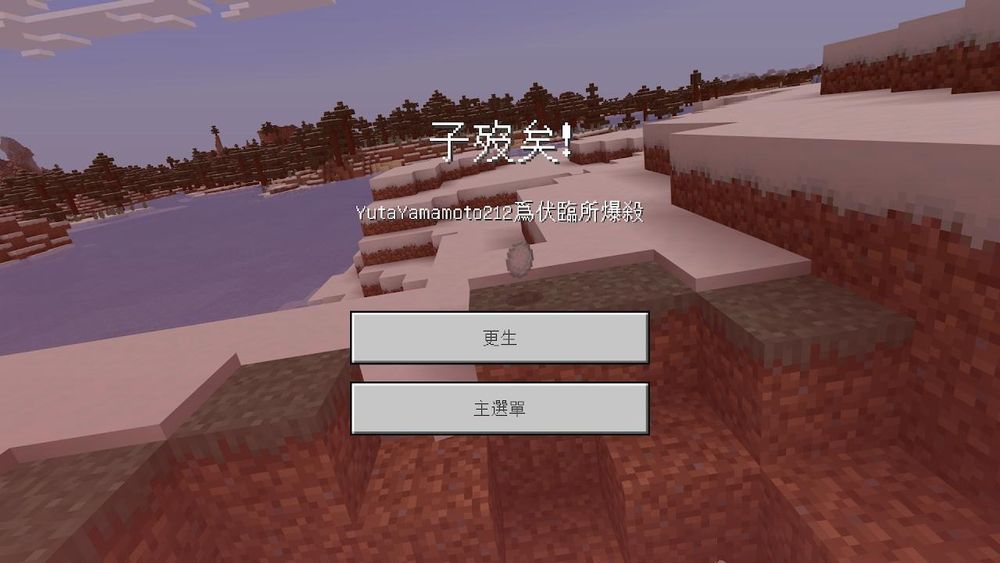
  • Death Screen:

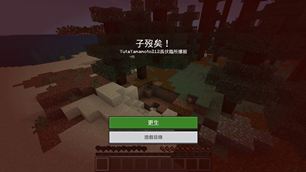
Classical Chinese Death Screen Translation


Splash Texts Translations
Since splash texts cannot be changed with language switching, four separate resource packs have been specially created for Simplified Chinese (Mainland China), Traditional Chinese (Hong Kong SAR), Traditional Chinese (Taiwan), and experimental Classical Chinese (Hua Xia).

Splash Texts Translation (Simplified Chinese, Mainland China)

Splash Texts Translation (Traditional Chinese, Taiwan)

Splash Texts Translation (Traditional Chinese, Hong Kong SAR)

Splash Texts Translation (Classical Chinese, Hua Xia)


Things to Know

  • Due to the MCPE-58983 issue, the End Poem is still in English and cannot be translated into Chinese. After the issue is fixed, the Chinese version of the End Poem will be available normally. You are welcome to vote and watch this issue.
  • Places such as patch notes, marketplace, and some achievements cannot apply translation corrections or translated into Classical Chinese as they appear to be hardcoded into the game.
  • The resource pack is updated from time to time, but cannot be updated automatically like the RPMTW Platform Mod (RPMTW Update Mod) in Java Edition. Therefore, please check for updates regularly to enjoy a better gaming experience. If anyone knows how to do automatic updates, you are welcome to help on my Discord server.


Future Development

If other types of Chinese are introduced in the future Java Edition, they may be supported.


Feedback

  • If you find a bug or want to make a feature request, welcome to join my Discord server or go to my GitHub Repository. You can also report bugs or make feature requests in the comments section below.
  • Classical Chinese is currently in an experimental stage, so there may be many untranslated or incorrect translations. Untranslated parts will be displayed in the vernacular (Traditional Chinese) and then in the original (English). If you have better suggestions, welcome to Crowdin to provide translations.


Installation

Before downloading, please note:

  • Traditional Chinese (Hong Kong SAR) and Classical Chinese (Hua Xia) will not appear in the language list. Please read the installation method below carefully to use this language.
  • Switching between Traditional Chinese (Taiwan), Traditional Chinese (Hong Kong SAR) and Classical Chinese (Hua Xia) may require a game restart for the changes to take effect.
  • If used with mods, add-ons or the map, please arrange it at the top to ensure that the mods, add-ons or the map can be translated properly, and that the corrections from the Vanilla translation will be applied properly.
  • If Education Edition is enabled, please apply this resource pack to the world to ensure that the translations of Education Edition items are corrected properly.

Applying translation pack for add-on

Applying translation pack for maps

How to install:

  • If you are a player in Taiwan:

1. Download this resource pack in the Files tab and select the resourcepack_addon_zh_v201.mcpack file to download. In order for the splash texts to be translated, you also need to download the splashes_zh-TW_v148.mcpack file.

2. Load it into your Minecraft: Bedrock Edition. Since the MCPACK installation method only uses the first 10 characters of the "name" field in the manifest.json file as the folder name in the resource_packs folder, it may cause confusion for some players. If you are used to managing resource packs in the resource_packs folder instead of in-game Storage feature, it is recommended to rename the file extension to .zip and unzip into that folder.

3. Go to Settings (設定) -> Global Resource Pack (全球資源套件), and click the Activate (啟用) button.

Activate Pack (zh-TW)4. Simply click the back button to finish applying the resource pack.


  • If you are a player in Hong Kong:

1. Download this resource pack in the Files tab and select the resourcepack_addon_zh_v201.mcpack file to download. In order for the splash texts to be translated, you also need to download the splashes_zh-HK_v148.mcpack file.

2. Load it into your Minecraft: Bedrock Edition. Since the MCPACK installation method only uses the first 10 characters of the "name" field in the manifest.json file as the folder name in the resource_packs folder, it may cause confusion for some players. If you are used to managing resource packs in the resource_packs folder instead of in-game Storage feature, it is recommended to rename the file extension to .zip and unzip into that folder.

3. Go to Settings (設定) -> Global Resource Pack (全球資源套件), and click the Activate (啟用) button.

Activate Pack (zh-HK, 1)

4. Please click on this resource pack in the Active (啟動) tab.

5. Click the gear icon next to the Deactivate (停用) button to open the Resolution (解析度) settings window.

Activate Pack (zh-HK, 2)

6. Slide the bar to "Traditional Chinese for Hong Kong SAR" (繁體中文供 香港特別行政區 使用) and close the window.

Activate Pack (zh-HK, 3)

7. Click the back button to finish applying the resource pack.


  • If you are a player in China:

1. Download this resource pack in the Files tab and select the resourcepack_addon_zh_v201.mcpack file to download. In order for the splash texts to be translated, you also need to download the splashes_zh-CN_v148.mcpack file.

2. Load it into your Minecraft: Bedrock Edition. Since the MCPACK installation method only uses the first 10 characters of the "name" field in the manifest.json file as the folder name in the resource_packs folder, it may cause confusion for some players. If you are used to managing resource packs in the resource_packs folder instead of in-game Storage feature, it is recommended to rename the file extension to .zip and unzip into that folder.

3. Go to Settings (设置) -> Global Resource Pack (全局资源), and click the Activate (激活) button.

Activate Pack (zh-CN)

4. Simply click the back button to finish applying the resource pack.


  • If you want to activate Classical Chinese (Hua Xia):

1. Download this resource pack in the Files tab and select the resourcepack_addon_zh_v201.mcpack file to download. In order for the splash texts to be translated, you also need to download the splashes_lzh_v148.mcpack file.

2. Load it into your Minecraft: Bedrock Edition. Since the MCPACK installation method only uses the first 10 characters of the "name" field in the manifest.json file as the folder name in the resource_packs folder, it may cause confusion for some players. If you are used to managing resource packs in the resource_packs folder instead of in-game Storage feature, it is recommended to rename the file extension to .zip and unzip into that folder.

3. Go to Settings (設定) -> Global Resource Pack (全球資源套件), and click the Activate (啟用) button.

Activate Pack (lzh, 1)

4. Please click on this resource pack in the Active (啟動) tab.

Activate Pack (lzh, 2)

5. Click the gear icon next to the Deactivate (停用) button to open the Resolution (解析度) settings window.

6. Slide the bar to "Classical Chinese (Hua Xia) (Experimental)" (文言(華夏)(實驗性)) and close the window.

Activate Pack (lzh, 3)

7. Click the back button to finish applying the resource pack.

The Ultimate Guide to [BE] Better Chinese Localization Pack

If you are exploring the vast world of Minecraft modifications, [BE] Better Chinese Localization Pack by yutayamamoto212 is a standout texture that deserves your attention. With over 1,719 downloads, it has become a staple for players looking to enhance their experience. As the creator describes it, this project is "Correcting many incorrect and even absurd translations for Chinese players of Bedrock Edition and providing a high-quality experience similar to the Java Edition.". Whether you are a veteran builder constructing massive cities, or simply a casual player looking to upgrade your survival world, this guide will provide you with all the essential details on how [BE] Better Chinese Localization Pack alters the game.

What Makes It Special?

Unlike standard textures that simply alter superficial elements, [BE] Better Chinese Localization Pack introduces a wide array of visual and mechanical features designed to seamlessly blend into the vanilla aesthetic. yutayamamoto212 has clearly spent significant time refining the project to ensure that every aspect feels polished and responsive for version 1.21.

Installation Guide

Getting [BE] Better Chinese Localization Pack up and running is straightforward. Follow these step-by-step instructions:

  1. Verify Your Version: Ensure your Minecraft launcher is set to version 1.21.
  2. Install Mod Loader (if required): If this is a mod, download the compatible loader (Forge, Fabric, NeoForge).
  3. Download the File: Click the secure download button above to retrieve the official file from CurseForge.
  4. Move the File: Place the downloaded file into your `mods`, `shaderpacks`, or `resourcepacks` folder depending on the texture type.
  5. Launch and Enjoy: Open Minecraft, navigate to the respective settings menu, and activate [BE] Better Chinese Localization Pack.

Compatibility & Performance

Compatibility is robust. [BE] Better Chinese Localization Pack is designed specifically for version 1.21, taking full advantage of the latest engine optimizations. During typical gameplay, this addition maintains a stable frame rate, though lower-end laptops might experience slight stuttering. We recommend pairing this with performance boosters like Sodium or Iris to guarantee a silky-smooth experience.

Details

Downloads:1,719
Created:8 months ago
Updated:1 month ago
Project ID:1405303
License:All Rights Reserved
Environment:Client

🤝 Join Community for Support

Need help installing this resource or want to see more showcases? Join our community!

Subscribe on YouTubeFollow on Instagram

[BE] Better Chinese Localization Pack

Screenshot 0
Screenshot 1
Screenshot 2
Screenshot 3
Screenshot 4
Screenshot 5
Screenshot 6
Screenshot 7
Y
yutayamamoto212
TEXTURES CREATOR
Downloads2K
Version1.21
TypeTEXTURES
File Size4.67 KB

About This textures

Correcting many incorrect and even absurd translations for Chinese players of Bedrock Edition and providing a high-quality experience similar to the Java Edition.

This resource pack aims to provide a better experience for Chinese players. Not only does it change all the wording from the vanilla version to be the same as the Java Edition and Minecraft Wiki, but it also corrects a lot of incorrect or even ridiculous translations. In addition, translations for some mods, add-ons, maps, and UI packs are also provided, and two languages ​​have been added—Traditional Chinese (Hong Kong SAR) and experimental Classical Chinese (Hua Xia).

Better Bedrock Chinese Experience

Hereby declare: The language proofreading and correction of the vanilla are performed by me personally, and there is no act of plagiarizing other people's works.


Translations for Mods, Add-ons and Maps

This resource pack provides Chinese translations for some mods, add-ons and maps.

Add-on Translation 1

Add-on Translation 2

Add-on Translation 3

Add-on Translation 4

Map Translation 1

Map Translation 2

Map Translation 3

Welcome to Crowdin to participate in the translation!

  • Current translation progress:

Translation Progress


Correction of the Vanilla Translation
Some translations can feel ridiculous. For example (Traditional Chinese):

  • Dropper should be translated as "投擲器." Translating to "墜落遊戲" makes players wonder why the dropper block is used to play a game for falling.
  • Silk Touch should be translated as "絲綢之觸." Translating to "聚寶" makes players wonder why this enchantment can't gather treasures, but only collects the block itself.
  • Conduit should be translated as "海靈核心." Translating to "導管" might make players wonder why this item is called that when it's clearly not a pipe.
  • Vex should be translated as "惱鬼" and should not be transliterated as "維克絲."

This resource pack fixes a lot of translation problems and changes many wordings to be the same as Java Edition.

Although other people have made resource packs to correct translations, in order to support the translation of mods, add-ons, and maps, I proofread and correct the vanilla translations from scratch.

  • Fixes for blocks, items, entities, etc:

Item Translation Fix 1

Item Translation Fix 2

  • Game rule names are corrected and unified with Java Edition:

Game Rule Translation Fix 1

Game Rule Translation Fix 2

  • Correction of command output results:

Command Translation Fix

  • Correction of typos:

Typo Fix

  • Correction of the content of How to Play:

How To Play Translation Fix

  • Correction of other content.

Translation Fix


Traditional Chinese (Hong Kong SAR) Translations

HK Translation


Classical Chinese (Hua Xia) Translations (Experimental)

  • Items:

Classical Chinese Item Translation 1

Classical Chinese Item Translation 2

  • How to play:

Classical Chinese How to Play Translation

  • Death Screen:

Classical Chinese Death Screen Translation


Splash Texts Translations
Since splash texts cannot be changed with language switching, four separate resource packs have been specially created for Simplified Chinese (Mainland China), Traditional Chinese (Hong Kong SAR), Traditional Chinese (Taiwan), and experimental Classical Chinese (Hua Xia).

Splash Texts Translation (Simplified Chinese, Mainland China)

Splash Texts Translation (Traditional Chinese, Taiwan)

Splash Texts Translation (Traditional Chinese, Hong Kong SAR)

Splash Texts Translation (Classical Chinese, Hua Xia)


Things to Know

  • Due to the MCPE-58983 issue, the End Poem is still in English and cannot be translated into Chinese. After the issue is fixed, the Chinese version of the End Poem will be available normally. You are welcome to vote and watch this issue.
  • Places such as patch notes, marketplace, and some achievements cannot apply translation corrections or translated into Classical Chinese as they appear to be hardcoded into the game.
  • The resource pack is updated from time to time, but cannot be updated automatically like the RPMTW Platform Mod (RPMTW Update Mod) in Java Edition. Therefore, please check for updates regularly to enjoy a better gaming experience. If anyone knows how to do automatic updates, you are welcome to help on my Discord server.


Future Development

If other types of Chinese are introduced in the future Java Edition, they may be supported.


Feedback

  • If you find a bug or want to make a feature request, welcome to join my Discord server or go to my GitHub Repository. You can also report bugs or make feature requests in the comments section below.
  • Classical Chinese is currently in an experimental stage, so there may be many untranslated or incorrect translations. Untranslated parts will be displayed in the vernacular (Traditional Chinese) and then in the original (English). If you have better suggestions, welcome to Crowdin to provide translations.


Installation

Before downloading, please note:

  • Traditional Chinese (Hong Kong SAR) and Classical Chinese (Hua Xia) will not appear in the language list. Please read the installation method below carefully to use this language.
  • Switching between Traditional Chinese (Taiwan), Traditional Chinese (Hong Kong SAR) and Classical Chinese (Hua Xia) may require a game restart for the changes to take effect.
  • If used with mods, add-ons or the map, please arrange it at the top to ensure that the mods, add-ons or the map can be translated properly, and that the corrections from the Vanilla translation will be applied properly.
  • If Education Edition is enabled, please apply this resource pack to the world to ensure that the translations of Education Edition items are corrected properly.

Applying translation pack for add-on

Applying translation pack for maps

How to install:

  • If you are a player in Taiwan:

1. Download this resource pack in the Files tab and select the resourcepack_addon_zh_v201.mcpack file to download. In order for the splash texts to be translated, you also need to download the splashes_zh-TW_v148.mcpack file.

2. Load it into your Minecraft: Bedrock Edition. Since the MCPACK installation method only uses the first 10 characters of the "name" field in the manifest.json file as the folder name in the resource_packs folder, it may cause confusion for some players. If you are used to managing resource packs in the resource_packs folder instead of in-game Storage feature, it is recommended to rename the file extension to .zip and unzip into that folder.

3. Go to Settings (設定) -> Global Resource Pack (全球資源套件), and click the Activate (啟用) button.

Activate Pack (zh-TW)4. Simply click the back button to finish applying the resource pack.


  • If you are a player in Hong Kong:

1. Download this resource pack in the Files tab and select the resourcepack_addon_zh_v201.mcpack file to download. In order for the splash texts to be translated, you also need to download the splashes_zh-HK_v148.mcpack file.

2. Load it into your Minecraft: Bedrock Edition. Since the MCPACK installation method only uses the first 10 characters of the "name" field in the manifest.json file as the folder name in the resource_packs folder, it may cause confusion for some players. If you are used to managing resource packs in the resource_packs folder instead of in-game Storage feature, it is recommended to rename the file extension to .zip and unzip into that folder.

3. Go to Settings (設定) -> Global Resource Pack (全球資源套件), and click the Activate (啟用) button.

Activate Pack (zh-HK, 1)

4. Please click on this resource pack in the Active (啟動) tab.

5. Click the gear icon next to the Deactivate (停用) button to open the Resolution (解析度) settings window.

Activate Pack (zh-HK, 2)

6. Slide the bar to "Traditional Chinese for Hong Kong SAR" (繁體中文供 香港特別行政區 使用) and close the window.

Activate Pack (zh-HK, 3)

7. Click the back button to finish applying the resource pack.


  • If you are a player in China:

1. Download this resource pack in the Files tab and select the resourcepack_addon_zh_v201.mcpack file to download. In order for the splash texts to be translated, you also need to download the splashes_zh-CN_v148.mcpack file.

2. Load it into your Minecraft: Bedrock Edition. Since the MCPACK installation method only uses the first 10 characters of the "name" field in the manifest.json file as the folder name in the resource_packs folder, it may cause confusion for some players. If you are used to managing resource packs in the resource_packs folder instead of in-game Storage feature, it is recommended to rename the file extension to .zip and unzip into that folder.

3. Go to Settings (设置) -> Global Resource Pack (全局资源), and click the Activate (激活) button.

Activate Pack (zh-CN)

4. Simply click the back button to finish applying the resource pack.


  • If you want to activate Classical Chinese (Hua Xia):

1. Download this resource pack in the Files tab and select the resourcepack_addon_zh_v201.mcpack file to download. In order for the splash texts to be translated, you also need to download the splashes_lzh_v148.mcpack file.

2. Load it into your Minecraft: Bedrock Edition. Since the MCPACK installation method only uses the first 10 characters of the "name" field in the manifest.json file as the folder name in the resource_packs folder, it may cause confusion for some players. If you are used to managing resource packs in the resource_packs folder instead of in-game Storage feature, it is recommended to rename the file extension to .zip and unzip into that folder.

3. Go to Settings (設定) -> Global Resource Pack (全球資源套件), and click the Activate (啟用) button.

Activate Pack (lzh, 1)

4. Please click on this resource pack in the Active (啟動) tab.

Activate Pack (lzh, 2)

5. Click the gear icon next to the Deactivate (停用) button to open the Resolution (解析度) settings window.

6. Slide the bar to "Classical Chinese (Hua Xia) (Experimental)" (文言(華夏)(實驗性)) and close the window.

Activate Pack (lzh, 3)

7. Click the back button to finish applying the resource pack.

📌Supported Minecraft Versions: Minecraft 1.21+

How to Install

1. Download the resource pack .zip file. 2. Open Minecraft and go to Options > Resource Packs. 3. Drag and drop the downloaded file into the list and activate it.