Why Smart FPS Booster is a top-tier mod mod for Minecraft 1.21.11
Developed by the talented creator devxkamlesh, Smart FPS Booster stands out as a highly recommended selection for your Minecraft client. It is fully optimized, compatibility-tested, and brings a major upgrade to the gameplay experience in Minecraft version 1.21.11.
⚙️ Quick Resource Specs
| Mod Creator | devxkamlesh |
| Latest Version | 1.21.11 |
| Supported Game Versions | 1.21.11, 1.21.10, 1.21.9, 1.21.8 |
| File Size | 141.57 KB |
| Last Updated | |
| Total Downloads | 71,501 downloads |
Smart FPS Booster
The ultimate Minecraft FPS optimization mod - boost your FPS, reduce lag, and improve performance automatically!
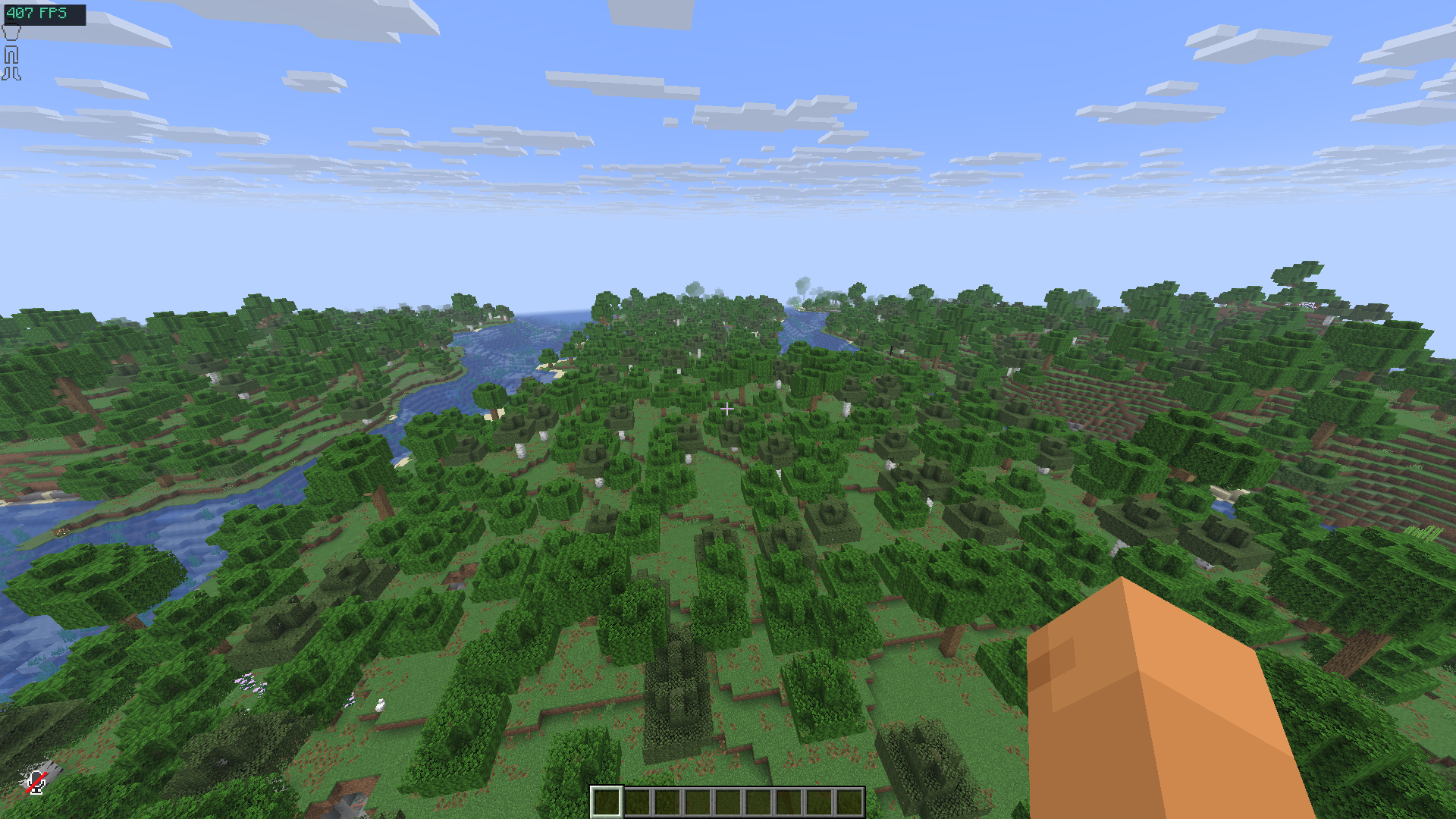
🚀 Why Smart FPS Booster?
Tired of low FPS? Lag spikes ruining your gameplay? Smart FPS Booster automatically optimizes your Minecraft settings based on your hardware and gameplay style. No more manual tweaking - just install and play!
Perfect for:
- Low-end PCs and laptops
- Competitive PvP players who need high FPS
- Players with FPS drops and stuttering
- Anyone who wants better Minecraft performance
✨ Features
🎯 Smart Profiles
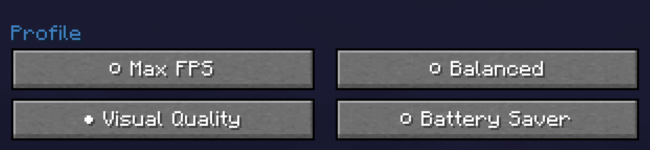
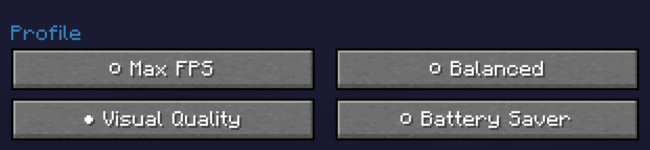
Choose from 4 optimization profiles:
- Max FPS - Maximum performance, best for PvP and competitive play
- Balanced - Good mix of visuals and performance
- Quality - Best visuals with acceptable FPS
- Battery Saver - Laptop-friendly, reduces power consumption
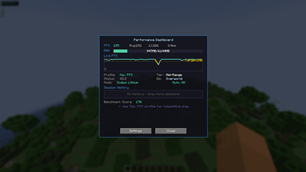
📊 Live Performance Dashboard
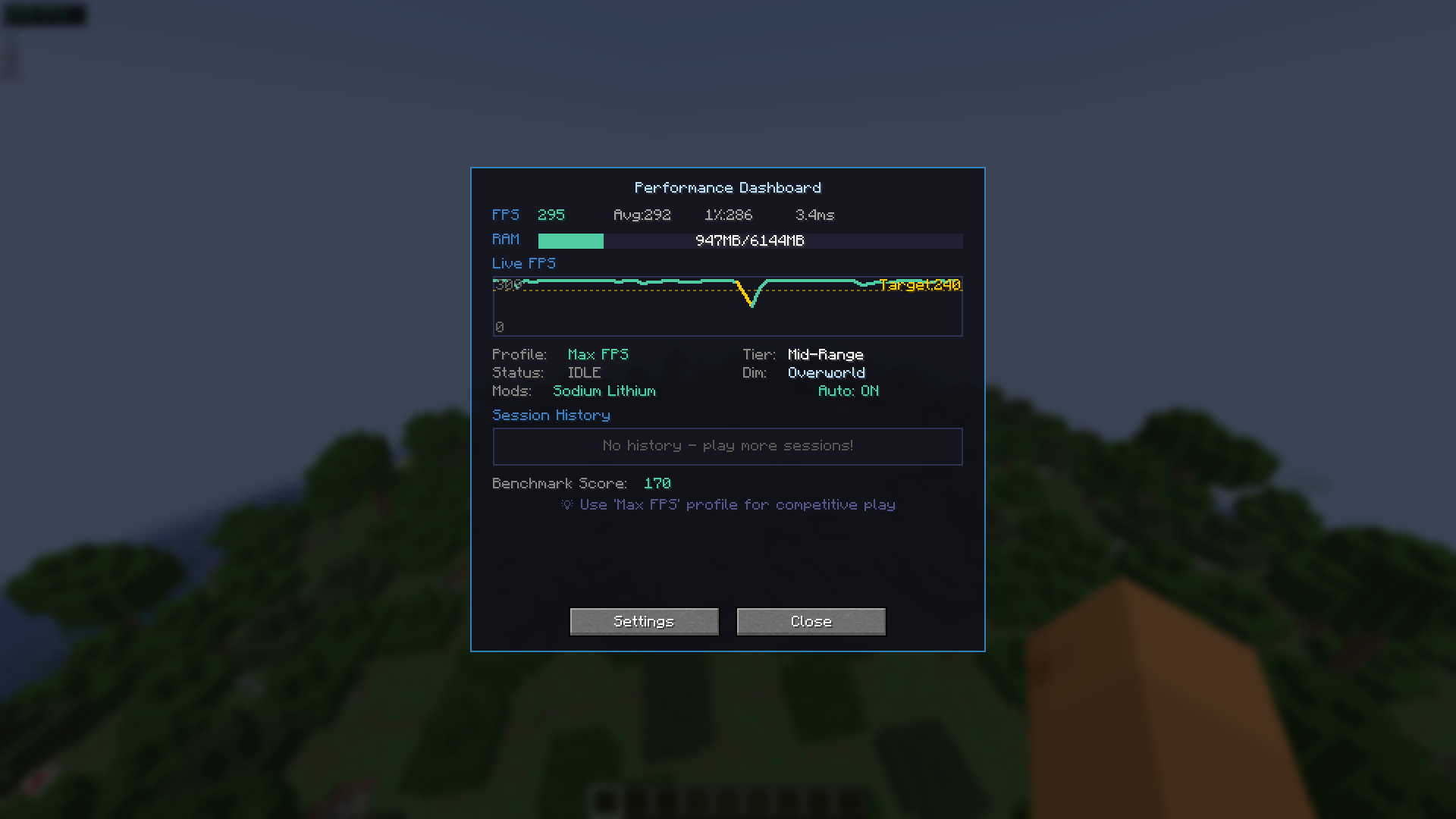
Monitor your performance in real-time:
- Live FPS graph - See your FPS over the last 60 seconds
- Memory usage bar - Monitor RAM usage and prevent crashes
- Session history - Track performance across 10 gaming sessions
- Hardware tier - Auto-detected system capability
- Benchmark score - Test and compare your performance
⚡ Dynamic Optimization
Smart auto-tuning that adapts to your gameplay:
- Movement-based tuning - Higher quality when standing still, optimized when moving
- Combat optimization - Automatically boosts FPS during PvP fights
- Heavy scene detection - Reduces settings in particle-heavy areas (explosions, farms)
- Dimension presets - Different settings for Overworld, Nether, and End
🔒 Setting Locks
Protect your favorite settings from auto-optimization:
- 🔒 Lock Render Distance
- 🔒 Lock Graphics Quality
- Keep the settings you love while optimizing everything else
🔔 Lag Spike Alert
Visual feedback when FPS drops suddenly - red screen flash alerts you to performance issues instantly!
🎹 Keybinds
| Key | Action |
|---|---|
| F8 | Open Performance Dashboard |
| F9 | Toggle Auto-Optimize ON/OFF |
| F10 | Cycle Through Profiles |
🎮 Mod Compatibility
Works perfectly alongside popular optimization mods:
| Mod | Status |
|---|---|
| Sodium | ✅ Detected & Compatible |
| Lithium | ✅ Detected & Compatible |
| Iris Shaders | ✅ Detected & Compatible |
| Mod Menu | ✅ Config Screen + Donate Button |
Note: Smart FPS Booster detects these mods and adjusts its optimization strategy accordingly!
📦 Installation
- Install Fabric Loader
- Install Fabric API
- Download Smart FPS Booster for your Minecraft version
- Put the
.jarfile in yourmodsfolder - Launch Minecraft and press F8 to open the dashboard!
Recommended mods (optional):
💖 Support Development
If Smart FPS Booster helps improve your Minecraft experience, consider supporting development!

🔗 Links
📜 License
MIT License - Free to use, modify, and distribute.
🏷️ Tags
fps boost performance optimization fps mod lag fix fps increase minecraft optimization low end pc fps booster reduce lag better fps fps optimizer performance mod fps improvement lag reducer smooth gameplay fps counter fps overlay auto optimize dynamic fps
Made with ❤️ by devxkamlesh
The Ultimate Guide to Smart FPS Booster
If you are exploring the vast world of Minecraft modifications, Smart FPS Booster by devxkamlesh is a standout mod that deserves your attention. With over 71,501 downloads, it has become a staple for players looking to enhance their experience. As the creator describes it, this project is "The ultimate Minecraft FPS optimization mod - boost your FPS, reduce lag, and improve performance automatically!". Whether you are a veteran builder constructing massive cities, or simply a casual player looking to upgrade your survival world, this guide will provide you with all the essential details on how Smart FPS Booster alters the game.
What Makes It Special?
Unlike standard mods that simply alter superficial elements, Smart FPS Booster digs deep into the game's engine to provide a cohesive, performance-focused experience. devxkamlesh has clearly spent significant time refining the project to ensure that every aspect feels polished and responsive for version 1.21.11.
Installation Guide
Getting Smart FPS Booster up and running is straightforward. Follow these step-by-step instructions:
- Verify Your Version: Ensure your Minecraft launcher is set to version 1.21.11.
- Install Mod Loader (if required): If this is a mod, download the compatible loader (Forge, Fabric, NeoForge).
- Download the File: Click the secure download button above to retrieve the official file from CurseForge.
- Move the File: Place the downloaded file into your `mods`, `shaderpacks`, or `resourcepacks` folder depending on the mod type.
- Launch and Enjoy: Open Minecraft, navigate to the respective settings menu, and activate Smart FPS Booster.
Compatibility & Performance
Compatibility is robust. Smart FPS Booster is designed specifically for version 1.21.11, taking full advantage of the latest engine optimizations. Since this is heavily focused on optimization, you can expect significant frame rate improvements on both low-end and high-end hardware.