Why Better Fps (Fps Boost) is a top-tier texture pack mod for Minecraft 1.21
Developed by the talented creator CraftStudio, Better Fps (Fps Boost) stands out as a highly recommended selection for your Minecraft client. It is fully optimized, compatibility-tested, and brings a major upgrade to the gameplay experience in Minecraft version 1.21.
⚙️ Quick Resource Specs
| Mod Creator | CraftStudio |
| Latest Version | 1.21 |
| Supported Game Versions | Minecraft 1.21+ |
| File Size | 1.13 MB |
| Last Updated | |
| Total Downloads | 357,314 downloads |
BETTER FPS (FPS Boost)
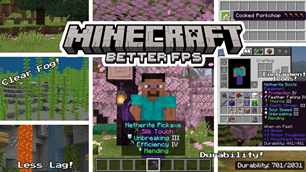
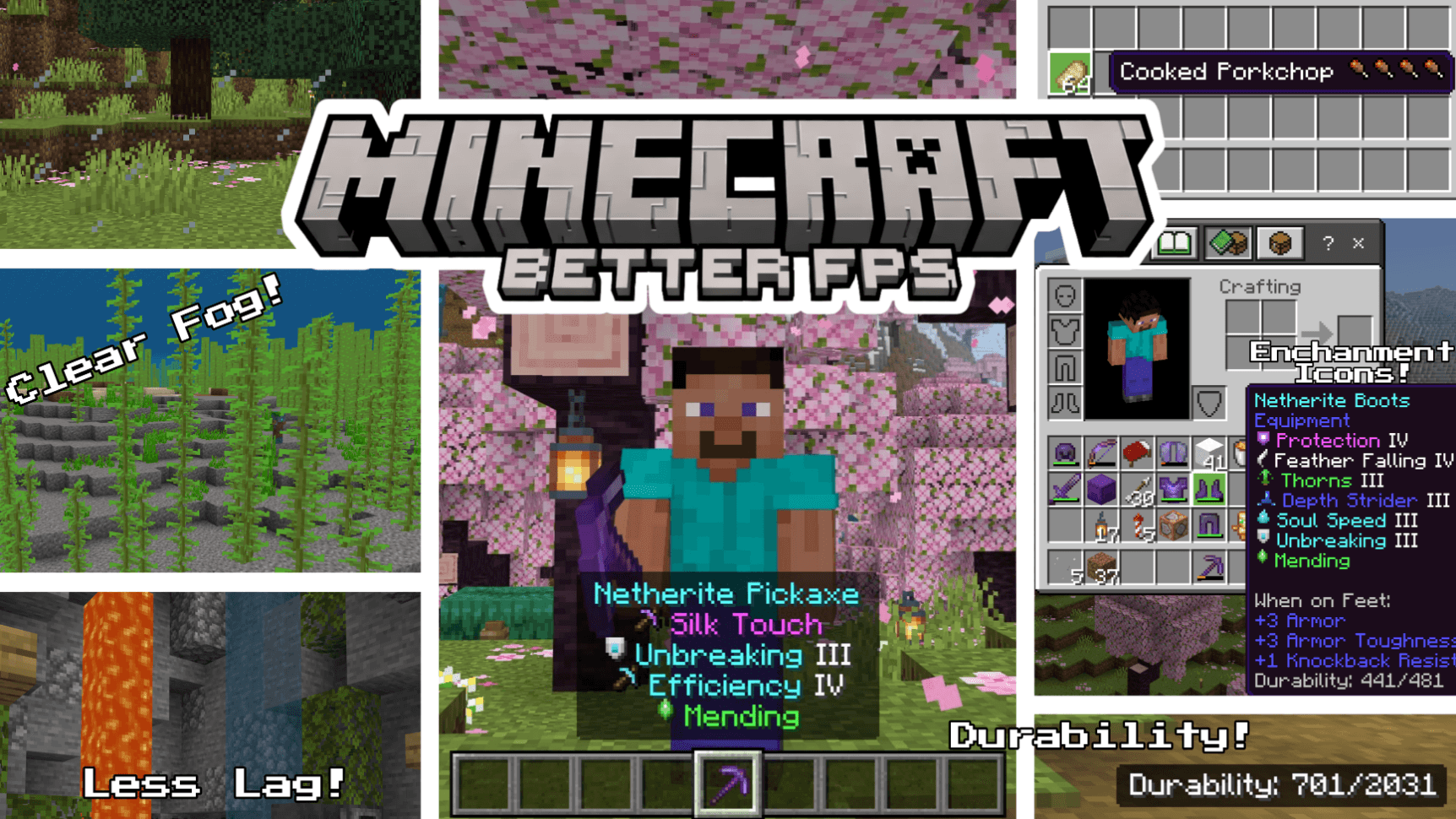
Better FPS is a performance focused resource pack for Minecraft Bedrock Edition that boosts your FPS without changing the core vanilla look. Less lag, smoother gameplay, and useful quality-of-life features, all in one lightweight pack.
⚙️ In-Game Settings
Tap the gear icon next to the pack in your pack list:
- Potion & Spell Particles — the swirls around potion effects, witches, evokers and cauldrons (Max FPS mode)
- Geyser & Gas Particles — geyser columns, plumes and puffs in both modes, plus noxious gas in Max FPS
- XP Orb Render — stop experience orbs drawing entirely. They still work and still get collected, so this is a big gain at grinders
📦 Pack Settings (Subpacks)
Choose your performance level in Pack Settings after applying the pack!
- 🟢 Default — Full Better FPS experience with all optimizations, 48 heavy particles removed
- 🔴 Max FPS — Everything in Default + 176 particles removed + Fast Better Grass + Static Blocks for maximum performance
⚡ FPS Optimizations
- Static Blocks (Max FPS) — 76 of 80 animated block textures frozen to a single frame, including lanterns, magma, sculk, nether stems and furnaces
- Static Water & Lava — Removed all animation frames from water, lava, and cauldron water textures
- Static Nether Portal — No more flickering portal animation
- Static Campfire & Soul Campfire — Frozen to a single frame
- Static Kelp & Seagrass — All 6 kelp variants + seagrass + tall seagrass made static
- Static Bubble Columns — All bubble column textures frozen
- Reduced Particles — 48 particle effects trimmed in Default mode, 176 in Max FPS
- Clear Glass — Clean borderless glass and glass panes (all 16 colors + tinted)
- Optimized Fog — clear fog for all 89 biomes, from 94 fog definitions, for clearer, less demanding rendering
- Blocky VV Shadows — Shadows quantized to 16px instead of soft-filtered
- Smaller Environment Textures — Reduced sun, moon, and weather textures
- Reduced Color Maps — Lighter foliage and grass color maps
- Low-Detail Shield — Simplified shield model and animation
🍗 Food Stats Display
See hunger points restored directly on food item names! Small drumstick icons show exactly how much hunger each food gives, no more guessing.
- 41 food items covered (all vanilla foods)
- Full drumstick = 2 hunger points, half drumstick = 1 point
- Skull icon on harmful foods (Rotten Flesh, Spider Eye, Pufferfish, Raw Chicken, Poisonous Potato)
✨ Enchantment Icons
Colored icons appear next to every enchantment name, making it easy to identify enchantments at a glance.
- 42 enchantments covered (including Lunge from Mounts of Mayhem)
- Unique pixel art icon for each enchantment
- Color-coded names by category (red for damage, cyan for utility, purple for protection, green for mending/fortune, etc.)
💬 Feedback & Issues: If you find any bugs or have suggestions, leave a comment below! ⭐ If you enjoy the pack, please leave a rating, it helps a lot!
The Ultimate Guide to Better Fps (Fps Boost)
If you are exploring the vast world of Minecraft modifications, Better Fps (Fps Boost) by CraftStudio is a standout texture that deserves your attention. With over 357,314 downloads, it has become a staple for players looking to enhance their experience. As the creator describes it, this project is "Better FPS is a performance focused pack designed to make your game run smoother without changing the core vanilla look.". Whether you are a veteran builder constructing massive cities, or simply a casual player looking to upgrade your survival world, this guide will provide you with all the essential details on how Better Fps (Fps Boost) alters the game.
What Makes It Special?
Unlike standard textures that simply alter superficial elements, Better Fps (Fps Boost) digs deep into the game's engine to provide a cohesive, performance-focused experience. CraftStudio has clearly spent significant time refining the project to ensure that every aspect feels polished and responsive for version 1.21.
Installation Guide
Getting Better Fps (Fps Boost) up and running is straightforward. Follow these step-by-step instructions:
- Verify Your Version: Ensure your Minecraft launcher is set to version 1.21.
- Install Mod Loader (if required): If this is a mod, download the compatible loader (Forge, Fabric, NeoForge).
- Download the File: Click the secure download button above to retrieve the official file from CurseForge.
- Move the File: Place the downloaded file into your `mods`, `shaderpacks`, or `resourcepacks` folder depending on the texture type.
- Launch and Enjoy: Open Minecraft, navigate to the respective settings menu, and activate Better Fps (Fps Boost).
Compatibility & Performance
Compatibility is robust. Better Fps (Fps Boost) is designed specifically for version 1.21, taking full advantage of the latest engine optimizations. Since this is heavily focused on optimization, you can expect significant frame rate improvements on both low-end and high-end hardware.