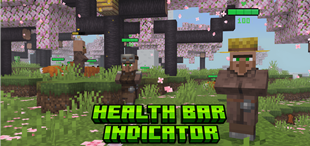
Why Health Bar Indicator is a top-tier texture pack mod for Minecraft 1.21
Developed by the talented creator FoxyFall, Health Bar Indicator stands out as a highly recommended selection for your Minecraft client. It is fully optimized, compatibility-tested, and brings a major upgrade to the gameplay experience in Minecraft version 1.21.
⚙️ Quick Resource Specs
| Mod Creator | FoxyFall |
| Latest Version | 1.21 |
| Supported Game Versions | Minecraft 1.21+ |
| File Size | 347.96 KB |
| Last Updated | |
| Total Downloads | 245,889 downloads |
Health Bar Indicator
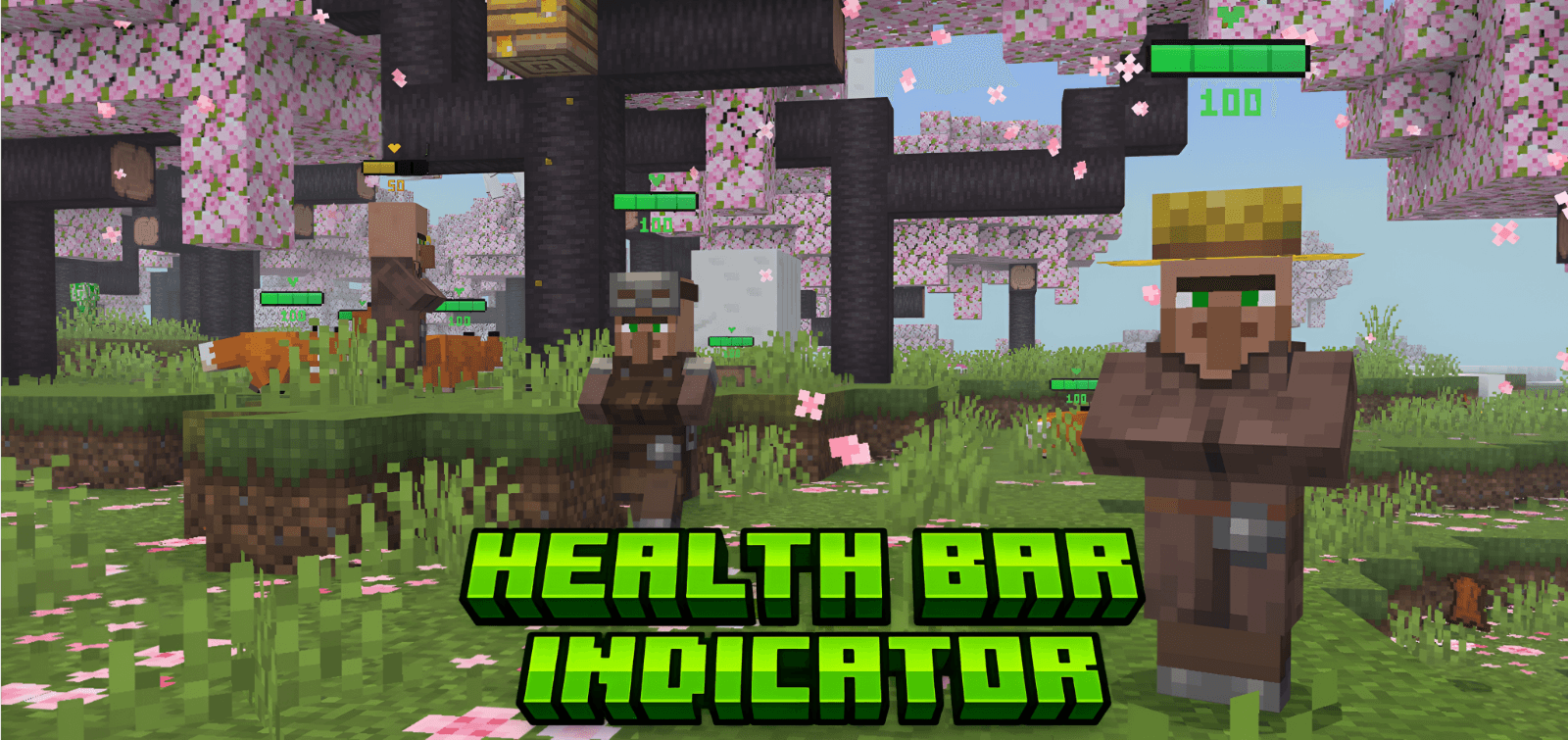
See every mob's health at a glance! Health Bar Indicator adds a dynamic, color-coded HP bar above every mob in your world. Watch health drain in real time as you fight, or keep track of your tamed animals, no guessing required.
About
Ever wanted to know exactly how much health that Warden has left? Or whether your tamed wolf needs food? Health Bar Indicator renders a smooth, percentage-based health bar directly above every mob's head. The bar updates in real time, follows the camera so it's always readable, and automatically scales for baby mobs — including the new big-head baby variants introduced in 1.21.80 (26.10). This is a pure resource pack, no behavior pack needed, no experiments required. Just apply it and play.
Features
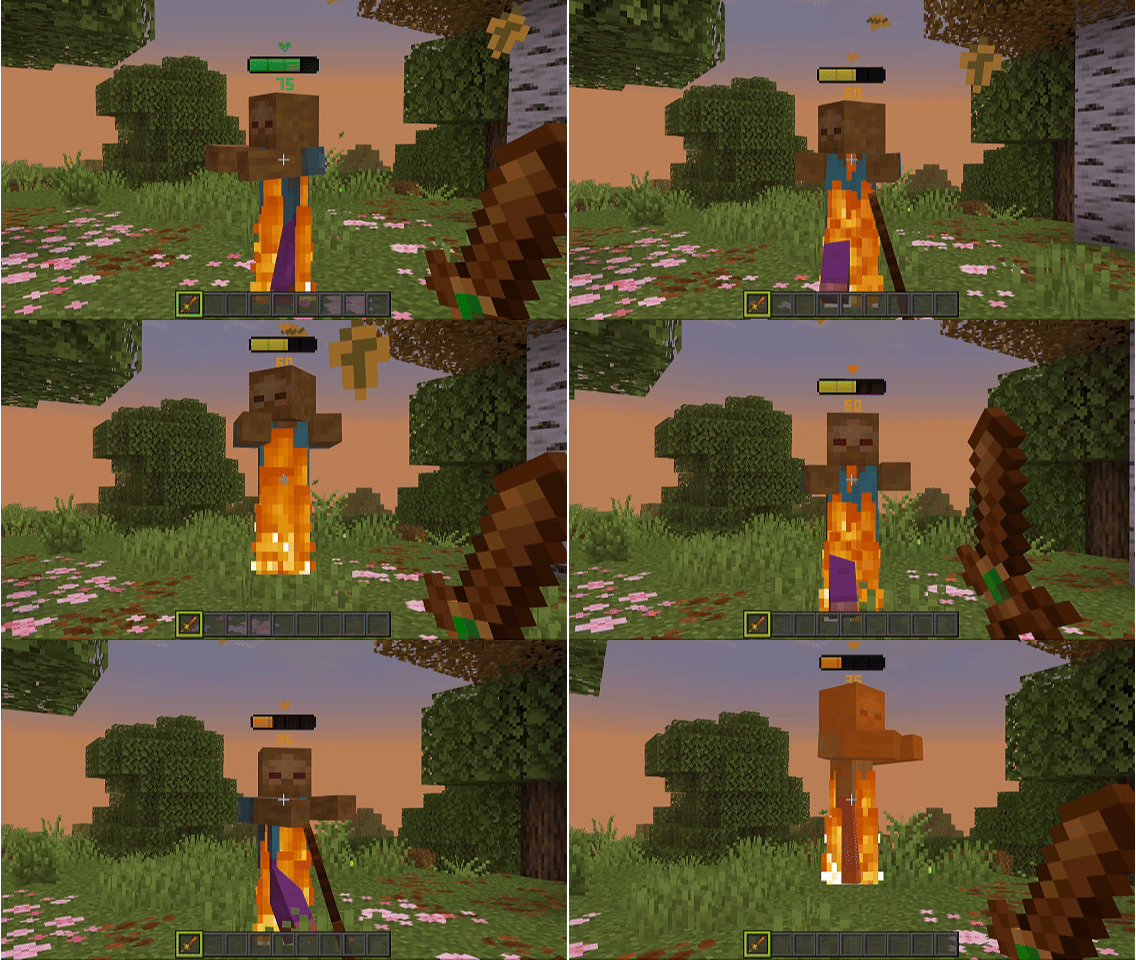
- Real-time HP tracking — Health bars update instantly as mobs take or recover damage
- 85+ supported entities — Covers virtually every vanilla mob in Minecraft Bedrock
- Camera-facing billboards — Bars always rotate to face you for easy reading
- Baby mob scaling — Health bars correctly compensate for the new 26.10 baby variant system (separate baby geometry, entity-level scaling, and big-head models)
- Hidden in UI — Bars automatically disappear in inventory screens and spawn egg previews
- Two display modes via subpack toggle:
- Player + Mobs — Shows health bars on all mobs AND other players
- Mobs Only — Health bars on mobs only (default)
🆕Updated (26.10)
The 26.10 update overhauled baby mob rendering with dedicated baby geometry, baby textures, and entity-level scaling. This broke health bars on baby mobs. v1.6 fully supports the new system:
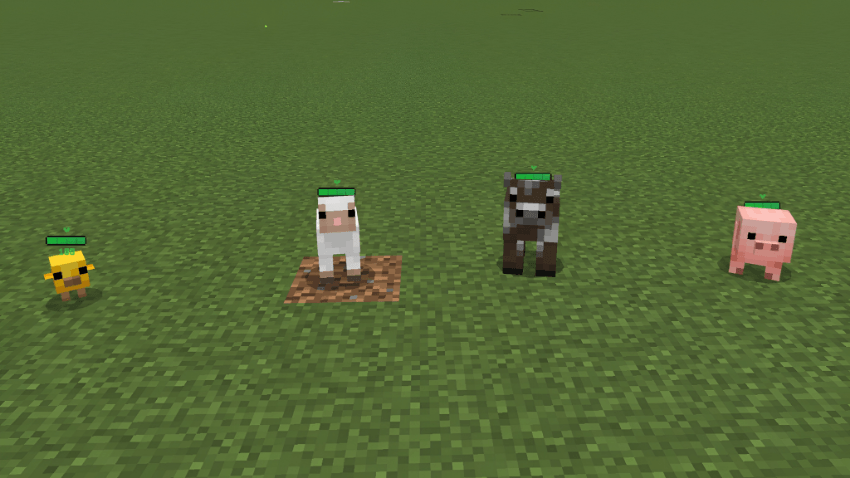
- 40 baby variants updated — Cow, pig, sheep, chicken, wolf, cat, fox, ocelot, panda, polar bear, rabbit, turtle, llama, camel, horse, donkey, mule, dolphin, axolotl, bee, goat, hoglin, zoglin, mooshroom, sniffer, strider, squid, glow squid, villager, zombie, husk, drowned, piglin, zombified piglin, zombie villager, skeleton horse, zombie horse, and more
- Health bar position & scale auto-adjusts — Each baby mob gets a uniquely tuned animation so the bar floats at the correct height regardless of entity scaling
- Render controllers updated — Entities now reference the new v2/v3/v4 render controllers that handle baby geometry switching
- Old baby animation controllers removed — Conflicting baby_transform, baby_scaling, and big_head animation controllers are stripped to prevent model glitches
📥 Installation
- Download the
.mcpackor.zipfile - Option A: Double-tap/click the
.mcpackfile to auto-import into Minecraft - Option B: Move the
.zipintogames/com.mojang/resource_packs/and rename to a folder - Activate the resource pack in your world settings
- Choose your subpack mode: Player + Mobs or Mobs Only
Note
If another resource pack overrides the same entity .entity.json files, one pack's health bar or visuals may not display. Place this pack above conflicting packs for health bars to take priority.
The Ultimate Guide to Health Bar Indicator
If you are exploring the vast world of Minecraft modifications, Health Bar Indicator by FoxyFall is a standout texture that deserves your attention. With over 245,889 downloads, it has become a staple for players looking to enhance their experience. As the creator describes it, this project is "Displays a dynamic health bar above all mobs and players.". Whether you are a veteran builder constructing massive cities, or simply a casual player looking to upgrade your survival world, this guide will provide you with all the essential details on how Health Bar Indicator alters the game.
What Makes It Special?
Unlike standard textures that simply alter superficial elements, Health Bar Indicator introduces a wide array of visual and mechanical features designed to seamlessly blend into the vanilla aesthetic. FoxyFall has clearly spent significant time refining the project to ensure that every aspect feels polished and responsive for version 1.21.
Installation Guide
Getting Health Bar Indicator up and running is straightforward. Follow these step-by-step instructions:
- Verify Your Version: Ensure your Minecraft launcher is set to version 1.21.
- Install Mod Loader (if required): If this is a mod, download the compatible loader (Forge, Fabric, NeoForge).
- Download the File: Click the secure download button above to retrieve the official file from CurseForge.
- Move the File: Place the downloaded file into your `mods`, `shaderpacks`, or `resourcepacks` folder depending on the texture type.
- Launch and Enjoy: Open Minecraft, navigate to the respective settings menu, and activate Health Bar Indicator.
Compatibility & Performance
Compatibility is robust. Health Bar Indicator is designed specifically for version 1.21, taking full advantage of the latest engine optimizations. During typical gameplay, this addition maintains a stable frame rate, though lower-end laptops might experience slight stuttering. We recommend pairing this with performance boosters like Sodium or Iris to guarantee a silky-smooth experience.