Why PotatoMode – Smart FPS Booster is a top-tier mod mod for Minecraft 1.21
Developed by the talented creator Kinggaming2010, PotatoMode – Smart FPS Booster stands out as a highly recommended selection for your Minecraft client. It is fully optimized, compatibility-tested, and brings a major upgrade to the gameplay experience in Minecraft version 1.21.
⚙️ Quick Resource Specs
| Mod Creator | Kinggaming2010 |
| Latest Version | 1.21 |
| Supported Game Versions | Minecraft 1.21+ |
| File Size | 31.51 KB |
| Last Updated | |
| Total Downloads | 9,261 downloads |
Love the clear, player‑friendly writeup you already have; here’s a refreshed version that matches the v2 upgrade and keeps your tone.
PotatoMode v2 – Smart FPS Booster
PotatoMode v2 is a lightweight, client‑side Fabric mod that boosts performance on low‑end systems by dynamically adjusting Minecraft’s built‑in video settings using real‑time FPS monitoring.
This mod does not replace the renderer or inject custom graphics pipelines. It simply manages vanilla options intelligently to reduce load when needed.
How It Works (Technical Explanation)
PotatoMode v2 continuously samples client FPS and frame time.
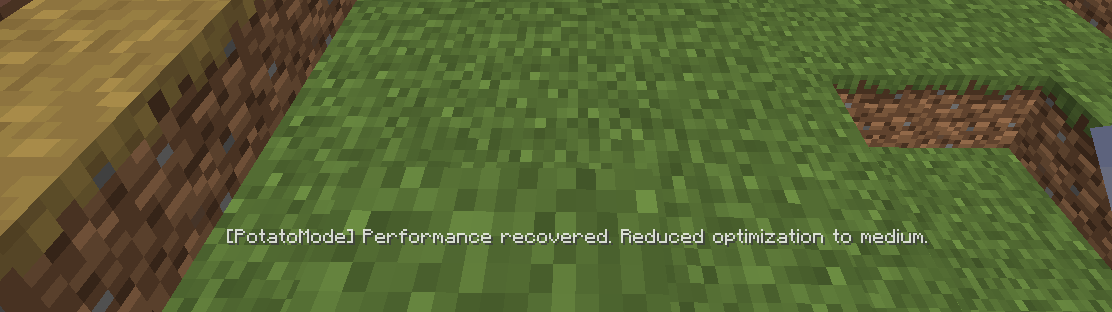
When performance drops below a configurable target, the mod applies staged optimizations in steps (Light, Medium, Heavy) instead of a single hard switch. These stages can be tuned with presets:
Balanced, Aggressive, and Extreme.
When FPS recovers above a separate Recovery FPS value, PotatoMode can gradually restore your original settings using Smart Restore.
Affected vanilla settings may include:
Render distance
Simulation distance
Particle count
Entity distance scaling
Cloud rendering
Smooth lighting
Biome blend
Mipmap levels
The mod is client‑only and never changes:
Game logic
World generation
Server performance
Renderer internals
It only modifies existing Minecraft client video settings.
Features
Staged FPS‑based optimization (Light, Medium, Heavy)
One‑click MAX FPS mode
Configurable Recovery FPS + Smart Restore
3 tuning presets: Balanced, Aggressive, Extreme
Lag spike detection
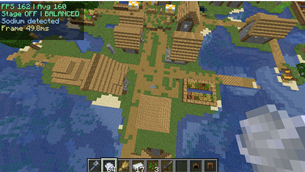
Expanded HUD with avg FPS and frame time (optional)
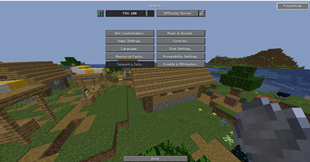
Hotkeys: F8 opens settings, F9 toggles Max Mode
Sodium‑friendly access to the config screen
Fully configurable
Intended Audience
Low‑end PCs
Integrated graphics users
Players who experience FPS drops in dense environments
Users who want automatic optimization without manual tweaking
Disclaimer
This mod does not guarantee a fixed FPS increase. Performance gains depend on hardware, installed mods, and in‑game conditions.
The Ultimate Guide to PotatoMode – Smart FPS Booster
If you are exploring the vast world of Minecraft modifications, PotatoMode – Smart FPS Booster by Kinggaming2010 is a standout mod that deserves your attention. With over 9,261 downloads, it has become a staple for players looking to enhance their experience. As the creator describes it, this project is "This is a lightweight Fabric client mod it boosts FPS by dynamically adjusting video settings during lag. Designed for low-end PCs, it reduces stutters, detects lag spikes, and includes a one-click MAX FPS mode for instant performance improvement.". Whether you are a veteran builder constructing massive cities, or simply a casual player looking to upgrade your survival world, this guide will provide you with all the essential details on how PotatoMode – Smart FPS Booster alters the game.
What Makes It Special?
Unlike standard mods that simply alter superficial elements, PotatoMode – Smart FPS Booster digs deep into the game's engine to provide a cohesive, performance-focused experience. Kinggaming2010 has clearly spent significant time refining the project to ensure that every aspect feels polished and responsive for version 1.21.
Installation Guide
Getting PotatoMode – Smart FPS Booster up and running is straightforward. Follow these step-by-step instructions:
- Verify Your Version: Ensure your Minecraft launcher is set to version 1.21.
- Install Mod Loader (if required): If this is a mod, download the compatible loader (Forge, Fabric, NeoForge).
- Download the File: Click the secure download button above to retrieve the official file from CurseForge.
- Move the File: Place the downloaded file into your `mods`, `shaderpacks`, or `resourcepacks` folder depending on the mod type.
- Launch and Enjoy: Open Minecraft, navigate to the respective settings menu, and activate PotatoMode – Smart FPS Booster.
Compatibility & Performance
Compatibility is robust. PotatoMode – Smart FPS Booster is designed specifically for version 1.21, taking full advantage of the latest engine optimizations. Since this is heavily focused on optimization, you can expect significant frame rate improvements on both low-end and high-end hardware.