Why SKT's Farther Horizons is a top-tier shader mod for Minecraft 1.21.132
Developed by the talented creator SKT, SKT's Farther Horizons stands out as a highly recommended selection for your Minecraft client. It is fully optimized, compatibility-tested, and brings a major upgrade to the gameplay experience in Minecraft version 1.21.132.
⚙️ Quick Resource Specs
| Mod Creator | SKT |
| Latest Version | 1.21.132 |
| Supported Game Versions | 1.21.132, 1.21.131, 1.21.130, 1.21.124, 1.21.123 |
| File Size | 371.02 KB |
| Last Updated | |
| Total Downloads | 47,821 downloads |

📖⠄Description
LOD Shaders for Minecraft Bedrock Mobile & PC, Could improve overall performance on higher render distance by lowering texture resolution and shading detail
MB Loader/MC Patch required
Original pack made by Aziangelo. Modified by SKT
❓⠄What is 'Level Of Detail'
LOD was an rendering optimisation that reduce texture and models detail the farther away the object from player
This feature been exist for a long time on Minecraft Java as a Mods provided by Distant Horizons & Voxy
On this pack the texture will be lowered from 16 to 1 pixel resolution,and shading detail like Ambient occlusion (AO) and Side Block Shading will be disabled.
This feature will reduces memory usage and improves overall rendering performance.
📲⠄Installation
Android
- Download and install MB Loader or MC Patch APP
- Import the resource pack inside MBL/MCP
- Activate resource pack in Minecraft global resource
-
Windows
- Install BetterRenderDragon or MatJeck
- Import the resource Pack
- Activate resource pack in Minecraft global resource
-
⚠️⠄Important
Minecraft Bedrock are not officially support this type of modification so it won't work on Minecraft that Officially Released by Mojang. And 3rd party software needed to make it works
Doesn't work with Vibrant Visuals
✌🏼⠄SCRAPPED/DISCONTINUED
Since i accidentally change my phone screen resolution to wrong size and need to fully wipe my phone data which results to deletion of all my project file since November 2025 and don't have any backup of it, so i decided to fully stop any update for this project
For any futher update and support i recommend to use original version that made by Azify
Thanks
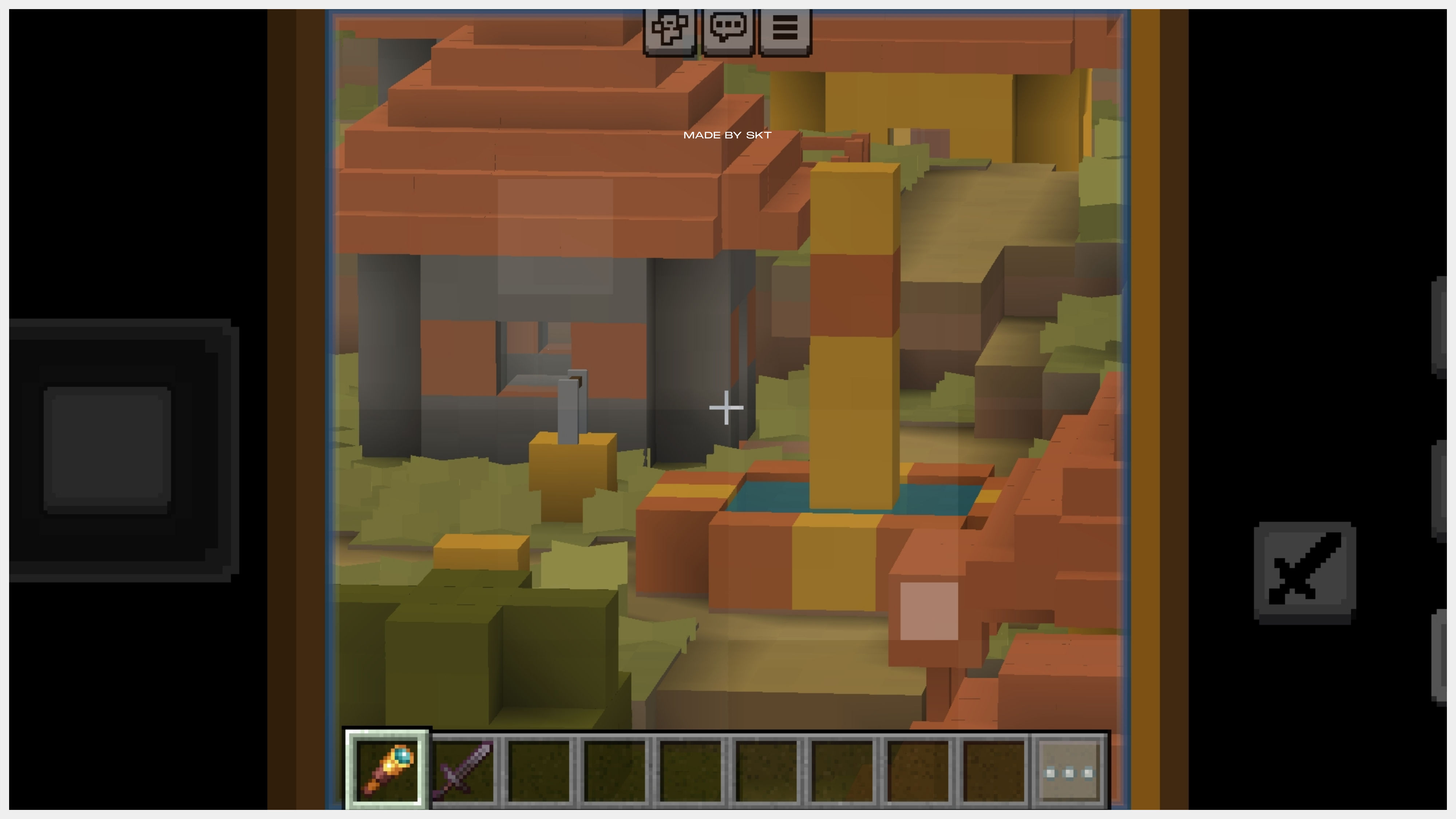
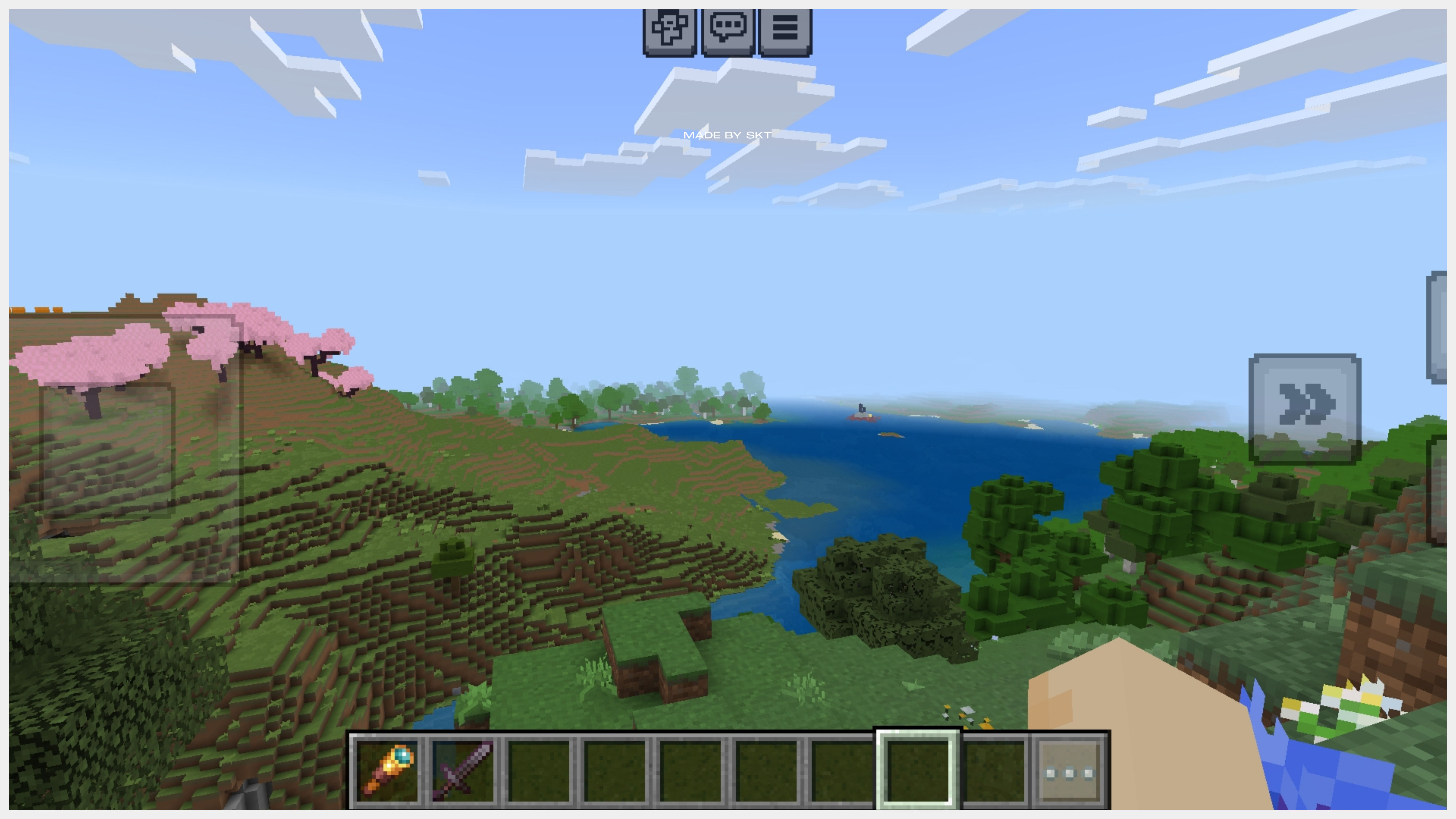
🖼️⠄Ingame Screenshot
👋🏼⠄Follow Me
The Ultimate Guide to SKT's Farther Horizons
If you are exploring the vast world of Minecraft modifications, SKT's Farther Horizons by SKT is a standout shader that deserves your attention. With over 47,821 downloads, it has become a staple for players looking to enhance their experience. As the creator describes it, this project is "Bring LOD (Level Of Detail) to Minecraft Bedrock, and provide a better performance at high render distance [Scrapped]". Whether you are a veteran builder constructing massive cities, or simply a casual player looking to upgrade your survival world, this guide will provide you with all the essential details on how SKT's Farther Horizons alters the game.
What Makes It Special?
Unlike standard shaders that simply alter superficial elements, SKT's Farther Horizons digs deep into the game's engine to provide a cohesive, performance-focused experience. SKT has clearly spent significant time refining the project to ensure that every aspect feels polished and responsive for version 1.21.132.
Installation Guide
Getting SKT's Farther Horizons up and running is straightforward. Follow these step-by-step instructions:
- Verify Your Version: Ensure your Minecraft launcher is set to version 1.21.132.
- Install Mod Loader (if required): If this is a mod, download the compatible loader (Forge, Fabric, NeoForge).
- Download the File: Click the secure download button above to retrieve the official file from CurseForge.
- Move the File: Place the downloaded file into your `mods`, `shaderpacks`, or `resourcepacks` folder depending on the shader type.
- Launch and Enjoy: Open Minecraft, navigate to the respective settings menu, and activate SKT's Farther Horizons.
Compatibility & Performance
Compatibility is robust. SKT's Farther Horizons is designed specifically for version 1.21.132, taking full advantage of the latest engine optimizations. Since this is heavily focused on optimization, you can expect significant frame rate improvements on both low-end and high-end hardware.