Why Newb X Manyzz Lite is a top-tier shader mod for Minecraft 1.21
Developed by the talented creator Itszmanyzz, Newb X Manyzz Lite stands out as a highly recommended selection for your Minecraft client. It is fully optimized, compatibility-tested, and brings a major upgrade to the gameplay experience in Minecraft version 1.21.
⚙️ Quick Resource Specs
| Mod Creator | Itszmanyzz |
| Latest Version | 1.21 |
| Supported Game Versions | Minecraft 1.21+ |
| File Size | 4.34 MB |
| Last Updated | |
| Total Downloads | 38,722 downloads |
Hi, my name is Ilham Arrizqi, nice to meet you! 👋
Welcome to Newb X Manyzz [Lite] — a lighter, more optimized version of my Newb X Manyzz shader for Minecraft Bedrock Edition, built for players who want that same warm cinematic feel without pushing their device too hard. 🌙✨
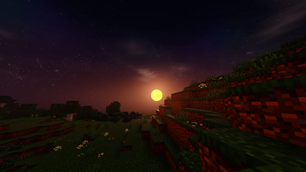
This version keeps the soul of the original — glowing suns, moody starlit nights, and warm golden horizons — while trimming down the heavier effects for smoother, more stable performance on a wider range of devices. 📱⚡
🎨 Features
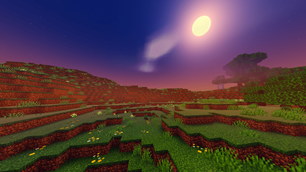
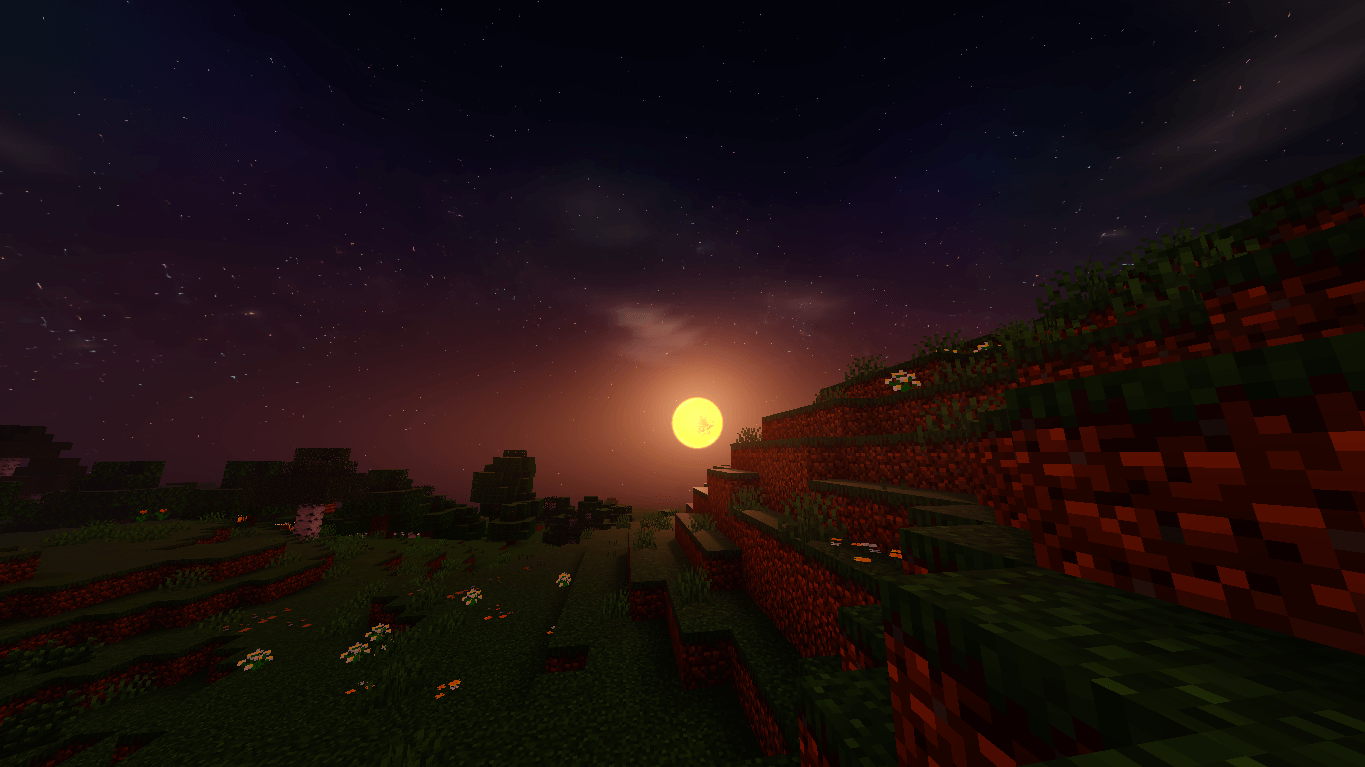
- 🌤️ Warm Cinematic Sky — the same signature golden and purple tones, tuned to look great at a fraction of the cost
- ✨ Simplified Sky Streaks — softer, lighter cloud wisps for better performance
- ☁️ Soft Clouds — smooth, lightweight cloud rendering (simplified from the full rounded/smooth cloud system)
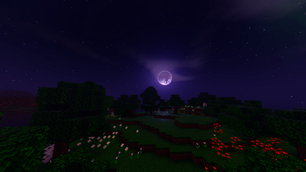
- 🌟 Starry Nights — deep, clear night skies packed with stars and a soft glowing moon
- 🌗 Glowing Sun & Moon — subtle bloom around the sun and moon for a dreamy sunrise/sunset feel
- 🕳️ End Dimension Blackhole — the eerie blackhole effect in the End sky is still included
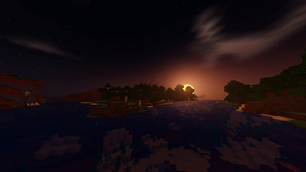
- 💧 Reflective Water — calm water surfaces that catch the warm light of sunset
- 🌸 Vivid Flower Fields — colorful flowers still pop under the warm lighting, day or night
- ⚙️ Optimized Performance — fewer effects and simplified shading passes for smoother FPS on low/mid-end devices
🖼️ Preview
(See screenshots for a look at the golden sunsets, starry skies, glowing moon, and calm reflective waters)
📌 Notes
- This is the Lite version of Newb X Manyzz — ideal for lower-end devices or anyone who wants extra FPS headroom
- Aurora Borealis, Lava Wave, and the full Rounded/Super Soft cloud system are not included in this Lite build to keep performance smooth
- Looking for the full experience with those effects? Check out the main Newb X Manyzz [Remake] shader instead
- Still actively maintained — feedback and suggestions are always welcome!
🙏 Credits
- Original base shader:
devendrn/newb-x-mcbe - Customization & remake: Itszmanyzz (Ilham Arrizqi)
- End dimension blackhole: Ethereal
- Items hand glow, items glow: REXYTMC
Thank you for checking out Newb X Manyzz Lite — I hope it brings a bit of that magic to your world, even on lighter devices. 💛
The Ultimate Guide to Newb X Manyzz Lite
If you are exploring the vast world of Minecraft modifications, Newb X Manyzz Lite by Itszmanyzz is a standout shader that deserves your attention. With over 38,722 downloads, it has become a staple for players looking to enhance their experience. As the creator describes it, this project is "Newb X Manyzz [Remake] Lite is a lightweight shader for Minecraft with warm sky colors, balanced lighting, and subtle fog. Designed for smoother performance on low-end devices. Wave animations and heavy effects are removed to keep it simple and stable.". Whether you are a veteran builder constructing massive cities, or simply a casual player looking to upgrade your survival world, this guide will provide you with all the essential details on how Newb X Manyzz Lite alters the game.
What Makes It Special?
Unlike standard shaders that simply alter superficial elements, Newb X Manyzz Lite digs deep into the game's engine to provide a cohesive, performance-focused experience. Itszmanyzz has clearly spent significant time refining the project to ensure that every aspect feels polished and responsive for version 1.21.
Installation Guide
Getting Newb X Manyzz Lite up and running is straightforward. Follow these step-by-step instructions:
- Verify Your Version: Ensure your Minecraft launcher is set to version 1.21.
- Install Mod Loader (if required): If this is a mod, download the compatible loader (Forge, Fabric, NeoForge).
- Download the File: Click the secure download button above to retrieve the official file from CurseForge.
- Move the File: Place the downloaded file into your `mods`, `shaderpacks`, or `resourcepacks` folder depending on the shader type.
- Launch and Enjoy: Open Minecraft, navigate to the respective settings menu, and activate Newb X Manyzz Lite.
Compatibility & Performance
Compatibility is robust. Newb X Manyzz Lite is designed specifically for version 1.21, taking full advantage of the latest engine optimizations. Since this is heavily focused on optimization, you can expect significant frame rate improvements on both low-end and high-end hardware.