Why Easy Item Dump is a top-tier texture pack mod for Minecraft 1.21
Developed by the talented creator kakame, Easy Item Dump stands out as a highly recommended selection for your Minecraft client. It is fully optimized, compatibility-tested, and brings a major upgrade to the gameplay experience in Minecraft version 1.21.
⚙️ Quick Resource Specs
| Mod Creator | kakame |
| Latest Version | 1.21 |
| Supported Game Versions | Minecraft 1.21+ |
| File Size | 128.52 KB |
| Last Updated | |
| Total Downloads | 7,717 downloads |
Description (概要)
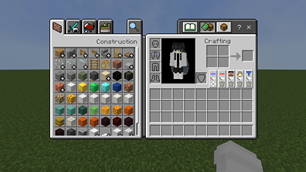
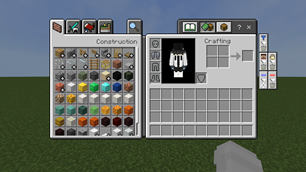
「Easy Item Dump」is a resource pack that strips away unnecessary decorations and features, focusing purely on practicality.
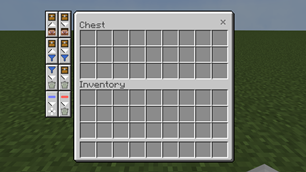
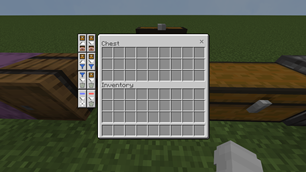
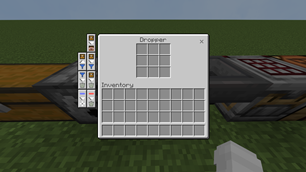
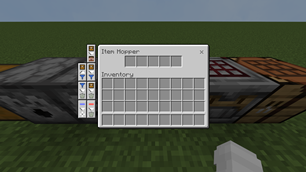
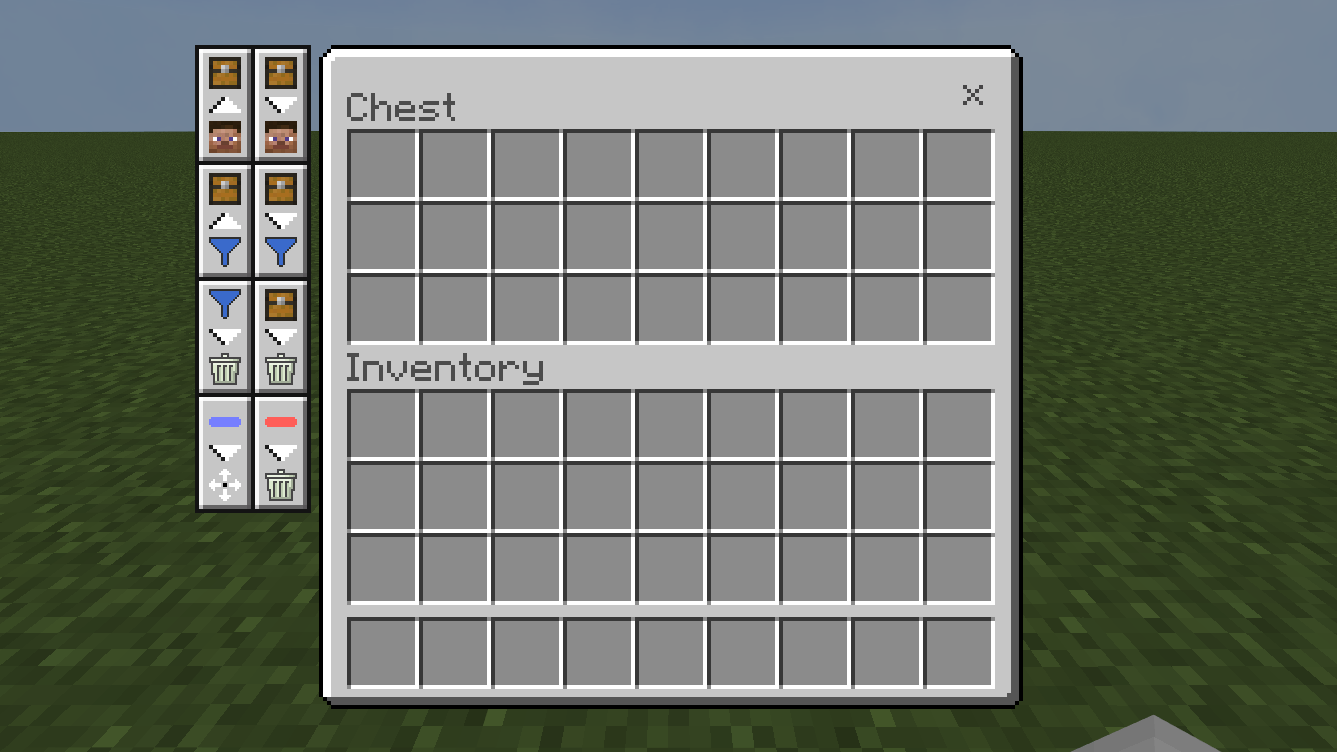
Designed for players who find chest organization tedious, it adds intuitive buttons for bulk moving and dropping items.
Speed up your storage tasks dramatically without breaking the vanilla atmosphere.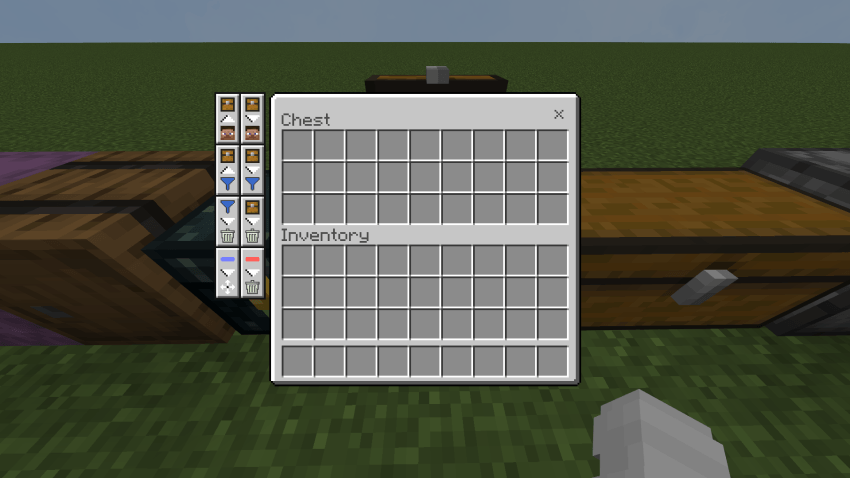
Features (機能)
1. All-Item Move (一括移動)
[JP] ワンクリックでコンテナとインベントリの間でアイテムをすべて移動できます。
[EN] Move all items between container and inventory with a single click.
2. Same-Item Move (同種アイテム移動)
[JP] カーソルで選んだアイテムと同じ種類の物だけを、まとめて移動できます。
[EN] Move only items of the same type as the one you've selected.
3. All-Item Drop (全ドロップ)
[JP] コンテナ内のすべてのアイテムを一括で地面にドロップします。中身を空にしてチェストを撤去したい時に便利です。
[EN] Drop every item from the container onto the ground at once. Useful for quickly clearing out a chest.
4. Same-Item Drop (同種アイテムドロップ)
[JP] 選択したアイテムと同じ種類のものだけを、コンテナから一括で地面にドロップします。
[EN] Drops all items of the same type as the selected item from the container onto the ground at once.
5. Row-Move Toggle (行単位移動)
[JP] トグルをONにすると、横1行のアイテムをまとめて移動できるようになります。
[EN] When you toggle this setting to ON, you can move all items in a single row at once.
6. Row-Drop Toggle (行単位ドロップ) -Classic UI Only
[JP] トグルをONにすると、横1行のアイテムをまとめてその場にドロップすることができます。
[EN] When you toggle this setting to ON, you can drop all items in a single horizontal row at once.
7.Hotbar-Item Move (ホットバーのアイテム移動) -Pocket UI Only
[JP] 行単位ドロップがPocket UIに対応していないため、その代替としてこのボタンでホットバーにあるアイテムをインベントリにすべて移動できます。
[EN] Since the Row-Drop Toggle feature isn't supported in Pocket UI, you can use this button as an alternative to move all items from the hotbar to your inventory.
8. UI Customization (UIカスタマイズ)
[JP] サブパックの設定から、ボタン配置を好みに合わせて変更できます。
[EN] You can customize the button layout to your liking in the sub-pack settings.
Credits
@ItzRiyo157: Logic for column/row item movement.
@bud-aj29: Original creator of the base resource pack.
Terms Of Use
[日本語]
このリソースパックは MITライセンス の下で公開されています。
【許可されること】
- 個人利用: 自由に導入して遊んでいただけます。
- 動画・配信での使用: 報告なしで使用可能です。
- 二次配布: MITライセンスに基づき、元の著作権表示(LICENSEファイル)を保持した状態であれば可能です。
【禁止・注意事項】
- 自作発言の禁止: 改変したものを含め、このパックを「自分がゼロから作った」と偽って配布することは避けてください。
- クレジットの保持: 改変・再配布を行う際は、必ず本パックのクレジット(kakame, bud-aj29, ItzRiyo157)を明記してください。
- 保証の否認: このパックを使用したことによるデータの破損等については責任を負いかねます。
[English]
This resource pack is licensed under the MIT License.
You are free to:
- Personal Use: Feel free to use and enjoy the pack.
- Content Creation: You can use this pack in your videos or streams without prior notice.
- Redistribution: Allowed as long as the original copyright notice (LICENSE file) is included.
Please note:
- No False Ownership: Do not claim this pack or its modified versions as your own original creation.
- Maintain Credits: When redistributing or modifying, you must keep the original credits (kakame, bud-aj29, ItzRiyo157) intact.
- No Warranty: This pack is provided "as is," and I am not responsible for any issues that may occur.
The Ultimate Guide to Easy Item Dump
If you are exploring the vast world of Minecraft modifications, Easy Item Dump by kakame is a standout texture that deserves your attention. With over 7,717 downloads, it has become a staple for players looking to enhance their experience. As the creator describes it, this project is "Easily transfer items from inventory to containers". Whether you are a veteran builder constructing massive cities, or simply a casual player looking to upgrade your survival world, this guide will provide you with all the essential details on how Easy Item Dump alters the game.
What Makes It Special?
Unlike standard textures that simply alter superficial elements, Easy Item Dump introduces a wide array of visual and mechanical features designed to seamlessly blend into the vanilla aesthetic. kakame has clearly spent significant time refining the project to ensure that every aspect feels polished and responsive for version 1.21.
Installation Guide
Getting Easy Item Dump up and running is straightforward. Follow these step-by-step instructions:
- Verify Your Version: Ensure your Minecraft launcher is set to version 1.21.
- Install Mod Loader (if required): If this is a mod, download the compatible loader (Forge, Fabric, NeoForge).
- Download the File: Click the secure download button above to retrieve the official file from CurseForge.
- Move the File: Place the downloaded file into your `mods`, `shaderpacks`, or `resourcepacks` folder depending on the texture type.
- Launch and Enjoy: Open Minecraft, navigate to the respective settings menu, and activate Easy Item Dump.
Compatibility & Performance
Compatibility is robust. Easy Item Dump is designed specifically for version 1.21, taking full advantage of the latest engine optimizations. During typical gameplay, this addition maintains a stable frame rate, though lower-end laptops might experience slight stuttering. We recommend pairing this with performance boosters like Sodium or Iris to guarantee a silky-smooth experience.