PiglixMCMods LogoPiglixMCMods
HomeShadersTexturesModsLow-End ShadersRTX ShadersSavedGuidesAbout
GET IT ONGoogle Play

Popular Collections

📱 Performance HubBest Low-End ShadersMCPE Performance Mods
✨ Realism & RTXRealistic RTX ShadersRTX Texture Packs for MCPE
🤖 Platform CompatibilityMinecraft PE Shaders 1.21Shaders for Android & iOS
⚔️ Gameplay VibeTop PvP Texture PacksMedieval Texture Packs
🤝 Community & SocialsYouTubeInstagram
Get the Android App — Free on Play Store
HomeGuidesAbout UsSponsor & PartnerContactPrivacy PolicyTerms & ConditionsDisclaimer
Minecraft>Shaders>SMOOTH FPS PLUS
SMOOTH FPS PLUS logo

SMOOTH FPS PLUS

By👤Kareo_Gamerz

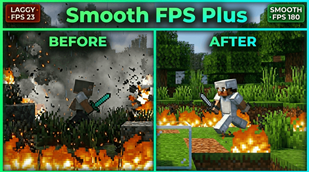
A performance-focused resource pack that improves FPS with cleaner visuals, quieter sounds, reduced particles, and optimized UI while keeping gameplay smooth and readable.

Why SMOOTH FPS PLUS is a top-tier shader mod for Minecraft 1.21

Developed by the talented creator Kareo_Gamerz, SMOOTH FPS PLUS stands out as a highly recommended selection for your Minecraft client. It is fully optimized, compatibility-tested, and brings a major upgrade to the gameplay experience in Minecraft version 1.21.

⚙️ Quick Resource Specs

Mod CreatorKareo_Gamerz
Latest Version1.21
Supported Game VersionsMinecraft 1.21+
File Size1.03 MB
Last UpdatedUpdated: June 30, 2026
Total Downloads5,772 downloads
SMOOTH FPS PLUS screenshot active
Looking for the best shaders updates? SMOOTH FPS PLUS by Kareo_Gamerz provides excellent features tailored for Minecraft 1.21 players. It stands out in the shaders category for its stability and beautiful execution.

⚡ Smooth FPS Plus

logo

Boost your FPS with cleaner visuals, reduced clutter, optimized UI, and improved visibility. Smooth FPS Plus combines aesthetic tweaks, terrain improvements, quieter sounds, utility features, and multiple performance options into one lightweight resource pack.

🆕 New in V1.0.1

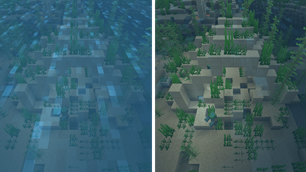
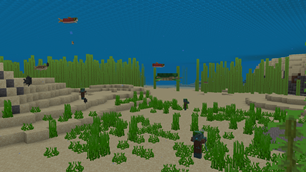
  • 🌊 Clear Water

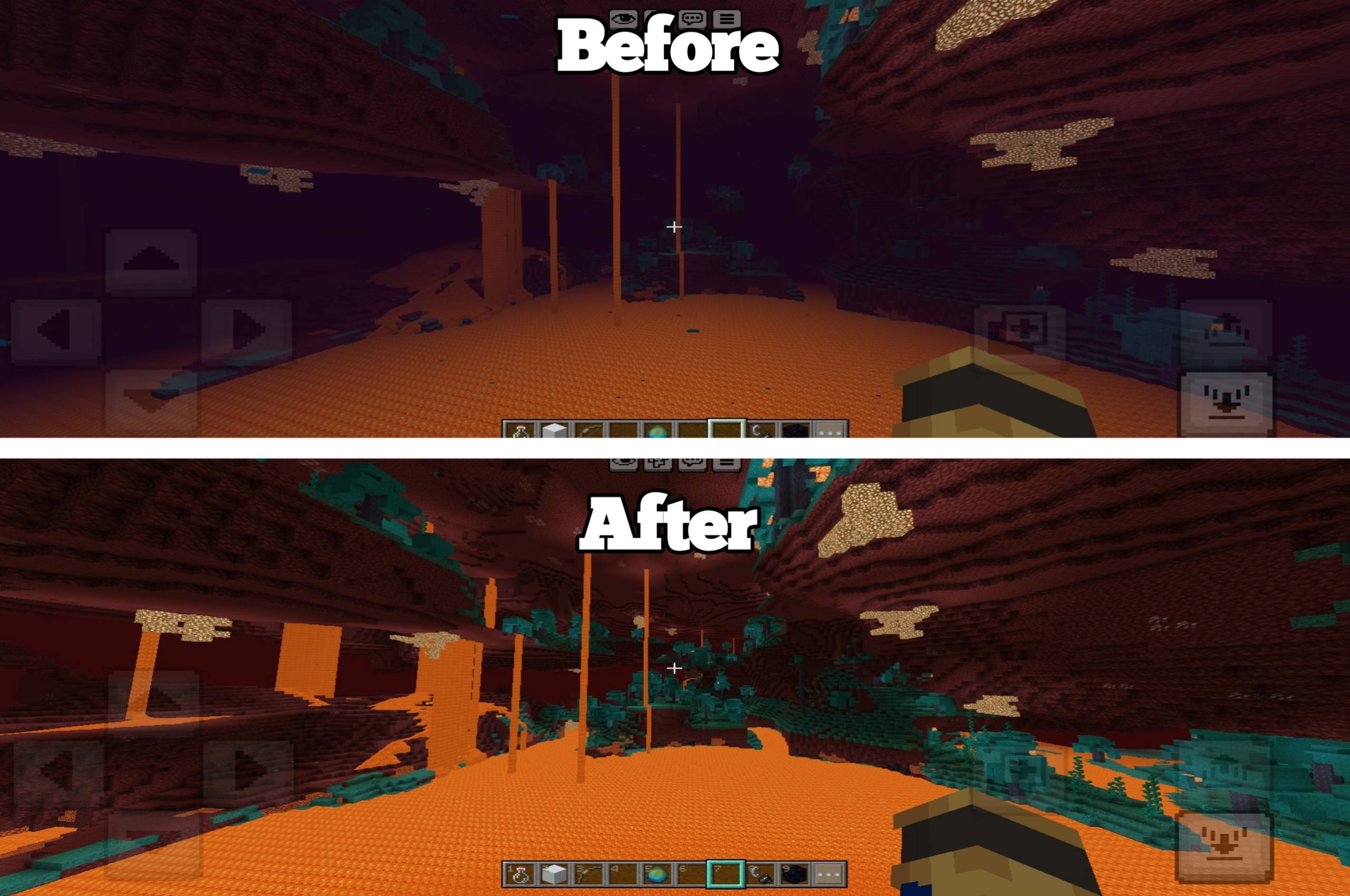
  • 🌋 Clear Lava

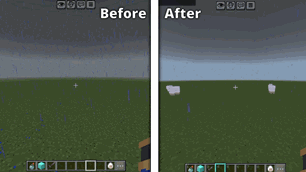
  • 🌫️ No Fog (Overworld, Nether & End)

  • 📦 New Particle Subpacks:

    • Reduced Particles
    • No Particles

✨ Aesthetic

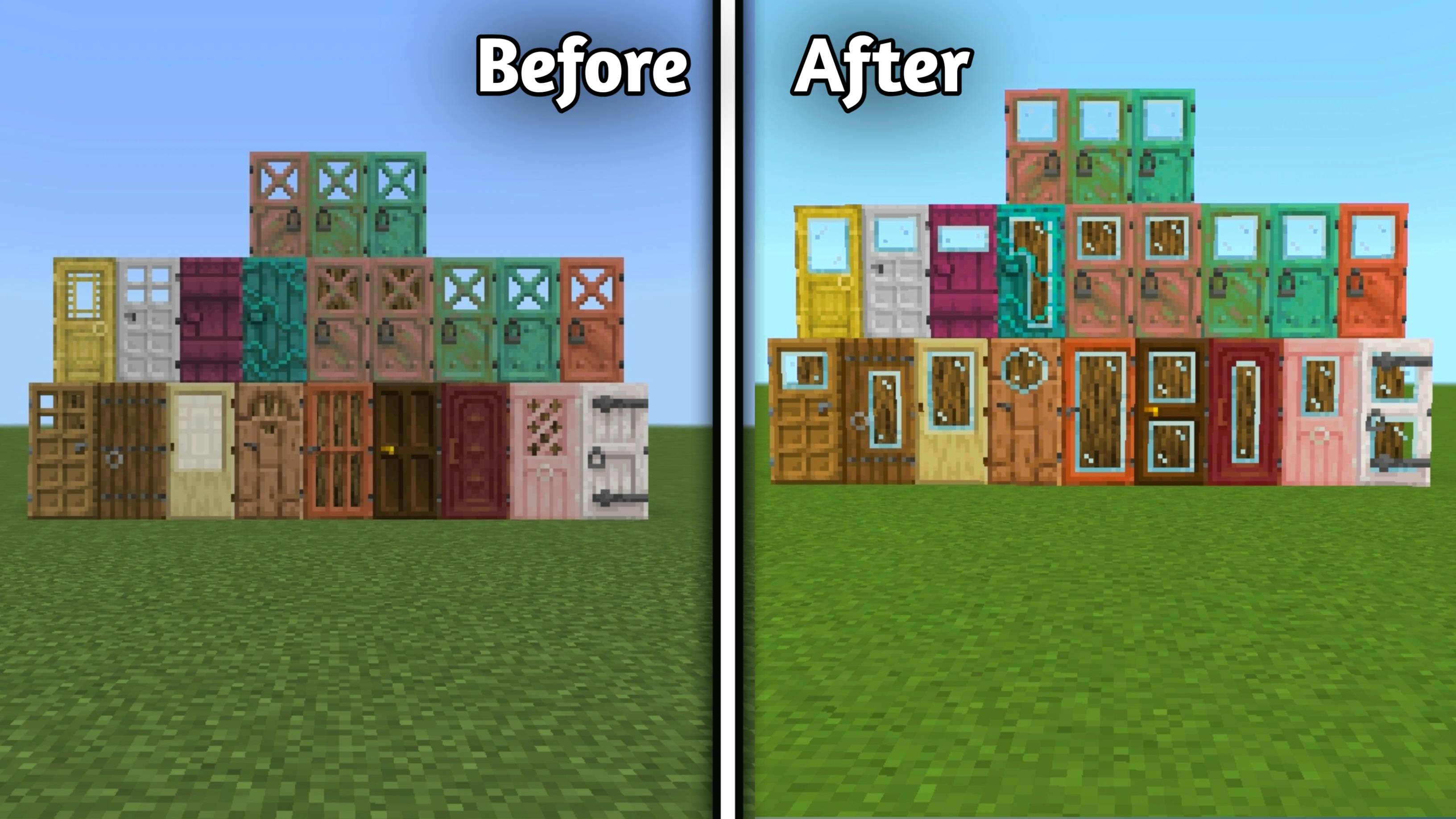
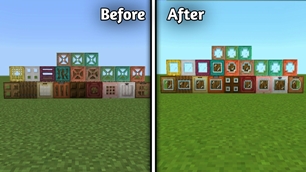
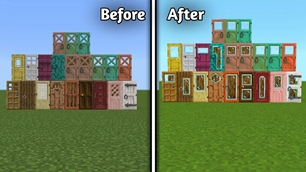
  • Glass Doors

a

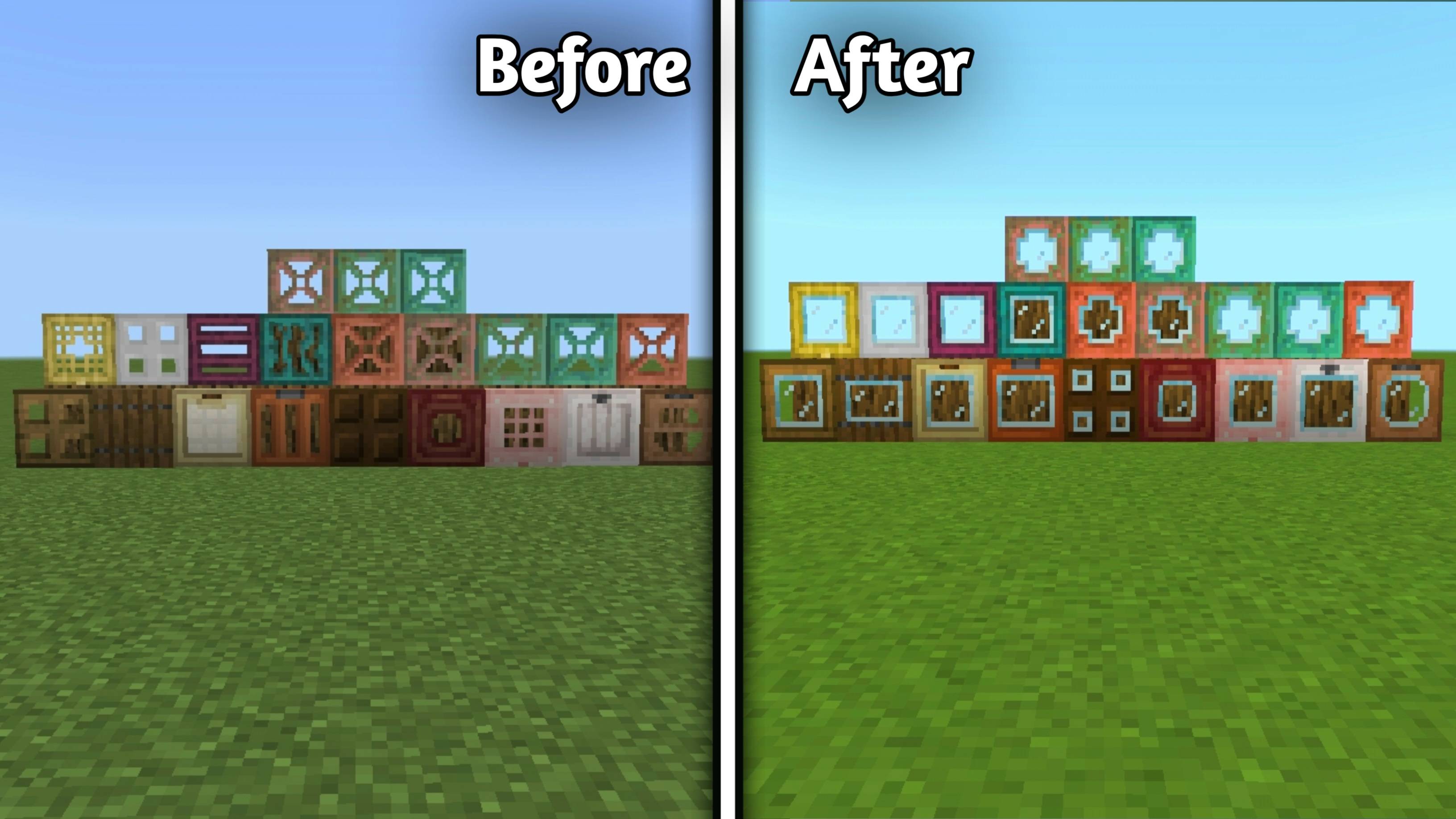
  • Trapdoors

b

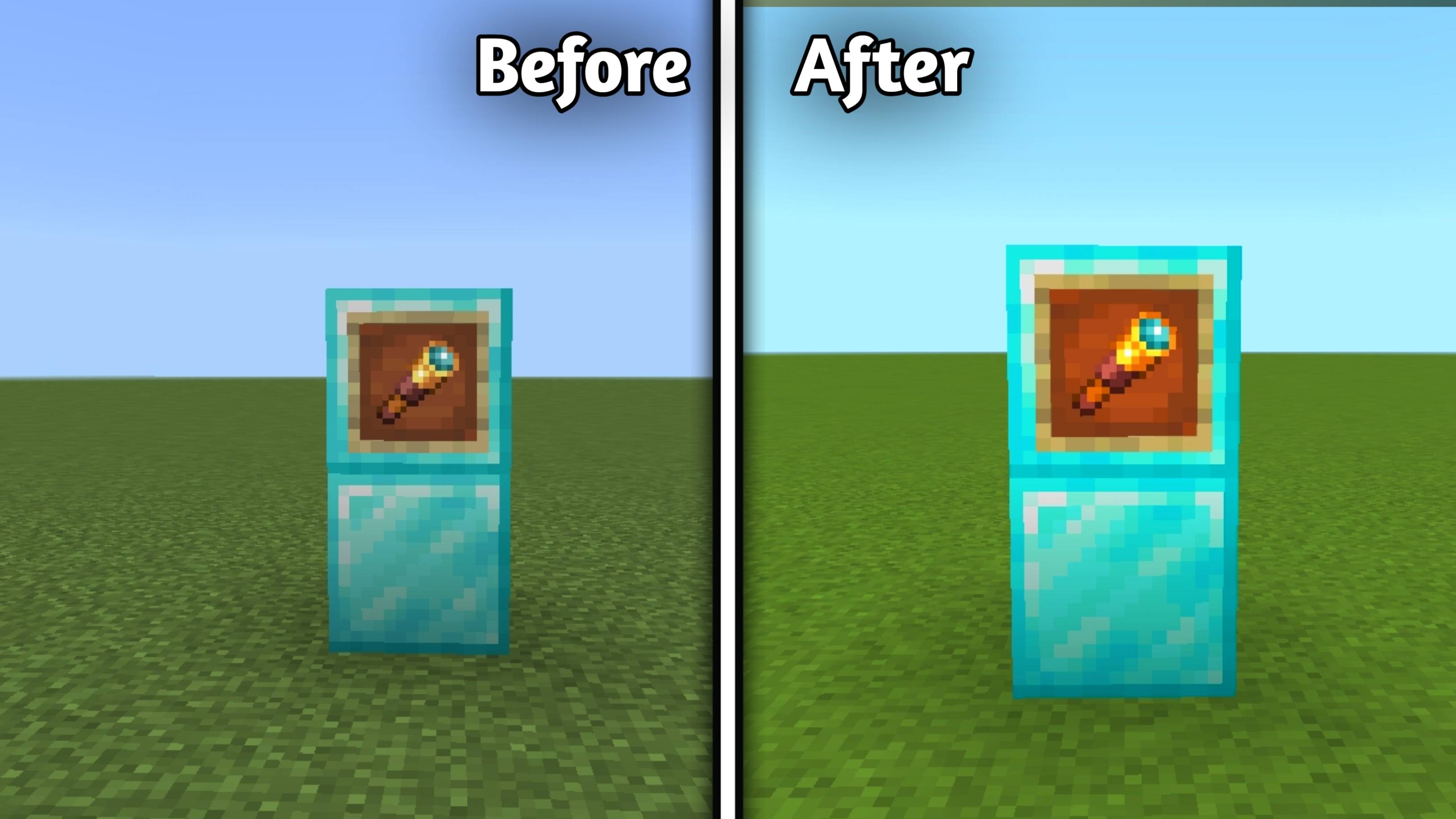
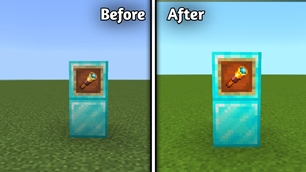
  • 2D Spyglass

c

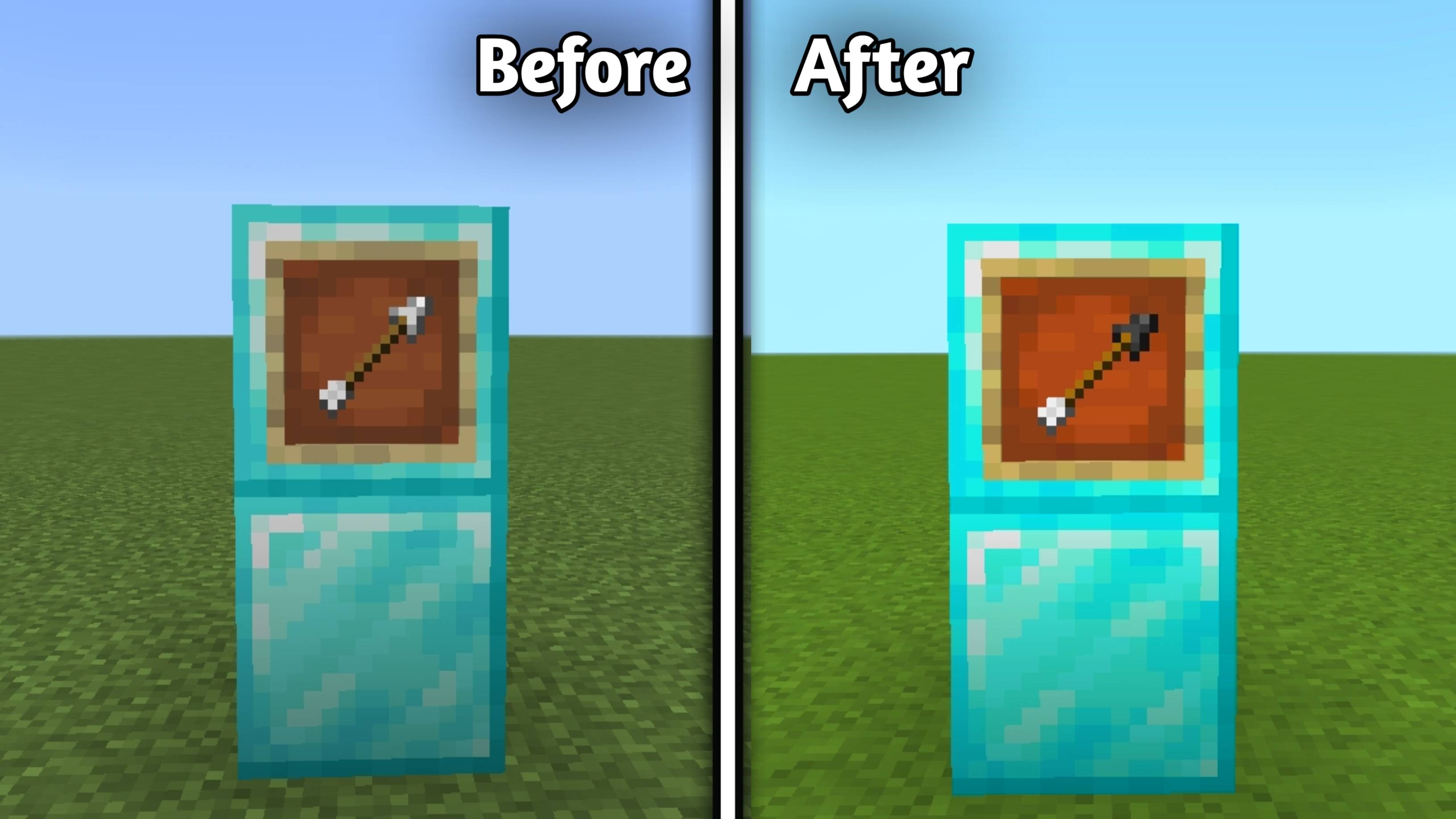
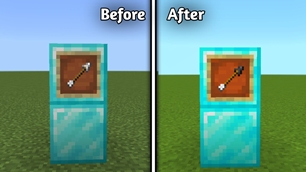
  • Flint Tipped Arrows

d

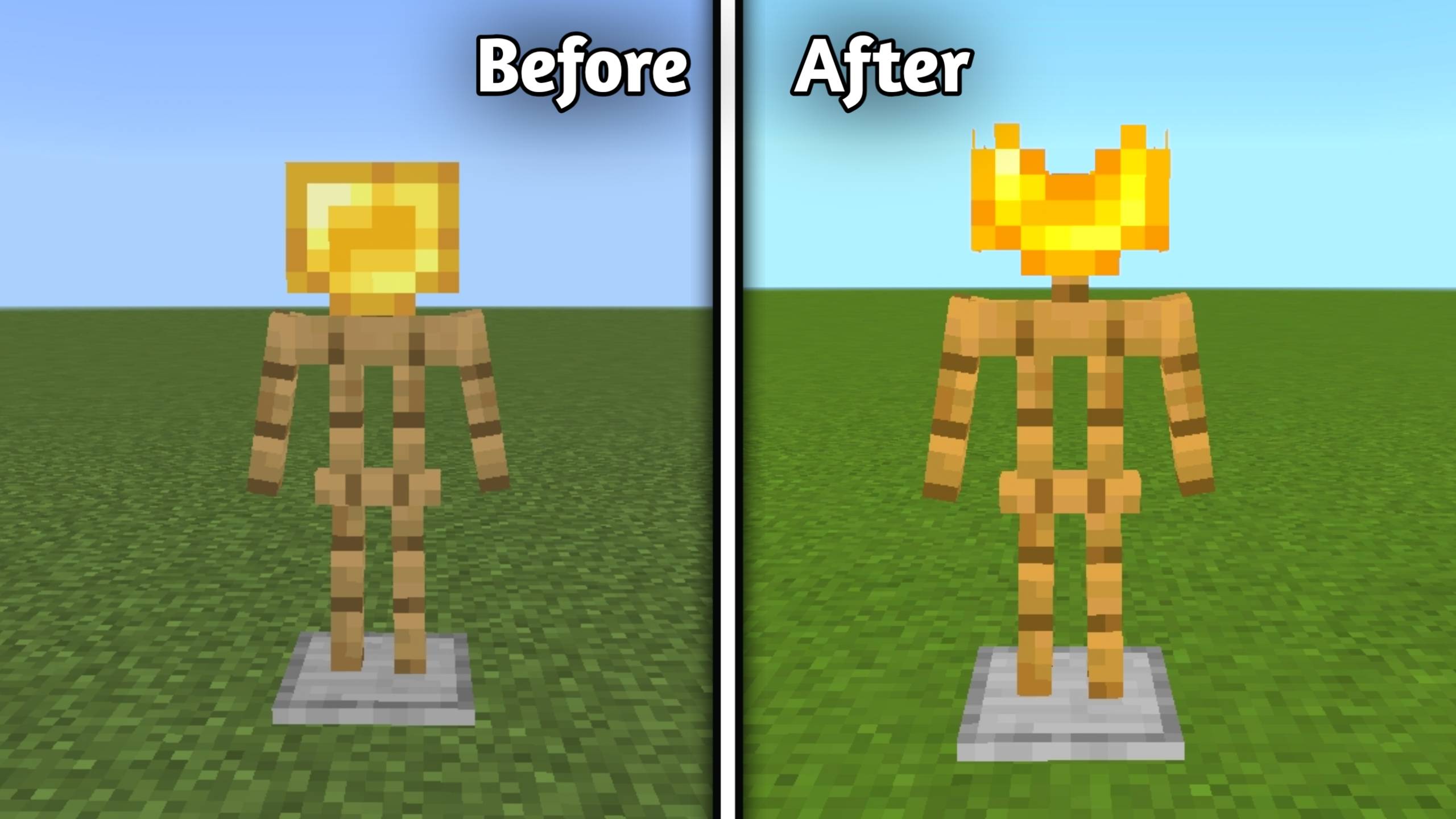
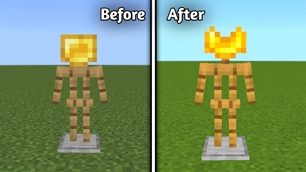
  • Golden Crown

e

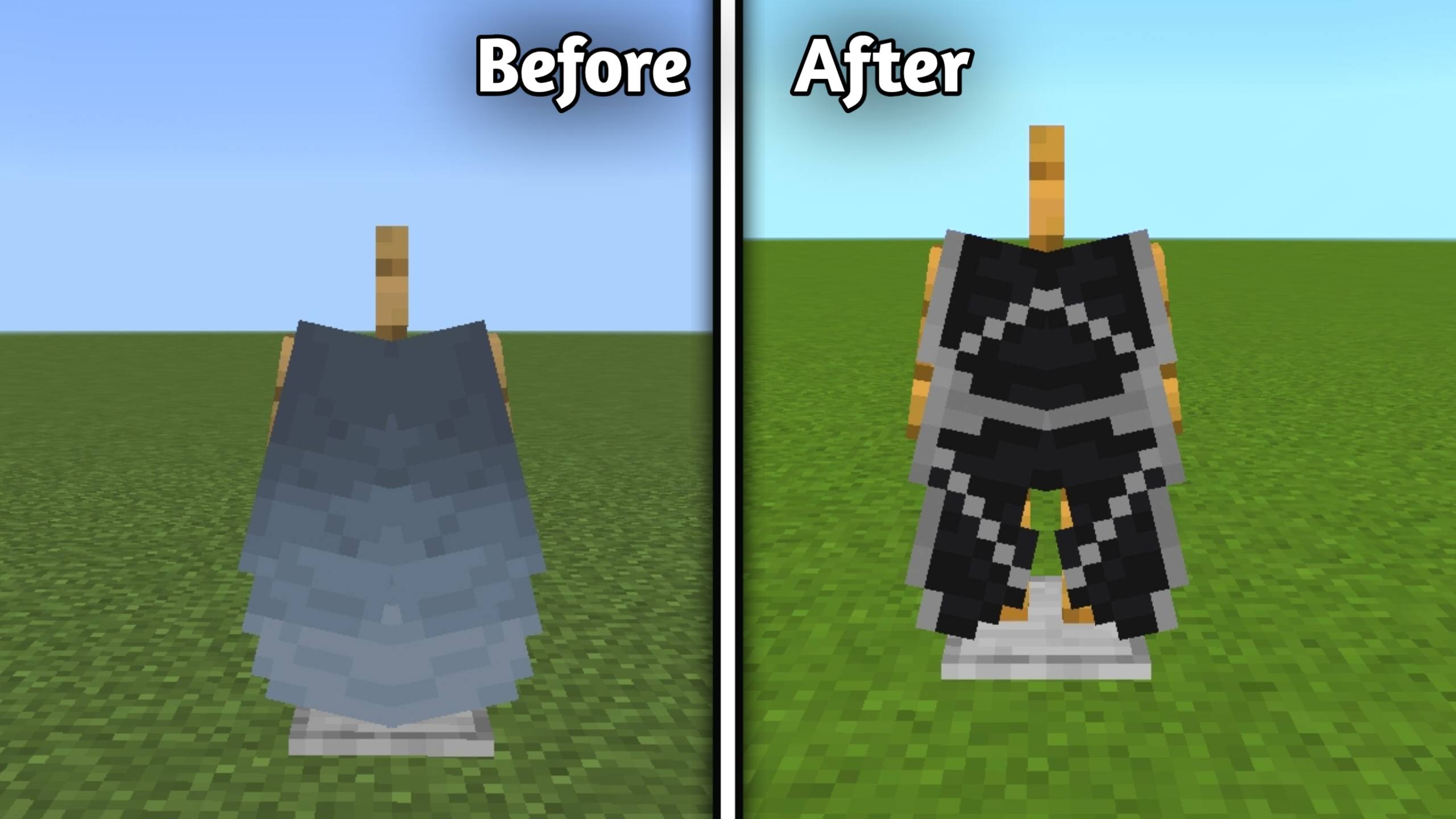
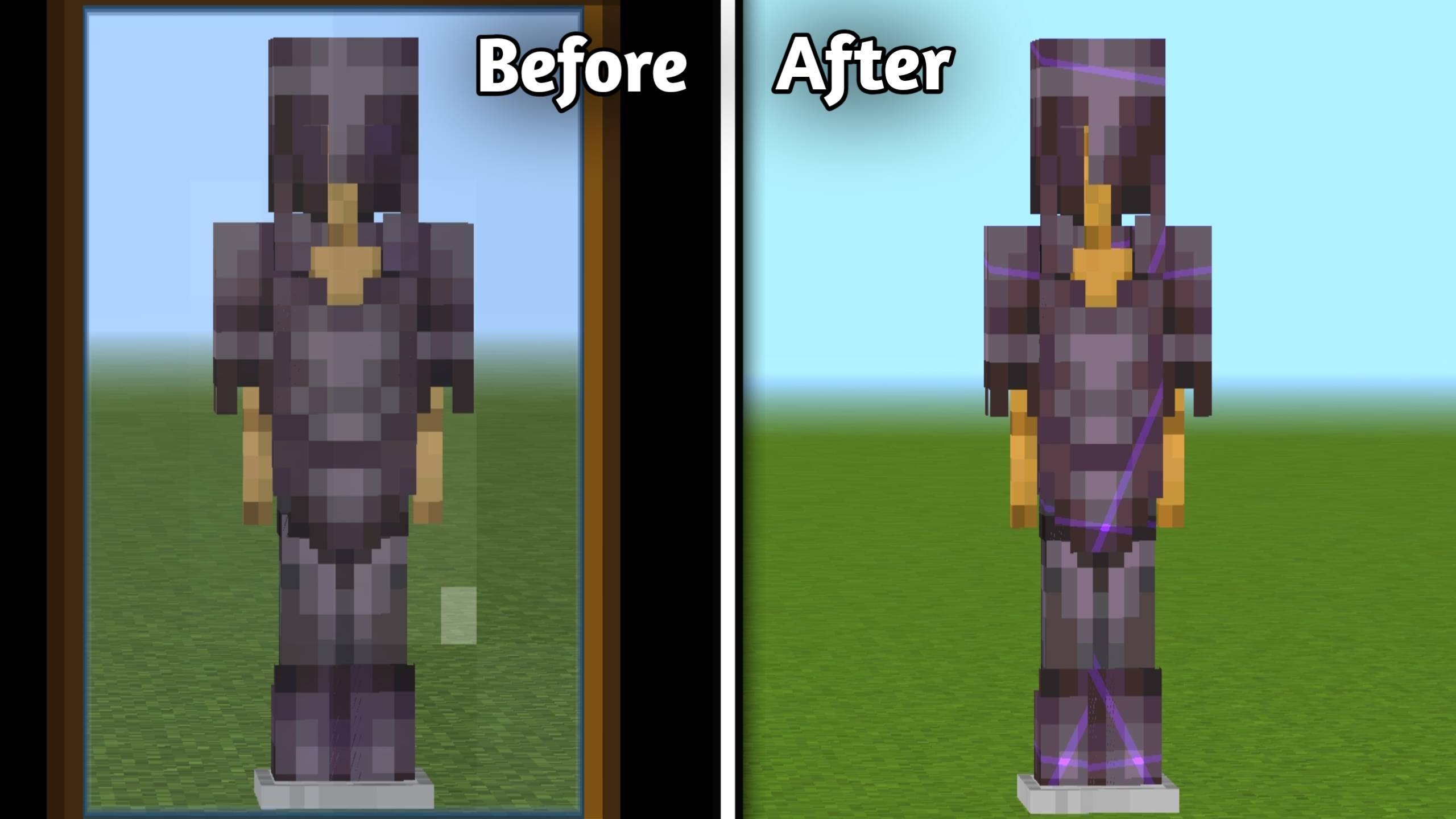
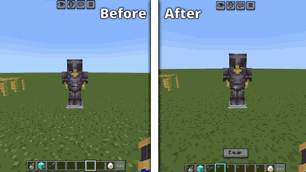
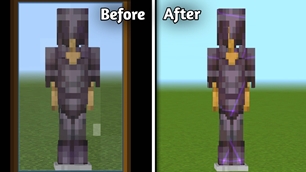
  • Dragon Elytra

f


❄️ Terrain

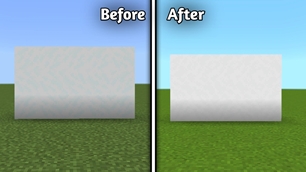
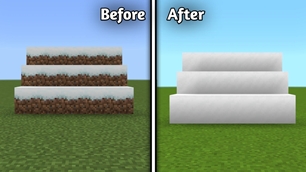
  • Whiter Snow

g

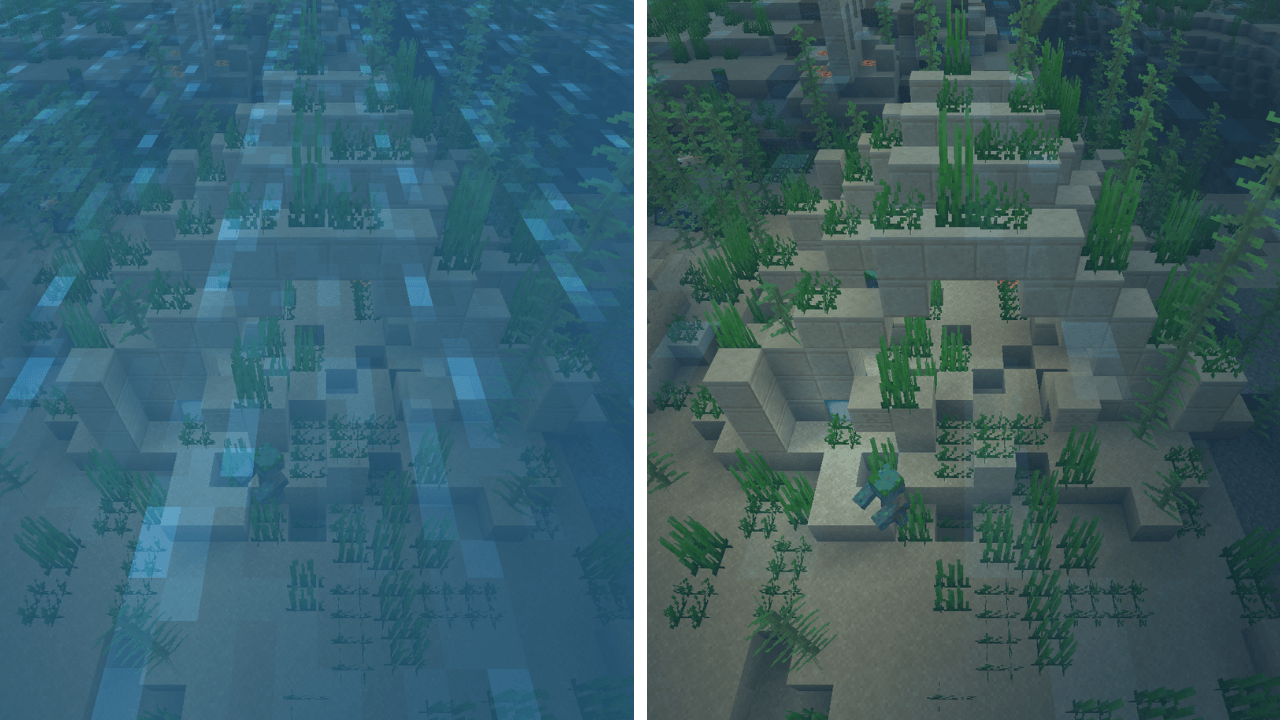
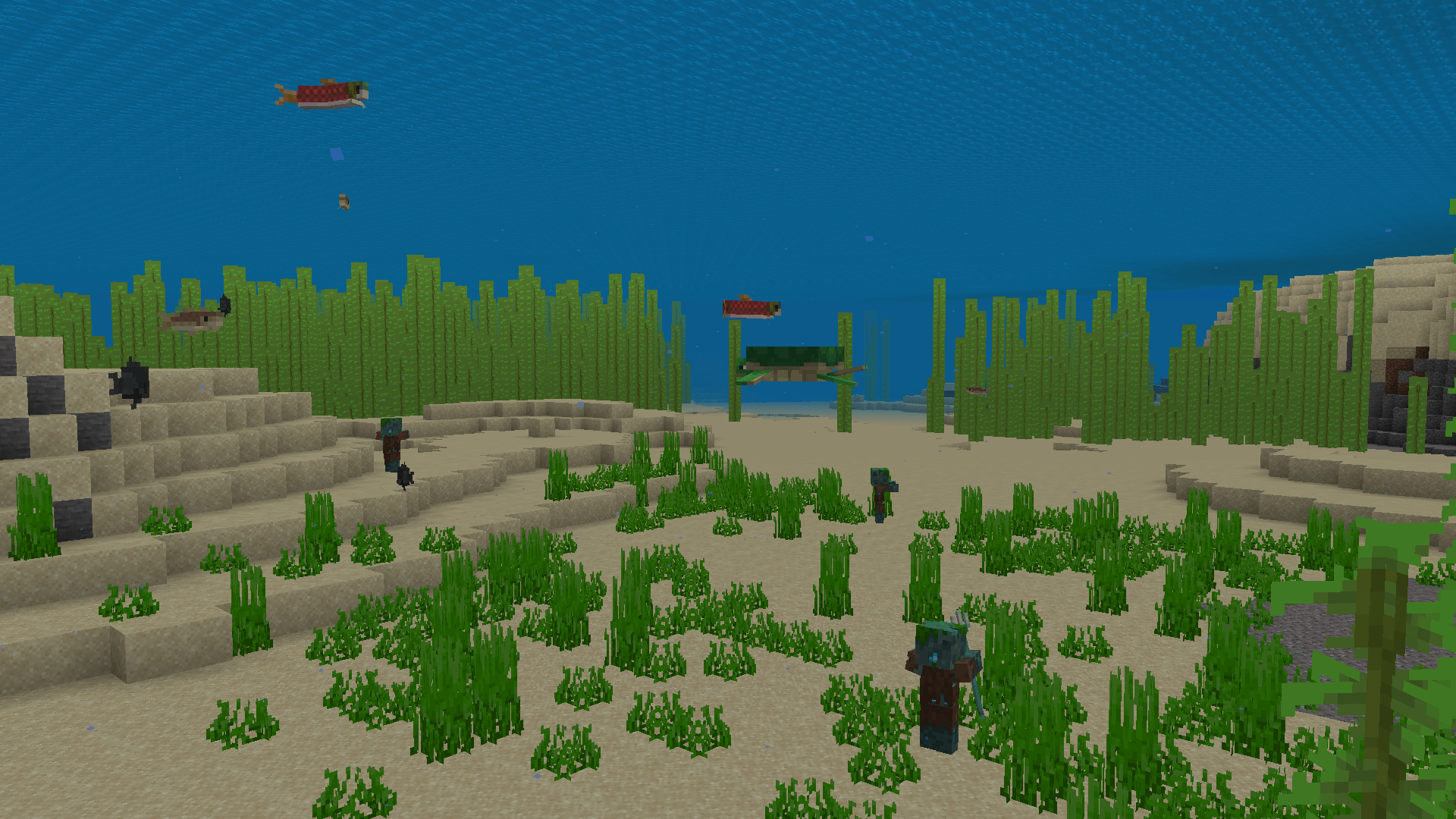
  • 🌊 Clear Water (New)

alt text

alt text

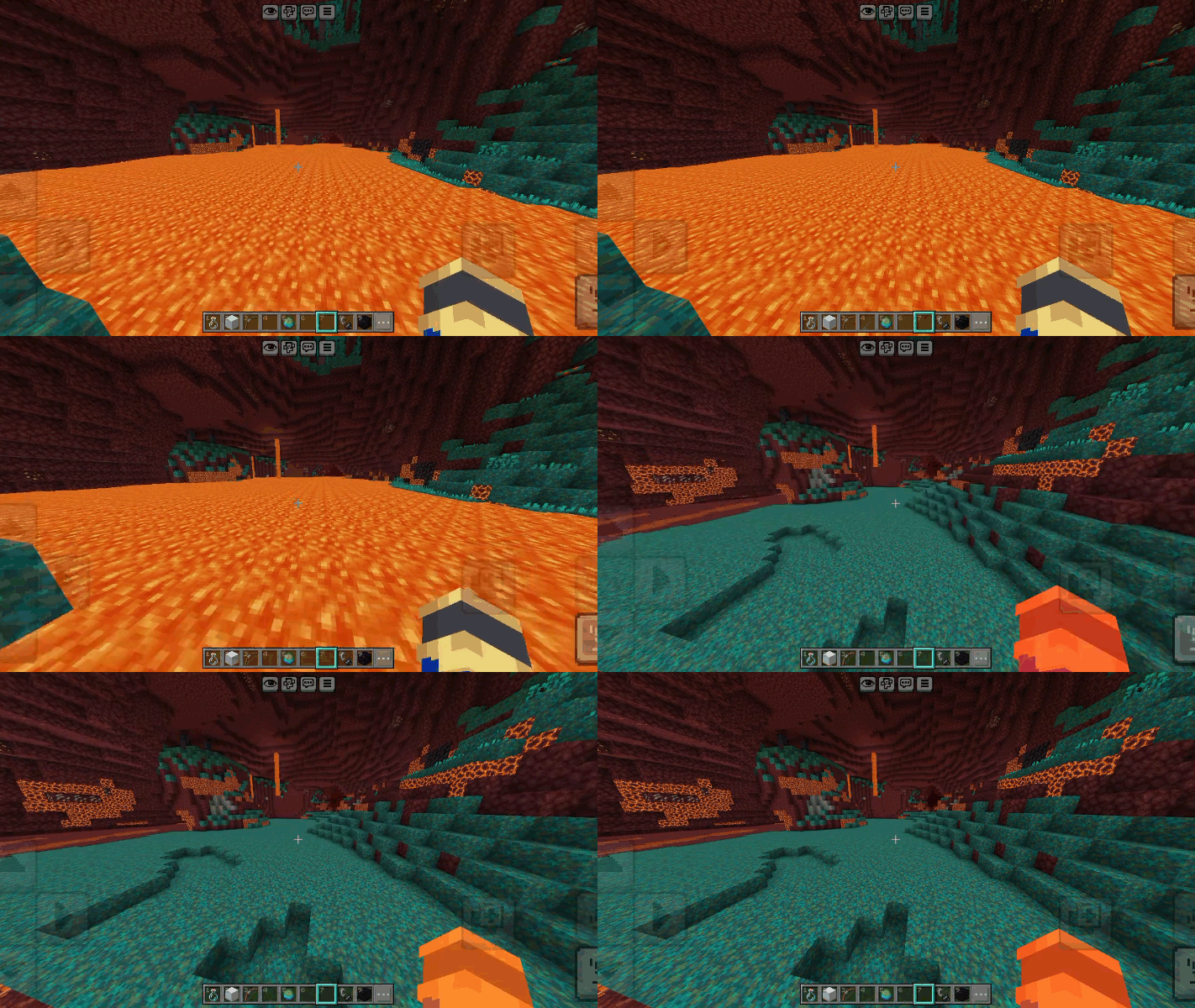
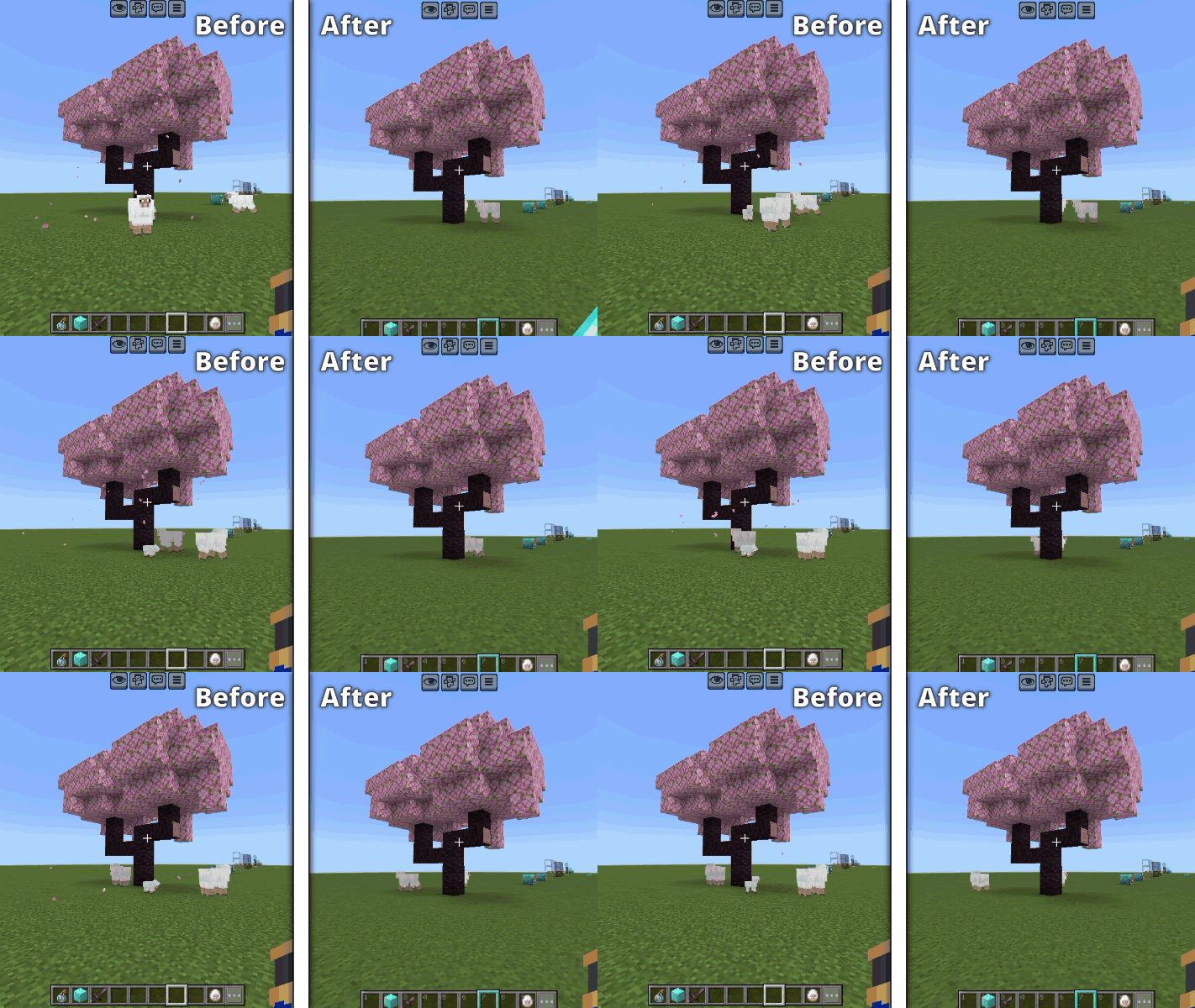
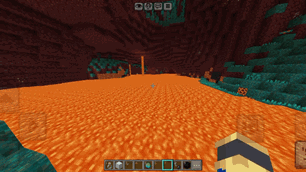
  • 🌋 Clear Lava (New)

alt text

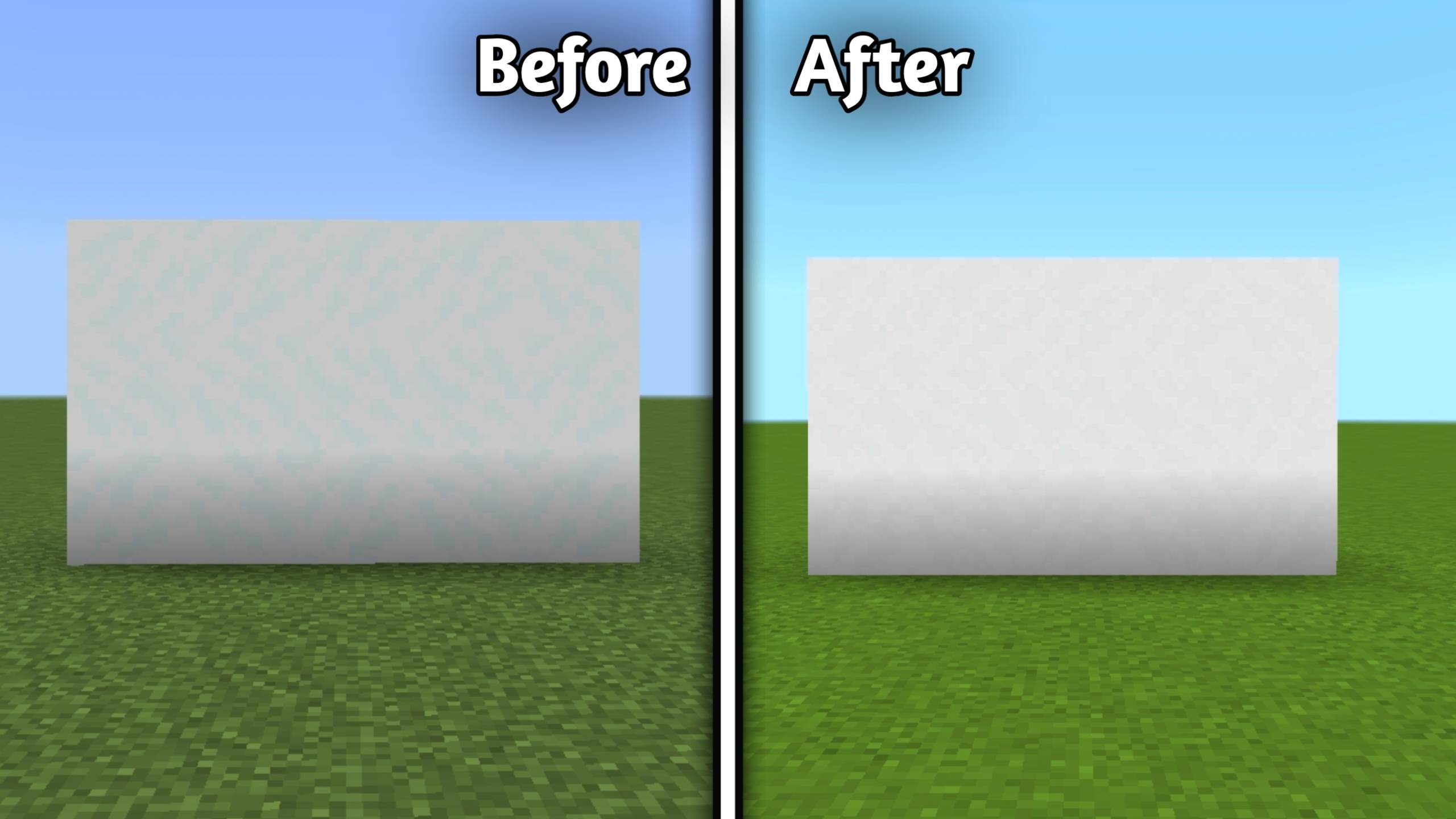
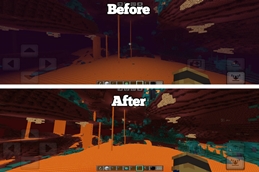
  • 🌫️ No Fog in Overworld, Nether & End (New)
alt text


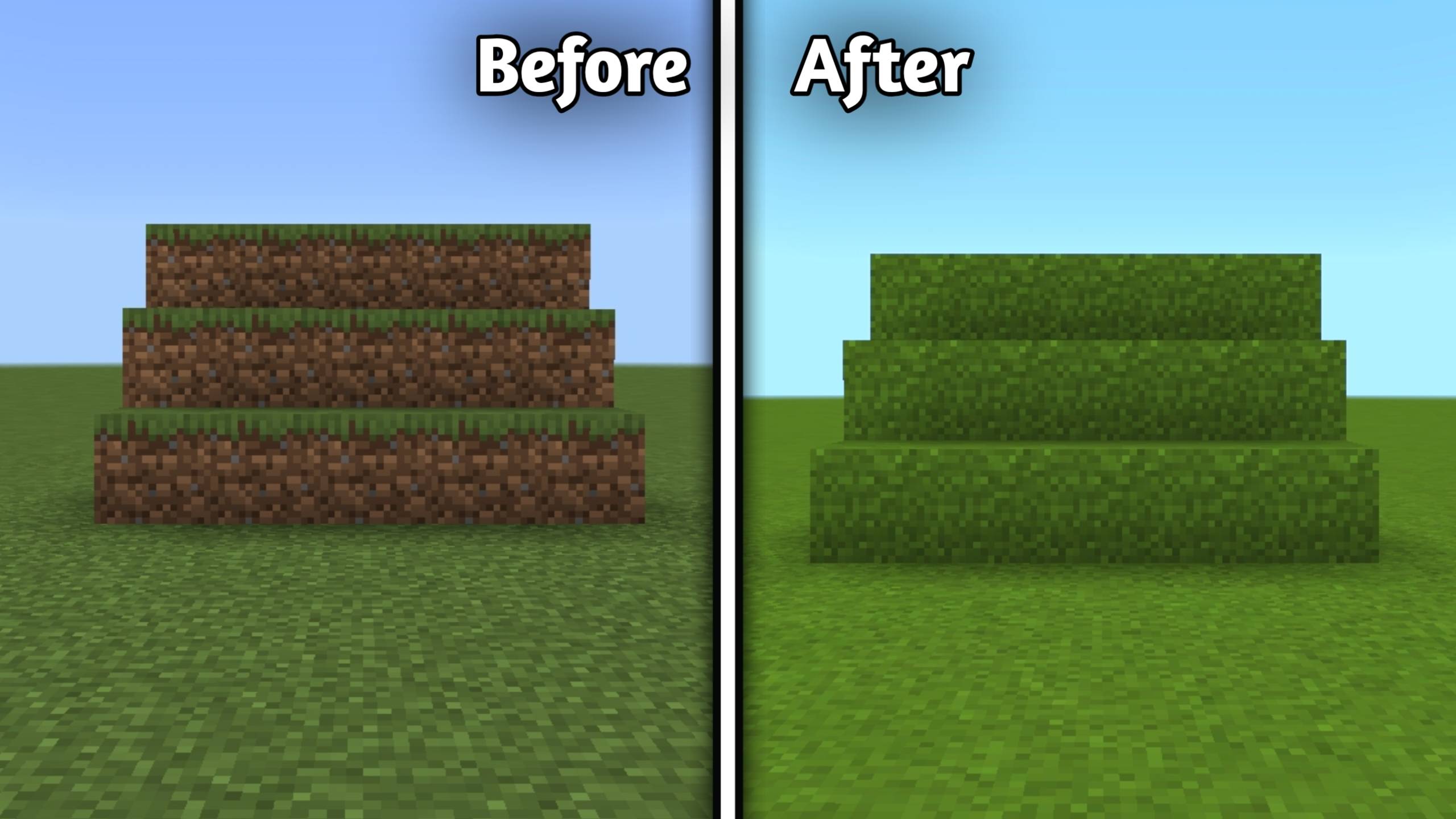
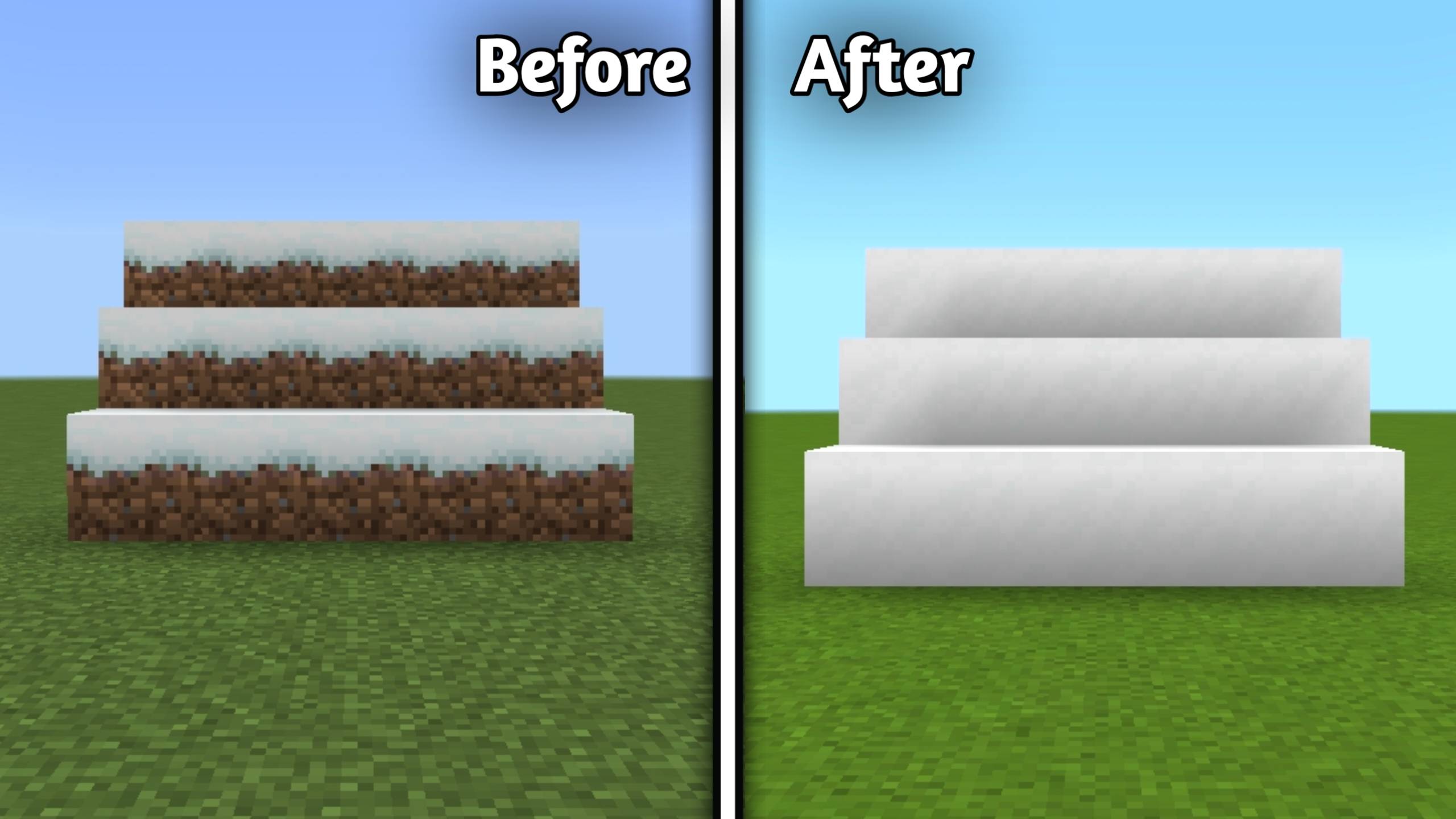
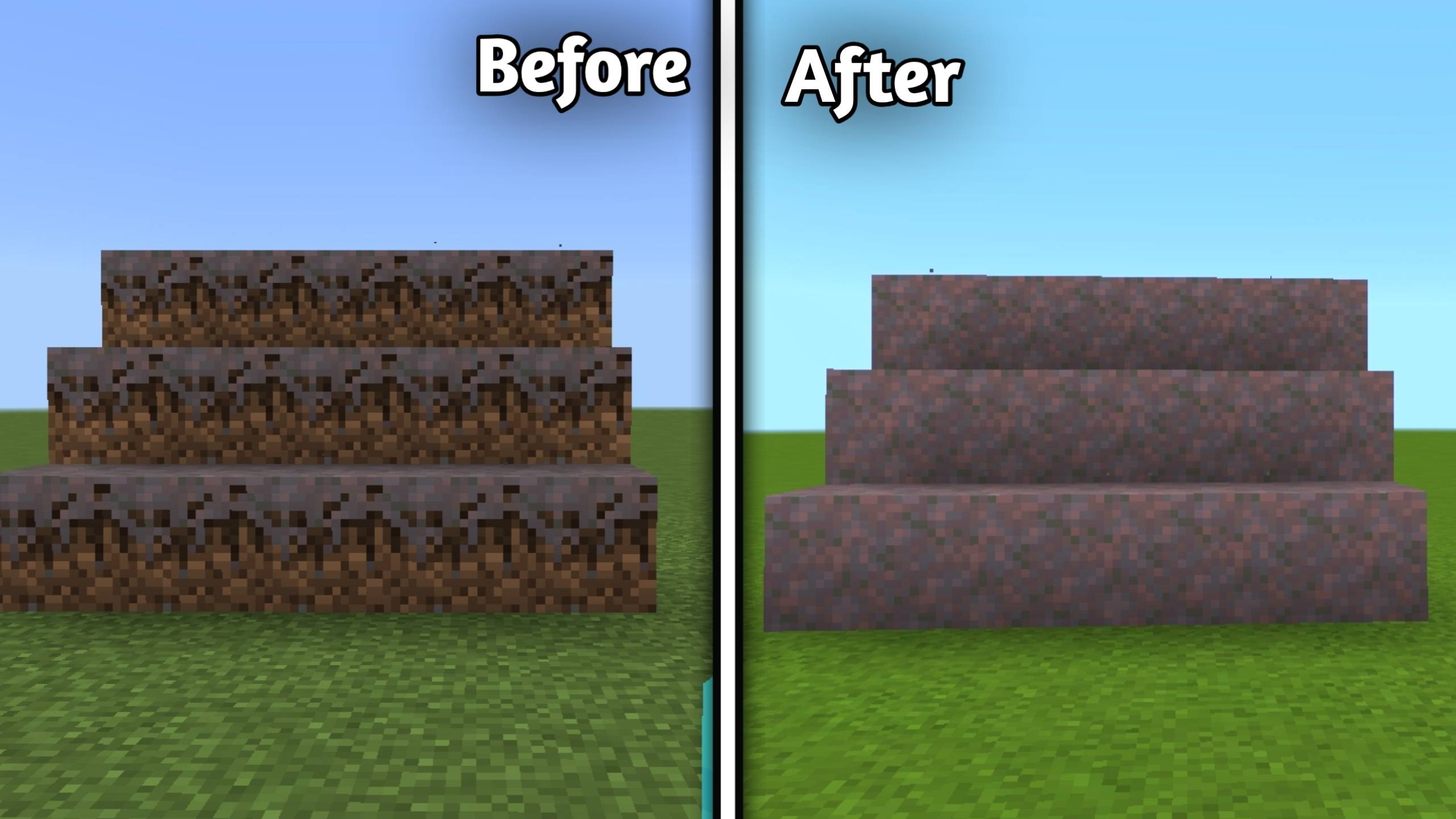
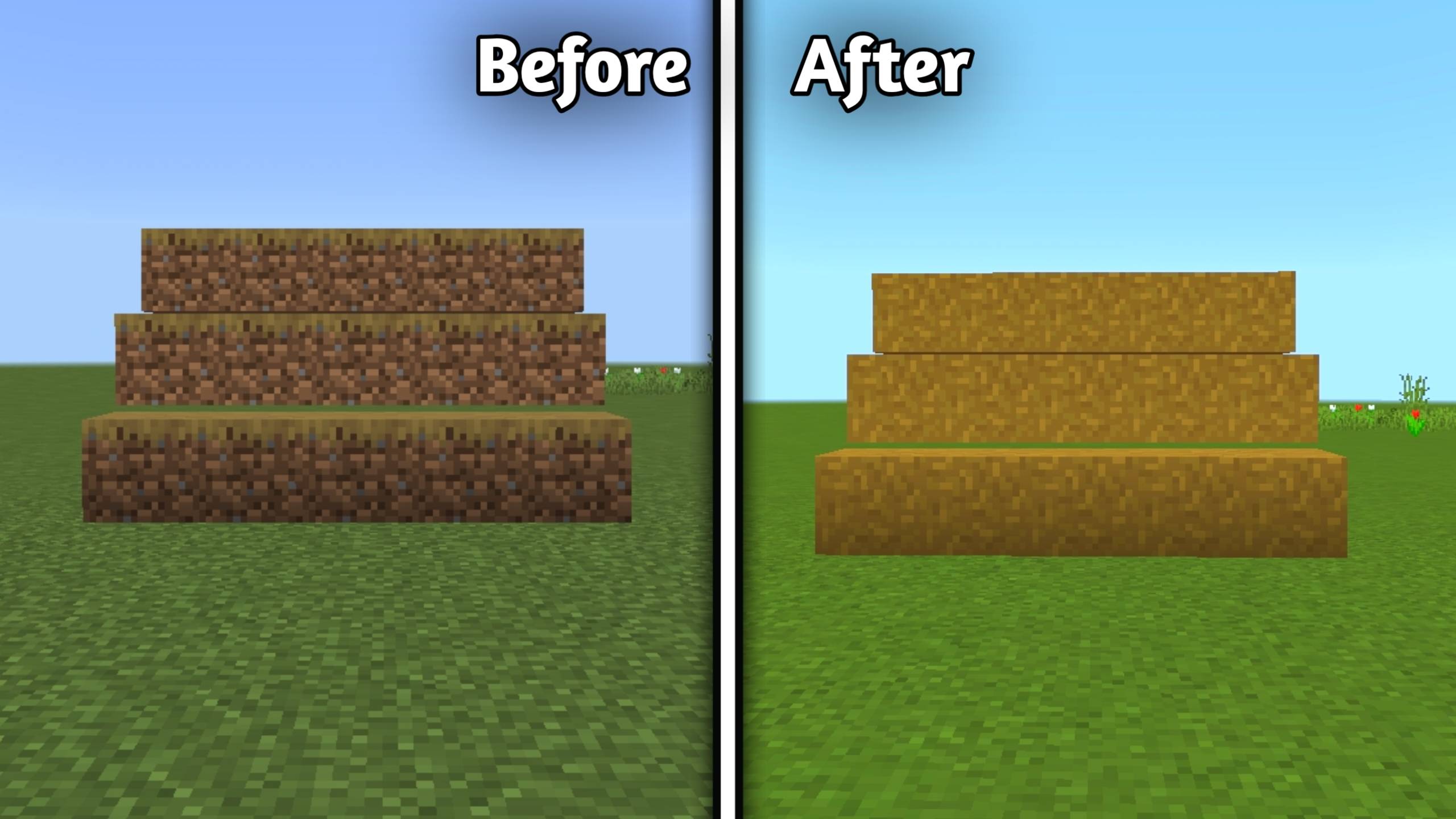
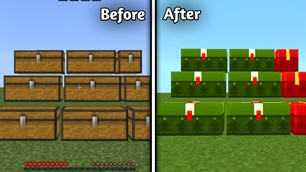
🌿 Full Sided Blocks

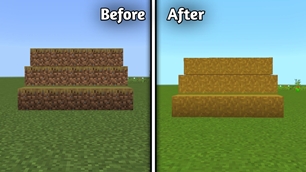
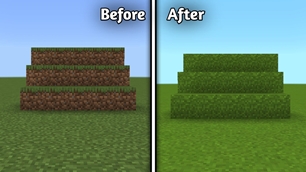
  • Full Grass Sides

h

  • Full Snowy Grass Sides

i

  • Full Mycelium Sides

j

  • Full Dirt Path Sides

k

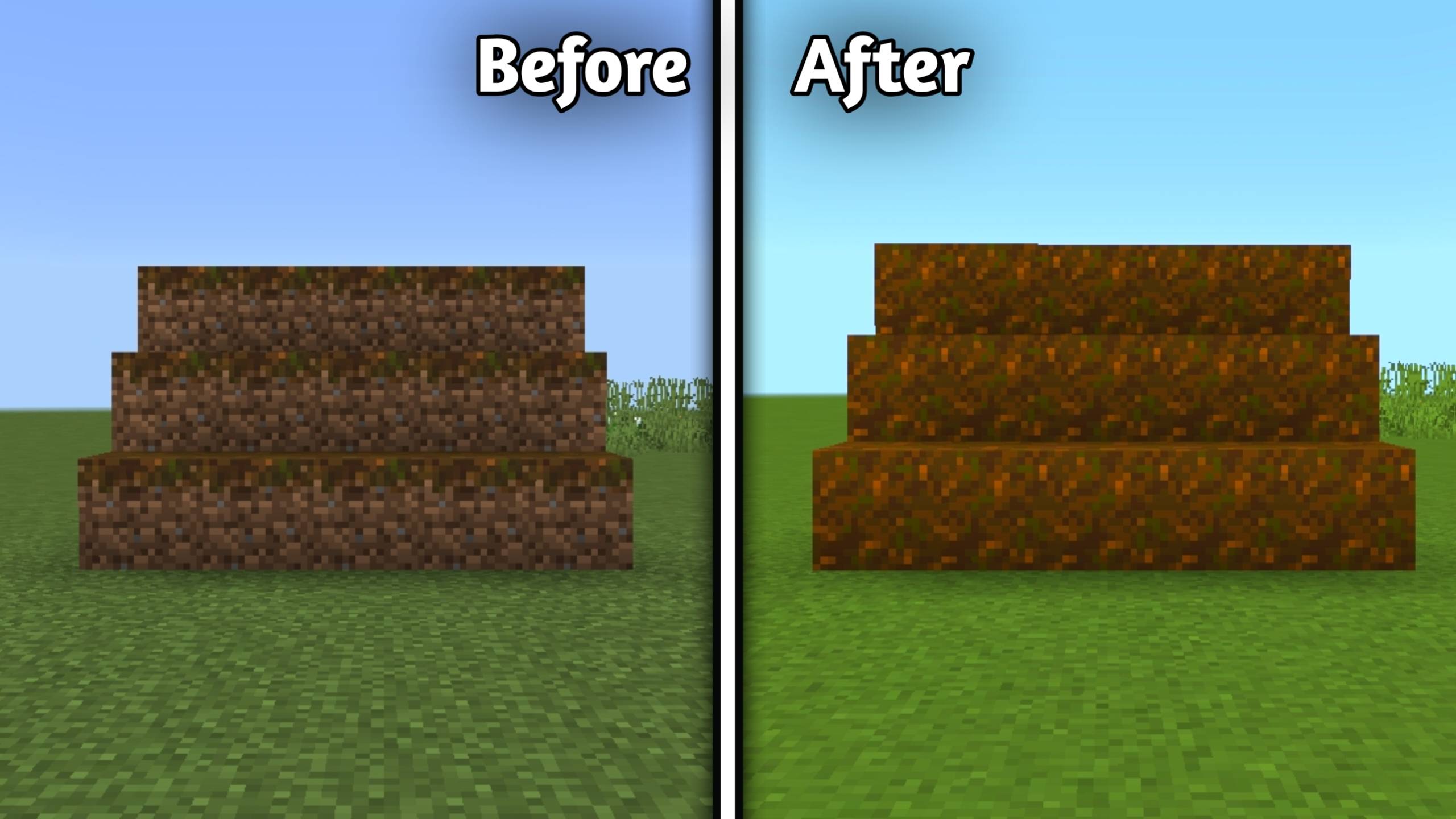
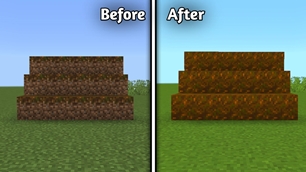
  • Full Podzol Sides

l

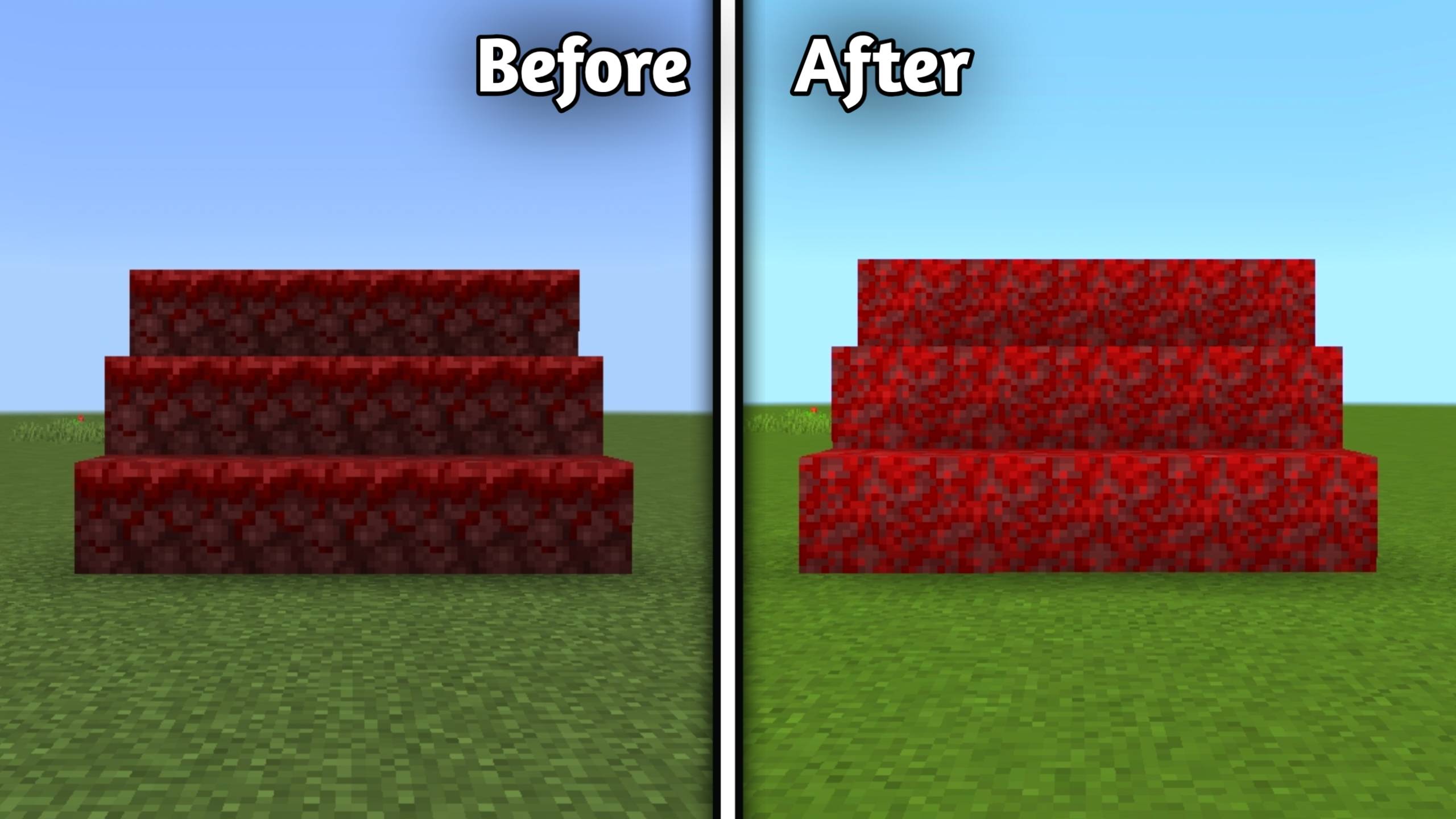
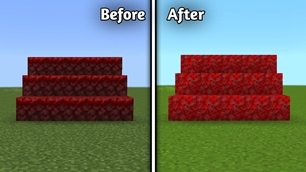
  • Full Crimson Nylium Sides

m

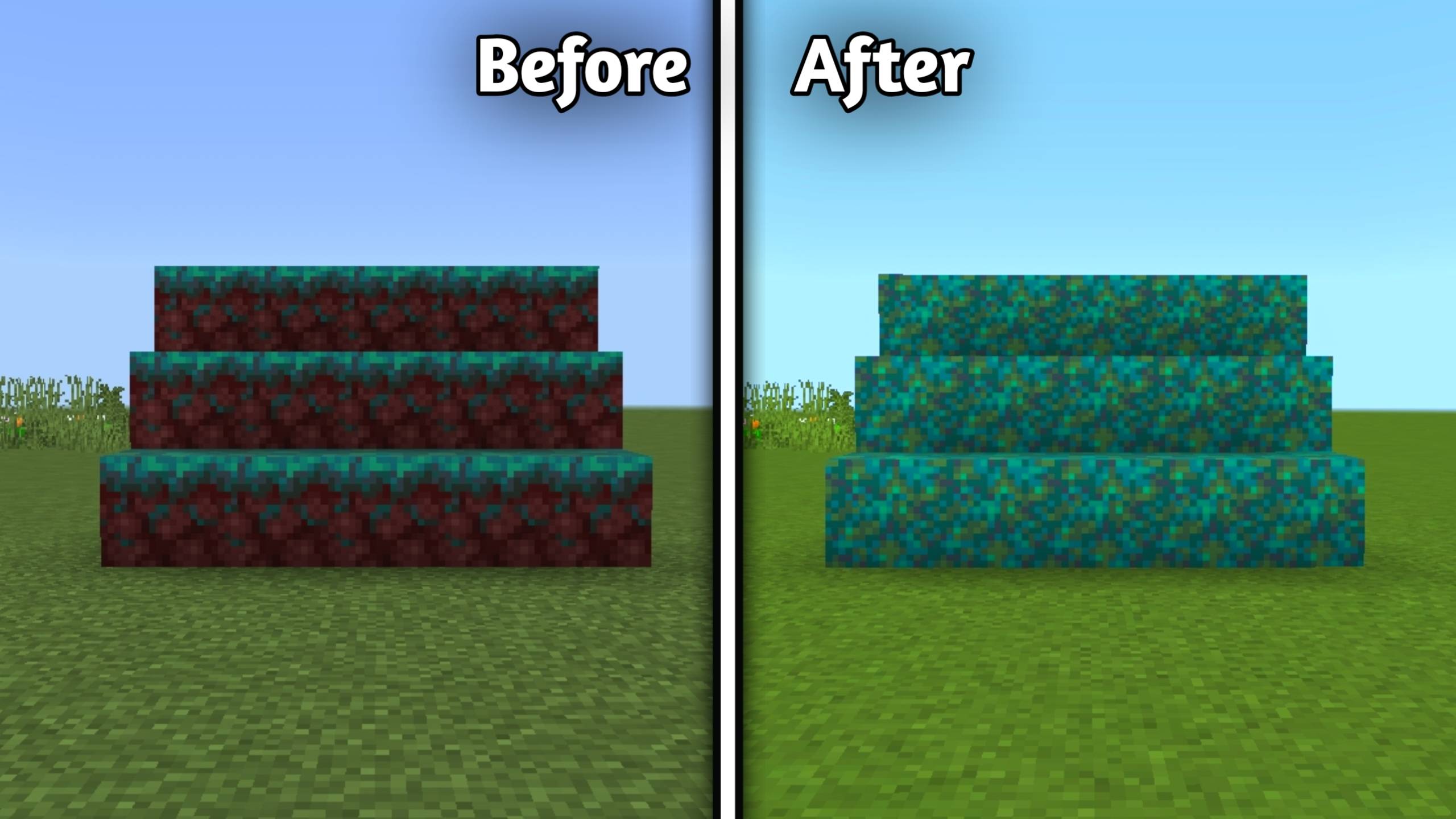
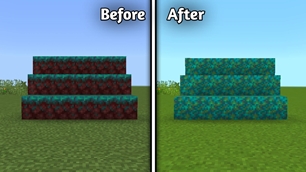
  • Full Warped Nylium Sides

n


🌱 Variations

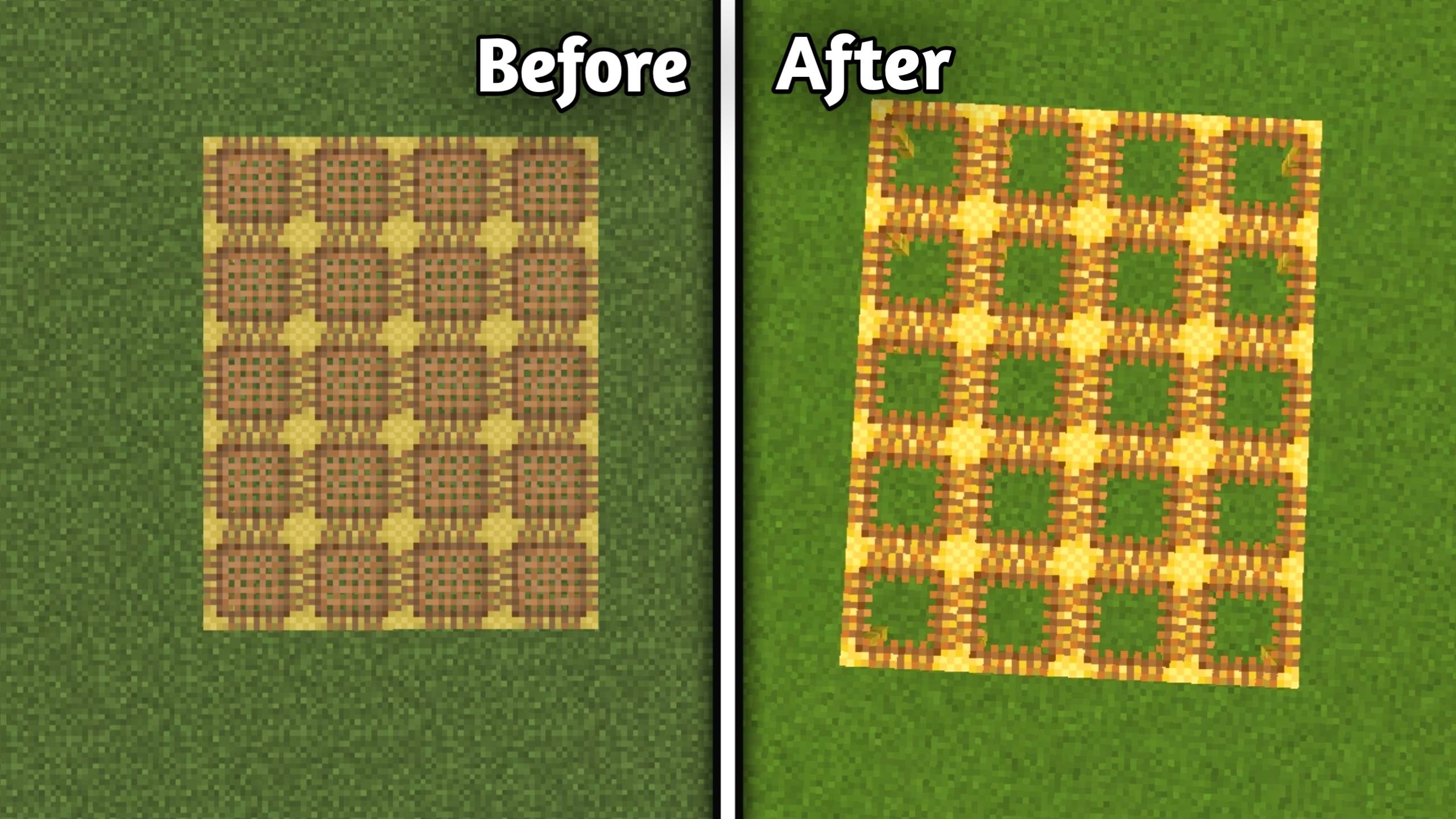
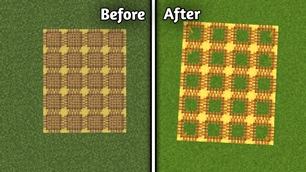
  • Variated Grass

alt text

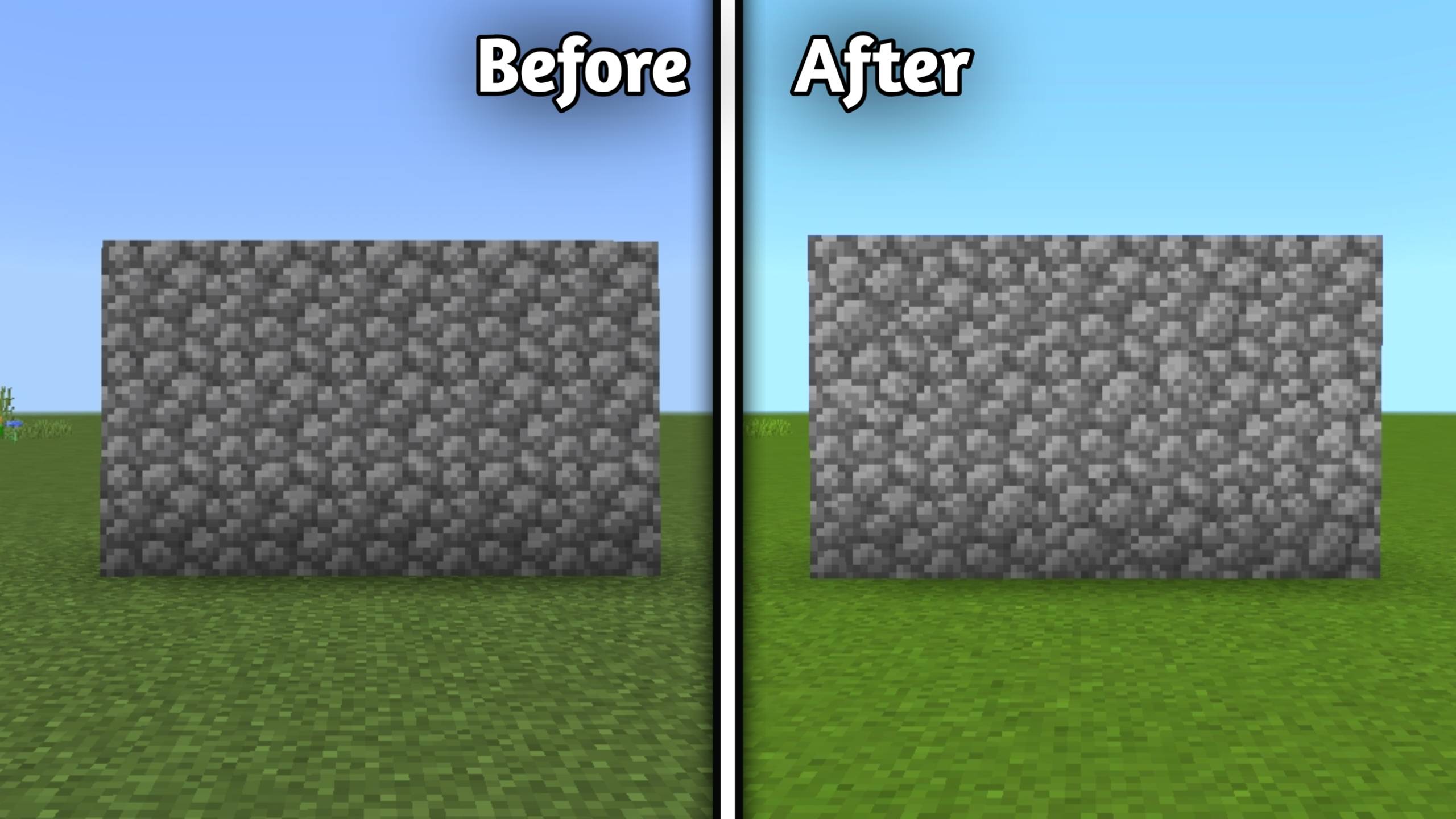
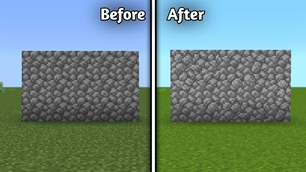
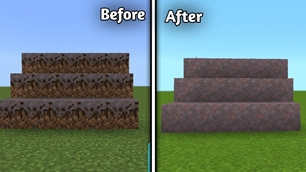
  • Variated Cobblestone

p

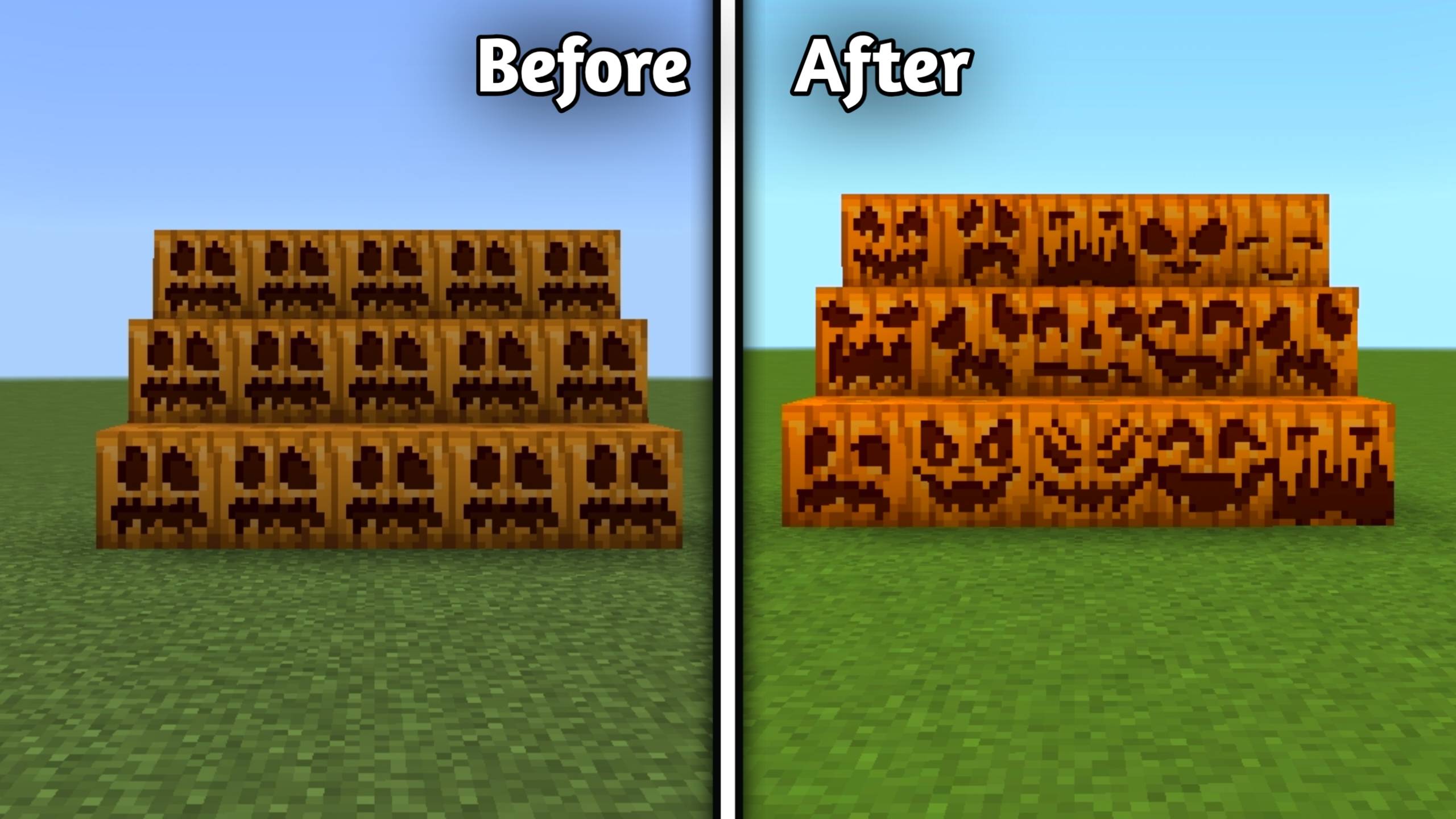
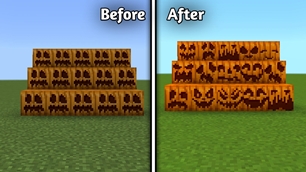
  • Variated Carved Pumpkins

q


🔇 Peace & Quiet

  • Quieter Rain
  • Quieter Thunder
  • Quieter Explosions
  • Quieter Dispensers & Droppers
  • Quieter Fire
  • Quieter Minecarts
  • Quieter Nether Portals
  • Quieter Water
  • Quieter Consumables
  • Quieter Pistons
  • No Cave Sounds
  • Quieter Sculk Sensors & Shriekers

🔇 Quieter Mobs

Includes quieter sounds for most mobs including:

  • Allays
  • Axolotls
  • Bees
  • Blazes
  • Cats
  • Chickens
  • Cows
  • Creepers
  • Endermen
  • Ghasts
  • Guardians
  • Villagers
  • Wardens
  • Wolves
  • Zombies and more.

Also includes:

  • No Ender Dragon Death Sound
  • No Wither Spawn Sound

🛠 Utility

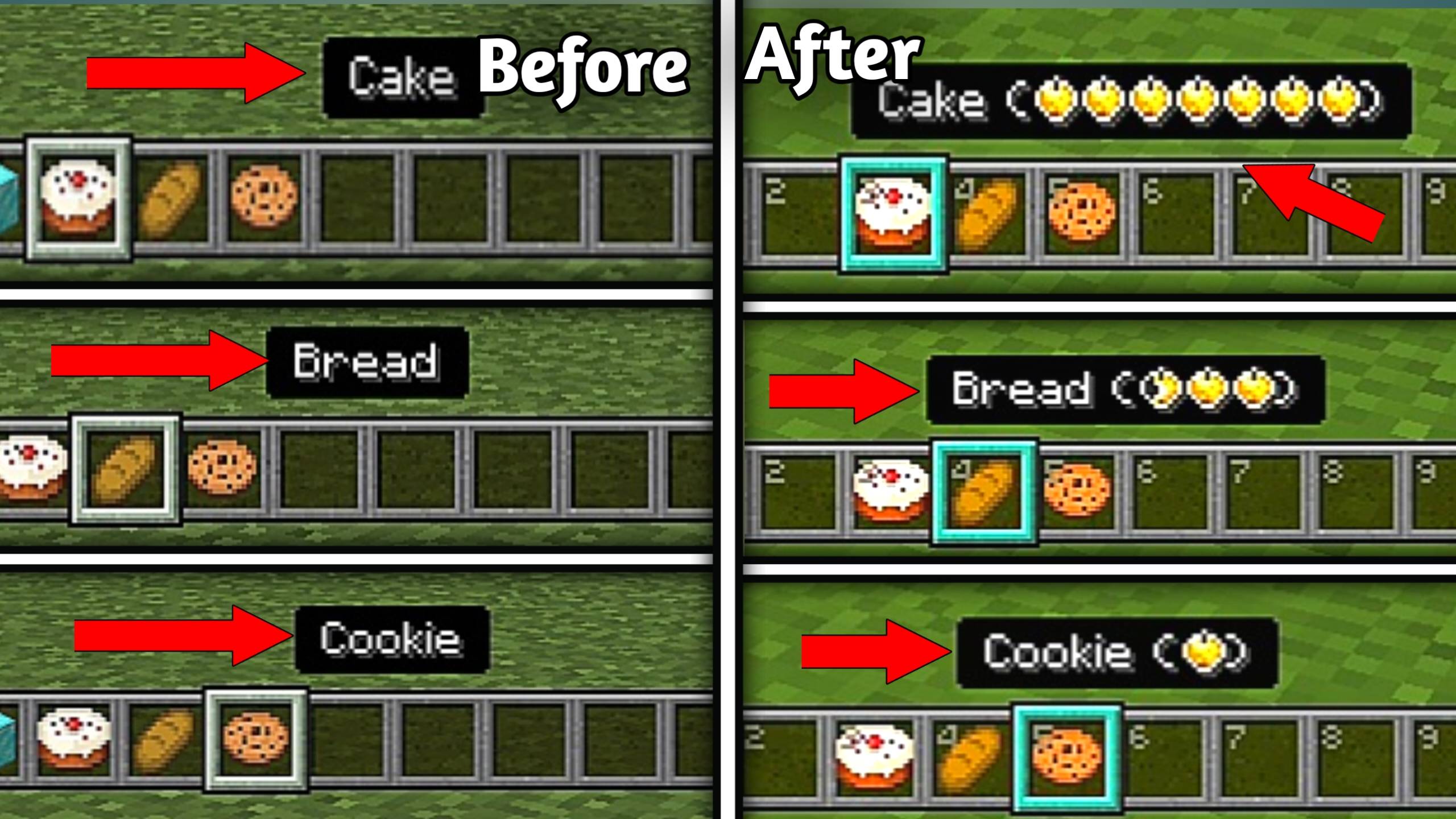
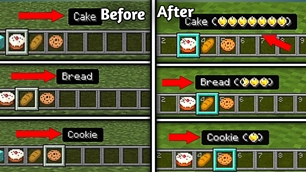
  • Hunger Preview

r

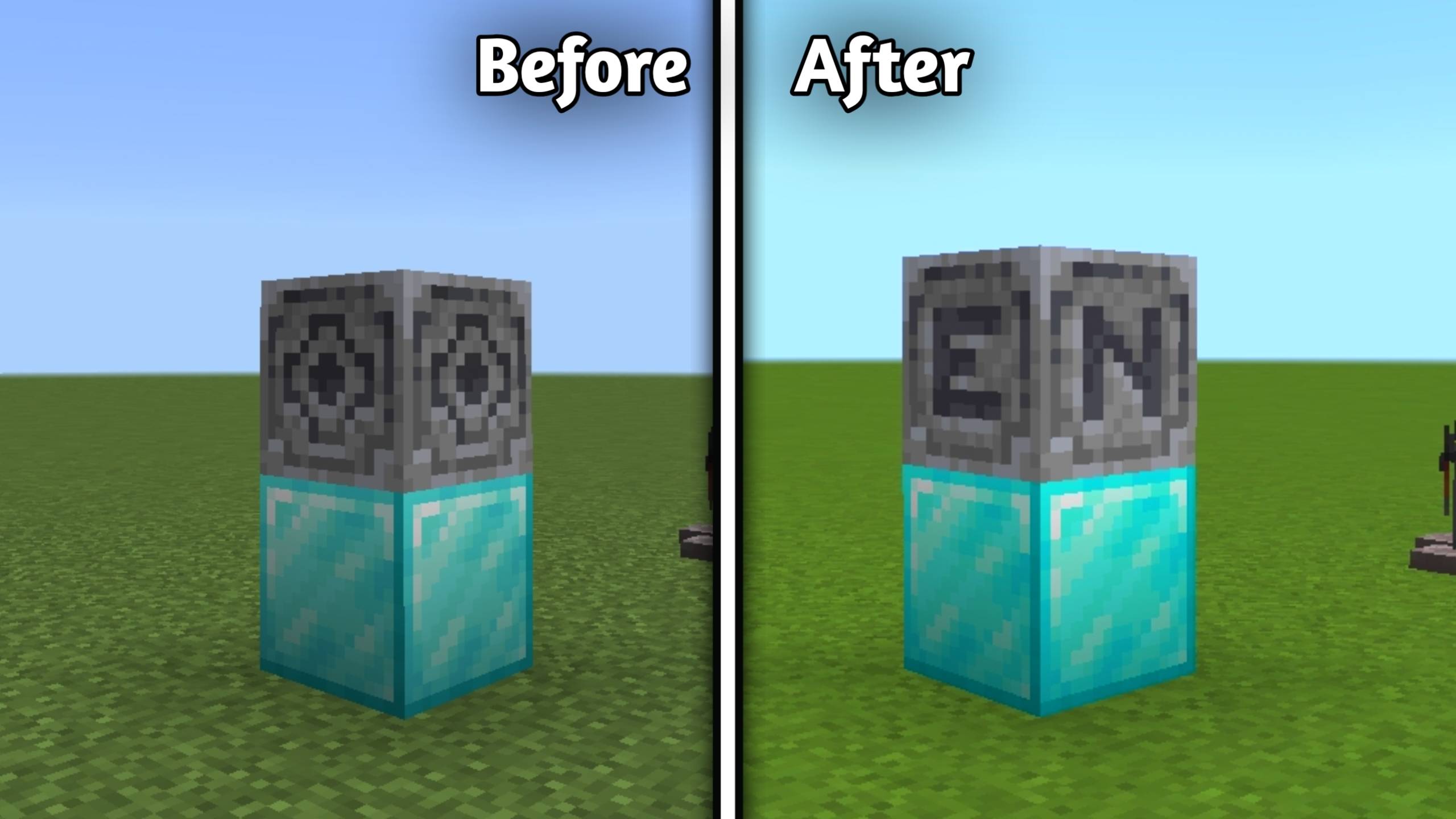
  • Compass Lodestone

s

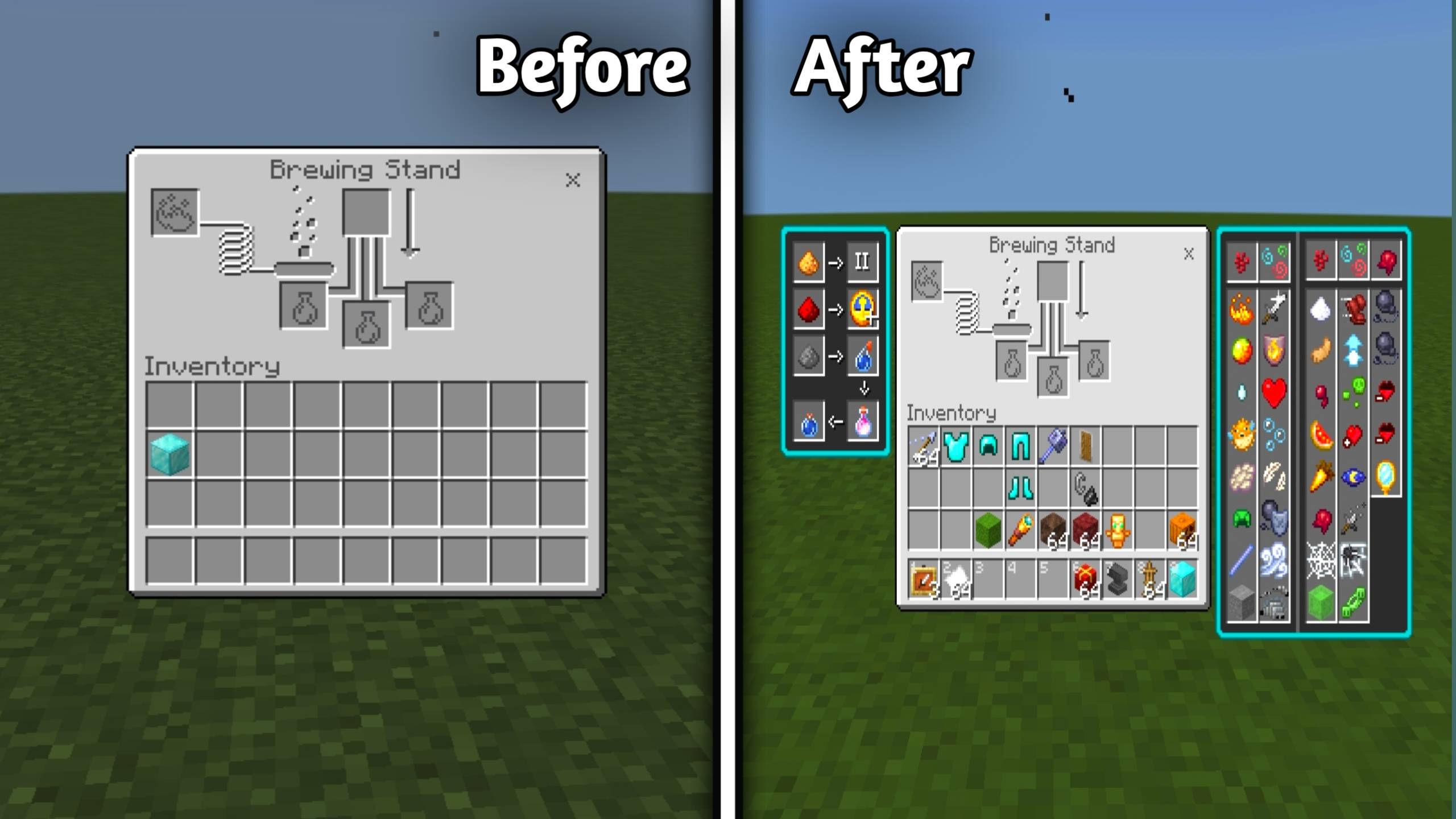
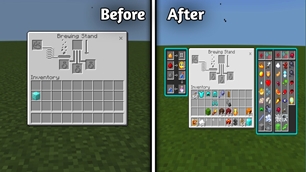
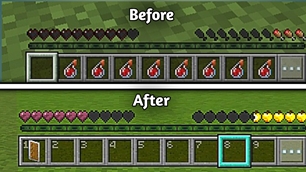
  • Brewing Guide

t

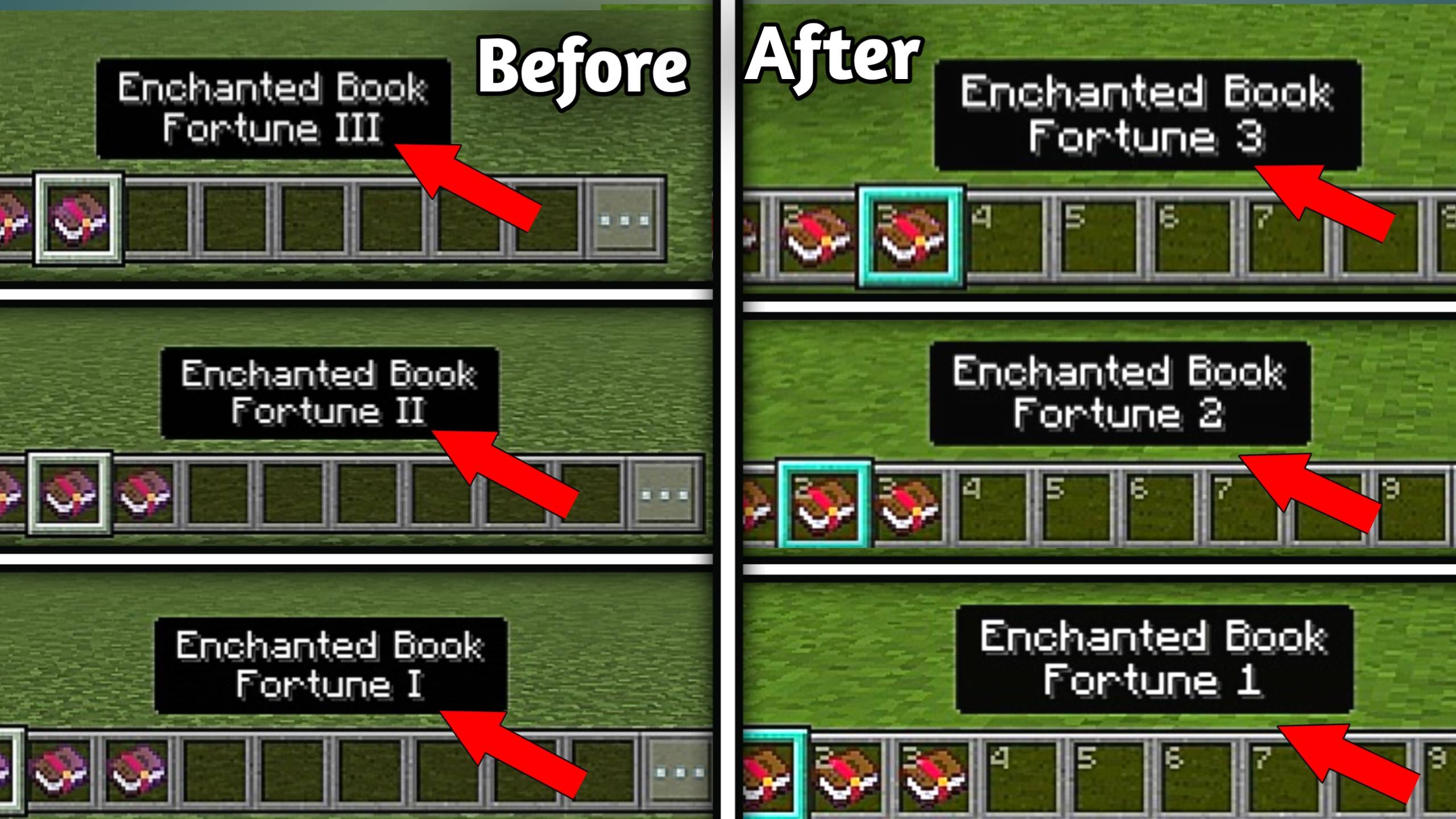
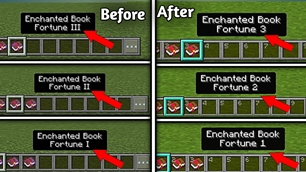
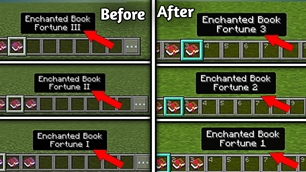
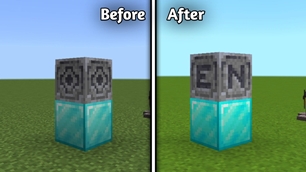
  • Arabic Numerals

u


🎯 Unobtrusive

  • Unobtrusive Enchantment Glint

alt text

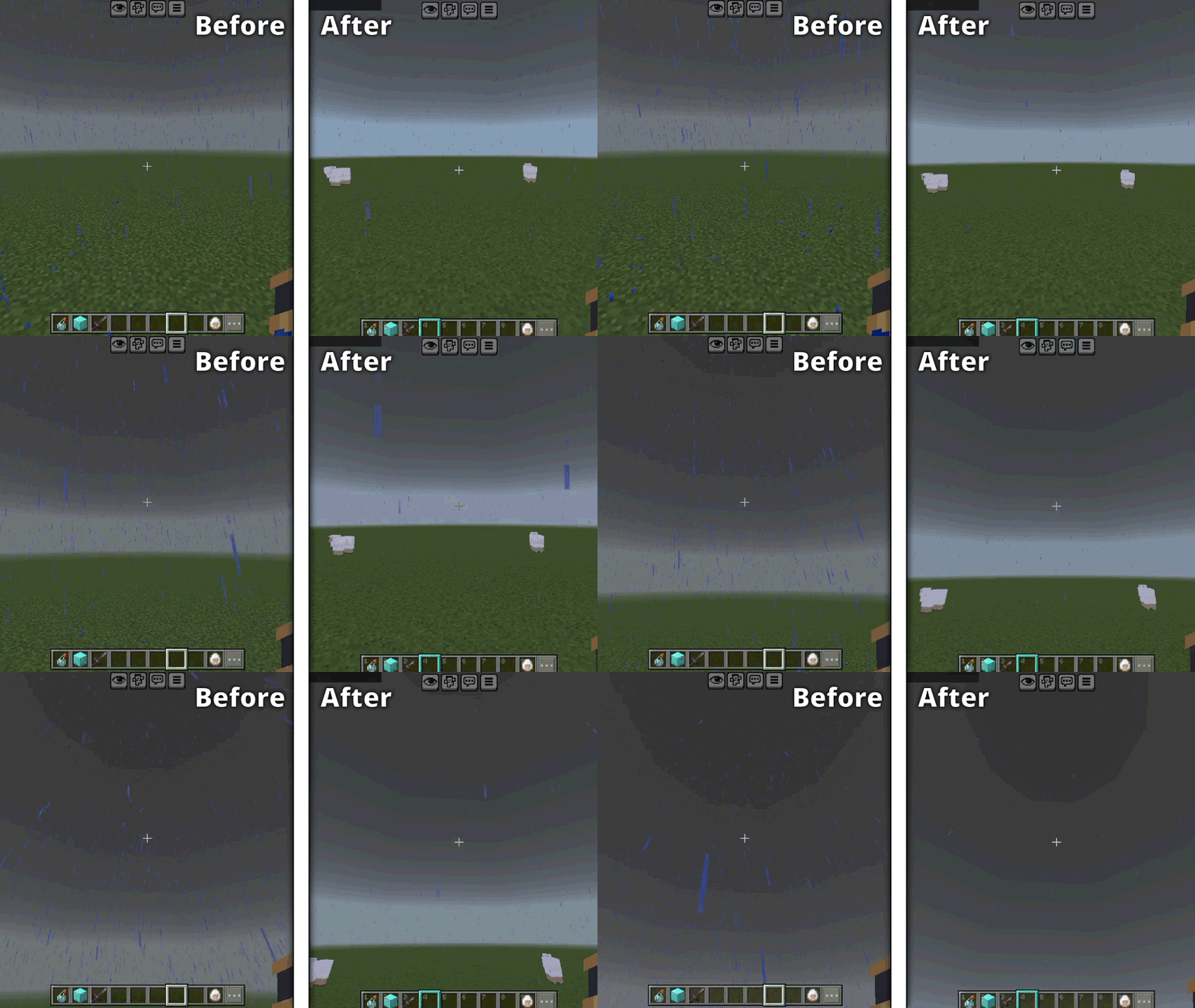
  • Unobtrusive Rain

v

  • Unobtrusive Snow

w

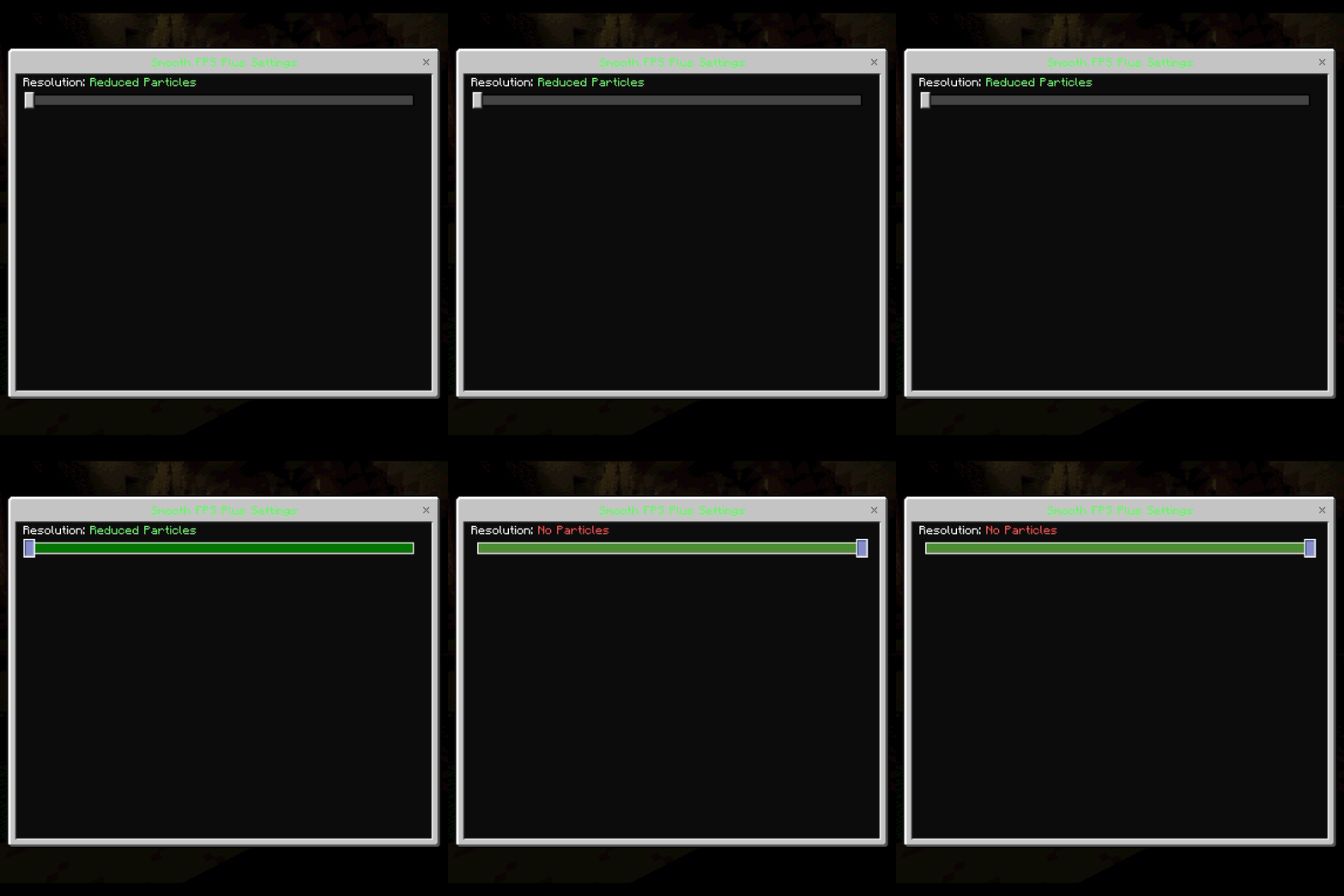
  • 📦 Reduced Particles (New Subpack)

  • 📦 No Particles (New Subpack)

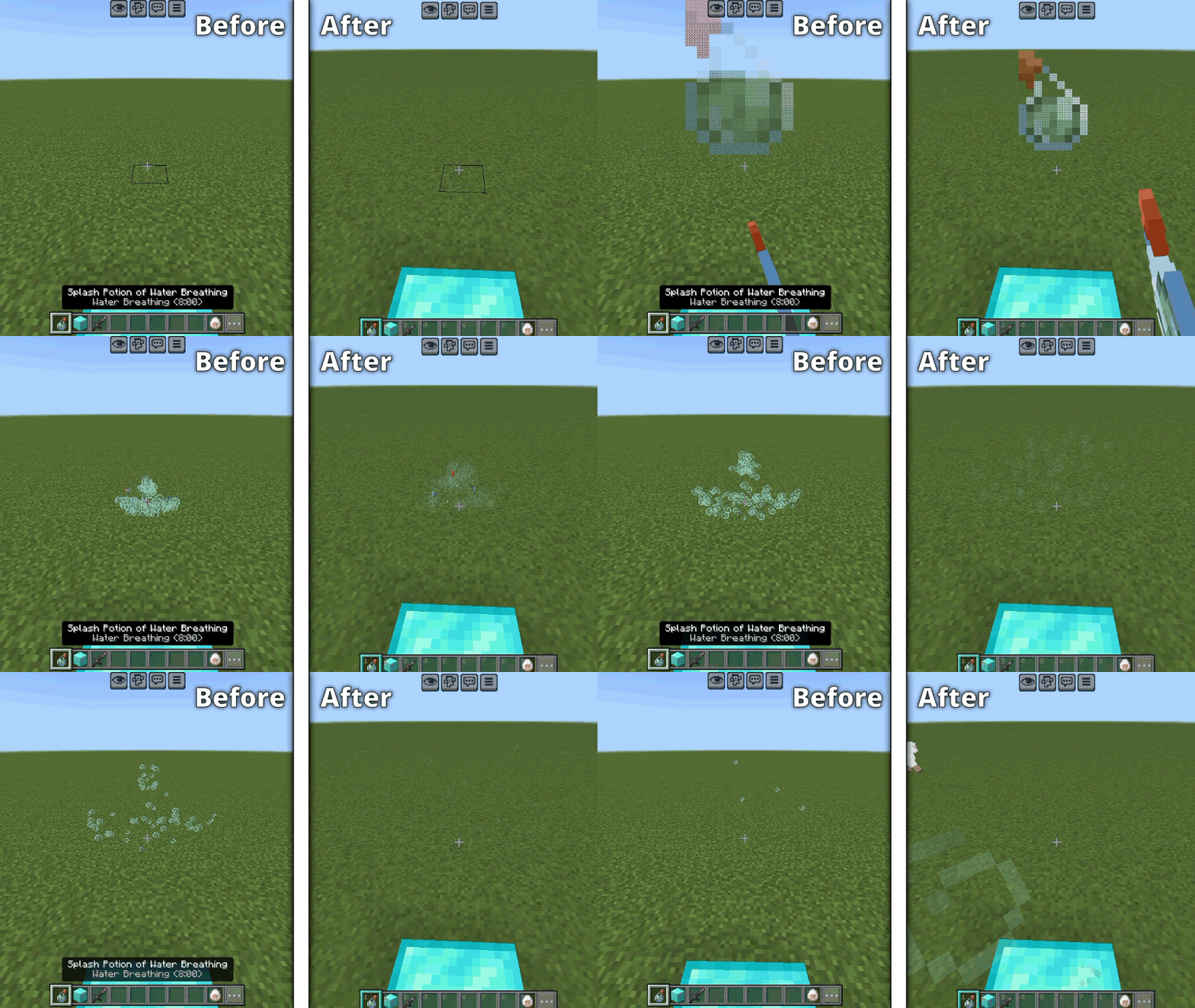
  • Unobtrusive Particles

x

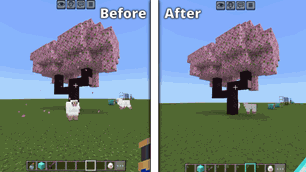
  • No Falling Leaf Particles

y

  • Unobtrusive Scaffolding

alt text

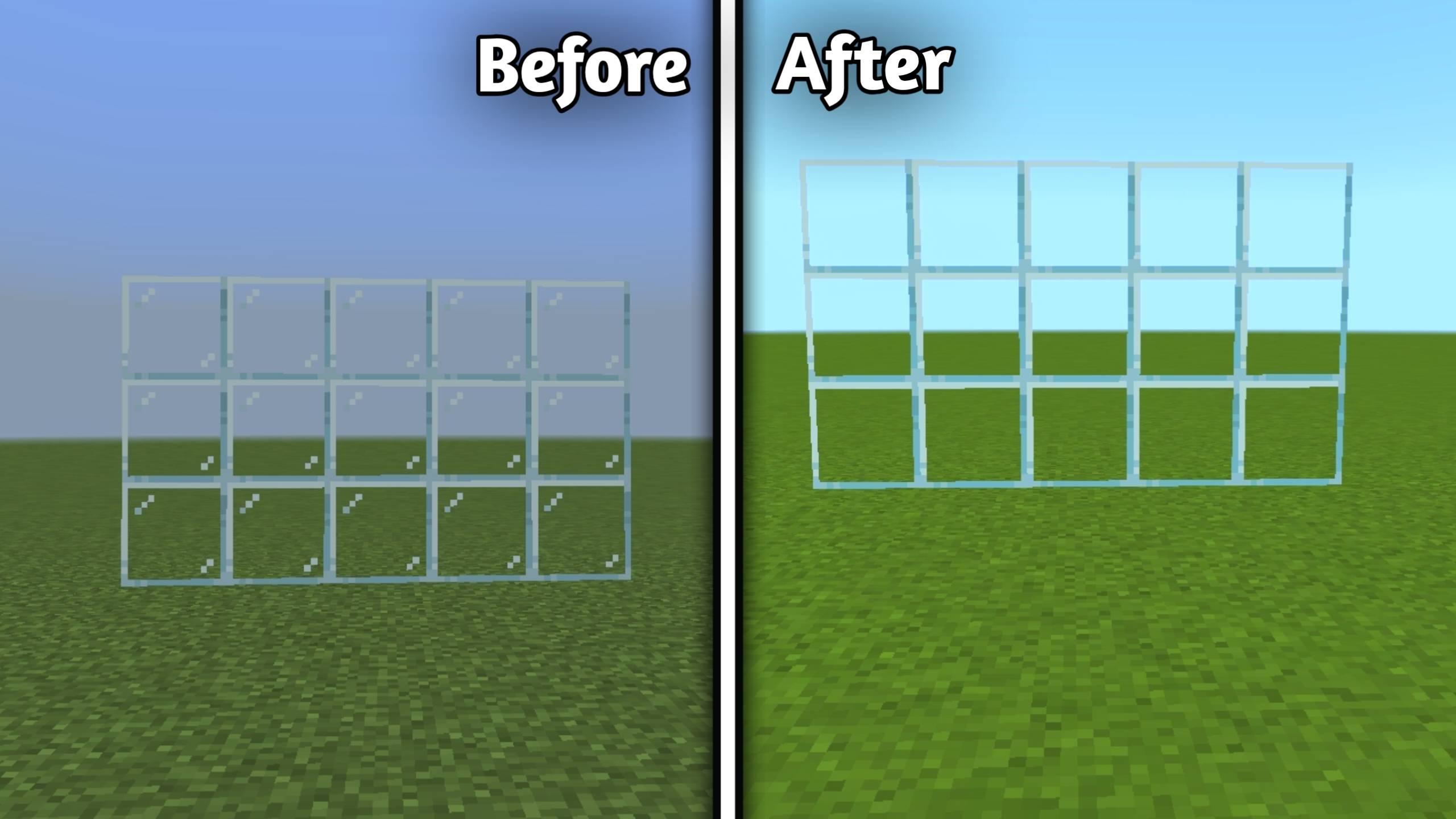
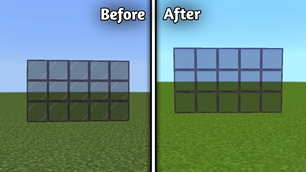
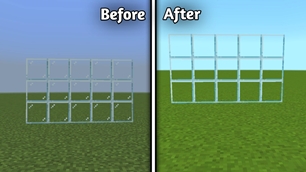
  • Clean Glass

z

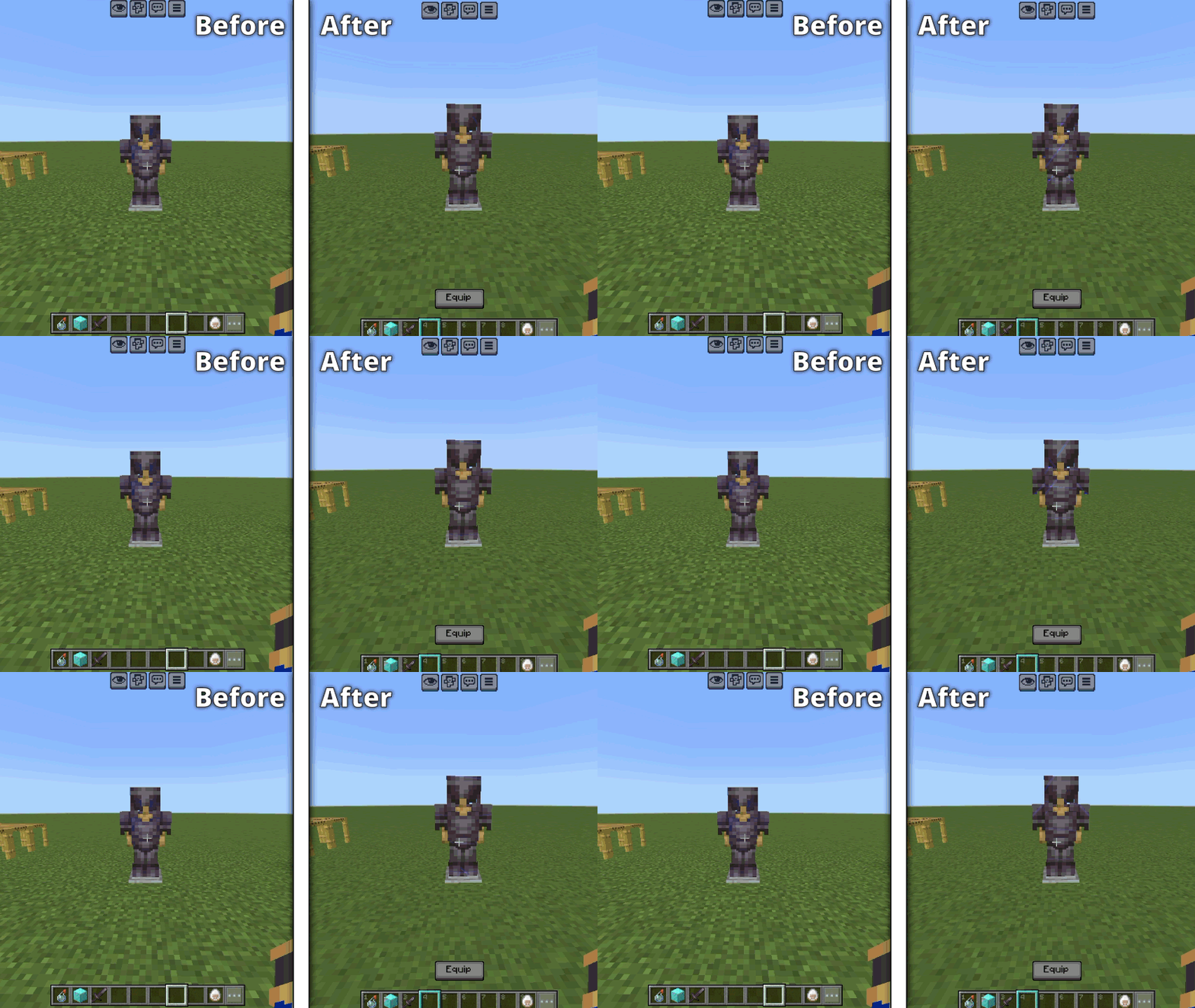
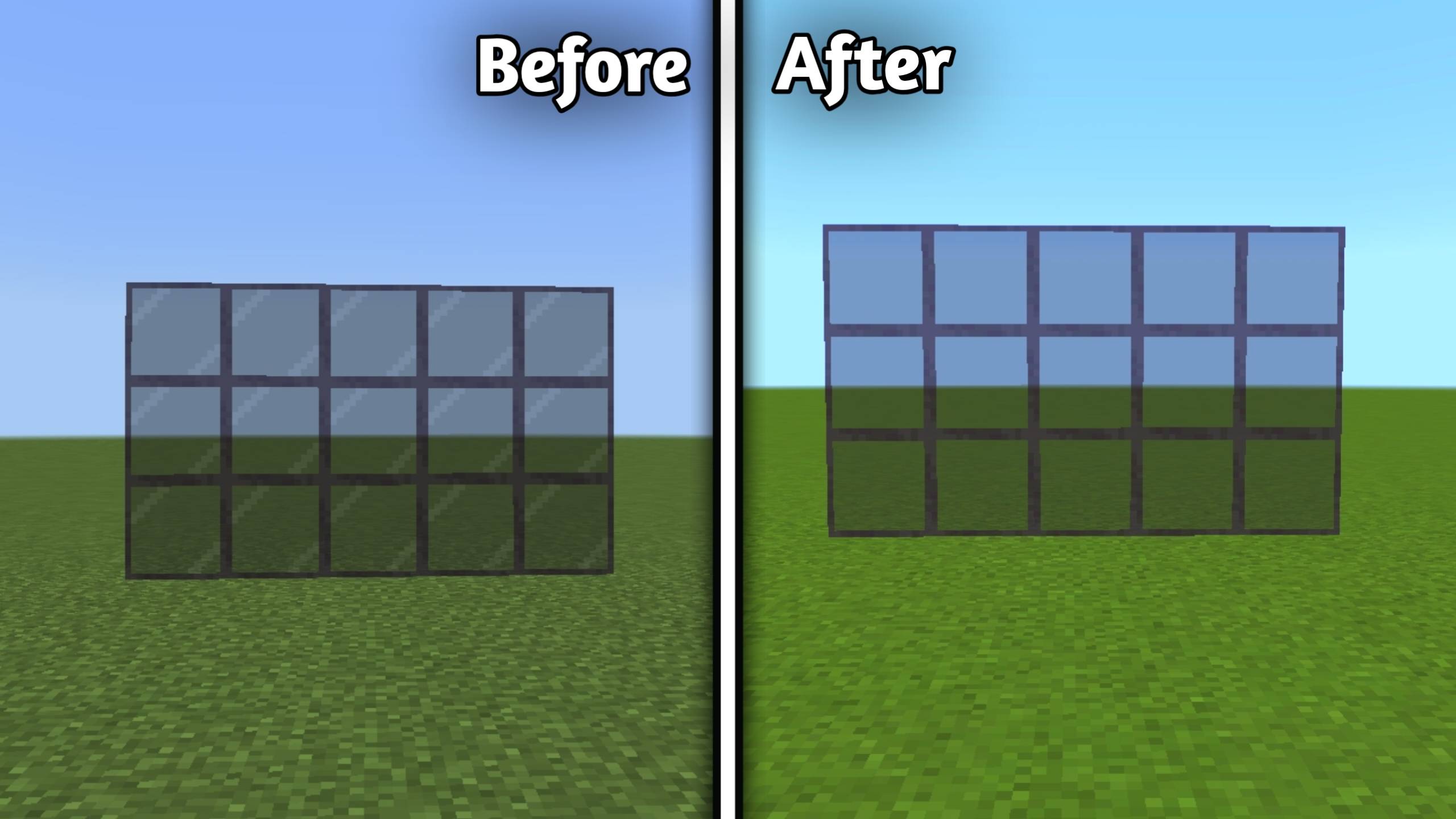
  • Clean Tinted

1

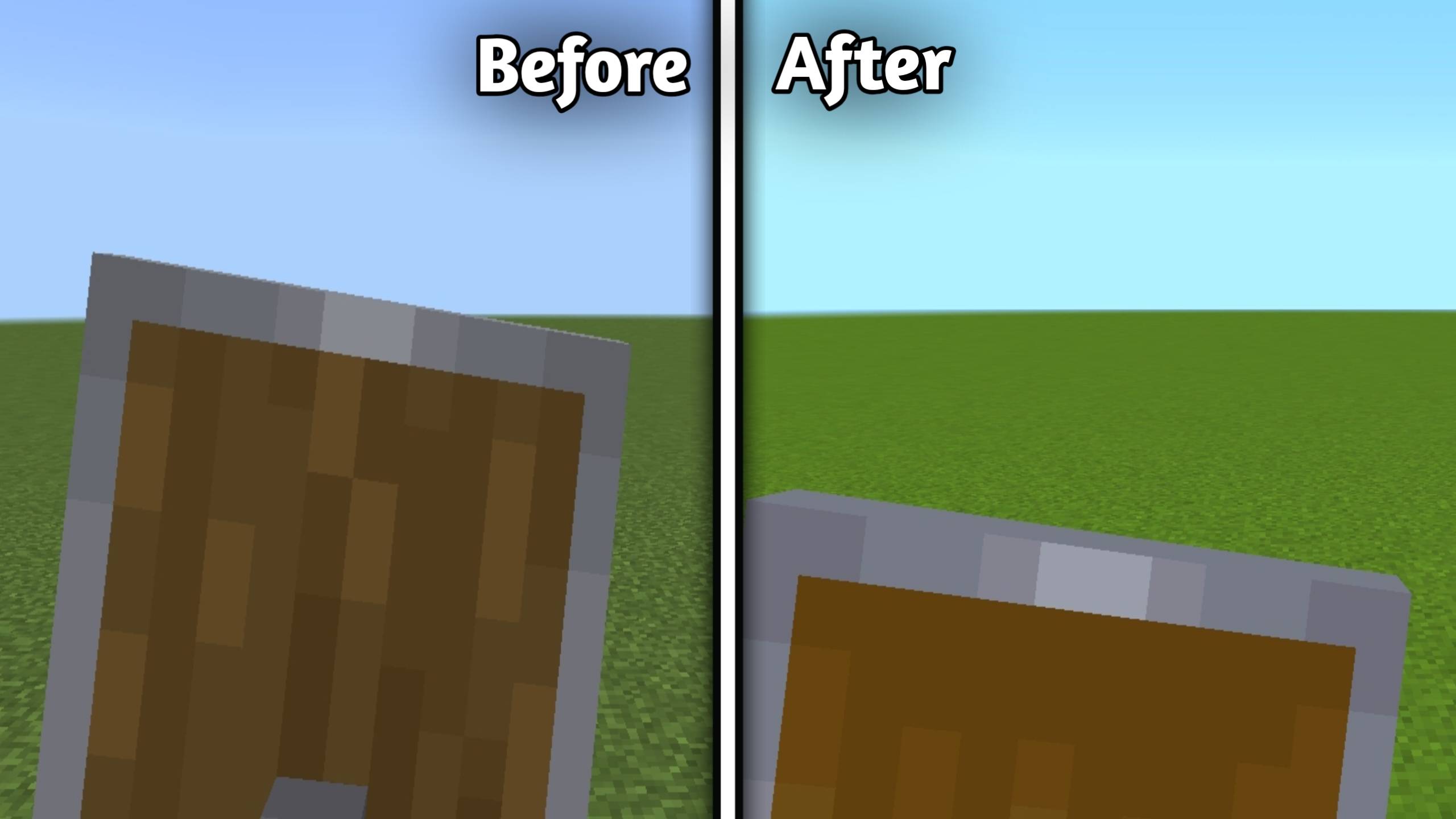
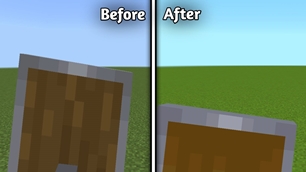
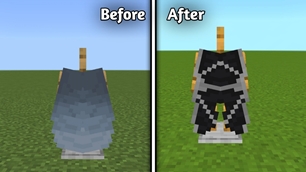
  • Lower Shield

alt text

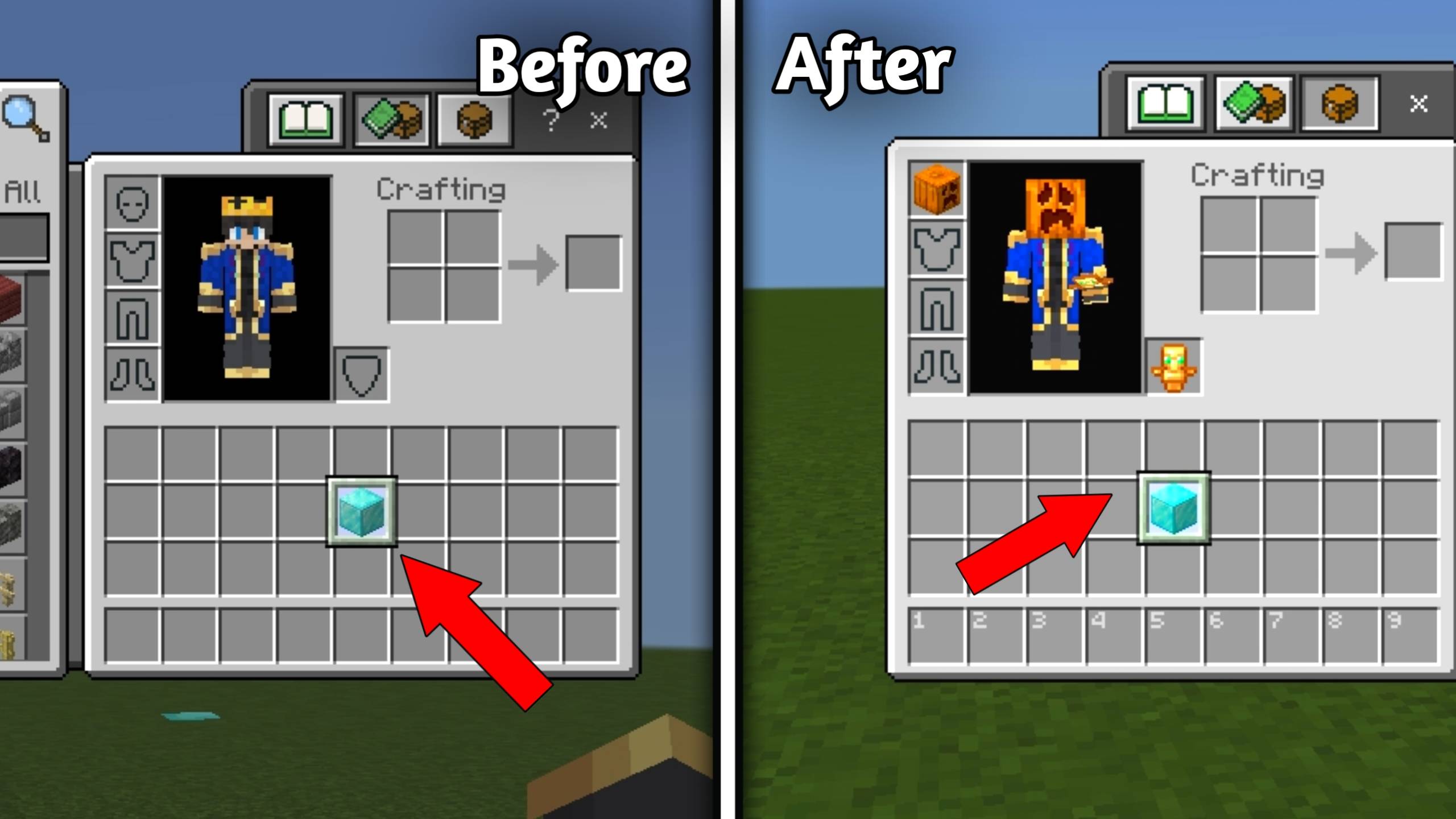
  • No Pumpkin Overlay

alt text

  • No Spyglass Overlay

alt text

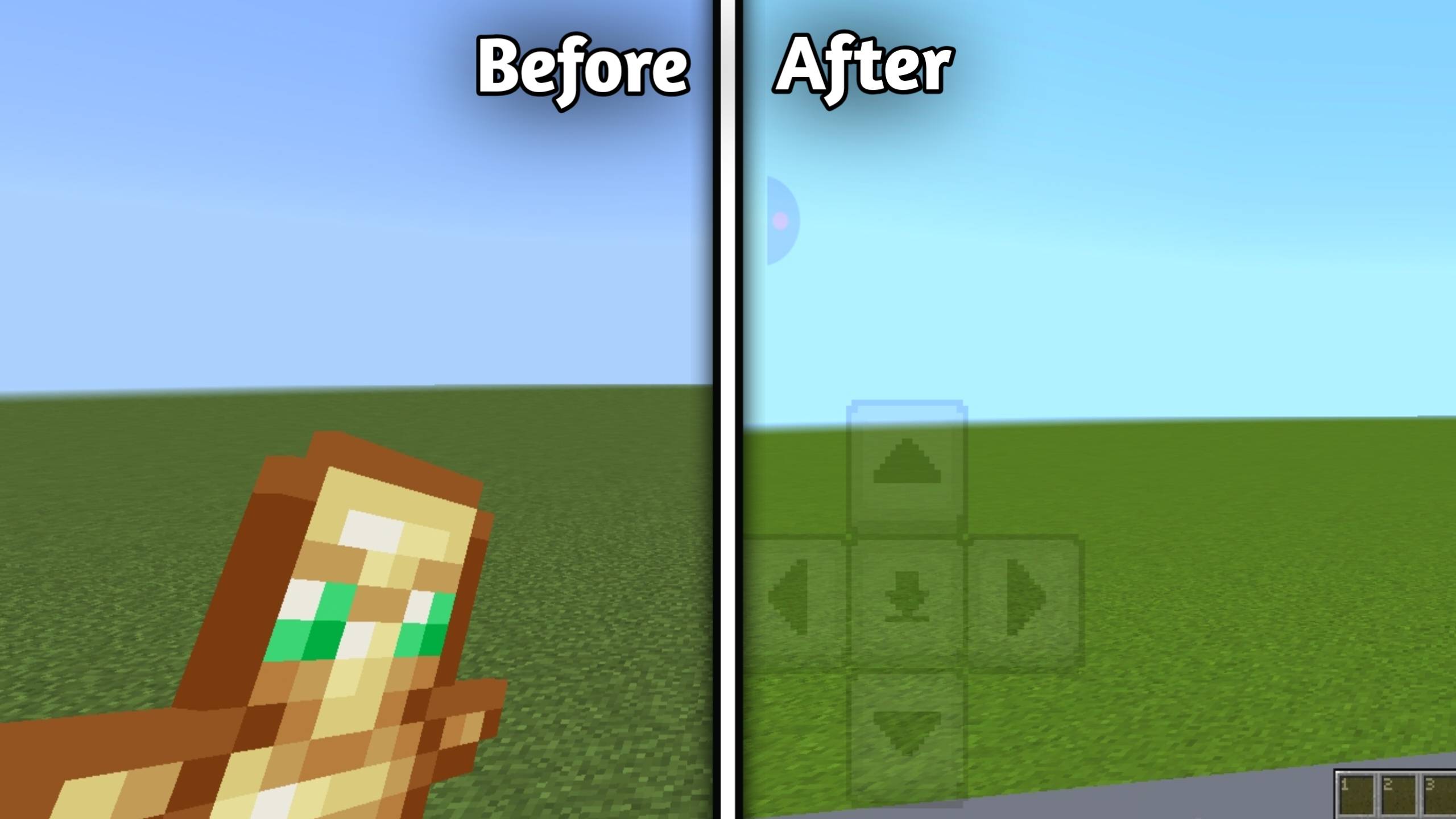
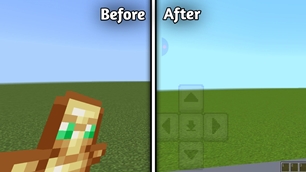
  • Invisible Totem

alt text

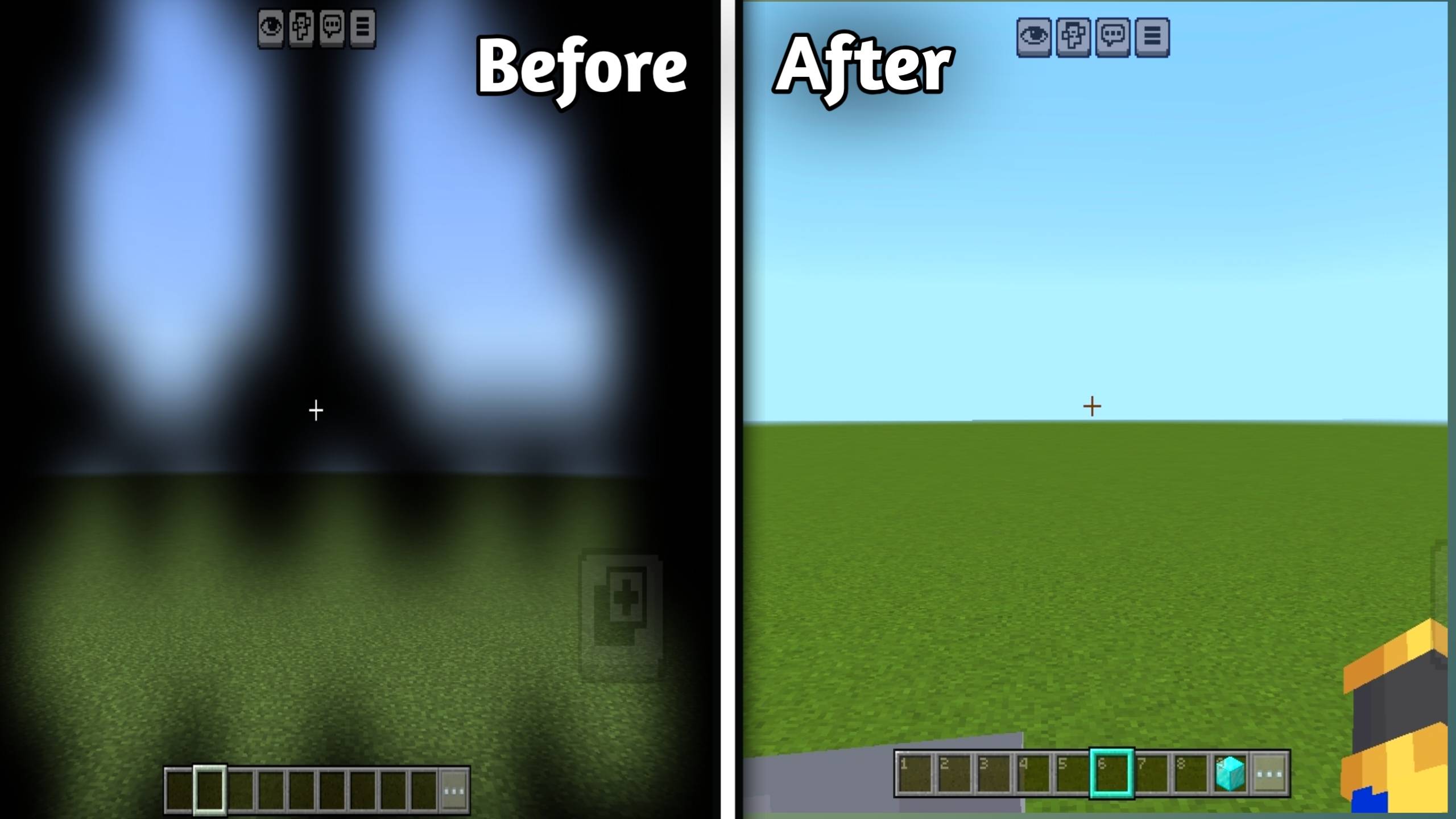
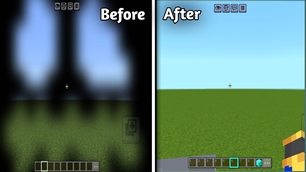
  • No Vignette

alt text

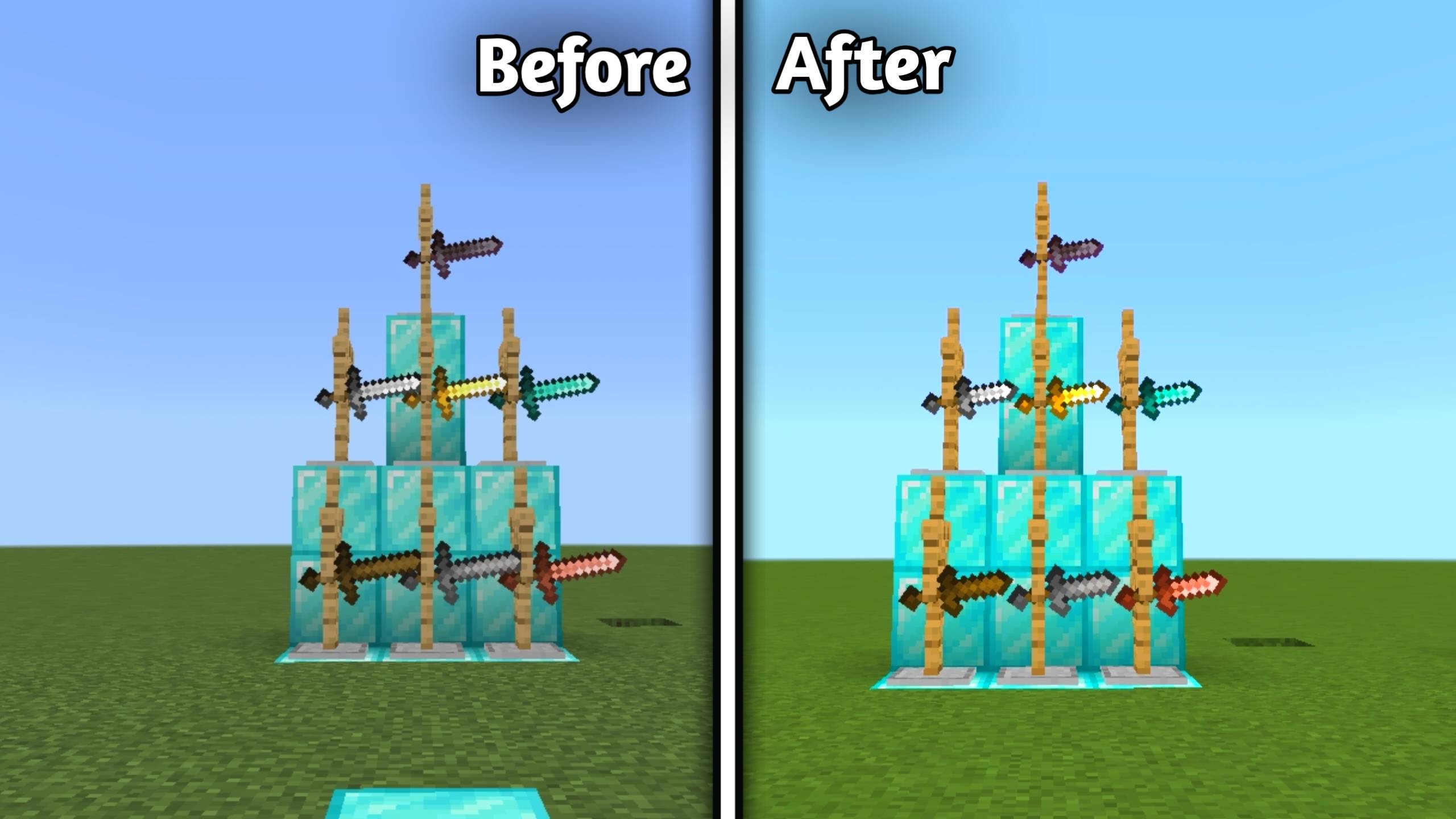
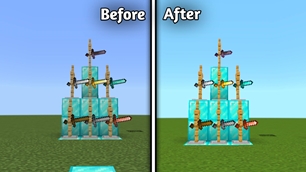
  • Short Swords

alt text


🎮 GUI

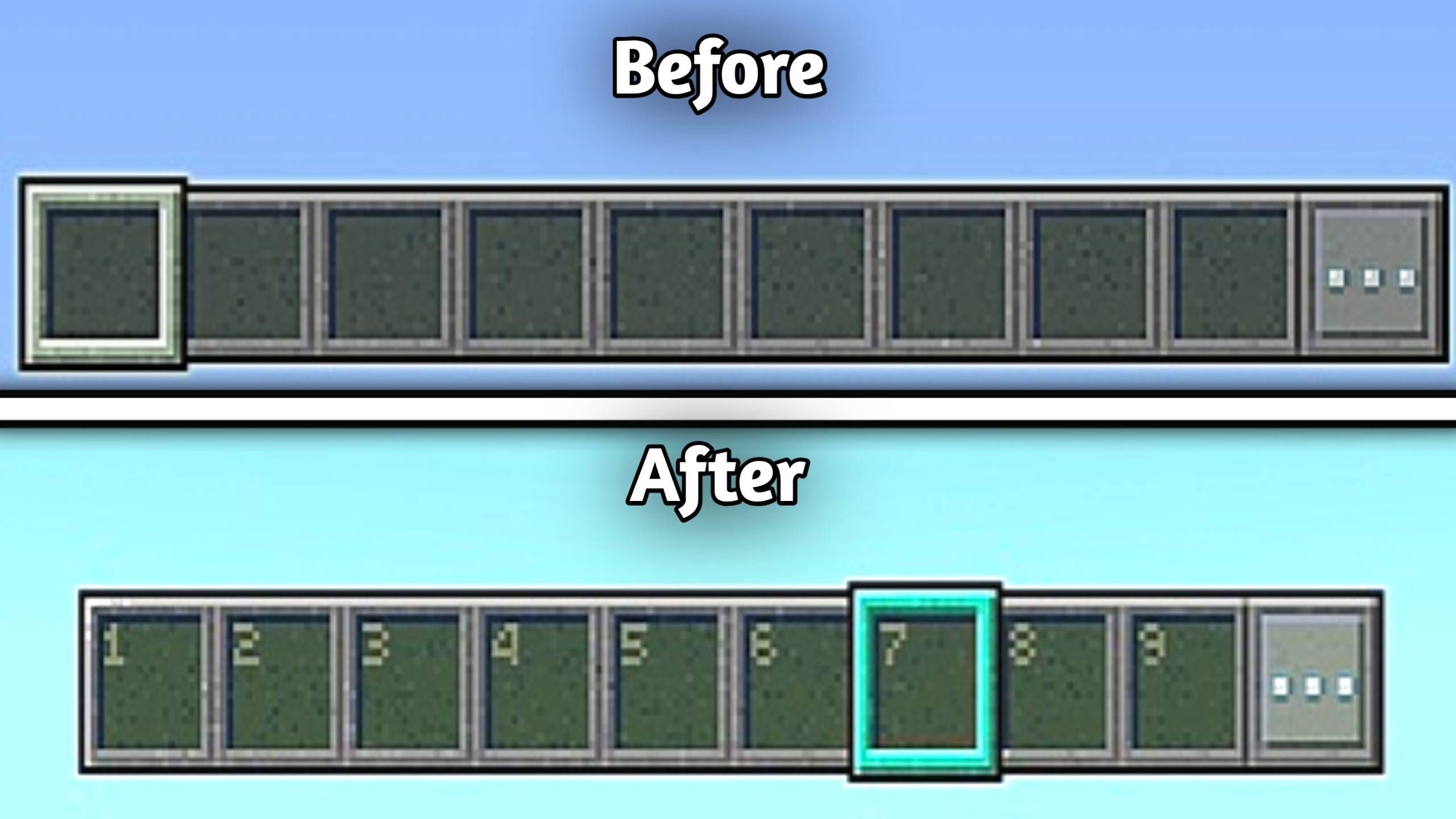
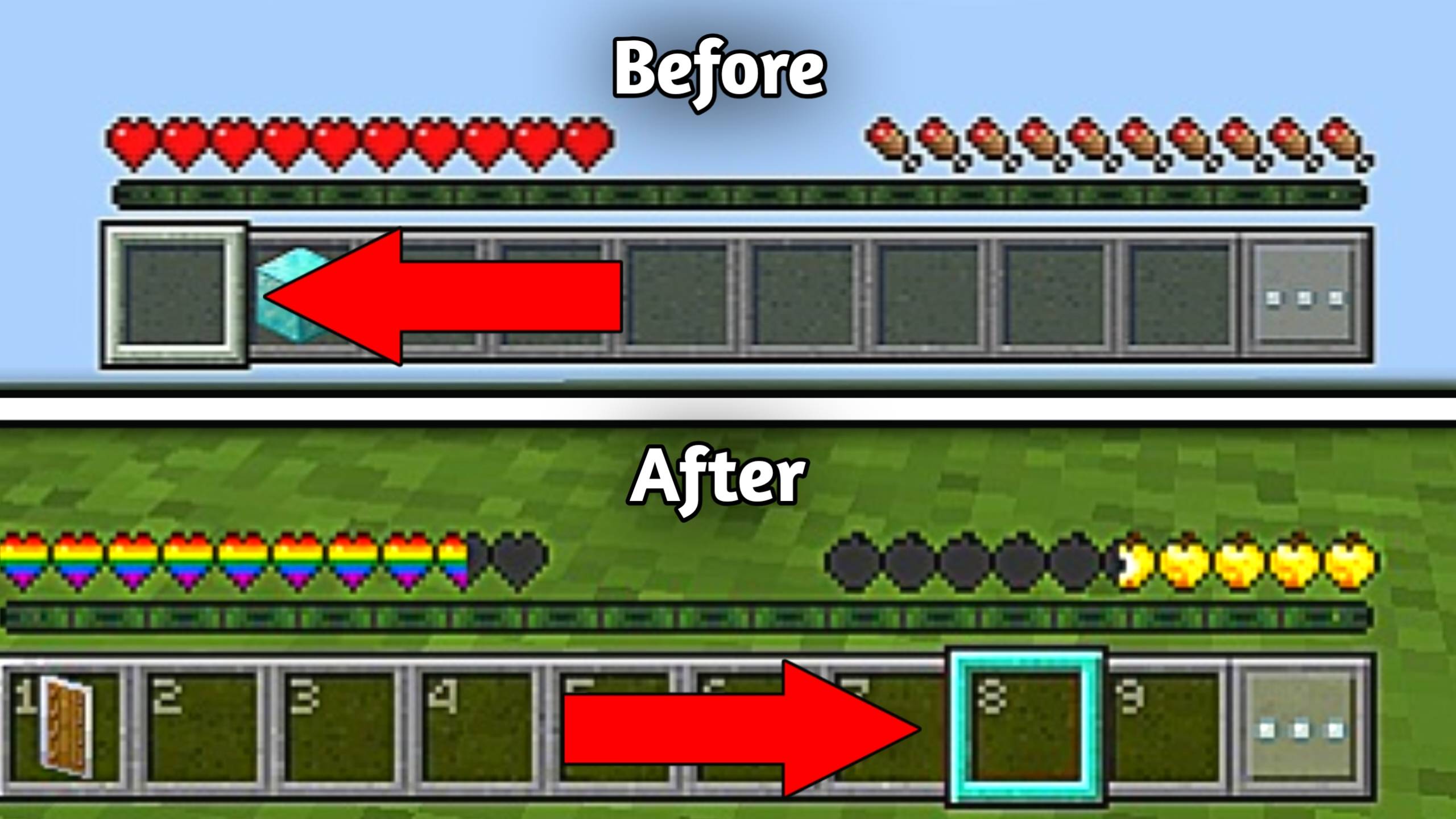
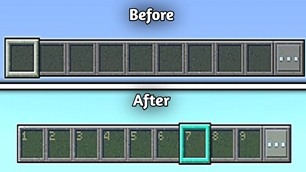
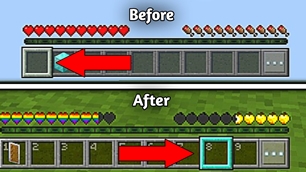
  • Numbered Hotbar

alt text

  • Hotbar Style Slot Highlight

alt text

  • Clearer Wither Hearts

alt text

  • Translucent Tooltips

![alt text]()

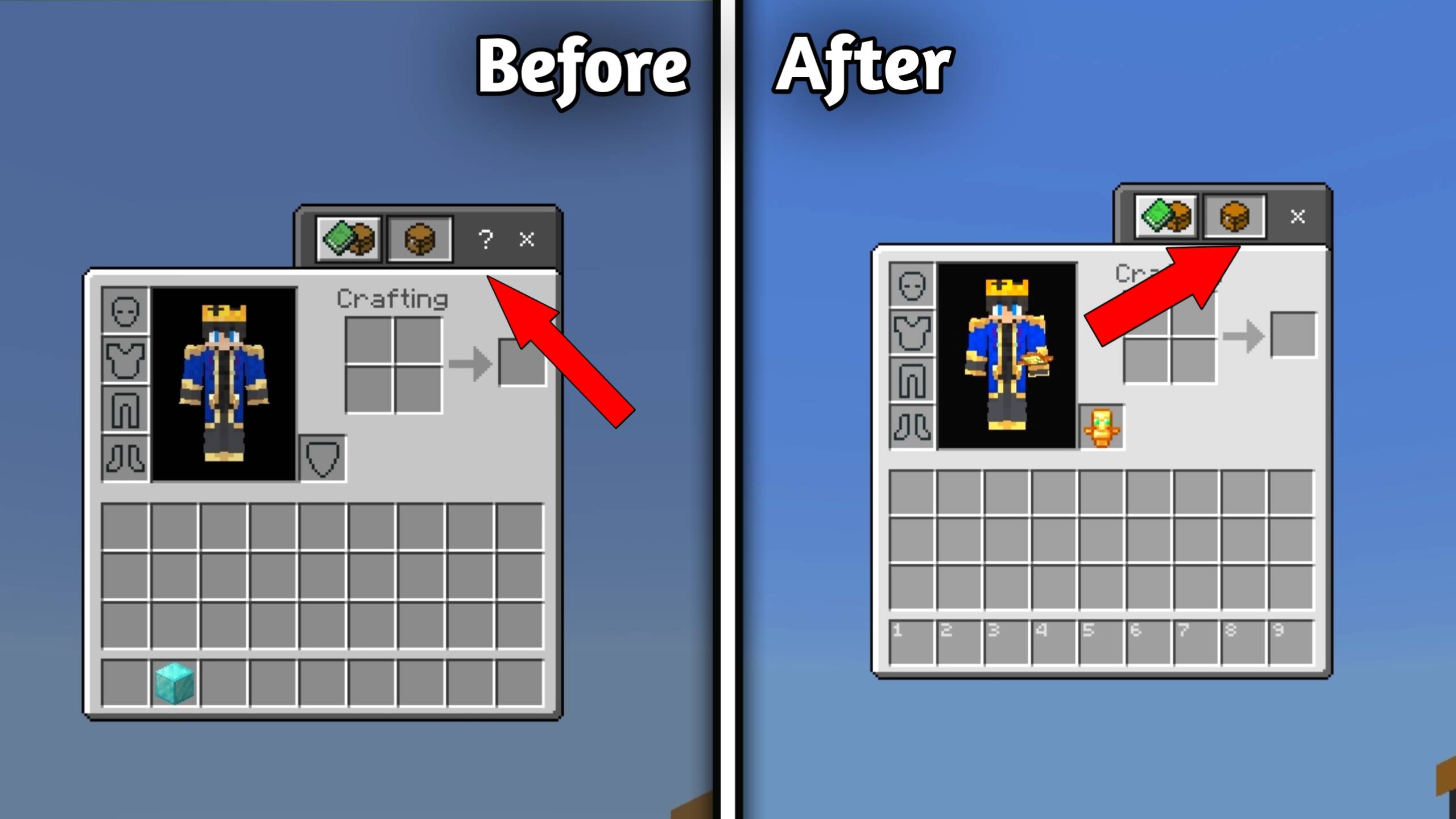
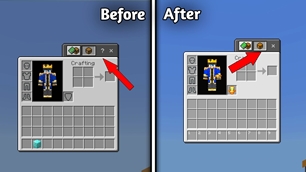
  • No How To Play

alt text

🎨 GUI Extras

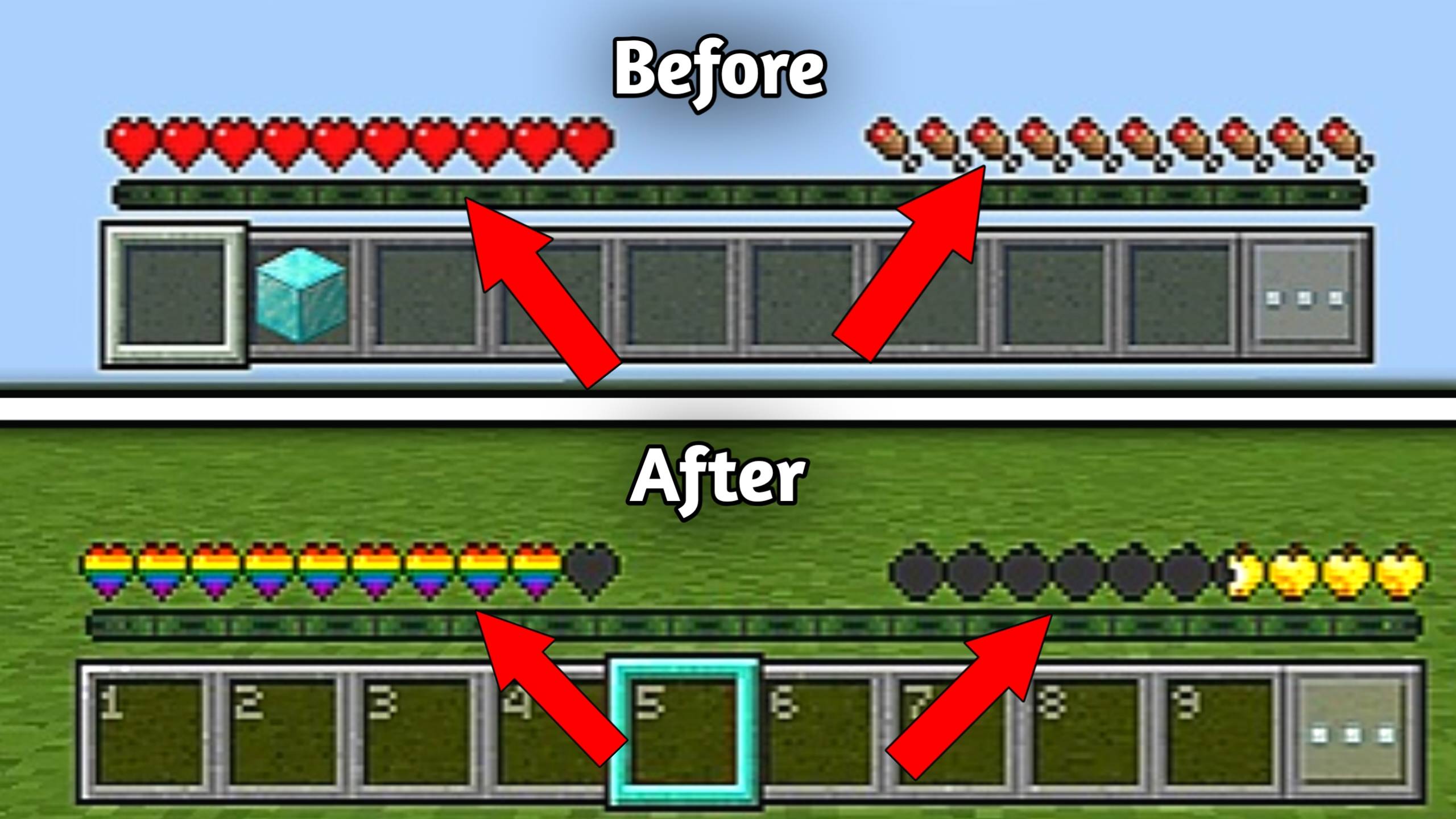
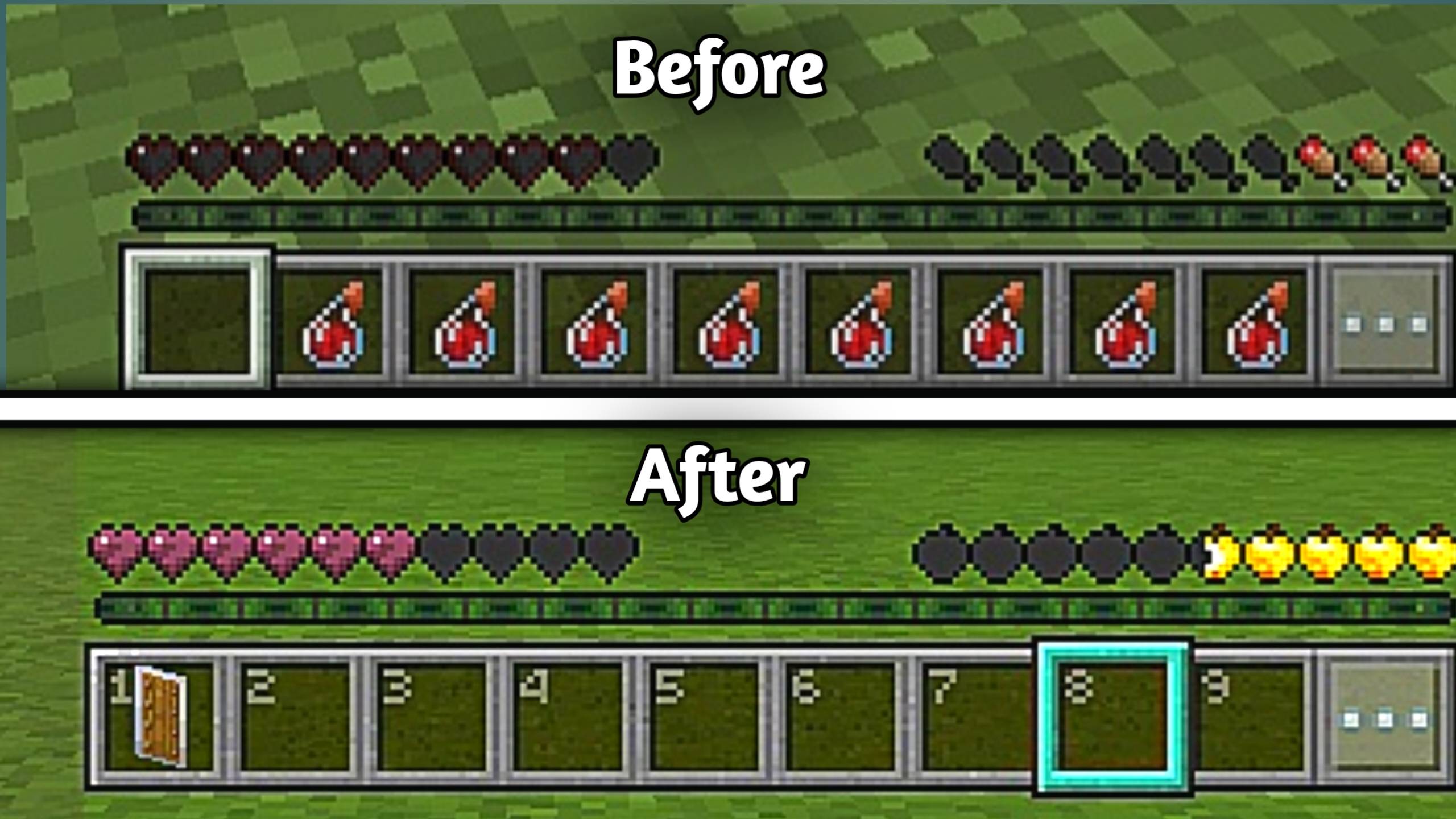
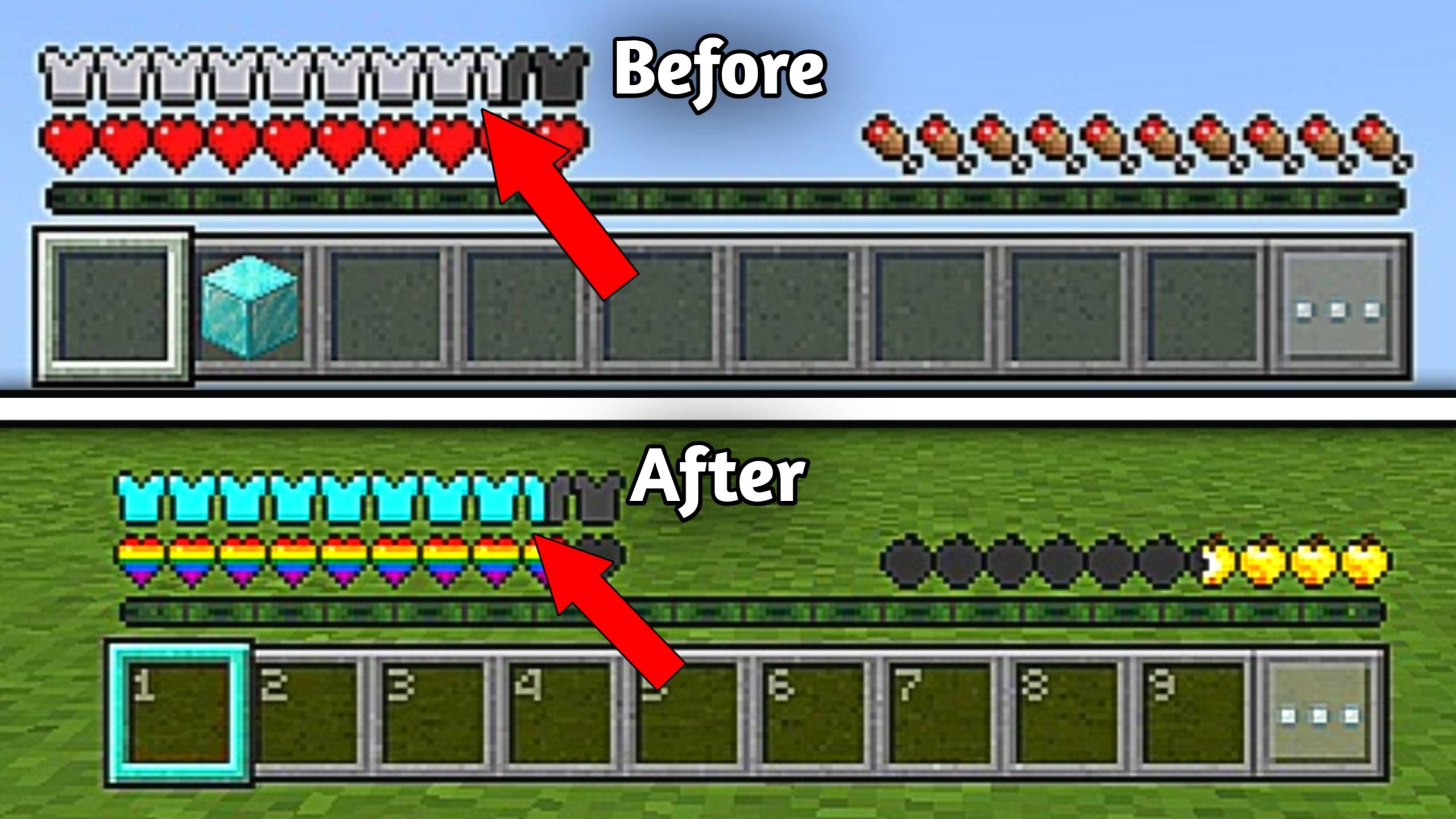
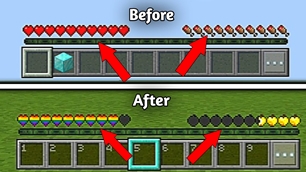
  • Pride Hearts & Golden Apple Hunger Bar

alt text

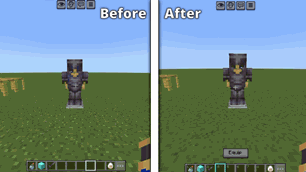
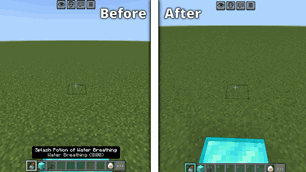
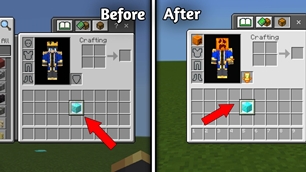
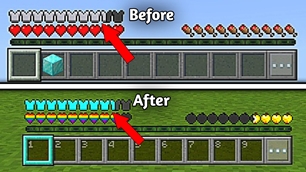
  • Diamond Armor Bar

alt text

  • Light Blue Hotbar Selector

alt text


🎄 Fun

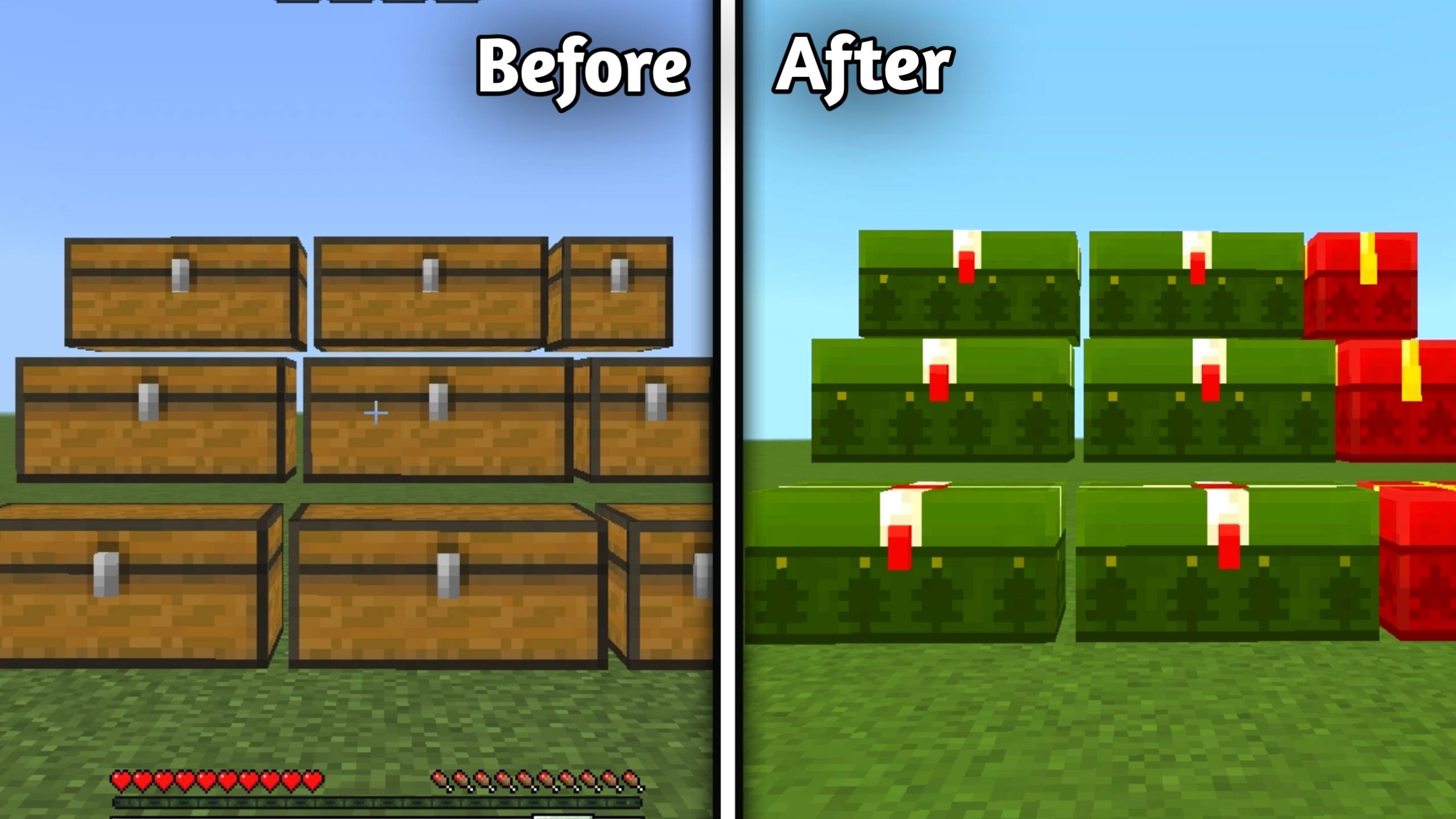
  • I Wish It Could Be Christmas Everyday

alt text


📦 Performance Subpacks (NEW)

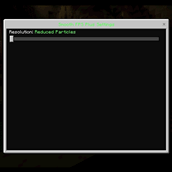
Choose the performance mode that best fits your device.

🟢 Reduced Particles

Perfect balance between visuals and performance.

  • Less visual clutter

  • Better FPS

  • Keeps important particles visible

🔴 No Particles

Maximum performance for low-end devices.

  • Removes most particles

  • Highest FPS boost

  • Best for PvP & survival

alt text

💡 Tip: You can switch between subpacks anytime from the Resource Pack settings without reinstalling the pack.


🚀 How To Use

  1. Download and import the pack.

  2. Enable Smooth FPS Plus in Global Resources.

  3. (Optional) Select a Particle Subpack:

    • Reduced Particles
    • No Particles
  4. Move the pack to the top of your active resource packs.

  5. Launch your world and enjoy smoother gameplay with improved visibility.


👤 Creator's Info

Author: Kareo Gamerz


📜 License

All Rights Reserved. This resource pack was created by Kareo Gamerz.

You are not allowed to redistribute, modify, or reupload this pack on any platform without permission.

You may create videos or showcase this pack on YouTube or social media, but please provide proper credit and link to the original CurseForge or MCPEDL page.

© 2025–2026 Kareo Gamerz – All Rights Reserved.

The Ultimate Guide to SMOOTH FPS PLUS

If you are exploring the vast world of Minecraft modifications, SMOOTH FPS PLUS by Kareo_Gamerz is a standout shader that deserves your attention. With over 5,772 downloads, it has become a staple for players looking to enhance their experience. As the creator describes it, this project is "A performance-focused resource pack that improves FPS with cleaner visuals, quieter sounds, reduced particles, and optimized UI while keeping gameplay smooth and readable.". Whether you are a veteran builder constructing massive cities, or simply a casual player looking to upgrade your survival world, this guide will provide you with all the essential details on how SMOOTH FPS PLUS alters the game.

What Makes It Special?

Unlike standard shaders that simply alter superficial elements, SMOOTH FPS PLUS digs deep into the game's engine to provide a cohesive, performance-focused experience. Kareo_Gamerz has clearly spent significant time refining the project to ensure that every aspect feels polished and responsive for version 1.21.

Installation Guide

Getting SMOOTH FPS PLUS up and running is straightforward. Follow these step-by-step instructions:

  1. Verify Your Version: Ensure your Minecraft launcher is set to version 1.21.
  2. Install Mod Loader (if required): If this is a mod, download the compatible loader (Forge, Fabric, NeoForge).
  3. Download the File: Click the secure download button above to retrieve the official file from CurseForge.
  4. Move the File: Place the downloaded file into your `mods`, `shaderpacks`, or `resourcepacks` folder depending on the shader type.
  5. Launch and Enjoy: Open Minecraft, navigate to the respective settings menu, and activate SMOOTH FPS PLUS.

Compatibility & Performance

Compatibility is robust. SMOOTH FPS PLUS is designed specifically for version 1.21, taking full advantage of the latest engine optimizations. Since this is heavily focused on optimization, you can expect significant frame rate improvements on both low-end and high-end hardware.


Details

Downloads:5,772
Created:3 months ago
Updated:1 month ago
Project ID:1520062
License:All Rights Reserved
Environment:Client

🤝 Join Community for Support

Need help installing this resource or want to see more showcases? Join our community!

Subscribe on YouTubeFollow on Instagram

SMOOTH FPS PLUS

Screenshot 0
Screenshot 1
Screenshot 2
Screenshot 3
Screenshot 4
Screenshot 5
Screenshot 6
Screenshot 7
Screenshot 8
Screenshot 9
Screenshot 10
Screenshot 11
Screenshot 12
Screenshot 13
Screenshot 14
Screenshot 15
Screenshot 16
Screenshot 17
Screenshot 18
Screenshot 19
Screenshot 20
Screenshot 21
Screenshot 22
Screenshot 23
Screenshot 24
Screenshot 25
Screenshot 26
Screenshot 27
Screenshot 28
Screenshot 29
Screenshot 30
Screenshot 31
Screenshot 32
Screenshot 33
Screenshot 34
Screenshot 35
Screenshot 36
Screenshot 37
Screenshot 38
Screenshot 39
Screenshot 40
Screenshot 41
Screenshot 42
Screenshot 43
Screenshot 44
Screenshot 45
Screenshot 46
Screenshot 47
Screenshot 48
Screenshot 49
K
Kareo_Gamerz
SHADERS CREATOR
Downloads6K
Version1.21
TypeSHADERS
File Size1.03 MB

About This shaders

A performance-focused resource pack that improves FPS with cleaner visuals, quieter sounds, reduced particles, and optimized UI while keeping gameplay smooth and readable.

⚡ Smooth FPS Plus

logo

Boost your FPS with cleaner visuals, reduced clutter, optimized UI, and improved visibility. Smooth FPS Plus combines aesthetic tweaks, terrain improvements, quieter sounds, utility features, and multiple performance options into one lightweight resource pack.

🆕 New in V1.0.1

  • 🌊 Clear Water

  • 🌋 Clear Lava

  • 🌫️ No Fog (Overworld, Nether & End)

  • 📦 New Particle Subpacks:

    • Reduced Particles
    • No Particles

✨ Aesthetic

  • Glass Doors

a

  • Trapdoors

b

  • 2D Spyglass

c

  • Flint Tipped Arrows

d

  • Golden Crown

e

  • Dragon Elytra

f


❄️ Terrain

  • Whiter Snow

g

  • 🌊 Clear Water (New)

alt text

alt text

  • 🌋 Clear Lava (New)

alt text

  • 🌫️ No Fog in Overworld, Nether & End (New)

alt text


🌿 Full Sided Blocks

  • Full Grass Sides

h

  • Full Snowy Grass Sides

i

  • Full Mycelium Sides

j

  • Full Dirt Path Sides

k

  • Full Podzol Sides

l

  • Full Crimson Nylium Sides

m

  • Full Warped Nylium Sides

n


🌱 Variations

  • Variated Grass

alt text

  • Variated Cobblestone

p

  • Variated Carved Pumpkins

q


🔇 Peace & Quiet

  • Quieter Rain
  • Quieter Thunder
  • Quieter Explosions
  • Quieter Dispensers & Droppers
  • Quieter Fire
  • Quieter Minecarts
  • Quieter Nether Portals
  • Quieter Water
  • Quieter Consumables
  • Quieter Pistons
  • No Cave Sounds
  • Quieter Sculk Sensors & Shriekers

🔇 Quieter Mobs

Includes quieter sounds for most mobs including:

  • Allays
  • Axolotls
  • Bees
  • Blazes
  • Cats
  • Chickens
  • Cows
  • Creepers
  • Endermen
  • Ghasts
  • Guardians
  • Villagers
  • Wardens
  • Wolves
  • Zombies and more.
Also includes:

  • No Ender Dragon Death Sound
  • No Wither Spawn Sound

🛠 Utility

  • Hunger Preview

r

  • Compass Lodestone

s

  • Brewing Guide

t

  • Arabic Numerals

u


🎯 Unobtrusive

  • Unobtrusive Enchantment Glint

alt text

  • Unobtrusive Rain

v

  • Unobtrusive Snow

w

  • 📦 Reduced Particles (New Subpack)

  • 📦 No Particles (New Subpack)

  • Unobtrusive Particles

x

  • No Falling Leaf Particles

y

  • Unobtrusive Scaffolding

alt text

  • Clean Glass

z

  • Clean Tinted

1

  • Lower Shield

alt text

  • No Pumpkin Overlay

alt text

  • No Spyglass Overlay

alt text

  • Invisible Totem

alt text

  • No Vignette

alt text

  • Short Swords

alt text


🎮 GUI

  • Numbered Hotbar

alt text

  • Hotbar Style Slot Highlight

alt text

  • Clearer Wither Hearts

alt text

  • Translucent Tooltips

![alt text]()

  • No How To Play

alt text

🎨 GUI Extras

  • Pride Hearts & Golden Apple Hunger Bar

alt text

  • Diamond Armor Bar

alt text

  • Light Blue Hotbar Selector

alt text


🎄 Fun

  • I Wish It Could Be Christmas Everyday

alt text


📦 Performance Subpacks (NEW)

Choose the performance mode that best fits your device.
🟢 Reduced Particles

Perfect balance between visuals and performance.
  • Less visual clutter

  • Better FPS

  • Keeps important particles visible

🔴 No Particles

Maximum performance for low-end devices.

  • Removes most particles

  • Highest FPS boost

  • Best for PvP & survival

alt text

💡 Tip: You can switch between subpacks anytime from the Resource Pack settings without reinstalling the pack.


🚀 How To Use

  1. Download and import the pack.

  2. Enable Smooth FPS Plus in Global Resources.

  3. (Optional) Select a Particle Subpack:

    • Reduced Particles
    • No Particles
  4. Move the pack to the top of your active resource packs.

  5. Launch your world and enjoy smoother gameplay with improved visibility.


👤 Creator's Info

Author: Kareo Gamerz


📜 License

All Rights Reserved. This resource pack was created by Kareo Gamerz.

You are not allowed to redistribute, modify, or reupload this pack on any platform without permission.

You may create videos or showcase this pack on YouTube or social media, but please provide proper credit and link to the original CurseForge or MCPEDL page.

© 2025–2026 Kareo Gamerz – All Rights Reserved.

📌Supported Minecraft Versions: Minecraft 1.21+

How to Install

1. Download Iris Shader Mod or OptiFine for Minecraft 1.21+. 2. Open Minecraft and go to Options > Video Settings > Shader Packs. 3. Tap 'Open Shader Folder' and place the downloaded .zip file inside.