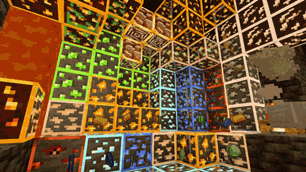
Why Ore Highlighter | Ore Outline & Glowing Ores is a top-tier shader mod for Minecraft 1.21
Developed by the talented creator DevAV, Ore Highlighter | Ore Outline & Glowing Ores stands out as a highly recommended selection for your Minecraft client. It is fully optimized, compatibility-tested, and brings a major upgrade to the gameplay experience in Minecraft version 1.21.
⚙️ Quick Resource Specs
| Mod Creator | DevAV |
| Latest Version | 1.21 |
| Supported Game Versions | 1.21, 1.20 |
| File Size | 267.08 KB |
| Last Updated | |
| Total Downloads | 100,746 downloads |
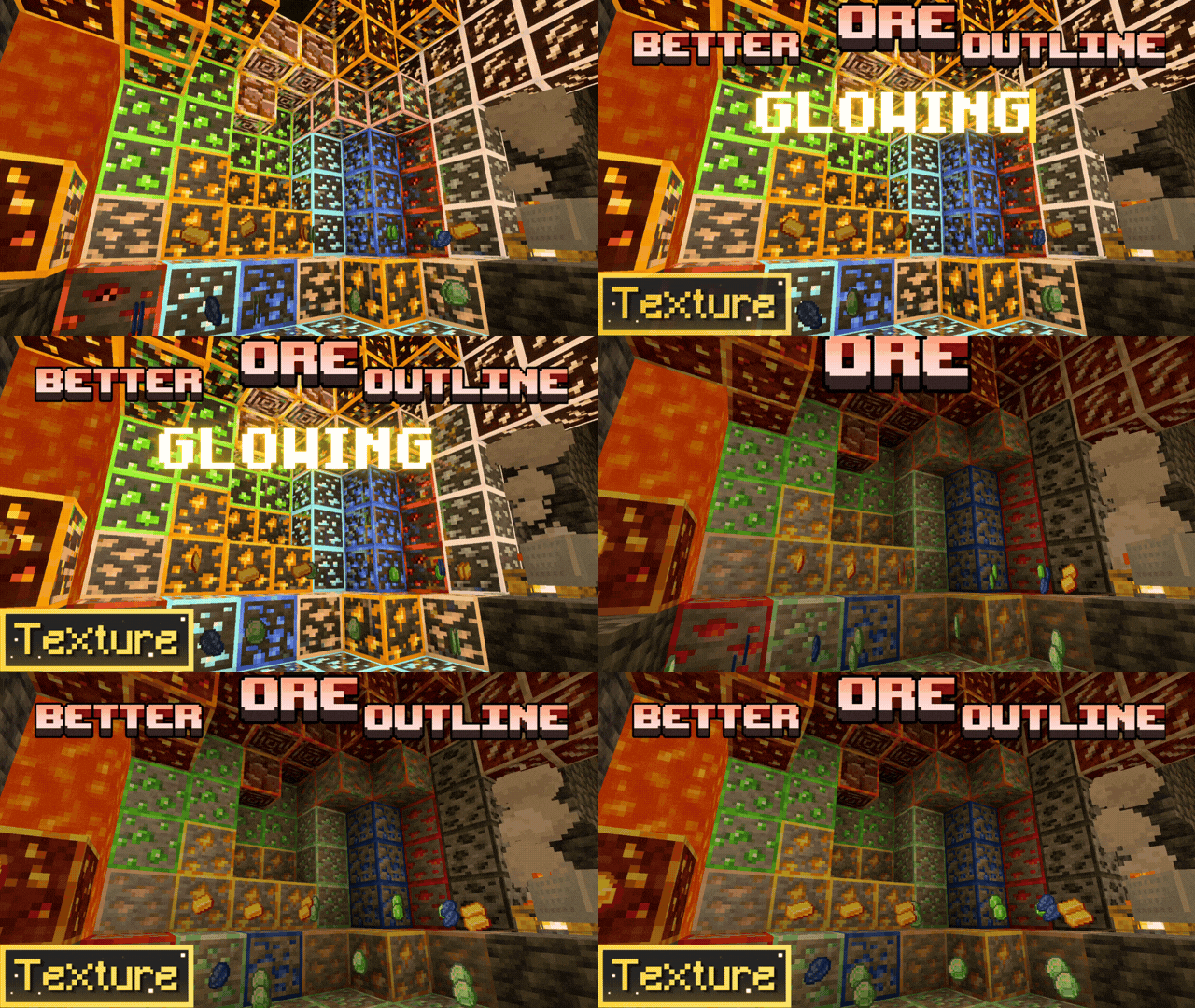
Ore Highlighter (also known as Ore Outline Border) is the ultimate lightweight survival utility texture pack for Minecraft Bedrock. Easily spot diamonds, netherite, and ancient debris in the deepest caves with clean, high-visibility colored outlines.
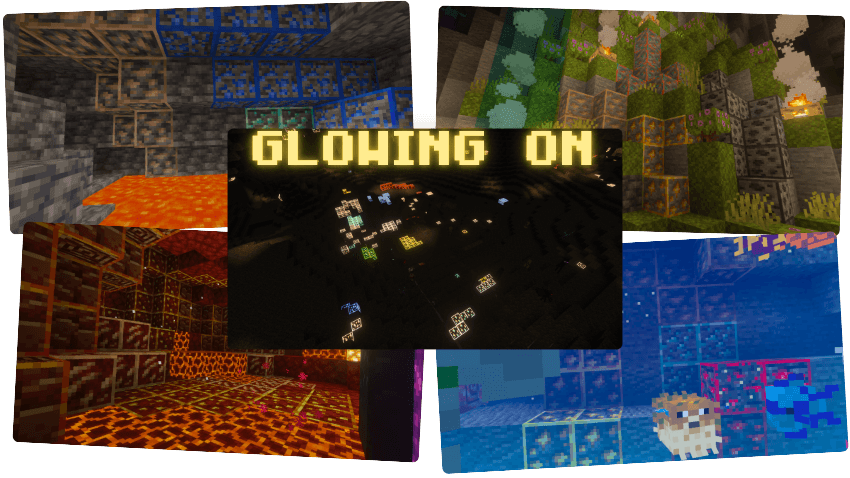
⚙️ NEW: IN-GAME SUBPACK SELECTOR! (Classic & Animated Glow)
Now you can fully customize your mining experience! Click the gear icon in your global resources to switch between:
- 🔹 Classic Outline Mode: Clean, static colored borders around every ore block. Perfect for a traditional vanilla+ aesthetic.
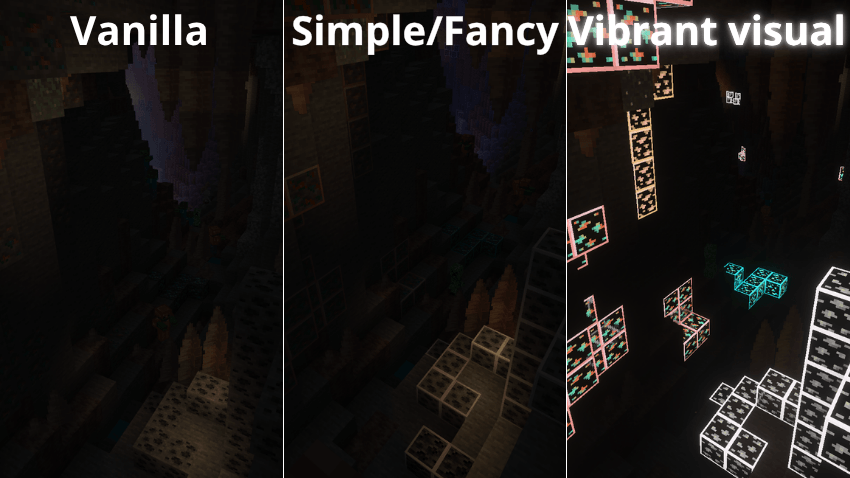
- 🔥 Animated Glowing Mode: Features smooth, animated glowing borders that make valuable minerals pulse and stand out instantly, even in pitch-black caves or underwater!
🌟 KEY FEATURES & GRAPHICS SUPPORT:
- ✨ Vibrant Visuals Shader Support: 100% compatible with Minecraft Bedrock's new Deferred Technical Preview! Ores emit a brilliant, realistic emissive glow when using vibrant visuals or PBR shaders.
- ❌ No X-Ray Needed: Keep your survival playthrough fair and square while boosting your mining efficiency.
- 🏆 Achievement Friendly: Does not disable Xbox/PlayStation achievements or world trophies. No experimental toggles required!
- 🌐 Realms & Multiplayer Ready: Works flawlessly on servers, local multiplayer, and official Bedrock Realms without causing performance drops or server tick lag.
- 📦 Universal Compatibility: Blends perfectly with other texture packs, custom UIs, and major add-ons like Action and Stuff.
⚠️ LATEST NEWS ⚠️
For players who do not use Vibrant Visuals, after extensive research, analysis, and numerous attempts to make ores glow, we have reached the unfortunate conclusion that it is simply not possible without installing or directly modifying how Render Dragon works.
Doing so would require third-party launchers or modifications that go beyond the scope of what this texture pack is intended to be.
Vibrant Visuals is required for the Glowing Mode.

📜 Terms of Use & Credits
✅ You are ALLOWED to:
- Modify this pack for personal use only.
- Review or showcase this pack, as long as you provide the original download link.
❌ You are NOT ALLOWED to:
- Claim this pack or its files as your own.
- Distribute or publish modified versions of this pack.
- Reupload this pack to other websites (9Minecraft, ModBay, etc.).
- Share unofficial download links. Always use the original source.

🧡SUPPORT THE CREATOR🧡
If you'd like to support my work, you can complete a quick ad step through Linkvertise. It takes just a few seconds and directly supports future project updates!
This is completely optional — no downloads are required here, just a simple way to show your support if you appreciate the content.

The Ultimate Guide to Ore Highlighter | Ore Outline & Glowing Ores
If you are exploring the vast world of Minecraft modifications, Ore Highlighter | Ore Outline & Glowing Ores by DevAV is a standout shader that deserves your attention. With over 100,746 downloads, it has become a staple for players looking to enhance their experience. As the creator describes it, this project is "Better Ore Outlines adds clean, colored borders to every mineral! 💎 Find ores easily in deep caves with emissive textures. Fully optimized for 1.26 and compatible with all Bedrock shaders. ⛏️". Whether you are a veteran builder constructing massive cities, or simply a casual player looking to upgrade your survival world, this guide will provide you with all the essential details on how Ore Highlighter | Ore Outline & Glowing Ores alters the game.
What Makes It Special?
Unlike standard shaders that simply alter superficial elements, Ore Highlighter | Ore Outline & Glowing Ores introduces a wide array of visual and mechanical features designed to seamlessly blend into the vanilla aesthetic. DevAV has clearly spent significant time refining the project to ensure that every aspect feels polished and responsive for version 1.21.
Installation Guide
Getting Ore Highlighter | Ore Outline & Glowing Ores up and running is straightforward. Follow these step-by-step instructions:
- Verify Your Version: Ensure your Minecraft launcher is set to version 1.21.
- Install Mod Loader (if required): If this is a mod, download the compatible loader (Forge, Fabric, NeoForge).
- Download the File: Click the secure download button above to retrieve the official file from CurseForge.
- Move the File: Place the downloaded file into your `mods`, `shaderpacks`, or `resourcepacks` folder depending on the shader type.
- Launch and Enjoy: Open Minecraft, navigate to the respective settings menu, and activate Ore Highlighter | Ore Outline & Glowing Ores.
Compatibility & Performance
Compatibility is robust. Ore Highlighter | Ore Outline & Glowing Ores is designed specifically for version 1.21, taking full advantage of the latest engine optimizations. During typical gameplay, this addition maintains a stable frame rate, though lower-end laptops might experience slight stuttering. We recommend pairing this with performance boosters like Sodium or Iris to guarantee a silky-smooth experience.