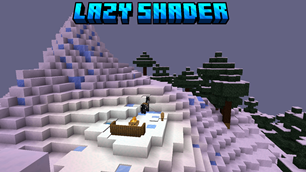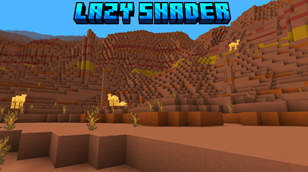
Why Lazy Shader | Lite Shader is a top-tier shader mod for Minecraft 1.21.132
Developed by the talented creator Lazy_Legend, Lazy Shader | Lite Shader stands out as a highly recommended selection for your Minecraft client. It is fully optimized, compatibility-tested, and brings a major upgrade to the gameplay experience in Minecraft version 1.21.132.
⚙️ Quick Resource Specs
| Mod Creator | Lazy_Legend |
| Latest Version | 1.21.132 |
| Supported Game Versions | 1.21.132, 1.21.131, 1.21.130, 1.21.120, 1.21.111 |
| File Size | 443.56 KB |
| Last Updated | |
| Total Downloads | 3,166 downloads |
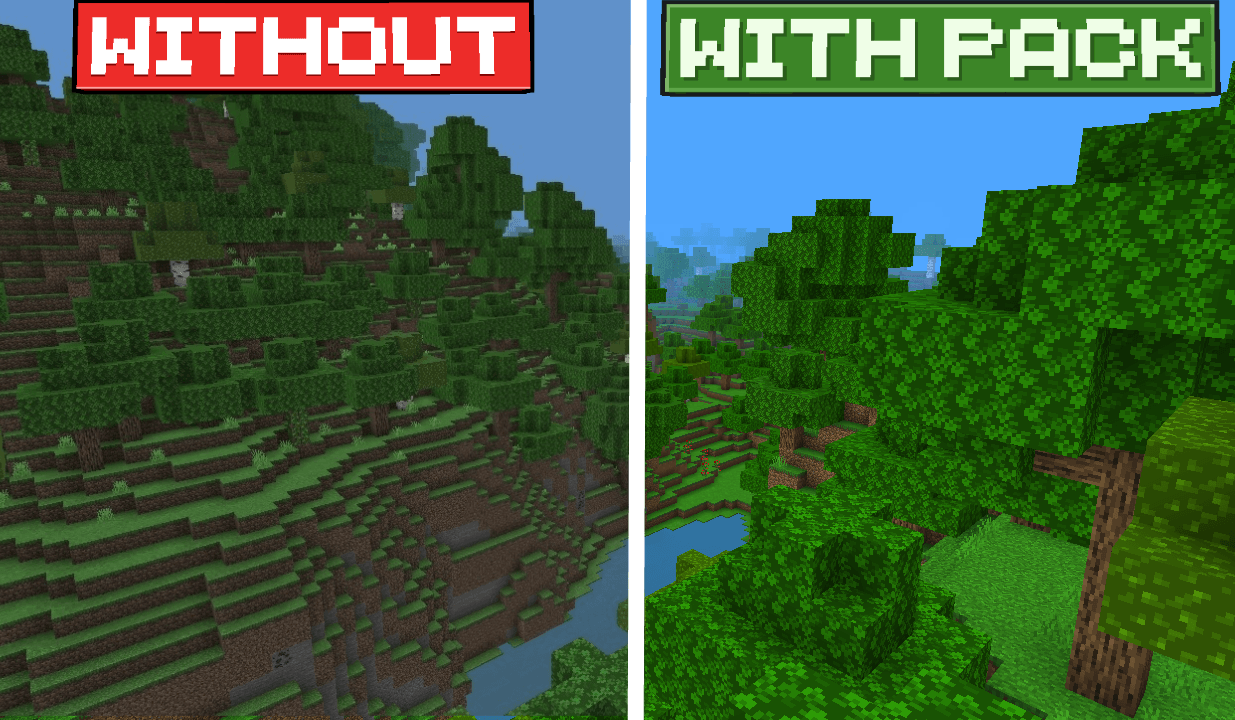

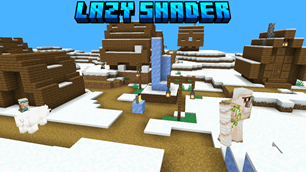
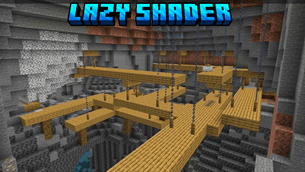
If you love the classic vanilla look of Minecraft but want it to look more alive and polished, Lazy Shader is the perfect choice. This pack focuses strictly on subtle, high-quality visual tweaks instead of heavy effects, keeping your game lightweight, smooth, and lag-free.
Key Features
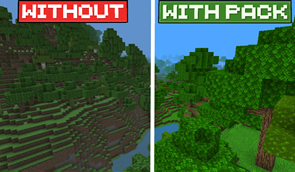
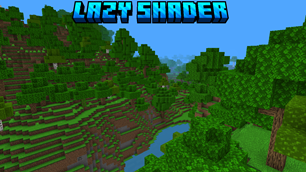
Vibrant & Saturated Colors: Biome colors, grass, and foliage have been fine-tuned to look more saturated and lively. It gives your world a rich, colorful warmth without losing the original Minecraft feel.
Custom Water Flow & Textures: The water has been given a cleaner look with customized flowing textures, making rivers and oceans look much smoother and more visually appealing.
Custom Sun & Moon: Say goodbye to the basic default shapes. This pack introduces a clean, custom-designed sun and moon to enhance your day and night cycles.
Why Choose Lazy Shader ?
No Performance Drop: Perfect for low-end devices since it doesn’t add heavy shaders, shadows, or realistic waving effects that cause lag.
Vanilla Enhanced: It respects the original game design while making the overall environment look significantly sharper and more beautiful.
Note: This is a light-weight pack designed to enhance vanilla graphics without messing up the default feel of the game or hurting performance.
The Ultimate Guide to Lazy Shader | Lite Shader
If you are exploring the vast world of Minecraft modifications, Lazy Shader | Lite Shader by Lazy_Legend is a standout shader that deserves your attention. With over 3,166 downloads, it has become a staple for players looking to enhance their experience. As the creator describes it, this project is "Lazy Shader Specially designed for Low-end Devices". Whether you are a veteran builder constructing massive cities, or simply a casual player looking to upgrade your survival world, this guide will provide you with all the essential details on how Lazy Shader | Lite Shader alters the game.
What Makes It Special?
Unlike standard shaders that simply alter superficial elements, Lazy Shader | Lite Shader introduces a wide array of visual and mechanical features designed to seamlessly blend into the vanilla aesthetic. Lazy_Legend has clearly spent significant time refining the project to ensure that every aspect feels polished and responsive for version 1.21.132.
Installation Guide
Getting Lazy Shader | Lite Shader up and running is straightforward. Follow these step-by-step instructions:
- Verify Your Version: Ensure your Minecraft launcher is set to version 1.21.132.
- Install Mod Loader (if required): If this is a mod, download the compatible loader (Forge, Fabric, NeoForge).
- Download the File: Click the secure download button above to retrieve the official file from CurseForge.
- Move the File: Place the downloaded file into your `mods`, `shaderpacks`, or `resourcepacks` folder depending on the shader type.
- Launch and Enjoy: Open Minecraft, navigate to the respective settings menu, and activate Lazy Shader | Lite Shader.
Compatibility & Performance
Compatibility is robust. Lazy Shader | Lite Shader is designed specifically for version 1.21.132, taking full advantage of the latest engine optimizations. During typical gameplay, this addition maintains a stable frame rate, though lower-end laptops might experience slight stuttering. We recommend pairing this with performance boosters like Sodium or Iris to guarantee a silky-smooth experience.