Why Balanced Clear Ocean is a top-tier shader mod for Minecraft 1.21.132
Developed by the talented creator Xameraman5022, Balanced Clear Ocean stands out as a highly recommended selection for your Minecraft client. It is fully optimized, compatibility-tested, and brings a major upgrade to the gameplay experience in Minecraft version 1.21.132.
⚙️ Quick Resource Specs
| Mod Creator | Xameraman5022 |
| Latest Version | 1.21.132 |
| Supported Game Versions | 1.21.132, 1.21.131, 1.21.130, 1.21.124, 1.21.123 |
| File Size | 4.49 MB |
| Last Updated | |
| Total Downloads | 818 downloads |
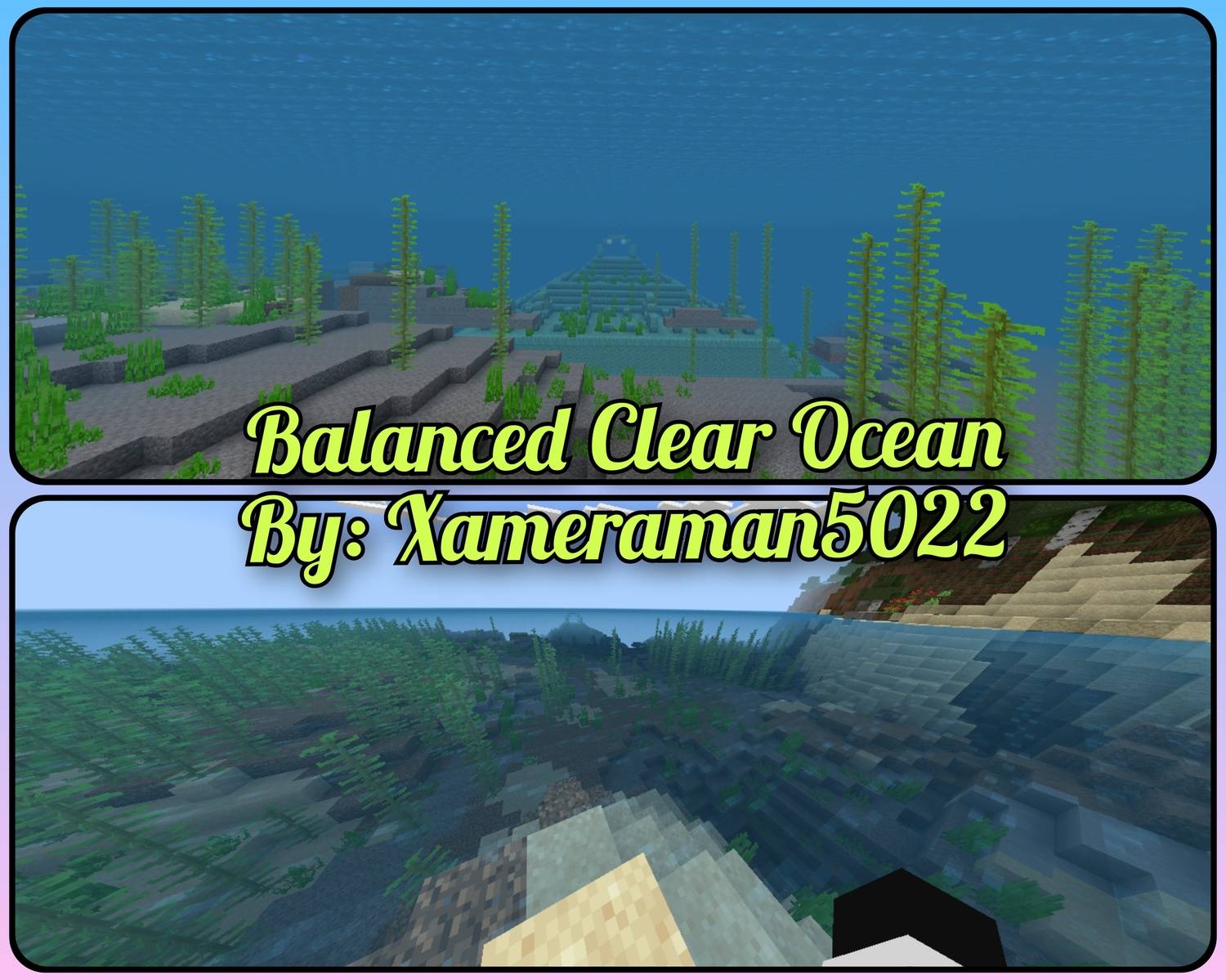
Balanced Clear Ocean
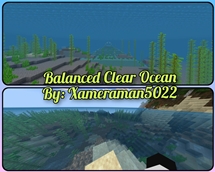
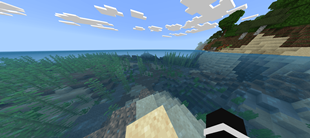
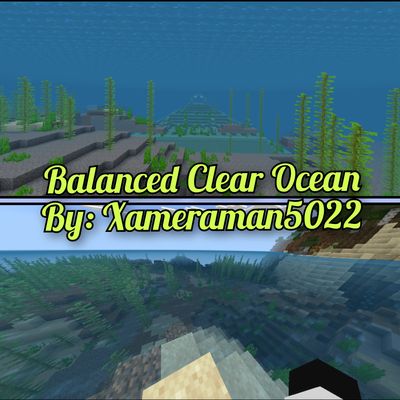
Tired of murky, dark oceans that make it impossible to explore? Or maybe you've tried "clear water" packs that just make the ocean look like empty, invisible air? Balanced Clear Ocean is the perfect middle ground. It gives you the crystal-clear visibility you need for ocean monuments, shipwrecks, and coral reefs, while keeping a realistic, beautiful underwater atmosphere.
Key Features:
60% Surface Clarity: Look down from your boat or the shore and actually see the ocean floor. Spot ruins and underwater structures before you even dive in!
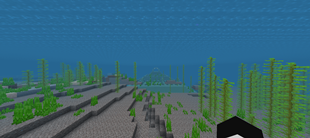
Pushed-Back Underwater Fog: The moment you dive in, you won't be blinded by thick, dark fog. The fog distance has been perfectly adjusted so you can see far into the distance.
Realistic 20% Depth Haze: The water doesn't completely disappear. A soft, volumetric marine-blue haze rolls in smoothly at a distance, giving the ocean realistic depth and scale without ruining your vision.
Vibrant Tropical Lighting: Replaces the gloomy, spooky deep-sea gray with a rich, vibrant ocean blue.
Perfect For:
Survival players looting ocean monuments and shipwrecks.
Builders creating underwater bases who want to actually see their builds.
Anyone who wants a beautiful, immersive ocean experience without the default blindness.
Credits:
Creator: xameraman5022
📜 Terms of Use (Please Read Before Sharing):
To support the creator and ensure players always get the official, safe version of this pack, please follow these rules:
✅ YOU ARE ALLOWED TO:
Use this pack in your personal singleplayer worlds or private multiplayer servers.
Feature, review, or showcase this pack in YouTube videos, TikToks, streams, or social media posts. (Please provide a link back to this official MCPEDL page in your description!)
❌ YOU ARE NOT ALLOWED TO:
Do not re-upload this resource pack to any other websites, forums, or third-party apps (such as 9Minecraft, CurseForge, or custom mod apps) under any circumstances.
Do not share direct download links (such as direct MediaFire, Google Drive, or Mega links). If you want to share this pack with friends or your audience, always use the original link to this MCPEDL page.
Do not claim ownership of this pack, modify its code to re-distribute it as your own, or put this pack behind unauthorized monetization links (like AdFly or Linkvertise).
Join Our Discord Server: https://discord.gg/ThgxvPtUjZ
The Ultimate Guide to Balanced Clear Ocean
If you are exploring the vast world of Minecraft modifications, Balanced Clear Ocean by Xameraman5022 is a standout shader that deserves your attention. With over 818 downloads, it has become a staple for players looking to enhance their experience. As the creator describes it, this project is "**Balanced Clear Ocean** is a resource pack that transforms murky Minecraft waters into vibrant, explorable depths by introducing 60% surface clarity and gracefully pushed-back, realistic underwater fog.". Whether you are a veteran builder constructing massive cities, or simply a casual player looking to upgrade your survival world, this guide will provide you with all the essential details on how Balanced Clear Ocean alters the game.
What Makes It Special?
Unlike standard shaders that simply alter superficial elements, Balanced Clear Ocean introduces a wide array of visual and mechanical features designed to seamlessly blend into the vanilla aesthetic. Xameraman5022 has clearly spent significant time refining the project to ensure that every aspect feels polished and responsive for version 1.21.132.
Installation Guide
Getting Balanced Clear Ocean up and running is straightforward. Follow these step-by-step instructions:
- Verify Your Version: Ensure your Minecraft launcher is set to version 1.21.132.
- Install Mod Loader (if required): If this is a mod, download the compatible loader (Forge, Fabric, NeoForge).
- Download the File: Click the secure download button above to retrieve the official file from CurseForge.
- Move the File: Place the downloaded file into your `mods`, `shaderpacks`, or `resourcepacks` folder depending on the shader type.
- Launch and Enjoy: Open Minecraft, navigate to the respective settings menu, and activate Balanced Clear Ocean.
Compatibility & Performance
Compatibility is robust. Balanced Clear Ocean is designed specifically for version 1.21.132, taking full advantage of the latest engine optimizations. During typical gameplay, this addition maintains a stable frame rate, though lower-end laptops might experience slight stuttering. We recommend pairing this with performance boosters like Sodium or Iris to guarantee a silky-smooth experience.