PiglixMCMods LogoPiglixMCMods
HomeShadersTexturesModsLow-End ShadersRTX ShadersSavedGuidesAbout
GET IT ONGoogle Play

Popular Collections

📱 Performance HubBest Low-End ShadersMCPE Performance Mods
✨ Realism & RTXRealistic RTX ShadersRTX Texture Packs for MCPE
🤖 Platform CompatibilityMinecraft PE Shaders 1.21Shaders for Android & iOS
⚔️ Gameplay VibeTop PvP Texture PacksMedieval Texture Packs
🤝 Community & SocialsYouTubeInstagram
Get the Android App — Free on Play Store
HomeGuidesAbout UsSponsor & PartnerContactPrivacy PolicyTerms & ConditionsDisclaimer
Minecraft>Textures>MINECRAFT With dark theme v1.3
MINECRAFT With dark theme v1.3 logo

MINECRAFT With dark theme v1.3

By👤andressan_956

A dark theme for all game menus

Why MINECRAFT With dark theme v1.3 is a top-tier texture pack mod for Minecraft 1.21

Developed by the talented creator andressan_956, MINECRAFT With dark theme v1.3 stands out as a highly recommended selection for your Minecraft client. It is fully optimized, compatibility-tested, and brings a major upgrade to the gameplay experience in Minecraft version 1.21.

⚙️ Quick Resource Specs

Mod Creatorandressan_956
Latest Version1.21
Supported Game VersionsMinecraft 1.21+
File Size20.53 MB
Last UpdatedUpdated: August 14, 2026
Total Downloads4,315 downloads
MINECRAFT With dark theme v1.3 screenshot active
Discover new possibilities in your world with MINECRAFT With dark theme v1.3, a premium textures project created by andressan_956. Designed to run smoothly on Minecraft 1.21, this addition brings both quality improvements and immersive elements to your setup.

- ING

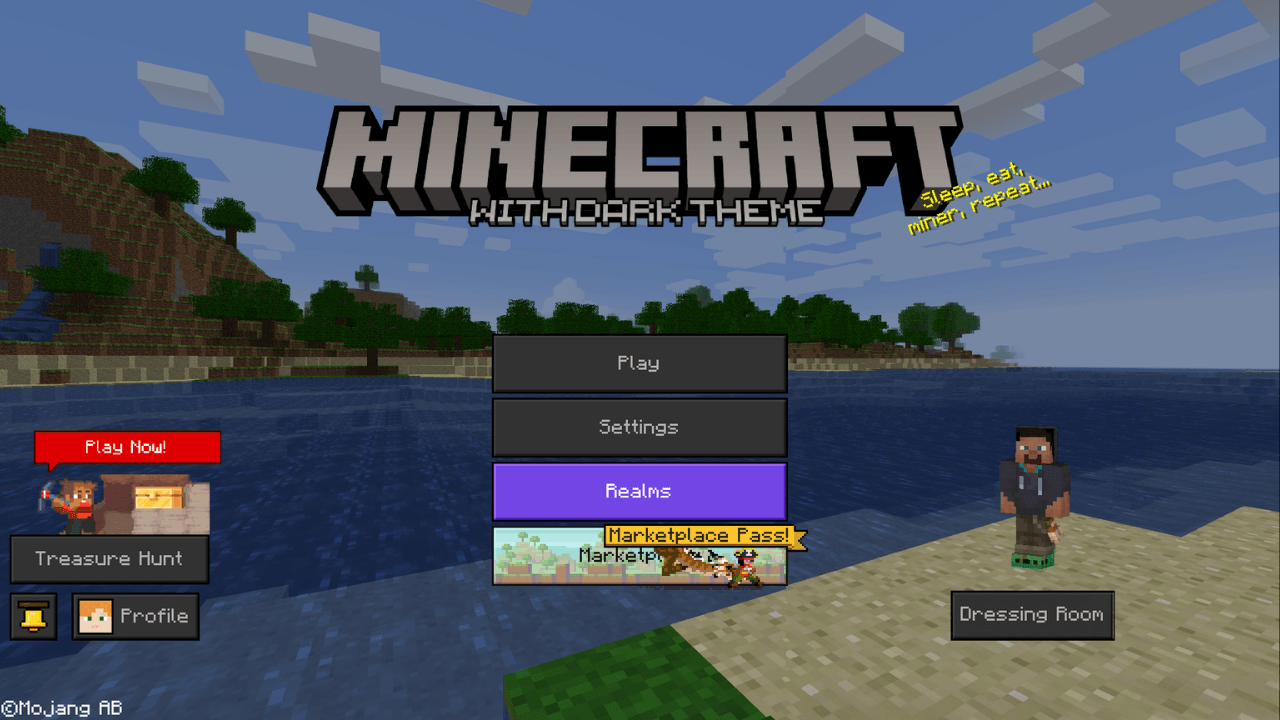
🌑 MINECRAFT With dark theme v1.3 transforms the interface of Minecraft with a dark, clean and modern style. This texture pack renews the game menus with more elegant colors and comfortable for the eye, ideal to play at night or give a more minimalist touch to your experience. 

✨ Includes several visual and comfort improvements:

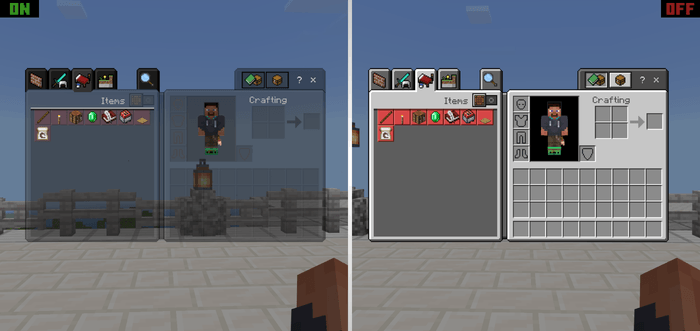
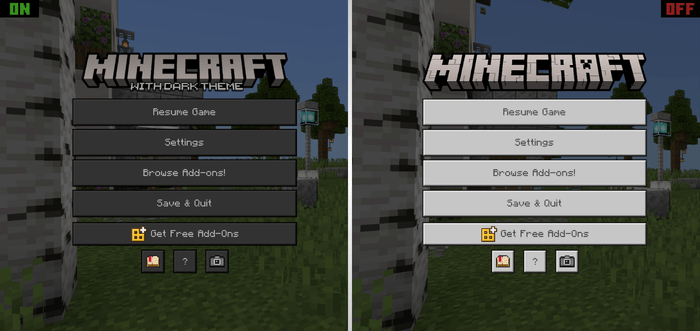
  • dark-themed menus and cleaner design.
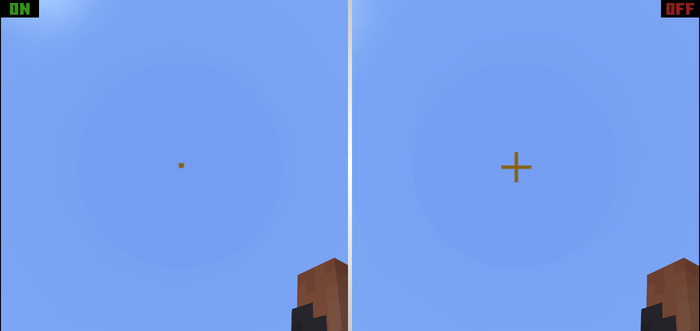
  • Smaller, more precise pointer.
  • Deleting the chat background for a clearer view.
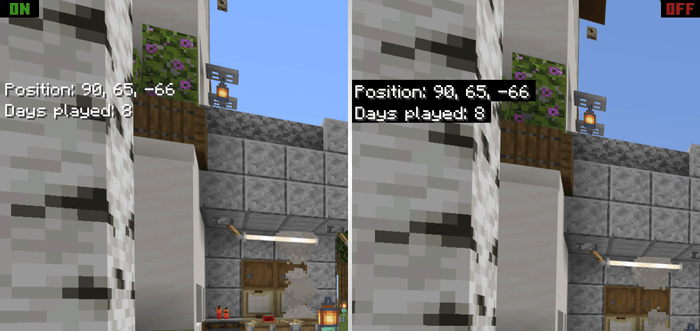
  • Coordinates and bottom day counter, achieving a more transparent and modern interface.
  • Smoother and less intrusive visual appearance during gameplay.

Perfect for those looking for a simple, aesthetic and comfortable interface without changing the essence of Minecraft.

- ESP

🌑 MINECRAFT With dark theme v1.3 transforma la interfaz de Minecraft con un estilo oscuro, limpio y moderno. Este texture pack renueva los menús del juego con colores más elegantes y cómodos para la vista, ideal para jugar de noche o darle un toque más minimalista a tu experiencia.

✨ Incluye varias mejoras visuales y de comodidad:

  • Menús con temática oscura y diseño más limpio.
  • Puntero más pequeño y preciso.
  • Eliminación del fondo del chat para una vista más despejada.
  • Coordenadas y contador de días sin fondo, logrando una interfaz más transparente y moderna.
  • Aspecto visual más suave y menos invasivo durante el gameplay.

Perfecto para quienes buscan una interfaz sencilla, estética y cómoda sin cambiar la esencia de Minecraft.


Version 1.2 was not released to the public because it was experimental.

La version 1.2, no fue publica debido a que fue experimental.


-ING

🟩 Version 1.3 Changelog 📄

  • Custom splash text added.
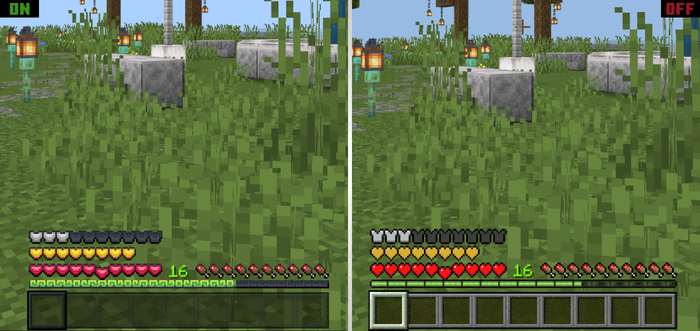
  • Heart, experience bar, and armor textures modified (Textures based on the Java Edition texture pack titled: "Mandala's GUI - Dark mode")
    Please support the creator.
  • A new background panorama added for a more... nostalgic feel.
  • Some textures with errors were removed.

-ESP

🟩 Registro de cambios de la versión 1.3 📄

  • Se añadieron textos splashes customizados.
  • Se modificaron las texturas de los corazones, barra de experiencia y  armadura (Textura basadas del pack de texturas de la edición de java con el nombre: "Mandala's GUI - Dark mode") No duden en apoyar al creador. 
  • Se añadió una nueva panorámica de fondo, para dar un toque más... nostálgico.
  • Eliminación de algunas texturas que presentaban errores.

📸 Screenshot

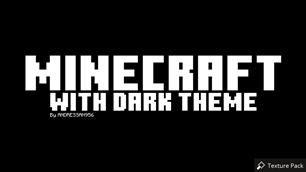
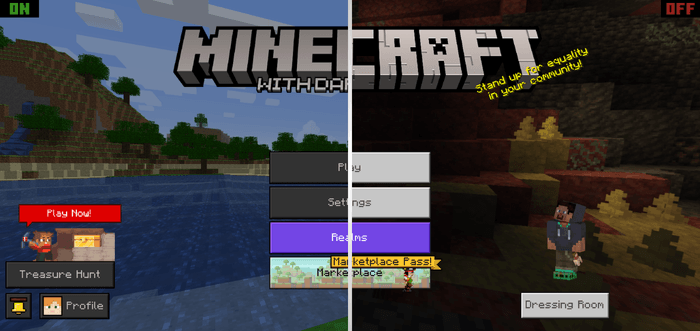
Main menu / Menú principal
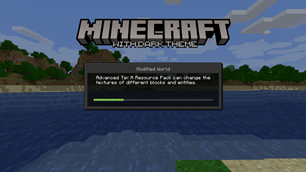
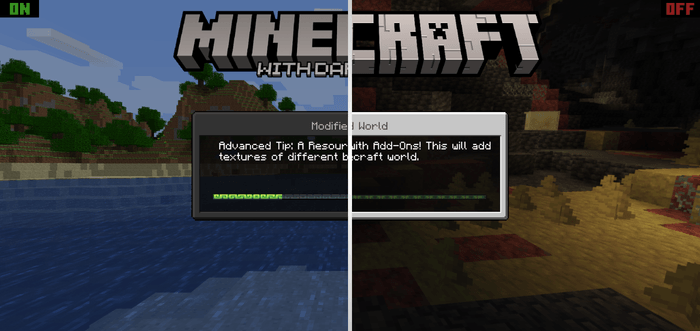
Loading screen / Pantalla de carga
Crosshair / Punto de mira
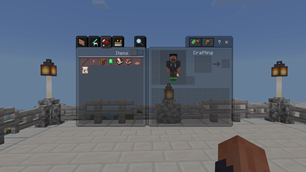
Inventory / Inventario
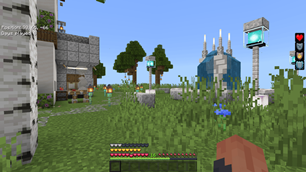
Coordinates and days played / Coordenadas y días jugados
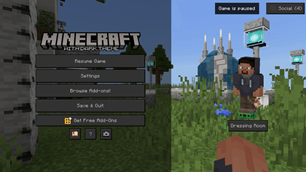
Pause menu / Menu de pausa
Hearts, experience bar, and armor / Corazones, barra de experiencia y armadura ¡¡¡NEW!!!


ING - You are free to modify this pack to your liking.

I would only ask you, if you reuse or share it on another social network or platform, give me the corresponding credits and, if possible, share the original link of the project.


ESP - Eres libre de modificar este pack a tu gusto.

Solo te pediría que, si lo reutilizas o compartes en otra red social o plataforma, me des los créditos correspondientes y, de ser posible, compartas el enlace original del proyecto.

ANDRESSAN - 2026

The Ultimate Guide to MINECRAFT With dark theme v1.3

If you are exploring the vast world of Minecraft modifications, MINECRAFT With dark theme v1.3 by andressan_956 is a standout texture that deserves your attention. With over 4,315 downloads, it has become a staple for players looking to enhance their experience. As the creator describes it, this project is "A dark theme for all game menus". Whether you are a veteran builder constructing massive cities, or simply a casual player looking to upgrade your survival world, this guide will provide you with all the essential details on how MINECRAFT With dark theme v1.3 alters the game.

What Makes It Special?

Unlike standard textures that simply alter superficial elements, MINECRAFT With dark theme v1.3 introduces a wide array of visual and mechanical features designed to seamlessly blend into the vanilla aesthetic. andressan_956 has clearly spent significant time refining the project to ensure that every aspect feels polished and responsive for version 1.21.

Installation Guide

Getting MINECRAFT With dark theme v1.3 up and running is straightforward. Follow these step-by-step instructions:

  1. Verify Your Version: Ensure your Minecraft launcher is set to version 1.21.
  2. Install Mod Loader (if required): If this is a mod, download the compatible loader (Forge, Fabric, NeoForge).
  3. Download the File: Click the secure download button above to retrieve the official file from CurseForge.
  4. Move the File: Place the downloaded file into your `mods`, `shaderpacks`, or `resourcepacks` folder depending on the texture type.
  5. Launch and Enjoy: Open Minecraft, navigate to the respective settings menu, and activate MINECRAFT With dark theme v1.3.

Compatibility & Performance

Compatibility is robust. MINECRAFT With dark theme v1.3 is designed specifically for version 1.21, taking full advantage of the latest engine optimizations. During typical gameplay, this addition maintains a stable frame rate, though lower-end laptops might experience slight stuttering. We recommend pairing this with performance boosters like Sodium or Iris to guarantee a silky-smooth experience.


Details

Downloads:4,315
Created:2 months ago
Updated:1 day ago
Project ID:1557024
License:All Rights Reserved
Environment:Client

🤝 Join Community for Support

Need help installing this resource or want to see more showcases? Join our community!

Subscribe on YouTubeFollow on Instagram

MINECRAFT With dark theme v1.3

Screenshot 0
Screenshot 1
Screenshot 2
Screenshot 3
Screenshot 4
Screenshot 5
Screenshot 6
Screenshot 7
Screenshot 8
A
andressan_956
TEXTURES CREATOR
Downloads4K
Version1.21
TypeTEXTURES
File Size20.53 MB

About This textures

A dark theme for all game menus

- ING

🌑 MINECRAFT With dark theme v1.3 transforms the interface of Minecraft with a dark, clean and modern style. This texture pack renews the game menus with more elegant colors and comfortable for the eye, ideal to play at night or give a more minimalist touch to your experience. 

✨ Includes several visual and comfort improvements:

  • dark-themed menus and cleaner design.
  • Smaller, more precise pointer.
  • Deleting the chat background for a clearer view.
  • Coordinates and bottom day counter, achieving a more transparent and modern interface.
  • Smoother and less intrusive visual appearance during gameplay.

Perfect for those looking for a simple, aesthetic and comfortable interface without changing the essence of Minecraft.

- ESP

🌑 MINECRAFT With dark theme v1.3 transforma la interfaz de Minecraft con un estilo oscuro, limpio y moderno. Este texture pack renueva los menús del juego con colores más elegantes y cómodos para la vista, ideal para jugar de noche o darle un toque más minimalista a tu experiencia.

✨ Incluye varias mejoras visuales y de comodidad:

  • Menús con temática oscura y diseño más limpio.
  • Puntero más pequeño y preciso.
  • Eliminación del fondo del chat para una vista más despejada.
  • Coordenadas y contador de días sin fondo, logrando una interfaz más transparente y moderna.
  • Aspecto visual más suave y menos invasivo durante el gameplay.

Perfecto para quienes buscan una interfaz sencilla, estética y cómoda sin cambiar la esencia de Minecraft.


Version 1.2 was not released to the public because it was experimental.

La version 1.2, no fue publica debido a que fue experimental.


-ING

🟩 Version 1.3 Changelog 📄

  • Custom splash text added.
  • Heart, experience bar, and armor textures modified (Textures based on the Java Edition texture pack titled: "Mandala's GUI - Dark mode")
    Please support the creator.
  • A new background panorama added for a more... nostalgic feel.
  • Some textures with errors were removed.

-ESP

🟩 Registro de cambios de la versión 1.3 📄

  • Se añadieron textos splashes customizados.
  • Se modificaron las texturas de los corazones, barra de experiencia y  armadura (Textura basadas del pack de texturas de la edición de java con el nombre: "Mandala's GUI - Dark mode") No duden en apoyar al creador. 
  • Se añadió una nueva panorámica de fondo, para dar un toque más... nostálgico.
  • Eliminación de algunas texturas que presentaban errores.

📸 Screenshot

Main menu / Menú principal

Loading screen / Pantalla de carga

Crosshair / Punto de mira

Inventory / Inventario

Coordinates and days played / Coordenadas y días jugados

Pause menu / Menu de pausa

Hearts, experience bar, and armor / Corazones, barra de experiencia y armadura ¡¡¡NEW!!!


ING - You are free to modify this pack to your liking.

I would only ask you, if you reuse or share it on another social network or platform, give me the corresponding credits and, if possible, share the original link of the project.


ESP - Eres libre de modificar este pack a tu gusto.

Solo te pediría que, si lo reutilizas o compartes en otra red social o plataforma, me des los créditos correspondientes y, de ser posible, compartas el enlace original del proyecto.

ANDRESSAN - 2026
📌Supported Minecraft Versions: Minecraft 1.21+

How to Install

1. Download the resource pack .zip file. 2. Open Minecraft and go to Options > Resource Packs. 3. Drag and drop the downloaded file into the list and activate it.