![Newb Tropisphere Shader | beta 0.7.1 [v26.50+ support] logo](https://media.forgecdn.net/avatars/2044/474/639248867190369633.png)
Why Newb Tropisphere Shader | beta 0.7.1 [v26.50+ support] is a top-tier shader mod for Minecraft 1.21
Developed by the talented creator IzvekhHaruVN, Newb Tropisphere Shader | beta 0.7.1 [v26.50+ support] stands out as a highly recommended selection for your Minecraft client. It is fully optimized, compatibility-tested, and brings a major upgrade to the gameplay experience in Minecraft version 1.21.
⚙️ Quick Resource Specs
| Mod Creator | IzvekhHaruVN |
| Latest Version | 1.21 |
| Supported Game Versions | Minecraft 1.21+ |
| File Size | 23.10 MB |
| Last Updated | |
| Total Downloads | 127,820 downloads |
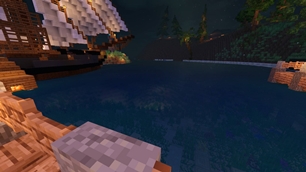
![Newb Tropisphere Shader | beta 0.7.1 [v26.50+ support] screenshot active](https://media.forgecdn.net/attachments/1943/816/kha-ng-ca3-tiaau-aa32_20260913155549-png.png)
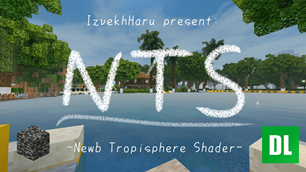
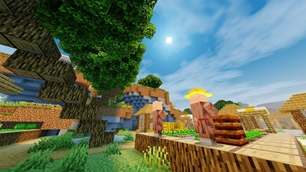
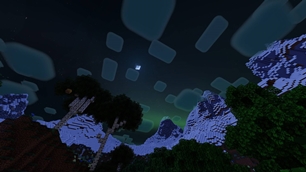
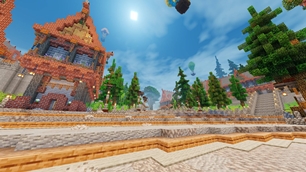
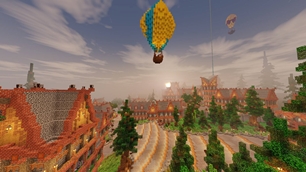
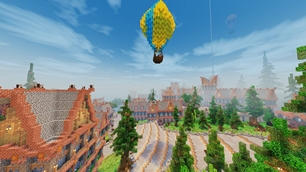
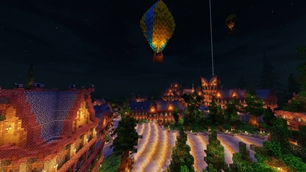
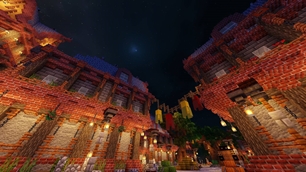
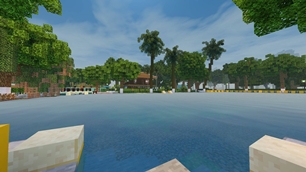
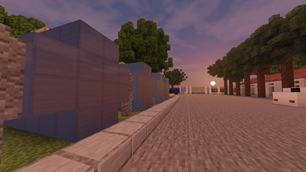
Newb Tropisphere Shader is a low-mid end shader, giving minecraft a warm experience during this summer
This shader is based on Newb Shader
This shader is not supported by original minecraft itself, so this shader will not work without using required patches! Please read the installation guide before downloading.
Hot Fix 0.7.1
- Added minecraft 1.26.50+ support
- Fixed ammors with ammor trims render bug (credit to zan4re27)
- Added fog to LITE subpack and some minor changes
Update 0.7
Changes:
Materials:
- Added `LegacyCubemap.material.bin`
- Added `ActorMultiTexture.material.bin`
General:
- Cubemap are now adaptive to sky color.
- Lighting horse, mule, llama,...
- Added better sunset terrain color
- removed `ItemInHandTextured` glow
- others optimizations and minor changes
Experimental subpack
- Added better water waves
- Added accurate metal block, water reflection
- Added morning fog
- Removed extra plants wave using texcoord (unstable/incompatible with others resource pack).


For MCPEDL user, you can use this link to download the latest version from curseforge: https://www.curseforge.com/minecraft-bedrock/texture-packs/newb-tropisphere
Features
- Lighting: simple, warm lighting to your world.
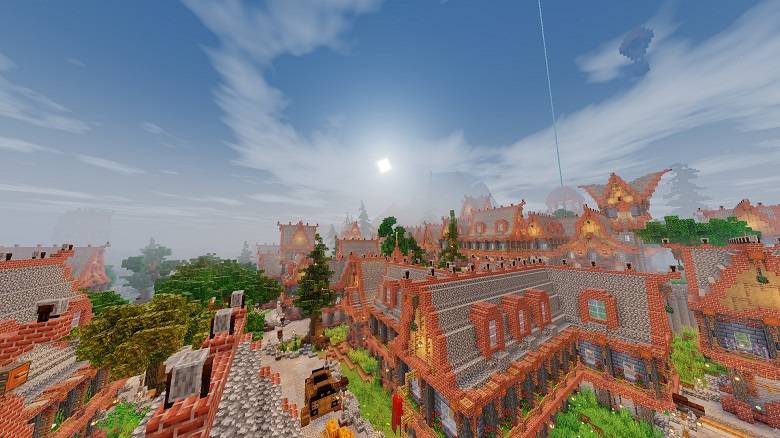
- Cloud: soft clouds.
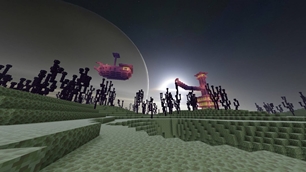
- Galaxy stars.
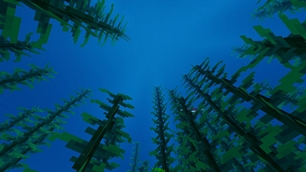
- Water: soft, calm blue water.
- Glow ores
- fogs
- etc...
LEGACY clouds (classic)
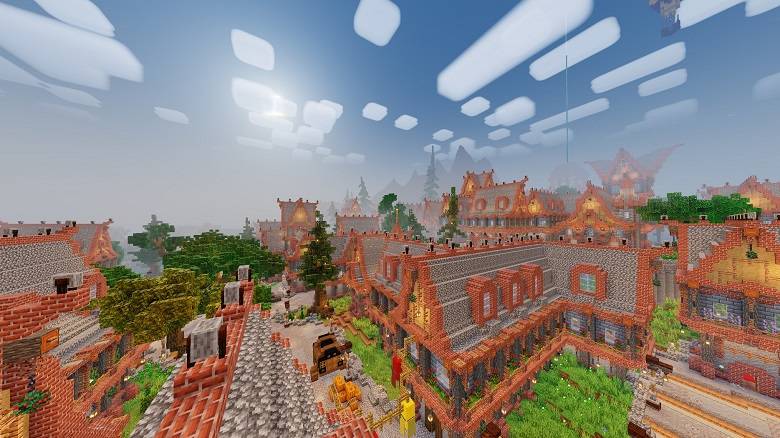
LEGACY realistic clouds
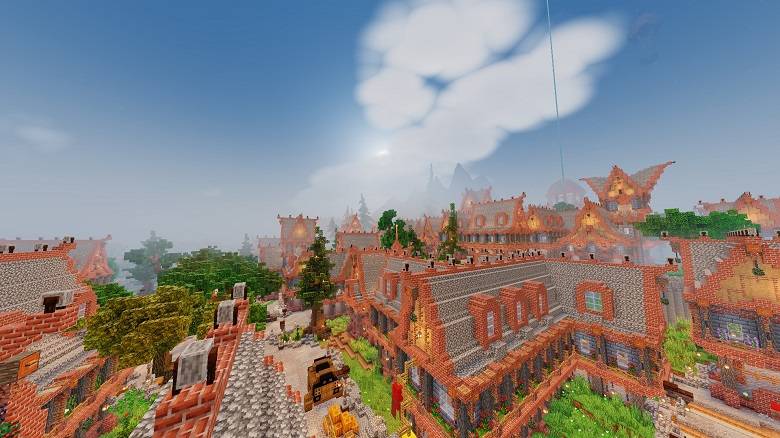
HYPER realistic clouds
Installation
Disclaimer: Minecraft Bedrock does not officially support loading custom shaders. The following are unofficial ways to load shaders.
If you are having trouble following this guide, you can ask for support in our Discord server.
Android
- Install MB Loader app from Google Play.
- Launch Minecraft through MB Loader.
- Import the resource pack to Minecraft and activate it in global resources.
Windows
Method 1: Wyvern loader (recommended)
- Download wyvern loader from Github
- Run setup and open Wyvern app
- Open minecraft and press "Inject" (if it injection succesfully minecraft title will change)
- Activate the shader in global resources (active the shader in a world won't work) and enjoy!
You can watch this tutorial on yt for a better example: https://youtu.be/YPGNs_saBtQ?si=ateQQyh0f2gt-KqH
Method 2: BetterRenderdragon
-
- Use BetterRenderDragon to enable MaterialBinLoader (You can use Fzul's brd manager script to install/manage it easier)
- Import the resource pack and activate it in global resources.
Method 3: Matject
- If both Wyvern and BetterRenderDragon do not support your Minecraft version, use Matject (make sure to not enable material-updater) instead to install shaders.
IOS
You can find the IPAs in Newb Community discord or YSS group discord
Configuration
It's recommended to use the following graphics settings for the game:
- Beautiful sky - On
- Smooth shading - On
- Clouds - On (off if it's too laggy)
- Fancy graphics - On
- Brightness - 50%
There are multiple subpacks in the shader resource pack. Use the "Lite" subpack for better performance. (use "Old sun/moon direction and lighting" subpack for best experience)
Make sure that the shader resource pack is kept at the top, above all other resource packs, for it to work properly. It may conflict with some other visual resource packs.
Credits
Credit to the Newb Shader and devendrn and other Newb Shader contributors. Also the ppl of newb community for helping me build this shader from dust.
Known bugs, mistakes
Bugs:
- Glow Item frame bug
- no fogs in nether and underwater
💬 Feedback & Support
If you have suggestions, feedback, or encounter any issues, feel free to leave a comment. Your feedback helps improve the pack even further ❤️
Use this mcpedl or curseforge link if you want to share this shader.
The Ultimate Guide to Newb Tropisphere Shader | beta 0.7.1 [v26.50+ support]
If you are exploring the vast world of Minecraft modifications, Newb Tropisphere Shader | beta 0.7.1 [v26.50+ support] by IzvekhHaruVN is a standout shader that deserves your attention. With over 127,820 downloads, it has become a staple for players looking to enhance their experience. As the creator describes it, this project is "A semi-realistic, warm-vanilla shader for minecraft bedrock edition". Whether you are a veteran builder constructing massive cities, or simply a casual player looking to upgrade your survival world, this guide will provide you with all the essential details on how Newb Tropisphere Shader | beta 0.7.1 [v26.50+ support] alters the game.
What Makes It Special?
Unlike standard shaders that simply alter superficial elements, Newb Tropisphere Shader | beta 0.7.1 [v26.50+ support] introduces a wide array of visual and mechanical features designed to seamlessly blend into the vanilla aesthetic. IzvekhHaruVN has clearly spent significant time refining the project to ensure that every aspect feels polished and responsive for version 1.21.
Installation Guide
Getting Newb Tropisphere Shader | beta 0.7.1 [v26.50+ support] up and running is straightforward. Follow these step-by-step instructions:
- Verify Your Version: Ensure your Minecraft launcher is set to version 1.21.
- Install Mod Loader (if required): If this is a mod, download the compatible loader (Forge, Fabric, NeoForge).
- Download the File: Click the secure download button above to retrieve the official file from CurseForge.
- Move the File: Place the downloaded file into your `mods`, `shaderpacks`, or `resourcepacks` folder depending on the shader type.
- Launch and Enjoy: Open Minecraft, navigate to the respective settings menu, and activate Newb Tropisphere Shader | beta 0.7.1 [v26.50+ support].
Compatibility & Performance
Compatibility is robust. Newb Tropisphere Shader | beta 0.7.1 [v26.50+ support] is designed specifically for version 1.21, taking full advantage of the latest engine optimizations. During typical gameplay, this addition maintains a stable frame rate, though lower-end laptops might experience slight stuttering. We recommend pairing this with performance boosters like Sodium or Iris to guarantee a silky-smooth experience.