Why Occlusion Mod is a top-tier mod mod for Minecraft 1.21.11
Developed by the talented creator ItzMASGaming, Occlusion Mod stands out as a highly recommended selection for your Minecraft client. It is fully optimized, compatibility-tested, and brings a major upgrade to the gameplay experience in Minecraft version 1.21.11.
⚙️ Quick Resource Specs
| Mod Creator | ItzMASGaming |
| Latest Version | 1.21.11 |
| Supported Game Versions | 1.21.11, 1.21.10 |
| File Size | 509.25 KB |
| Last Updated | |
| Total Downloads | 555 downloads |
The Big Picture: What This Mod Actually Does
Right now, Minecraft wastefully processes thousands of blocks you can’t see—like caves hidden deep underground, or stone blocks buried inside a mountain right in front of you.
What this mod do:
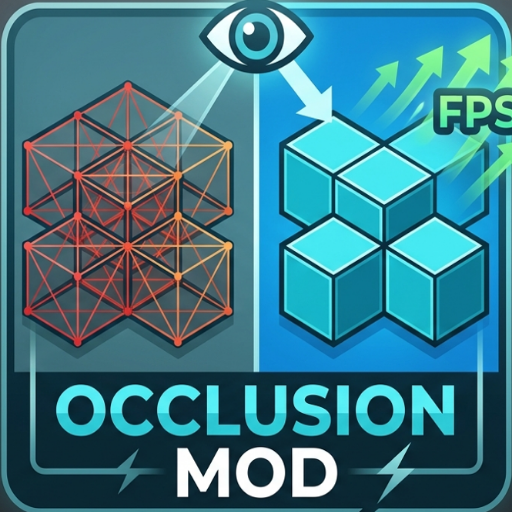
When you install this mod, it acts like a smart filter for your graphics card. It completely stops Minecraft from rendering blocks that are hidden behind other solid walls, drastically lowering the workload on your computer and giving you an immediate boost in FPS.
Step-by-Step: How It Works While You Play
Once the mod is running in your game, it continuously performs a highly optimized routine behind the scenes:
It Constantly Scans Your Surroundings
As you walk around, the mod scans a 48-block radius around your character. It automatically ignores empty air blocks so it doesn’t waste any processing power.
It Shoots Invisible Laser Lines (Raycasting)
For the blocks around you, the mod shoots an invisible "line of sight" ray from your character's eyes to the block.
If the line hits a solid wall before it reaches the target block, the mod marks that block as hidden (occluded).
It cleverly respects the shapes of stairs and slabs, and ignores water/lava so fluids don't break the calculations.
It Remembers What's Hidden (The Performance Buffer)
To keep your CPU from lagging, the mod doesn't recalculate everything every single millisecond. It saves the hidden blocks into a temporary memory list (cache). It will only wipe and refresh this list if you move more than half a block or turn your head more than 3 degrees.
It Deletes Invisible Block Faces
The moment Minecraft tries to draw the world on your screen, the mod steps in and forces the game engine to entirely drop the hidden blocks and overlapping block faces from the rendering queue.
Why This Boosts Your FPS
Massive Poly-Count Reduction: Your graphics card (GPU) no longer has to render thousands of hidden polygons underground or inside structures. It only works on what you can actually see.
Smoother Gameplay (Less Stuttering):
By using a smart memory cache, your CPU does all the heavy lifting in efficient bursts rather than constantly lagging your game frame-by-frame. This frees up your hardware to deliver higher, more stable framerates.
The Ultimate Guide to Occlusion Mod
If you are exploring the vast world of Minecraft modifications, Occlusion Mod by ItzMASGaming is a standout mod that deserves your attention. With over 555 downloads, it has become a staple for players looking to enhance their experience. As the creator describes it, this project is "A Mod that Deload block behind block so you get a fps boost Before i get 100-200 fps now i get 200-300 fps". Whether you are a veteran builder constructing massive cities, or simply a casual player looking to upgrade your survival world, this guide will provide you with all the essential details on how Occlusion Mod alters the game.
What Makes It Special?
Unlike standard mods that simply alter superficial elements, Occlusion Mod digs deep into the game's engine to provide a cohesive, performance-focused experience. ItzMASGaming has clearly spent significant time refining the project to ensure that every aspect feels polished and responsive for version 1.21.11.
Installation Guide
Getting Occlusion Mod up and running is straightforward. Follow these step-by-step instructions:
- Verify Your Version: Ensure your Minecraft launcher is set to version 1.21.11.
- Install Mod Loader (if required): If this is a mod, download the compatible loader (Forge, Fabric, NeoForge).
- Download the File: Click the secure download button above to retrieve the official file from CurseForge.
- Move the File: Place the downloaded file into your `mods`, `shaderpacks`, or `resourcepacks` folder depending on the mod type.
- Launch and Enjoy: Open Minecraft, navigate to the respective settings menu, and activate Occlusion Mod.
Compatibility & Performance
Compatibility is robust. Occlusion Mod is designed specifically for version 1.21.11, taking full advantage of the latest engine optimizations. Since this is heavily focused on optimization, you can expect significant frame rate improvements on both low-end and high-end hardware.