Why Hunter Pack is a top-tier texture pack mod for Minecraft 1.21.132
Developed by the talented creator carpup_vn, Hunter Pack stands out as a highly recommended selection for your Minecraft client. It is fully optimized, compatibility-tested, and brings a major upgrade to the gameplay experience in Minecraft version 1.21.132.
⚙️ Quick Resource Specs
| Mod Creator | carpup_vn |
| Latest Version | 1.21.132 |
| Supported Game Versions | 1.21.132, 1.21.131, 1.21.130, 1.21.124, 1.21.123 |
| File Size | 174.63 KB |
| Last Updated | |
| Total Downloads | 2,532 downloads |
🔍 Hunter Pack v2.0.7
The ultimate Murder Mystery detection pack for The Hive.
📖 Overview
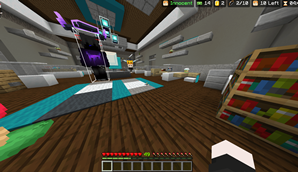
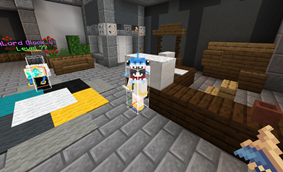
Hunter Pack is a lightweight, client-side resource pack designed specifically for The Hive's Murder Mystery gamemode on Minecraft Bedrock Edition (1.21+). It provides real‑time visual identification of the Murderer, Sheriff, and Allies using floating icons, along with a powerful Hitbox ESP for enhanced situational awareness.
Unlike traditional packs that rely on a single delay, Hunter Pack uses a 7‑layer detection system with multiple speed presets, giving you full control over performance and accuracy.
🎯 How It Works
7‑Layer Detection System
The pack scans players every frame. Detection progresses through 7 layers:
| Layer | Condition | Icon | Effect |
|---|---|---|---|
| 1–3 | Item detected | None | Hidden – bypasses anti‑cheat item spoofing |
| 4–6 | Still holding | Wooden Sword | Suspicious – possible Murderer |
| 7 | Confirmed | Iron Sword | Confirmed – Murderer + X‑Ray Skin |
-
Auto‑reset: If a suspicious player stops holding a Murderer weapon for 5 consecutive checks, the suspicion clears automatically.
-
State locking: Once confirmed, the status persists until the player dies.
⚙️ Delay Presets (Select via Subpack Menu)
Choose the speed that fits your playstyle and device:
| Preset | Delay | Frames (at 60 FPS) | Best for |
|---|---|---|---|
| Very High | 0.01s | ~0.6 frames | Fastest detection |
| High | 0.05s | 3 frames | Very fast, balanced |
| Normal | 0.1s | 6 frames | Balanced – recommended |
| Low (Default) | 0.2s | 12 frames | Safe – fewer false positives |
| Very Low | 0.25s | 15 frames | Safest – maximum protection |
Default preset: Low (0.2s) – the safest option for mobile devices.
🔪 Murderer Detection
Detects any player holding Murderer‑exclusive weapons (both main hand and offhand):
| Vanilla Weapons | Special Weapons |
|---|---|
iron_sword |
nether_star (throwable) |
diamond_sword |
mace |
golden_sword |
|
wooden_sword |
|
netherite_sword |
|
stone_sword |
Why no custom skins? The Hive uses vanilla item IDs under the hood – all cosmetic skins are visual only, so detection is based on the actual weapon type.
🏹 Sheriff / Ranged Detection
Detects players holding ranged weapons:
-
bow -
arrow
Note: The Hive's zappers, ray guns, and other custom ranged weapons are visually reskinned bows/crossbows. They are automatically detected by this system.
🤝 Ally Marker
-
Press emote to mark a player as Ally.
-
A floating Totem of Undying icon appears above their head.
-
Priority order: Murderer → Ally → Suspicious → Sheriff → Empty
-
Status is state‑locked until death.
✨ Key Features
-
7‑layer detection – more reliable than single‑delay systems.
-
5 delay presets – choose your preferred speed via subpack menu.
-
State locking – Murderer, Ally, and Sheriff statuses persist until death.
-
Offhand support – detects weapons in both main hand and offhand (slot 1).
-
Hitbox ESP – semi‑transparent, glowing hitbox visible through walls.
-
Clean UI – no overlay colors (red/blue), only icons.
-
Anti‑flicker – built‑in delay prevents false positives from anti‑cheat item spoofing.
📦 Compatibility
| Requirement | Details |
|---|---|
| Minecraft Version | Bedrock 1.21+ |
| Server | The Hive (Murder Mystery) |
| Render Distance | Recommended: 12–16 chunks (or higher) |
⚠️ Important Notice
This pack violates the rules of most public servers.
Using it may result in a permanent ban from The Hive or other servers.
Use at your own risk – the author is not responsible for any account penalties.
Developer: CP VN
Special Thanks: Better Bedrock & yan (original creators)
🕵️♂️ "Know who to trust. Trust your instincts."
The Ultimate Guide to Hunter Pack
If you are exploring the vast world of Minecraft modifications, Hunter Pack by carpup_vn is a standout texture that deserves your attention. With over 2,532 downloads, it has become a staple for players looking to enhance their experience. As the creator describes it, this project is "Hunter Pack detects Murderers and ranged-weapon holders with floating icons, persistent locking, but may get you banned.". Whether you are a veteran builder constructing massive cities, or simply a casual player looking to upgrade your survival world, this guide will provide you with all the essential details on how Hunter Pack alters the game.
What Makes It Special?
Unlike standard textures that simply alter superficial elements, Hunter Pack introduces a wide array of visual and mechanical features designed to seamlessly blend into the vanilla aesthetic. carpup_vn has clearly spent significant time refining the project to ensure that every aspect feels polished and responsive for version 1.21.132.
Installation Guide
Getting Hunter Pack up and running is straightforward. Follow these step-by-step instructions:
- Verify Your Version: Ensure your Minecraft launcher is set to version 1.21.132.
- Install Mod Loader (if required): If this is a mod, download the compatible loader (Forge, Fabric, NeoForge).
- Download the File: Click the secure download button above to retrieve the official file from CurseForge.
- Move the File: Place the downloaded file into your `mods`, `shaderpacks`, or `resourcepacks` folder depending on the texture type.
- Launch and Enjoy: Open Minecraft, navigate to the respective settings menu, and activate Hunter Pack.
Compatibility & Performance
Compatibility is robust. Hunter Pack is designed specifically for version 1.21.132, taking full advantage of the latest engine optimizations. During typical gameplay, this addition maintains a stable frame rate, though lower-end laptops might experience slight stuttering. We recommend pairing this with performance boosters like Sodium or Iris to guarantee a silky-smooth experience.