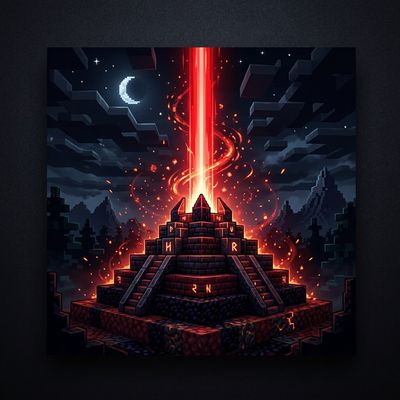
Why # Killer Beacon Ultimate ⚔️ is a top-tier texture pack mod for Minecraft 1.21
Developed by the talented creator Rpuk_01, # Killer Beacon Ultimate ⚔️ stands out as a highly recommended selection for your Minecraft client. It is fully optimized, compatibility-tested, and brings a major upgrade to the gameplay experience in Minecraft version 1.21.
⚙️ Quick Resource Specs
| Mod Creator | Rpuk_01 |
| Latest Version | 1.21 |
| Supported Game Versions | Minecraft 1.21+ |
| File Size | 1.37 MB |
| Last Updated | |
| Total Downloads | 59 downloads |
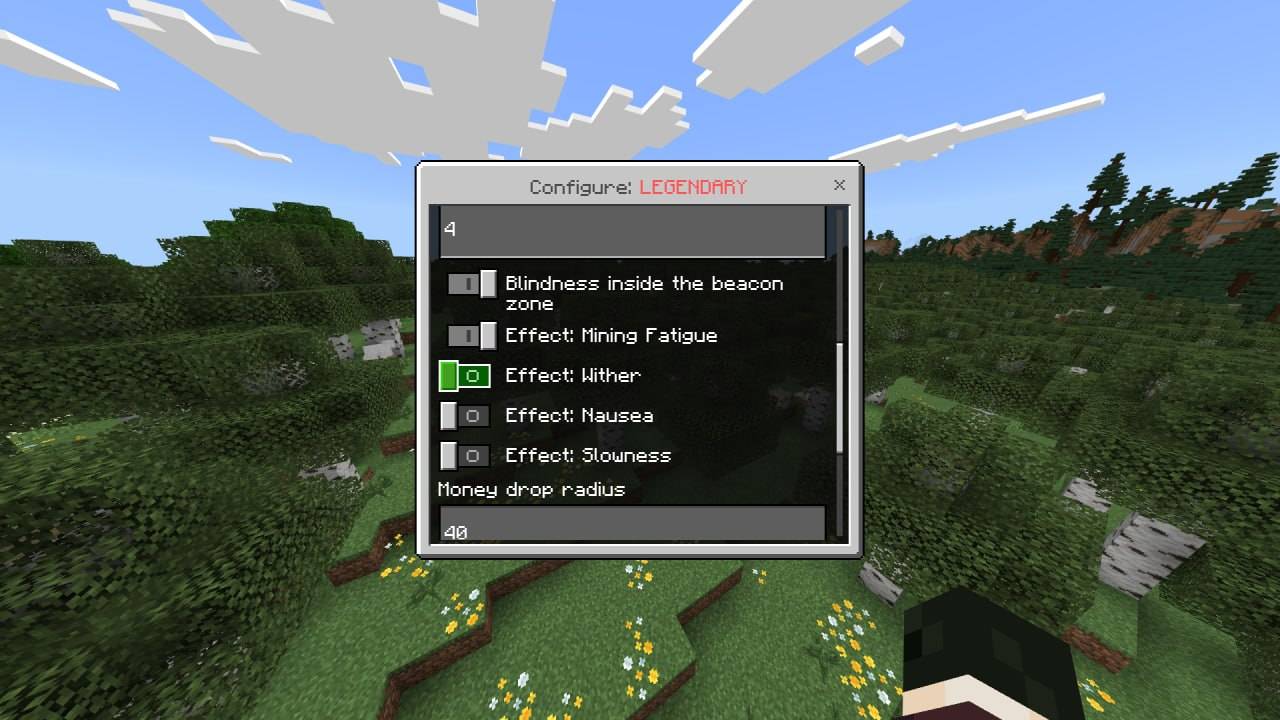
Killer Beacon Ultimate is a highly advanced, massive PvP event addon for your Minecraft Bedrock Edition server. Inspired by the popular "Маяк-Убийца" events from major servers like FunTime, this addon brings a dynamic, highly competitive event where players must fight for territory, survive hazardous effects, and claim tiered loot!
All features are controllable via a 100% in-game UI Menu. No need to touch a single configuration file!
🌍 Multi-Language Support (EN/RU) This addon features complete, built-in language support! The event automatically adapts to the player's client language (English or Russian). Administrators can also manually force a specific global language for all broadcasts and interfaces directly through the /kb:menu!
🌟 Ultimate Features
| Feature | Detailed Description |
|---|---|
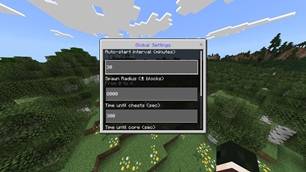
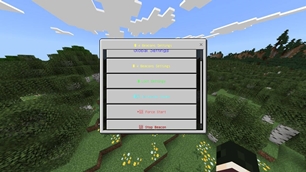
| In-Game Settings UI | Type /kb:menu to open a full UI where you can configure Auto-Start intervals, spawn radius, timers (Chest unlock, Core unlock, Despawn time), and Global Language. |
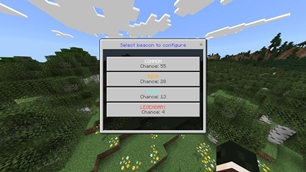
| 4 Rarity Tiers | The beacon can spawn as COMMON, RICH, ELITE, or LEGENDARY. Each rarity can be individually configured with its own spawn weight (chance), custom name, and specific hazards. |
| Advanced Loot Editor | Forget config files! Use the Editor Rod to configure loot in-game. Each rarity has multiple chests (3 loot variants each) and a Core Shulker (4 variants). Simply place items in the chest and type /kb:save. |
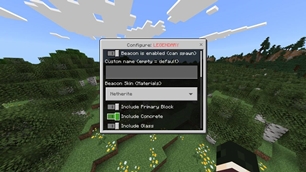
| Custom Skins & Materials | Change the visual appearance of the beacon per rarity! Choose from Iron, Gold, Diamond, Emerald, Netherite, Obsidian, Crying Obsidian, Amethyst, Quartz, or Random. |
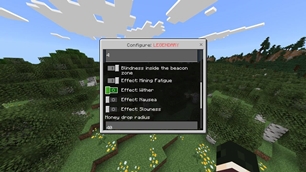
| Hazards & Defenders | Make the event challenging by enabling defender mobs, or apply area-of-effect hazards to attackers like Blindness, Mining Fatigue, Wither, Nausea, and Slowness. |
| Exclusion Zones | Prevent the beacon from destroying your spawn! Add custom Exclusion Zones via the UI by specifying X, Z, and a safe radius. |
| Economy Integration | Players fighting near the beacon can automatically receive money drops (Scoreboard money). You can configure the drop radius and money multiplier per rarity. Players can type /kb:balance to check their funds. |
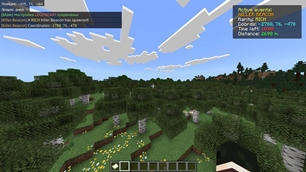
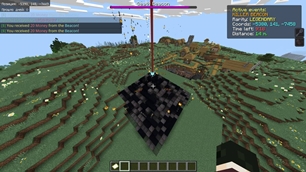
| Immersive UI & Holograms | Features a custom BossBar for all nearby players, dynamic Actionbar notifications with coordinates and distance, and floating holograms showing exact countdown timers for chest and core unlocks. |
📜 Event Phases
The Killer Beacon event operates in highly structured phases, bringing intense PvP action:
| Phase | What Happens? |
|---|---|
| 1. The Drop | The beacon spawns (either automatically or via admin command). A massive beam strikes the ground, a flat platform is generated, and global chat/actionbars notify players with exact coordinates. |
| 2. The Siege (Chests) | The beacon is locked. Players fight around it while a hologram counts down. Once the first timer ends, the outer chests unlock, dropping the first wave of loot. |
| 3. Core Breach | The battle continues as the Core (Shulker) timer counts down. Defender mobs spawn and hazards strike players. |
| 4. The Core Unlocks | The Core opens! The ultimate loot drops, and the beacon eventually despawns, cleaning up the event until the next drop. |
🛠 Admin Commands & Management
| Command / Action | Result |
|---|---|
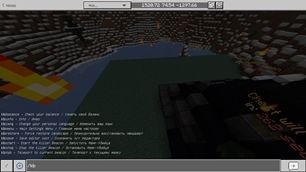
| /kb:menu | Opens the Master Admin UI to configure Rarities, Global Settings, Zones, and Loot. |
| /scriptevent kb:spawn | Instantly force-spawns a beacon at your current location. |
| /scriptevent kb:stop | Forcefully despawns the active beacon and stops the event. |
| /kb:save | Saves the items currently placed inside the Loot Editor chest. |
| /kb:balance | Player command to check their current event currency balance. |
⚙️ Installation Guide
- Download the .mcaddon file from the mod page.
- Double-click to import it into your Minecraft client.
- Apply both the Resource Pack and Behavior Pack to your world.
- ⚠️ CRITICAL: You MUST enable the following Experiments in your world settings:
- Beta APIs (Required for the entire addon to function)
- Holiday Creator Features (Required for custom blocks/skins)
🌐 Support & Community
Found a bug or have a suggestion for the next update? Leave a comment below! Enjoy hosting the ultimate PvP events on your realm or server!
Required Game Version: 1.26.10 <> 1.26.30 (Bedrock Edition)
The Ultimate Guide to # Killer Beacon Ultimate ⚔️
If you are exploring the vast world of Minecraft modifications, # Killer Beacon Ultimate ⚔️ by Rpuk_01 is a standout texture that deserves your attention. With over 59 downloads, it has become a staple for players looking to enhance their experience. As the creator describes it, this project is "Host massive PvP battles with Killer Beacon Ultimate! A dynamic Bedrock event addon featuring in-game UI loot editing, custom rarity tiers, holograms, BossBars, and auto-spawning platforms. Fully multi-language (EN/RU). Let the fight for loot begin!". Whether you are a veteran builder constructing massive cities, or simply a casual player looking to upgrade your survival world, this guide will provide you with all the essential details on how # Killer Beacon Ultimate ⚔️ alters the game.
What Makes It Special?
Unlike standard textures that simply alter superficial elements, # Killer Beacon Ultimate ⚔️ introduces a wide array of visual and mechanical features designed to seamlessly blend into the vanilla aesthetic. Rpuk_01 has clearly spent significant time refining the project to ensure that every aspect feels polished and responsive for version 1.21.
Installation Guide
Getting # Killer Beacon Ultimate ⚔️ up and running is straightforward. Follow these step-by-step instructions:
- Verify Your Version: Ensure your Minecraft launcher is set to version 1.21.
- Install Mod Loader (if required): If this is a mod, download the compatible loader (Forge, Fabric, NeoForge).
- Download the File: Click the secure download button above to retrieve the official file from CurseForge.
- Move the File: Place the downloaded file into your `mods`, `shaderpacks`, or `resourcepacks` folder depending on the texture type.
- Launch and Enjoy: Open Minecraft, navigate to the respective settings menu, and activate # Killer Beacon Ultimate ⚔️.
Compatibility & Performance
Compatibility is robust. # Killer Beacon Ultimate ⚔️ is designed specifically for version 1.21, taking full advantage of the latest engine optimizations. During typical gameplay, this addition maintains a stable frame rate, though lower-end laptops might experience slight stuttering. We recommend pairing this with performance boosters like Sodium or Iris to guarantee a silky-smooth experience.