PiglixMCMods LogoPiglixMCMods
HomeShadersTexturesModsLow-End ShadersRTX ShadersSavedGuidesAbout
GET IT ONGoogle Play

Popular Collections

📱 Performance HubBest Low-End ShadersMCPE Performance Mods
✨ Realism & RTXRealistic RTX ShadersRTX Texture Packs for MCPE
🤖 Platform CompatibilityMinecraft PE Shaders 1.21Shaders for Android & iOS
⚔️ Gameplay VibeTop PvP Texture PacksMedieval Texture Packs
🤝 Community & SocialsYouTubeInstagram
Get the Android App — Free on Play Store
HomeGuidesAbout UsSponsor & PartnerContactPrivacy PolicyTerms & ConditionsDisclaimer
Minecraft>Shaders>LumaLite
LumaLite logo

LumaLite

By👤Brinehero

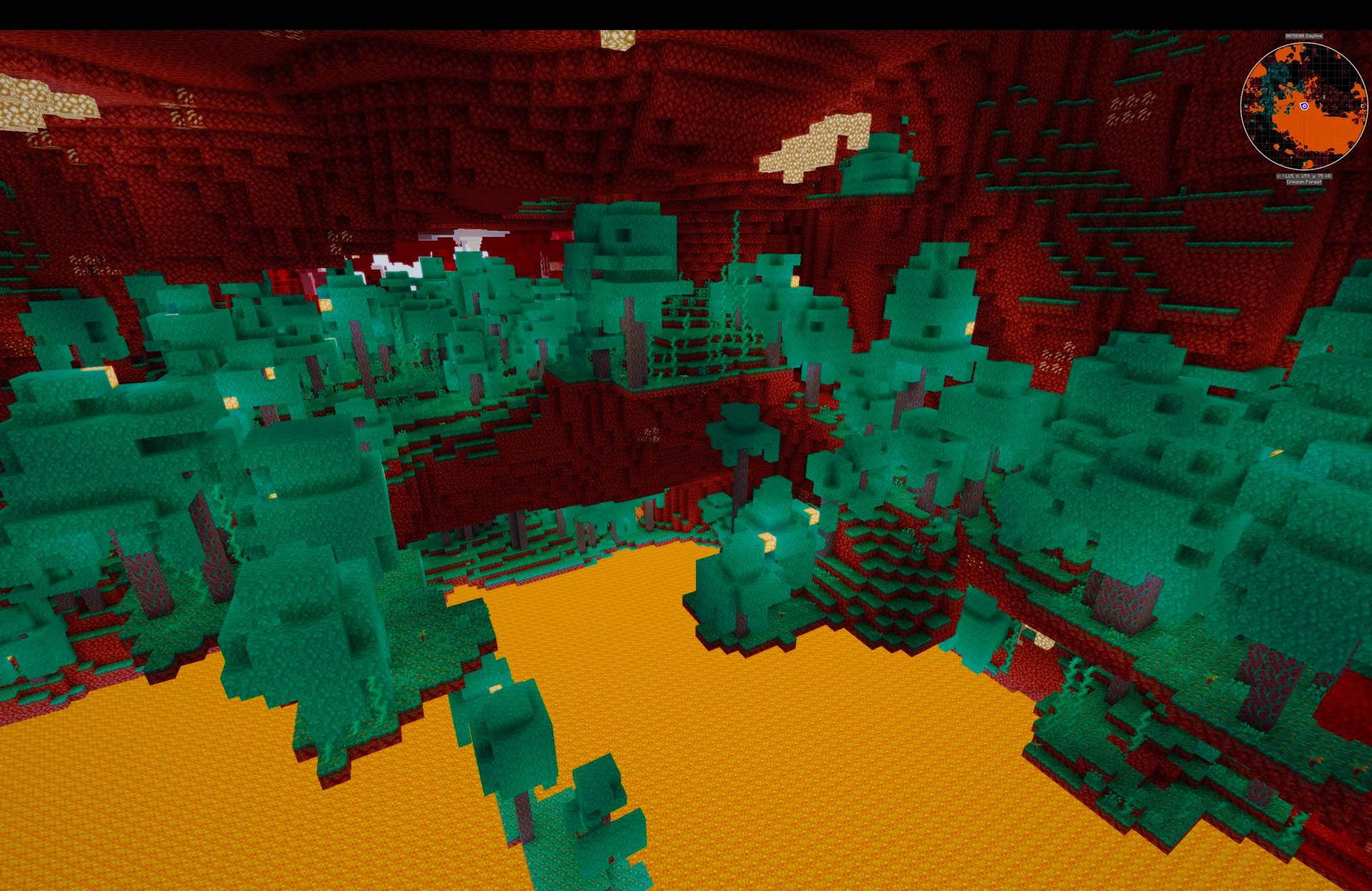
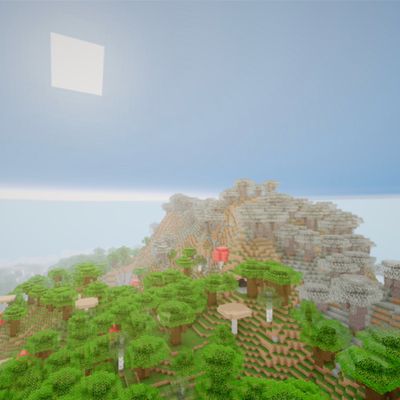
Lightweight, AI-generated shaders with an atmospheric day/night sky, reflective water, drifting clouds, bloom and god-rays. 8 presets from Potato to Ultimate — Apple Silicon friendly and built for high FPS.

Why LumaLite is a top-tier shader mod for Minecraft 1.21

Developed by the talented creator Brinehero, LumaLite stands out as a highly recommended selection for your Minecraft client. It is fully optimized, compatibility-tested, and brings a major upgrade to the gameplay experience in Minecraft version 1.21.

⚙️ Quick Resource Specs

Mod CreatorBrinehero
Latest Version1.21
Supported Game VersionsMinecraft 1.21+
File Size16.10 KB
Last UpdatedUpdated: July 19, 2026
Total Downloads287 downloads
LumaLite screenshot active
If you want to elevate your Minecraft gameplay, LumaLite is a fantastic choice. Developed by Brinehero, this shaders offers a fresh way to customize your virtual world. It is fully compatible with Minecraft 1.21 and is highly rated by the community.
# LumaLite
**Lightweight, cross-platform Minecraft shaders tuned for high FPS — Apple Silicon friendly.**
 
> ### 🤖 Fully AI-generated — read this first
> Everything in this pack — all of the GLSL shader code, the preset system, and this
> description — was written by an AI assistant (Claude), directed by me. I'm stating this
> openly and up front. LumaLite is a lightweight, performance-first pack, not a
> photorealistic one. If you want maximum realism, hand-crafted packs like Complementary
> or BSL are made by expert authors and will look better. LumaLite's goal is different:
> nice visuals that stay fast across a wide range of hardware, including Macs.
 
## ✨ Features
- ☀️ **Atmospheric sky** — smooth day → sunset → night with a localized sun glow (no harsh transitions)
- 🌤️ **Procedural clouds** — drifting, sun-lit, volumetric-look
- 💧 **Reflective water** — animated waves, moving specular, sky/sunset reflection
- 🍃 **Waving foliage** — leaves, grass, crops and flowers
- 🌑 **Soft sun shadows** (PCF) • ✨ **Bloom** • 🌟 **Volumetric god-rays**
- 🤿 **Underwater fog & tint** • 🎞️ **ACES tone-mapping**
 
## 🎚️ 8 presets (pick with the "Profile" button)
| Preset | Best for |
|---|---|
| POTATO / VERY_LOW | Old / integrated GPUs, battery |
| LOW / MEDIUM | MacBook Air, entry GPUs |
| HIGH / VERY_HIGH | M1 Max / M-series Pro·Max, mid GPUs (~120 FPS target) |
| ULTRA / ULTIMATE | Desktop dedicated GPUs |
 
Every effect scales with the preset, and each setting is individually tweakable in **Shader Pack Settings**.
 
## 📦 Requirements
- Minecraft: Java Edition
- **Iris + Sodium** (recommended) or OptiFine
- Windows, macOS (incl. Apple Silicon), Linux
 
## 🛠️ Installation
1. Download `LumaLite.zip` (don't unzip it).
2. In-game: **Options → Video Settings → Shader Packs → Open Shader Pack Folder**.
3. Drop `LumaLite.zip` in, click **Refresh**, select **LumaLite**, enable shaders.
4. Open **Shader Pack Settings** and choose a preset with the **Profile** button.
 
## 💡 Performance tips
- On Retina/high-res displays, running windowed at ~1080p is the biggest FPS boost.
- If you dip below target FPS, step the Profile down a tier, or turn off god-rays/shadows first.
 
## 📄 License & credits
- Author/uploader: (your name/handle)
- Written by: AI assistant (Claude), directed by the uploader
- License: All Rights Reserved. You may download and use this shader pack in game.
Do not re-upload, redistribute, modify, or include it in modpacks or other projects
without the author's written permission.
 
## 🐛 Feedback
Early release — please report visual glitches or load errors and I'll fix them.

The Ultimate Guide to LumaLite

If you are exploring the vast world of Minecraft modifications, LumaLite by Brinehero is a standout shader that deserves your attention. With over 287 downloads, it has become a staple for players looking to enhance their experience. As the creator describes it, this project is "Lightweight, AI-generated shaders with an atmospheric day/night sky, reflective water, drifting clouds, bloom and god-rays. 8 presets from Potato to Ultimate — Apple Silicon friendly and built for high FPS.". Whether you are a veteran builder constructing massive cities, or simply a casual player looking to upgrade your survival world, this guide will provide you with all the essential details on how LumaLite alters the game.

What Makes It Special?

Unlike standard shaders that simply alter superficial elements, LumaLite digs deep into the game's engine to provide a cohesive, performance-focused experience. Brinehero has clearly spent significant time refining the project to ensure that every aspect feels polished and responsive for version 1.21.

Installation Guide

Getting LumaLite up and running is straightforward. Follow these step-by-step instructions:

  1. Verify Your Version: Ensure your Minecraft launcher is set to version 1.21.
  2. Install Mod Loader (if required): If this is a mod, download the compatible loader (Forge, Fabric, NeoForge).
  3. Download the File: Click the secure download button above to retrieve the official file from CurseForge.
  4. Move the File: Place the downloaded file into your `mods`, `shaderpacks`, or `resourcepacks` folder depending on the shader type.
  5. Launch and Enjoy: Open Minecraft, navigate to the respective settings menu, and activate LumaLite.

Compatibility & Performance

Compatibility is robust. LumaLite is designed specifically for version 1.21, taking full advantage of the latest engine optimizations. Since this is heavily focused on optimization, you can expect significant frame rate improvements on both low-end and high-end hardware.
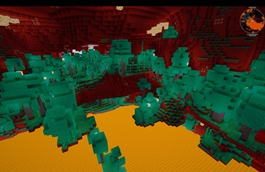
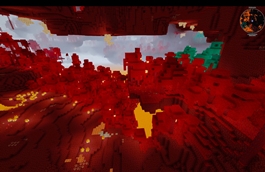
Details

Downloads:287
Created:1 month ago
Updated:26 days ago
Project ID:1594417
License:All Rights Reserved
Environment:Client

🤝 Join Community for Support

Need help installing this resource or want to see more showcases? Join our community!

Subscribe on YouTubeFollow on Instagram

LumaLite

Screenshot 0
Screenshot 1
Screenshot 2
Screenshot 3
Screenshot 4
Screenshot 5
B
Brinehero
SHADERS CREATOR
Downloads287
Version1.21
TypeSHADERS
File Size16.10 KB

About This shaders

Lightweight, AI-generated shaders with an atmospheric day/night sky, reflective water, drifting clouds, bloom and god-rays. 8 presets from Potato to Ultimate — Apple Silicon friendly and built for high FPS.

# LumaLite
**Lightweight, cross-platform Minecraft shaders tuned for high FPS — Apple Silicon friendly.**
 
> ### 🤖 Fully AI-generated — read this first
> Everything in this pack — all of the GLSL shader code, the preset system, and this
> description — was written by an AI assistant (Claude), directed by me. I'm stating this
> openly and up front. LumaLite is a lightweight, performance-first pack, not a
> photorealistic one. If you want maximum realism, hand-crafted packs like Complementary
> or BSL are made by expert authors and will look better. LumaLite's goal is different:
> nice visuals that stay fast across a wide range of hardware, including Macs.
 
## ✨ Features
- ☀️ **Atmospheric sky** — smooth day → sunset → night with a localized sun glow (no harsh transitions)
- 🌤️ **Procedural clouds** — drifting, sun-lit, volumetric-look
- 💧 **Reflective water** — animated waves, moving specular, sky/sunset reflection
- 🍃 **Waving foliage** — leaves, grass, crops and flowers
- 🌑 **Soft sun shadows** (PCF) • ✨ **Bloom** • 🌟 **Volumetric god-rays**
- 🤿 **Underwater fog & tint** • 🎞️ **ACES tone-mapping**
 
## 🎚️ 8 presets (pick with the "Profile" button)
| Preset | Best for |
|---|---|
| POTATO / VERY_LOW | Old / integrated GPUs, battery |
| LOW / MEDIUM | MacBook Air, entry GPUs |
| HIGH / VERY_HIGH | M1 Max / M-series Pro·Max, mid GPUs (~120 FPS target) |
| ULTRA / ULTIMATE | Desktop dedicated GPUs |
 
Every effect scales with the preset, and each setting is individually tweakable in **Shader Pack Settings**.
 
## 📦 Requirements
- Minecraft: Java Edition
- **Iris + Sodium** (recommended) or OptiFine
- Windows, macOS (incl. Apple Silicon), Linux
 
## 🛠️ Installation
1. Download `LumaLite.zip` (don't unzip it).
2. In-game: **Options → Video Settings → Shader Packs → Open Shader Pack Folder**.
3. Drop `LumaLite.zip` in, click **Refresh**, select **LumaLite**, enable shaders.
4. Open **Shader Pack Settings** and choose a preset with the **Profile** button.
 
## 💡 Performance tips
- On Retina/high-res displays, running windowed at ~1080p is the biggest FPS boost.
- If you dip below target FPS, step the Profile down a tier, or turn off god-rays/shadows first.
 
## 📄 License & credits
- Author/uploader: (your name/handle)
- Written by: AI assistant (Claude), directed by the uploader
- License: All Rights Reserved. You may download and use this shader pack in game.
Do not re-upload, redistribute, modify, or include it in modpacks or other projects
without the author's written permission.
 
## 🐛 Feedback
Early release — please report visual glitches or load errors and I'll fix them.
📌Supported Minecraft Versions: Minecraft 1.21+

How to Install

1. Download Iris Shader Mod or OptiFine for Minecraft 1.21+. 2. Open Minecraft and go to Options > Video Settings > Shader Packs. 3. Tap 'Open Shader Folder' and place the downloaded .zip file inside.