Why Most Advantage Essentials is a top-tier texture pack mod for Minecraft 1.21.132
Developed by the talented creator HyperTechnoZ131, Most Advantage Essentials stands out as a highly recommended selection for your Minecraft client. It is fully optimized, compatibility-tested, and brings a major upgrade to the gameplay experience in Minecraft version 1.21.132.
⚙️ Quick Resource Specs
| Mod Creator | HyperTechnoZ131 |
| Latest Version | 1.21.132 |
| Supported Game Versions | 1.21.132, 1.21.131, 1.21.130, 1.21.124, 1.21.123 |
| File Size | 2.64 MB |
| Last Updated | |
| Total Downloads | 81 downloads |
Most Advantage Essentials
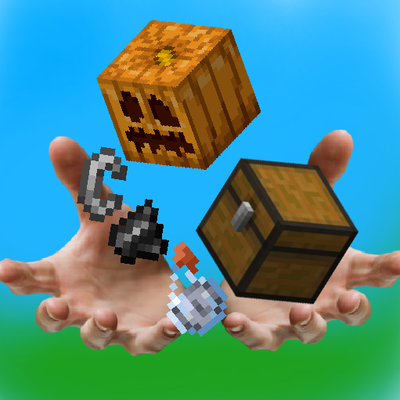
Most Advantage Essentials is the ultimate performance and utility resource pack designed to give you a massive competitive edge in Minecraft Bedrock Edition. Built specifically for PvP, survival efficiency, and crystal-clear visibility, this pack strips away visual distractions and highlights critical gameplay elements. Experience smoother framerates, cleaner visuals, and unmatched tactical awareness without changing the core vanilla feel
✨Features ✨
🔍 Ultimate ESP & X-Ray Utility
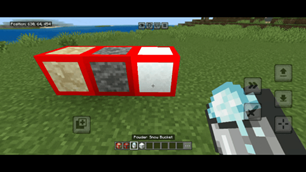
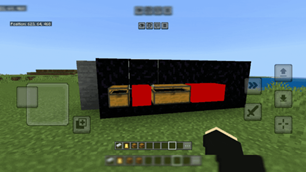
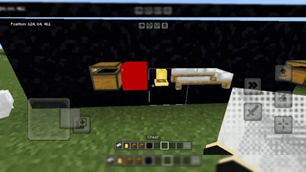
Chest ESP: Brightly highlights chest boundaries. Locate hidden loot instantly in bases, dungeons, or custom skywars maps.
Bed ESP: Uncovers bed locations through structural blind spots. Vital for aggressive BedWars rushes and map control.
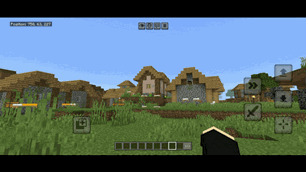
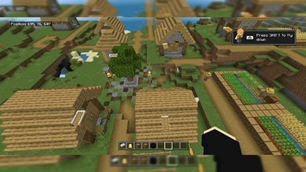
Bell ESP: Marks raid centers and village hubs clearly. Track essential raid mechanics effortlessly.
⚔️ Optimized Combat & Visual Clarity
No Pumpkin Blur: Removes the restrictive overlay entirely when wearing a carved pumpkin. Fight Endermen or players in total comfort.
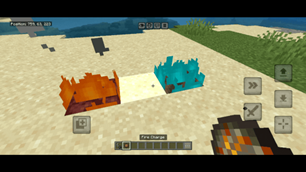
Low Fire: Lowers the fire animation height on your screen. Keep your eyes on your target during intense Nether fights or PvP duels.
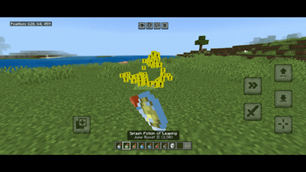
Particles Indicator: Clear, distinct particle visuals. Instantly track critical hits, potion effects, and damage registration.
⛏️ Efficiency & Resource Farming
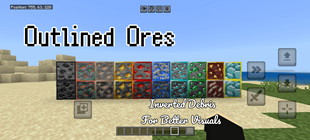
Outlined Ores: Adds vibrant, visible borders around every single ore block. Never miss a single diamond or ancient debris in dark caves.
Better Breaking Textures: Replaces the standard breaking cracks with clear visual stages. Perfect for timing block-breaking mechanics and tool efficiency.
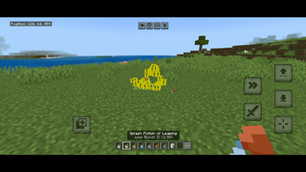
Snow Bucket Indicator: Adds a clean visual cue for powder snow buckets. Manage your MLG saves and freezing traps with ease.
🚀 Performance & Atmosphere Boost
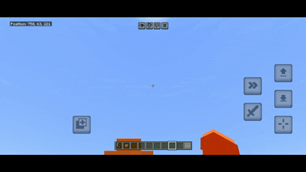
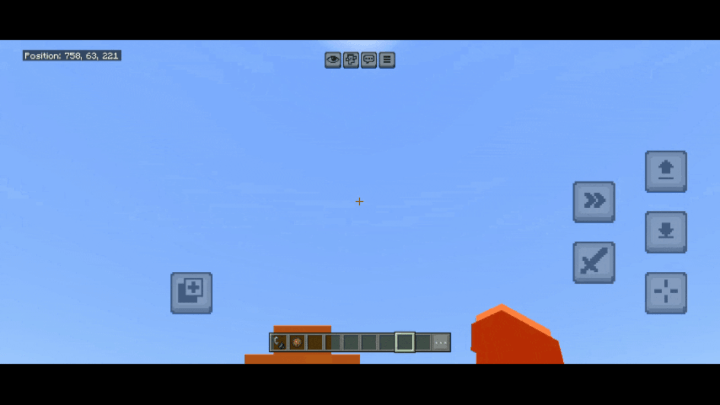
No Clouds: Completely removes heavy vanilla clouds. Increases your FPS and clears up your vertical line of sight.
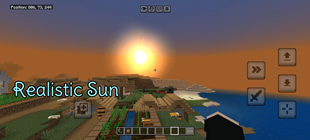
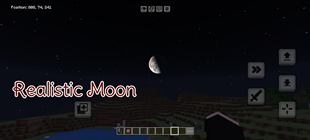
Realistic Sun & Moon: Replaces standard celestial squares with high-definition, immersive circular models. Enjoy beautiful skyboxes without sacrificing performance.
Why Choose Most Advantage Essentials?
Made for Bedrock: Fully optimized for seamless performance across Windows, mobile, and consoles.
FPS Friendly: Boosts your hardware performance by removing unnecessary rendering strain like heavy clouds and full-screen fire.
Pure Utility: No lag, no bloated textures—just pure, actionable gameplay advantages.
Installation Guide
Download the .mcpack file from ModBay or CurseForge.
Double-click (or open) the file to automatically import it into Minecraft Bedrock Edition.
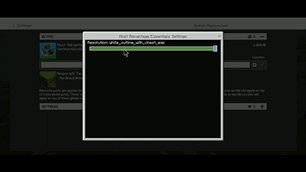
Go to Settings > Global Resources > Active and activate Most Advantage Essentials.
Move the pack to the top of your active list to ensure all textures load correctly. e packs to the selected section.
If you think this pack should have some more features.
Comment for more features
The Ultimate Guide to Most Advantage Essentials
If you are exploring the vast world of Minecraft modifications, Most Advantage Essentials by HyperTechnoZ131 is a standout texture that deserves your attention. With over 81 downloads, it has become a staple for players looking to enhance their experience. As the creator describes it, this project is "I have made this pack for PvP players. So they can get most advantage in PvP or servers". Whether you are a veteran builder constructing massive cities, or simply a casual player looking to upgrade your survival world, this guide will provide you with all the essential details on how Most Advantage Essentials alters the game.
What Makes It Special?
Unlike standard textures that simply alter superficial elements, Most Advantage Essentials introduces a wide array of visual and mechanical features designed to seamlessly blend into the vanilla aesthetic. HyperTechnoZ131 has clearly spent significant time refining the project to ensure that every aspect feels polished and responsive for version 1.21.132.
Installation Guide
Getting Most Advantage Essentials up and running is straightforward. Follow these step-by-step instructions:
- Verify Your Version: Ensure your Minecraft launcher is set to version 1.21.132.
- Install Mod Loader (if required): If this is a mod, download the compatible loader (Forge, Fabric, NeoForge).
- Download the File: Click the secure download button above to retrieve the official file from CurseForge.
- Move the File: Place the downloaded file into your `mods`, `shaderpacks`, or `resourcepacks` folder depending on the texture type.
- Launch and Enjoy: Open Minecraft, navigate to the respective settings menu, and activate Most Advantage Essentials.
Compatibility & Performance
Compatibility is robust. Most Advantage Essentials is designed specifically for version 1.21.132, taking full advantage of the latest engine optimizations. During typical gameplay, this addition maintains a stable frame rate, though lower-end laptops might experience slight stuttering. We recommend pairing this with performance boosters like Sodium or Iris to guarantee a silky-smooth experience.