Why Madara Uchiha Animated UI is a top-tier shader mod for Minecraft 1.21.132
Developed by the talented creator HyperTechnoZ131, Madara Uchiha Animated UI stands out as a highly recommended selection for your Minecraft client. It is fully optimized, compatibility-tested, and brings a major upgrade to the gameplay experience in Minecraft version 1.21.132.
⚙️ Quick Resource Specs
| Mod Creator | HyperTechnoZ131 |
| Latest Version | 1.21.132 |
| Supported Game Versions | 1.21.132, 1.21.131, 1.21.130 |
| File Size | 106.33 MB |
| Last Updated | |
| Total Downloads | 302 downloads |
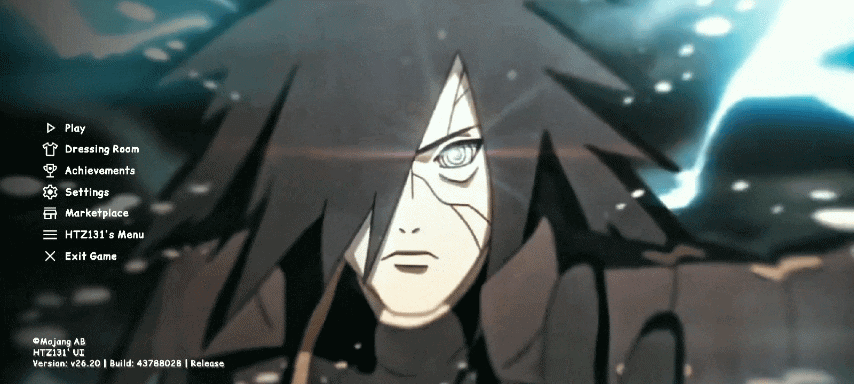
👑 Madara Uchiha Animated UI Menu (FPS Booster)
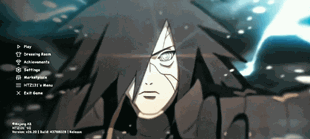
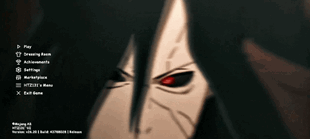
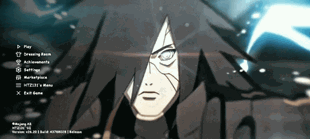
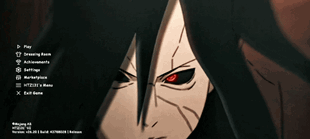
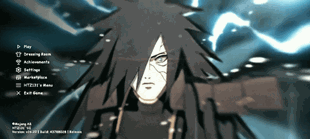
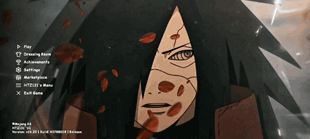
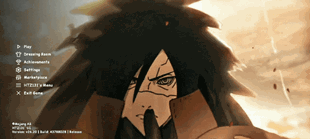
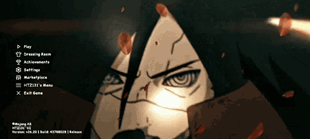
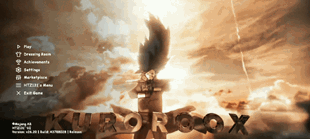
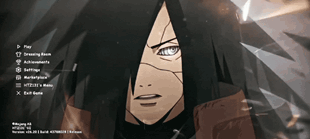
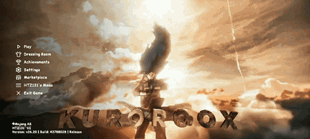
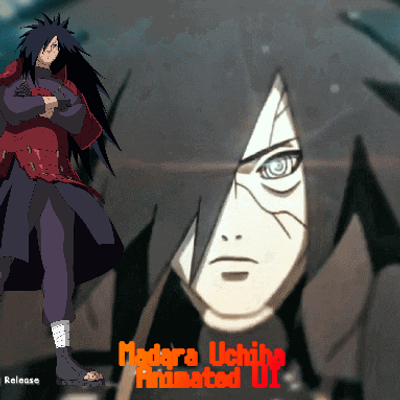
Bring the ultimate power of the Ghost of the Uchiha to your Minecraft Bedrock experience! This complete UI overhaul replaces the boring vanilla menus with a dark, cinematic, and beautifully animated Madara Uchiha theme. Not only does it completely redesign your interface, but it also optimizes your game files to boost your FPS and clean up your world visuals.
🚀 Key Features
🎬 1. Legendary Madara Uchiha Animated Menu Cinematic Screens:
The main menu features high-quality animations of Madara Uchiha. Custom Interfaces: Start screens, settings, and world selection menus are entirely redesigned. Uchiha Aesthetics: Dark, sleek, and premium layout inspired by the Naruto Shippuden universe.
⚡ 2. Advanced FPS Booster Engine Lag Reduction:
Laggy vanilla UI elements have been stripped and optimized for maximum performance. Smoother Navigation: Experience zero-delay button clicks and fast menu loading times. Low-End Device Friendly: Designed to give a massive frame rate boost on mobile devices, consoles, and low-end PCs.
🌿 3. Clean World Visuals (Full Grass Blocks) Better Grass:
Side textures of grass blocks are replaced with full grass textures. No Dirt Sides: Removes the ugly dirt texture from the side of grass hills for a cleaner look. Optifine Style: Gives your Bedrock world a beautiful, seamless, and high-end aesthetic.
🛠️ What’s Changed inside the UI?
Brand New Start Screen: Watch Madara dominate your loading and main screens. Redesigned HUD: Sleek, non-intrusive in-game overlays that keep your eyes on the action. Custom Buttons & Fonts: Sharper, stylized text and buttons matching the Uchiha theme. Optimized Settings Layout: Find your video and controller settings faster without the UI stutter.
📲 Installation Guide
Download the .mcpack file from the link below. Click/Tap the file to automatically import it into Minecraft Bedrock Edition. Open Minecraft, go to Settings > Global Resources. Find Madara Uchiha Animated UI, click it, and press Activate. Restart your game to let the animations load perfectly, and enjoy your boost!
✅ Compatibility Notes
Works perfectly on Minecraft Bedrock Edition(2GB RAM to upto 2GB RAM .. Render Dragon Compatible: Fully optimized for the latest Bedrock rendering engine. Multiplayer Safe: Can be used on servers (TheHive, CubeCraft), Realms, and local worlds without getting banned. If you want, I can modify this description for you.
The Ultimate Guide to Madara Uchiha Animated UI
If you are exploring the vast world of Minecraft modifications, Madara Uchiha Animated UI by HyperTechnoZ131 is a standout shader that deserves your attention. With over 302 downloads, it has become a staple for players looking to enhance their experience. As the creator describes it, this project is " Madara Uchiha Animated UI Menu (FPS Booster) Bring the ultimate power of the Ghost of the Uchiha to your Minecraft Bedrock experience! This complete UI overhaul replaces the boring vanilla menus with a dark, Madara Uchiha menu". Whether you are a veteran builder constructing massive cities, or simply a casual player looking to upgrade your survival world, this guide will provide you with all the essential details on how Madara Uchiha Animated UI alters the game.
What Makes It Special?
Unlike standard shaders that simply alter superficial elements, Madara Uchiha Animated UI digs deep into the game's engine to provide a cohesive, performance-focused experience. HyperTechnoZ131 has clearly spent significant time refining the project to ensure that every aspect feels polished and responsive for version 1.21.132.
Installation Guide
Getting Madara Uchiha Animated UI up and running is straightforward. Follow these step-by-step instructions:
- Verify Your Version: Ensure your Minecraft launcher is set to version 1.21.132.
- Install Mod Loader (if required): If this is a mod, download the compatible loader (Forge, Fabric, NeoForge).
- Download the File: Click the secure download button above to retrieve the official file from CurseForge.
- Move the File: Place the downloaded file into your `mods`, `shaderpacks`, or `resourcepacks` folder depending on the shader type.
- Launch and Enjoy: Open Minecraft, navigate to the respective settings menu, and activate Madara Uchiha Animated UI.
Compatibility & Performance
Compatibility is robust. Madara Uchiha Animated UI is designed specifically for version 1.21.132, taking full advantage of the latest engine optimizations. Since this is heavily focused on optimization, you can expect significant frame rate improvements on both low-end and high-end hardware.