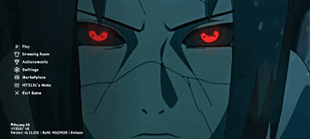
Why Itachi Uchiha Animated UI is a top-tier shader mod for Minecraft 1.21
Developed by the talented creator HyperTechnoZ131, Itachi Uchiha Animated UI stands out as a highly recommended selection for your Minecraft client. It is fully optimized, compatibility-tested, and brings a major upgrade to the gameplay experience in Minecraft version 1.21.
⚙️ Quick Resource Specs
| Mod Creator | HyperTechnoZ131 |
| Latest Version | 1.21 |
| Supported Game Versions | Minecraft 1.21+ |
| File Size | 28.19 MB |
| Last Updated | |
| Total Downloads | 321 downloads |
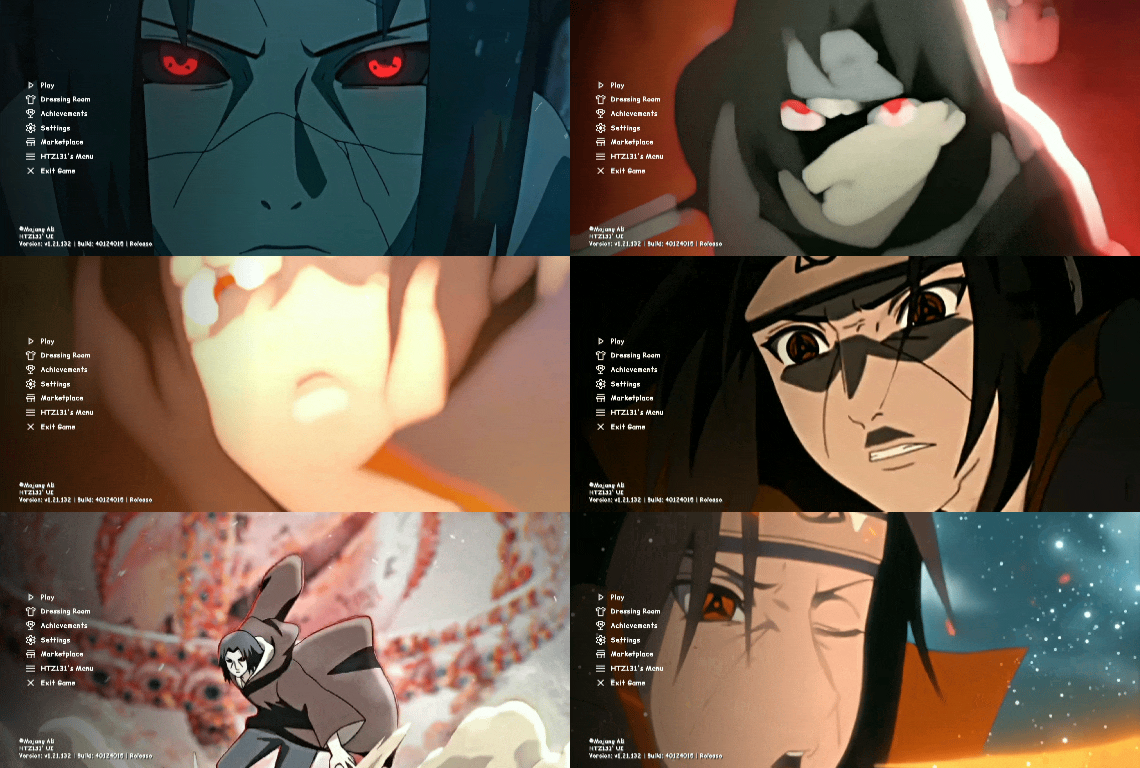
🌌 ITACHI UCHIHA ANIMATED UI (FPS BOOST) — BEDROCK EDITION
👤 Created by HyperTechnoZ131 (Official Creator)
Step into the world of the Sharingan! The Itachi Uchiha Animated UI completely reimagines your Minecraft Bedrock Edition interface, blending the dark, legendary aesthetic of the Akatsuki with cutting-edge UI optimization. Designed by HyperTechnoZ131, this pack brings a premium, dynamic, and lag-free experience to mobile, console, and PC players.
👁️ Key Features
🎬 Dynamic Mangekyo AnimationsLive Main Menu:
Custom high-definition animated background featuring Itachi Uchiha amidst floating crow feathers and flowing chakra.Sharingan Toggles: Custom animated buttons that morph or glow when hovered over or clicked.Smooth Transitions: Re-engineered sub-menus (Settings, Play Screen, Worlds) featuring seamless fade-in and slide effects.
🚀 Secret Performance & FPS EngineUI Code Optimization:
Heavy vanilla JSON scripts are stripped and rewritten for faster rendering.V-Sync & Render Optimization: Secretly tweaks engine UI files to reduce input lag and mouse/touch latency.Low-Overhead Textures: Textures are optimized to compress RAM usage, resulting in a 15–30% FPS boost during intense gameplay and menu navigation.Less HUD Lag: The in-game HUD (Heads-Up Display) is streamlined to prevent frame drops during rapid hotbar switching.
🩸 Complete Aesthetic OverhaulAkatsuki Themes:
Dark mode interface utilizing a premium crimson red, charcoal black, and smoky gray palette.Custom Fonts: Sleek, stylized typography matching the dark ninja aesthetic.Crow Particle Effects: Subtle, non-intrusive animated details built directly into the menu screens.Custom Loading Screen: Say goodbye to the boring dirt background; experience a mesmerizing genjutsu loading sequence.
🛠️ Technical SpecificationsFeatureDetailsCreatorHyperTechnoZ131Supported PlatformsAndroid, iOS, Windows 10/11, Xbox, PlayStation, Nintendo SwitchMinecraft Versions1.20+ / 1.21+ (Bedrock Edition / MCPE)File Type.mcpack (Direct 1-Click Import)Memory ImpactHighly Lightweight / RAM-Optimized
📝 Detailed Screen BreakdownThe Title Screen:
A legendary tribute to Itachi. Features custom music integration support, a hidden settings shortcut, and ambient crow animation.The Pause Menu: Compact, clean, and transparent. View your skin clearly while accessing quick settings without freezing your game.Inventory & Containers: The chest, shulker, and player inventory screens are given a translucent dark-crimson theme, perfect for PvP and quick management.
📥 How to Install
Download the .mcpack file directly.Click or tap on the file to automatically launch Minecraft Bedrock.Go to Settings > Global Resources > Active Packs.Activate Itachi Uchiha Animated UI by HyperTechnoZ131.Restart your game to let the custom animations and FPS tweaks initialize!
The Ultimate Guide to Itachi Uchiha Animated UI
If you are exploring the vast world of Minecraft modifications, Itachi Uchiha Animated UI by HyperTechnoZ131 is a standout shader that deserves your attention. With over 321 downloads, it has become a staple for players looking to enhance their experience. As the creator describes it, this project is "The Itachi Uchiha Animated UI completely reimagines your Minecraft Bedrock Edition interface, blending the dark, legendary aesthetic of the Akatsuki with cutting-edge UI optimization.". Whether you are a veteran builder constructing massive cities, or simply a casual player looking to upgrade your survival world, this guide will provide you with all the essential details on how Itachi Uchiha Animated UI alters the game.
What Makes It Special?
Unlike standard shaders that simply alter superficial elements, Itachi Uchiha Animated UI digs deep into the game's engine to provide a cohesive, performance-focused experience. HyperTechnoZ131 has clearly spent significant time refining the project to ensure that every aspect feels polished and responsive for version 1.21.
Installation Guide
Getting Itachi Uchiha Animated UI up and running is straightforward. Follow these step-by-step instructions:
- Verify Your Version: Ensure your Minecraft launcher is set to version 1.21.
- Install Mod Loader (if required): If this is a mod, download the compatible loader (Forge, Fabric, NeoForge).
- Download the File: Click the secure download button above to retrieve the official file from CurseForge.
- Move the File: Place the downloaded file into your `mods`, `shaderpacks`, or `resourcepacks` folder depending on the shader type.
- Launch and Enjoy: Open Minecraft, navigate to the respective settings menu, and activate Itachi Uchiha Animated UI.
Compatibility & Performance
Compatibility is robust. Itachi Uchiha Animated UI is designed specifically for version 1.21, taking full advantage of the latest engine optimizations. Since this is heavily focused on optimization, you can expect significant frame rate improvements on both low-end and high-end hardware.