Why Colourful Ore UI - Bedrock Port is a top-tier texture pack mod for Minecraft 1.21
Developed by the talented creator QuartzEnder, Colourful Ore UI - Bedrock Port stands out as a highly recommended selection for your Minecraft client. It is fully optimized, compatibility-tested, and brings a major upgrade to the gameplay experience in Minecraft version 1.21.
⚙️ Quick Resource Specs
| Mod Creator | QuartzEnder |
| Latest Version | 1.21 |
| Supported Game Versions | Minecraft 1.21+ |
| File Size | 1.33 MB |
| Last Updated | |
| Total Downloads | 52,032 downloads |
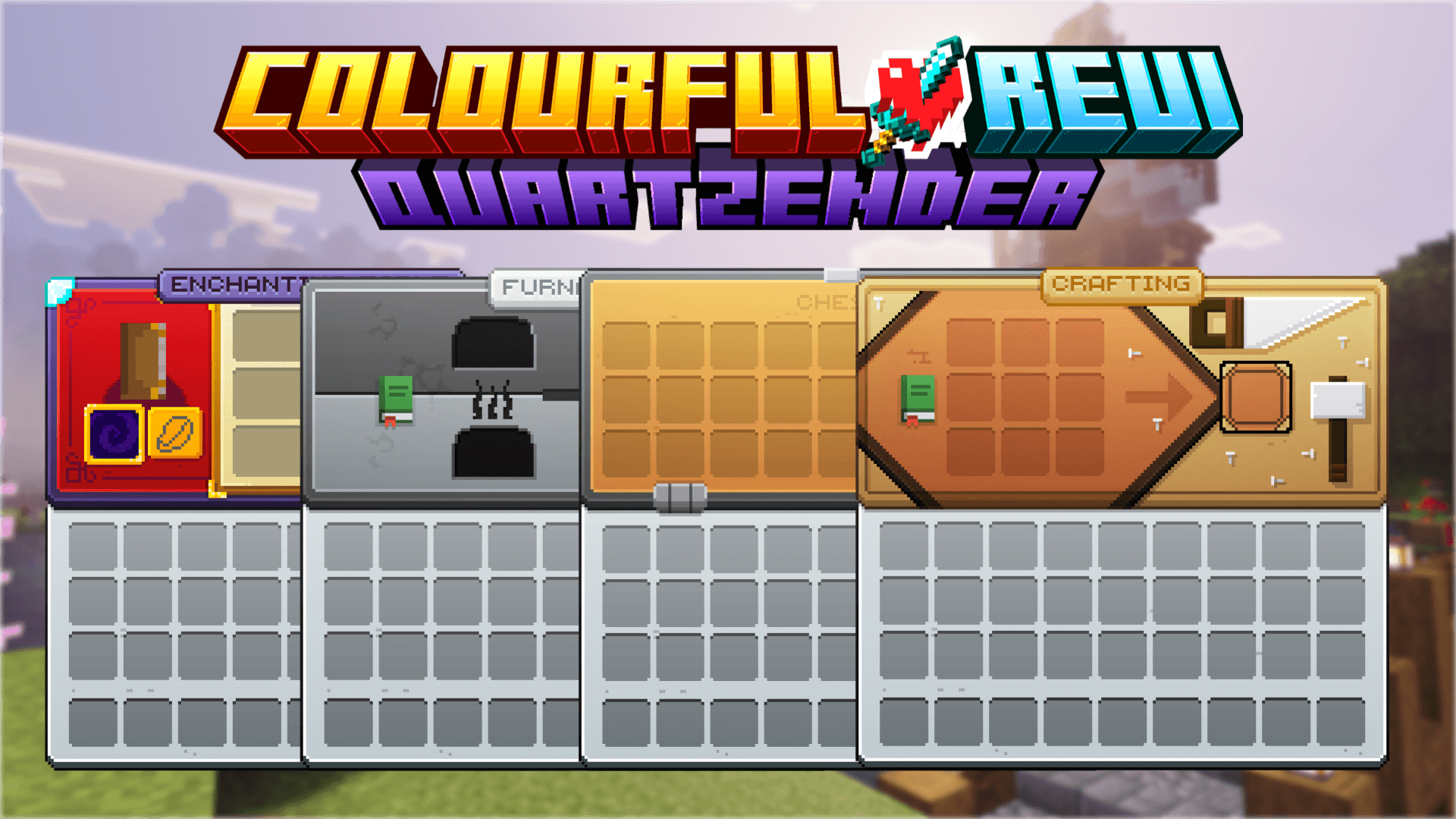
An unofficial faithful port for Bedrock Edition of MrGamingLoons' Colourful OreUI resource pack.
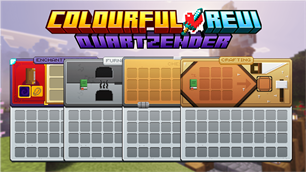
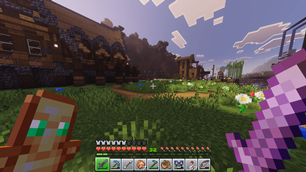
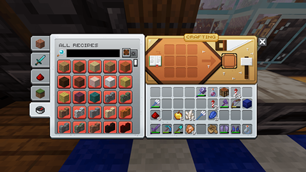
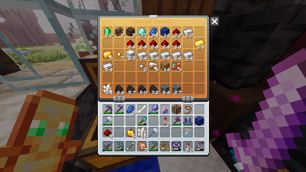
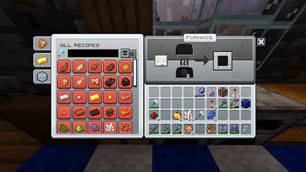
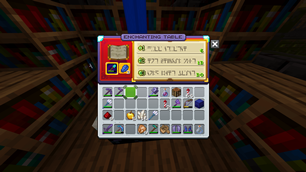
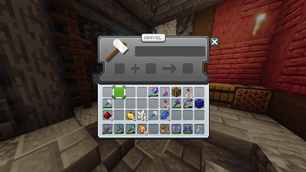
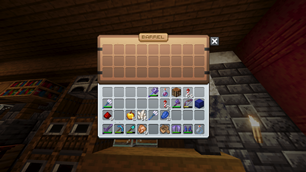
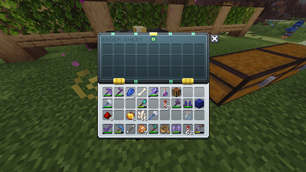
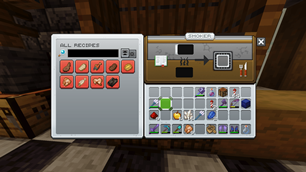
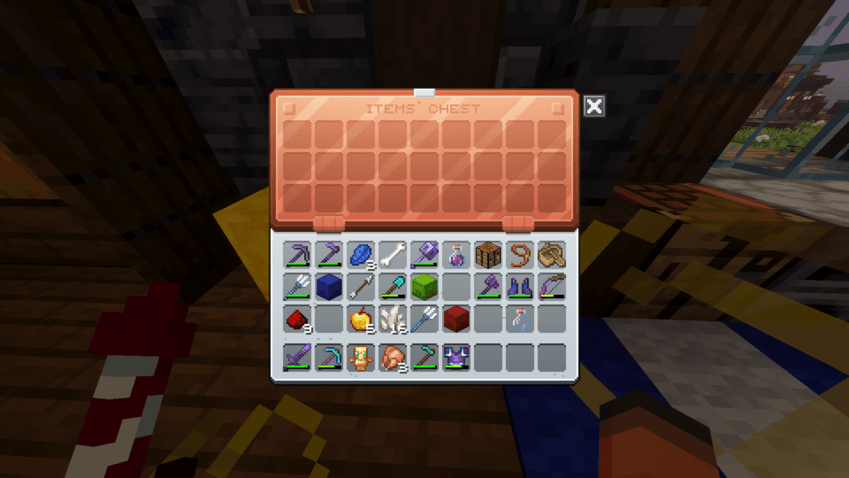
This OreUI inspired GUI re-texture brings Minecraft's interface to life. Featuring a premium gradient finish, fluid animations & colourful elements.
Do you want an experience where you’re not greeted by the same grey interface every time you open a container? If so, Colourful OreUI is for you.
This pack changes practically every GUI and UI element in minecraft, featuring; fluid animations, polished, premium gradient finish, fresh boss bars and fresh shader panorama's for each version. Oh, and a whole load more that brings colour and life to Minecraft’s UI.

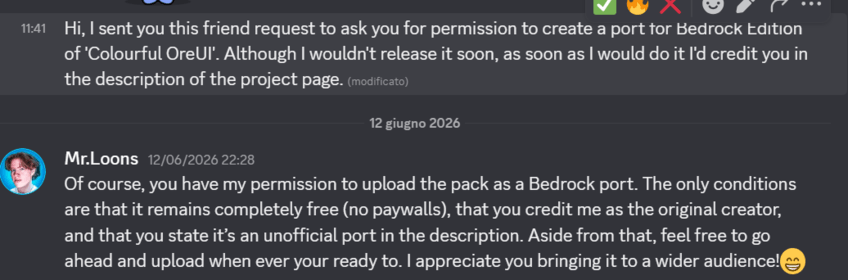
Proof of permission
Main Features
- redesigned GUI screens
- toggleable animated screens
- dynamic title backgrounds' sizes
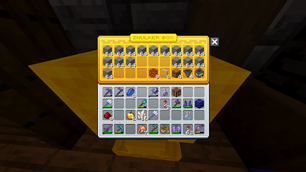
- coloured shulker boxes based on their § prefix (see guide below)
- solid compatibility with most resource packs
- dedicated compatibility support for Déesse UI
Available customization
- disabling the custom hud with subpacks: settings (from the main menu or from a world menu, not inside of a world) -> global resources (or 'resource packs') -> gear icon -> set the slider to 'Vanilla Hotbar'
- removing the big left panel in the loom and in the grindstone: click the recipe book toggle
- disabling animations: click on the animation toggle, which is the toggle with the grass block icon that you find under the close button
- enlarging/diminishing the close button and the animation toggle: go to settings -> video -> select 'Pocket UI' if you want to enlarge, 'Classsic UI' if you want to diminish it.
Colouring Shulker boxes
Due to Bedrock Edition's limitations, shulker boxes' screens do not automatically inherit their colour. In order to colour shulker boxes, you can either rename them manually with the anvil or download a script to do that automatically. We'll first go the renaming method first. Add one of these prefixes to your shulker box's name. If you want to keep the default formatting, add §r after the prefix. For example, if you want to have a red shulker box display red, you'd have to rename it '§c§rShulker Box'. The text doesn't necessarily need to be 'Shulker Box', it just needs to start with one of the prefixes, otherwise it will display the default colour. Here is the full table. Some colours have multiple colour codes:
Black: §0 or §j
Blue: §9 or §1
Brown: §n
Cyan: §3 or §s
Grey: §8
Green: §2 or §q
Light Blue: §b
Light Grey: §7, §h or §i
Lime: §a
Magenta: §5
Orange: §p, §6 or §v
Pink: §d
Purple: §u
Red: §c, §4 or §m
White: §f
Yellow: §e or §g
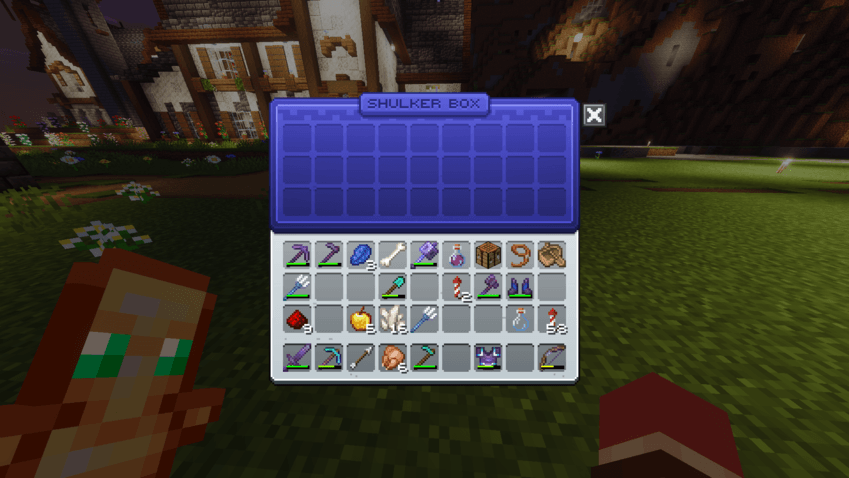
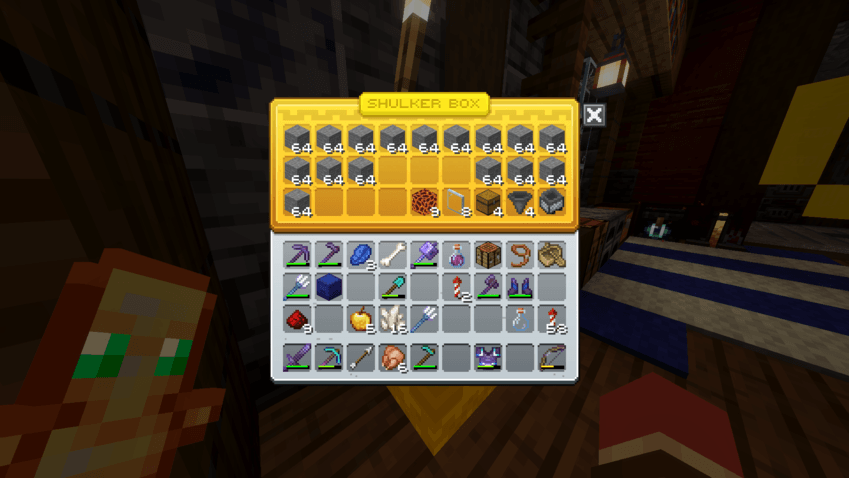
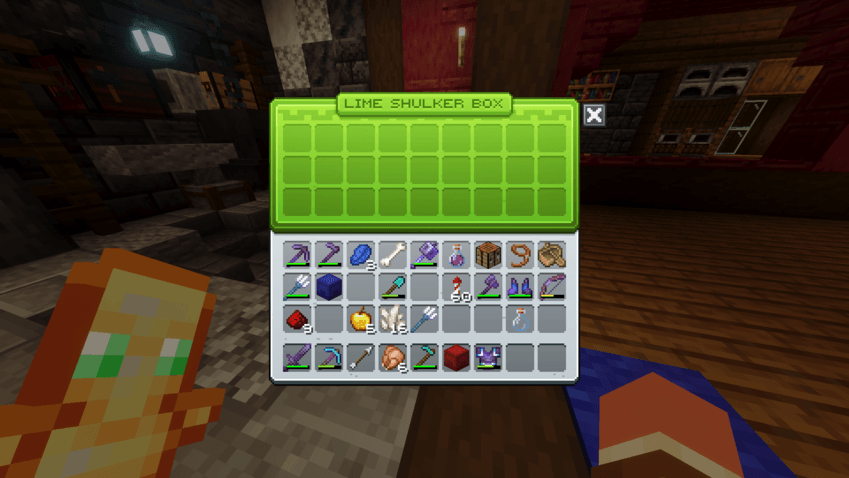
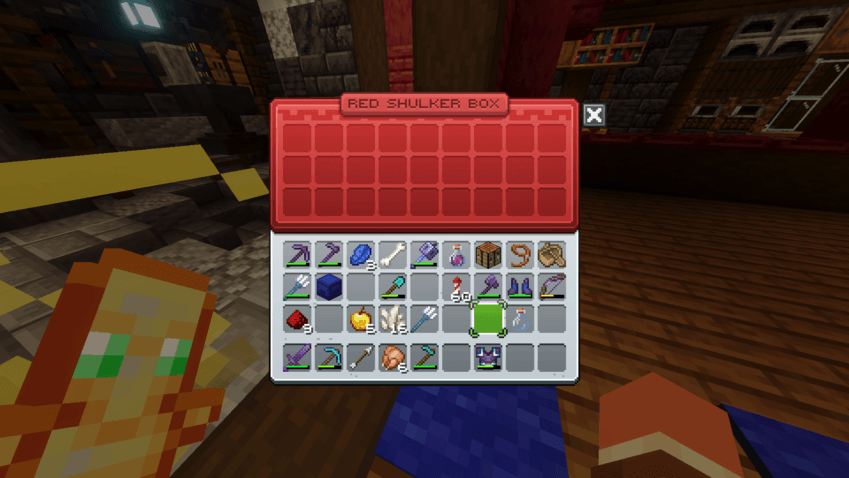
Alternatively, in order to automate this process you can use a script. One that I tested and therefore recommend is Redstone Chicken's Colourful Containers BE: Script.
Preserving copper chests' theme in renamed containers
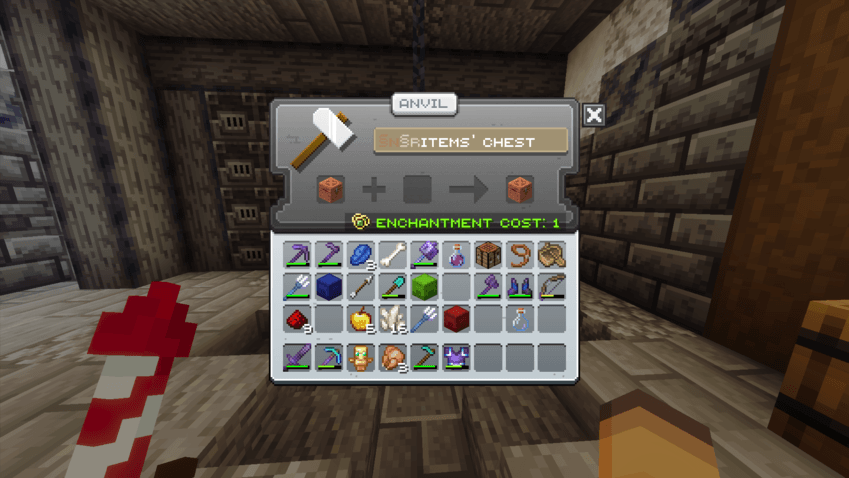
Again, due to our beloved Bedrock limitations, copper chests will lose their theme when renamed, becoming normal chests instead in the GUI. To prevent this, you can insert '§n§r' (although '§n' will work too, but the shadow will have some issues) as a prefix of the item name when you rename it in an anvil.
Packs with dedicated compatibility support
This list contains all the resource packs that are in a sense 'officially' supported by Colourful OreUI, meaning that I made dedicated code or textures that appear with that pack only in order to improve compatibility with Colourful OreUI.
Only UI packs need dedicated support usually. The fact that a pack isn't on the list doesn't necessarily mean it's not compatible. You can suggest other packs that should have dedicated compatibility support here.
- Déesse UI by ItzRiyo157
- [known issue] The hover green rectangle that appears with the 'move column' mode active isn't perfectly aligned with the pack. As of now this is unfixable due to how Déesse UI is structured.
- Advanced Containers by Dimzcraft
FAQ
Q) What versions does this resource pack support?
A) The latest version of Colourful OreUI, which as of now is 1.2, supports every Bedrock Edition version after 26.50, but support for older versions will be abandoned as the pack gets updated. You should always stay in the latest versions of Minecraft to ensure that it works. Every version of Colourful Ore UI supports any version equal or superior to 26.40.
Q) Does it support Pocket UI?
A) Although mobile devices can use Colourful OreUI, the Pocket UI layout isn't supported. Instead every modified screen will be forced to Classic UI, regardless of the selected layout in the settings. There are no plans to support the Pocket UI layout, as there isn't a non destructive way to scale the images and panels of Pocket UI, and trying to use set sizes would limit the accessibility of that setting and defeat the purpose of Pocket UI, which is scalability based on the device's screen size and player's settings. This is not a definite answer and Pocket UI may be re-evaluated, although unlikely.
Q) Is it compatible with other resource packs/addons?
A) The pack is compatible with most resource packs (and all non-UI resource packs). However you might encounter minor issues by trying to combine it with another resource pack that alters the GUI. For more info, see the section 'Pack with dedicated compatibility support'
Q) Can you add a dark mode?
A) A dark mode will be added if the original creator adds a dark mode to the Java version of the pack
Q) Does disabling animations impact performance?
A) Disabling animations doesn't impact performance. However, the animations have an extremely light impact on performance.
Q) I found a bug or I want a suggestion implemented. What should I do?
A) Report it here. If you don't have GitHub comments on the Curseforge page are valid too.
Q) I'm a resource pack creator (related to JSON UI) and I want to apply changes to my pack based on whether or not Colourful OreUI is active or not. How can I do it?
A) You can modifications based on these global variables, using the 'requires' key inside of the 'variables' property, which you can apply to every variable you want. Just make sure you include a default value for when Colourful OreUI is not active but your pack is, or else you might soft-lock yourself into a screen. These are the pack's global variables you can use:
- $is_quartz_colourful_oreui_pack (detects if the pack is active or not | set to true)
- $is_quartzender_gui_pack (detects if the pack is a massive GUI overhaul pack developed by me, Such as GUI Revisision Expanded or Colourful Ore UI)
- $is_quartzender_pack (detects if the pack is developed by me | set to true)
- $quartz_colourful_oreui_pack_version (a string that gives the version of the pack | as of now it's "1.0.0")
Inspired by
- AR’s OreUI by amongstreality
- Re-colourful Containers GUI + HUD by Vi_Tul (Bedrock Port here)
- Colourful Containers GUI by KingByu (Bedrock Port by Redstone Chicken here)
- Unique Dark by amongstreality
- Ingot UI by Zeit709
- GUI Revision by Vixel (unofficial Bedrock Port and expansion by QuartzEnder here)
- Icons by WeNaN Studios (official Bedrock port here)
The Ultimate Guide to Colourful Ore UI - Bedrock Port
If you are exploring the vast world of Minecraft modifications, Colourful Ore UI - Bedrock Port by QuartzEnder is a standout texture that deserves your attention. With over 52,032 downloads, it has become a staple for players looking to enhance their experience. As the creator describes it, this project is "An unofficial faithful port for Bedrock Edition of MrGamingLoons' Colourful OreUI resource pack". Whether you are a veteran builder constructing massive cities, or simply a casual player looking to upgrade your survival world, this guide will provide you with all the essential details on how Colourful Ore UI - Bedrock Port alters the game.
What Makes It Special?
Unlike standard textures that simply alter superficial elements, Colourful Ore UI - Bedrock Port introduces a wide array of visual and mechanical features designed to seamlessly blend into the vanilla aesthetic. QuartzEnder has clearly spent significant time refining the project to ensure that every aspect feels polished and responsive for version 1.21.
Installation Guide
Getting Colourful Ore UI - Bedrock Port up and running is straightforward. Follow these step-by-step instructions:
- Verify Your Version: Ensure your Minecraft launcher is set to version 1.21.
- Install Mod Loader (if required): If this is a mod, download the compatible loader (Forge, Fabric, NeoForge).
- Download the File: Click the secure download button above to retrieve the official file from CurseForge.
- Move the File: Place the downloaded file into your `mods`, `shaderpacks`, or `resourcepacks` folder depending on the texture type.
- Launch and Enjoy: Open Minecraft, navigate to the respective settings menu, and activate Colourful Ore UI - Bedrock Port.
Compatibility & Performance
Compatibility is robust. Colourful Ore UI - Bedrock Port is designed specifically for version 1.21, taking full advantage of the latest engine optimizations. During typical gameplay, this addition maintains a stable frame rate, though lower-end laptops might experience slight stuttering. We recommend pairing this with performance boosters like Sodium or Iris to guarantee a silky-smooth experience.