Why Visual Clarity is a top-tier texture pack mod for Minecraft 1.21
Developed by the talented creator prkr01, Visual Clarity stands out as a highly recommended selection for your Minecraft client. It is fully optimized, compatibility-tested, and brings a major upgrade to the gameplay experience in Minecraft version 1.21.
⚙️ Quick Resource Specs
| Mod Creator | prkr01 |
| Latest Version | 1.21 |
| Supported Game Versions | Minecraft 1.21+ |
| File Size | 2.27 MB |
| Last Updated | |
| Total Downloads | 5,439 downloads |
Visual Clarity 1.2.5
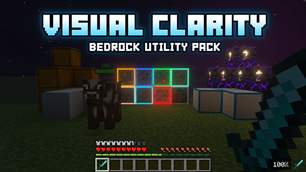
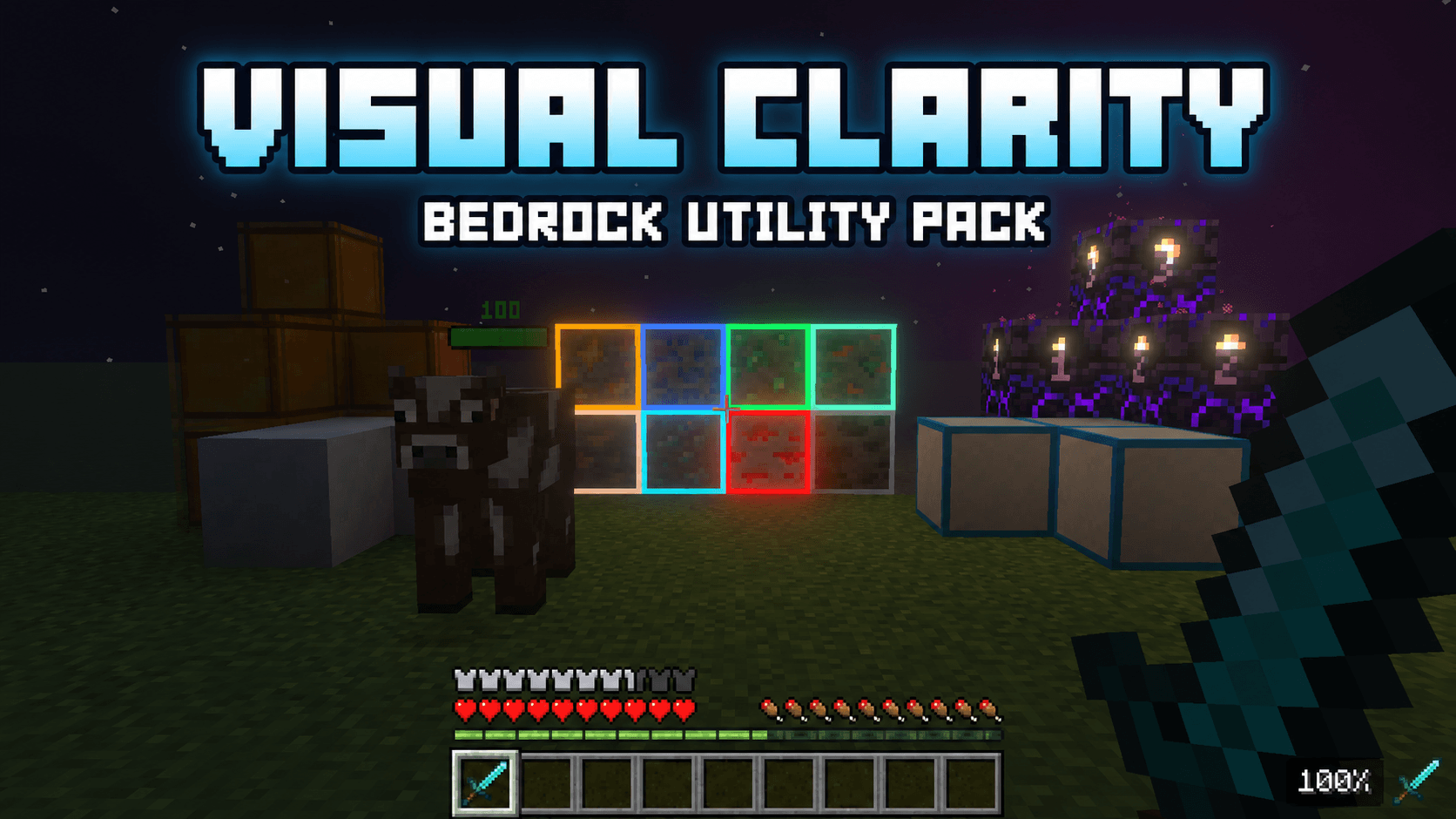
Visual Clarity is a utility resource pack for Minecraft Bedrock Edition. It makes useful information easier to read, improves block visibility, and reduces screen obstruction while preserving Minecraft’s original style.
Item and Inventory Information
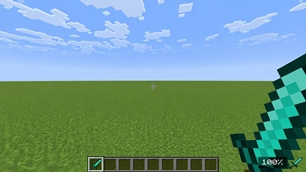
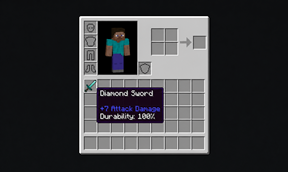
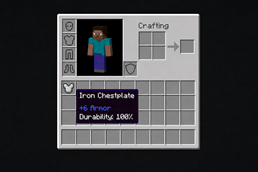
- Displays durability as a percentage
- Shows durability inside the inventory and during gameplay
- Shows weapon attack damage
- Shows armor protection values
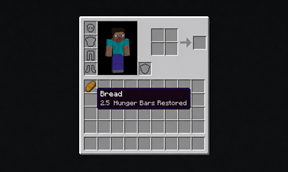
- Shows how many hunger bars food restores
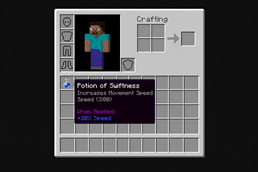
- Explains potion effects
- Displays potion-effect duration
- Uses clean, readable text that matches Minecraft’s interface
Mob Health Bars
- Adds compact health bars above mobs
- Displays the mob’s current health
- Changes color as health decreases
- Keeps the display above the mob’s head
- Works during regular survival gameplay and on servers
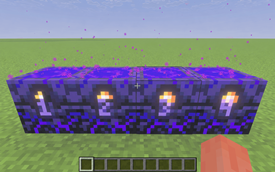
Outlined Ores
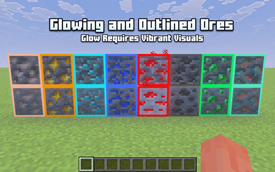
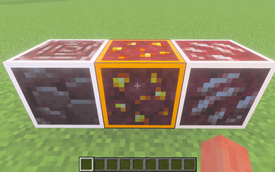
- Adds visible outlines to stone, deepslate, and Nether ores
- Includes ancient debris
- Makes ores easier to identify in dark areas
- Supports glowing ores with Vibrant Visuals
- Outlines still appear without Vibrant Visuals
Clear Borderless Glass
- Removes distracting borders and streaks
- Supports regular glass blocks and panes
- Supports every stained-glass color
- Supports tinted glass
- Gives windows and large glass builds a cleaner appearance
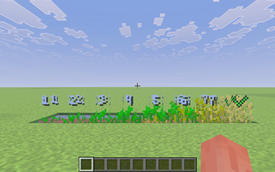
Crop Growth Indicators
- Displays numbered growth stages on crops
- Supports wheat, carrots, potatoes, beetroot, and Nether wart
- Uses small indicators that keep the crops visible
- Crop Stages are enabled by default
- Turn Crop Stages ON or OFF through the pack’s gear icon
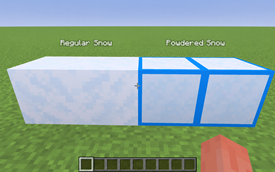
Powdered Snow Indicator
- Adds a blue border around powdered snow
- Covers every visible side
- Makes powdered snow easy to separate from regular snow
Visible Infested Blocks
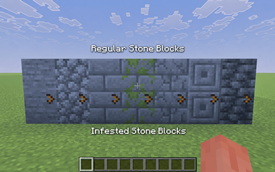
- Adds a clear orange indicator to infested stone blocks
- Makes infested blocks easier to identify
- Keeps the original stone textures recognizable
Clear Pumpkin Vision
- Removes the obstructive carved-pumpkin overlay
- Keeps your view clear while wearing a carved pumpkin
Low Fire
- Lowers the first-person fire overlay
- Keeps more of the screen visible while burning
Lower Shield
- Lowers the first-person shield position
- Stops the shield from covering a large part of the screen
Visible Tripwire
- Makes placed tripwire easier to see
- Uses a visible orange texture
- Helps with traps and redstone builds
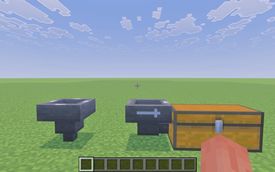
Directional Hoppers
- Makes hopper direction easier to identify
- Helps when building storage systems and redstone machines
Pack Settings
The gear icon controls one feature:
- Crop Stages: ON
- Crop Stages: OFF
Durability is always displayed as a percentage. There is no durability-format setting.
Compatibility
- Made for Minecraft Bedrock Edition
- Works through Global Resources
- Works in survival and creative worlds
- Server and Realm friendly
- No scripts required
- Achievement friendly
- Standard crosshair preserved
- Preserves Minecraft’s vanilla appearance
These are only some of the improvements included in Visual Clarity. Try the pack in-game to see all its features.
The Ultimate Guide to Visual Clarity
If you are exploring the vast world of Minecraft modifications, Visual Clarity by prkr01 is a standout texture that deserves your attention. With over 5,439 downloads, it has become a staple for players looking to enhance their experience. As the creator describes it, this project is "Improve your Minecraft experience with clearer textures, outlined ores, crop stages, durability displays, helpful item details, and more. Works globally in worlds, Realms, and servers.". Whether you are a veteran builder constructing massive cities, or simply a casual player looking to upgrade your survival world, this guide will provide you with all the essential details on how Visual Clarity alters the game.
What Makes It Special?
Unlike standard textures that simply alter superficial elements, Visual Clarity introduces a wide array of visual and mechanical features designed to seamlessly blend into the vanilla aesthetic. prkr01 has clearly spent significant time refining the project to ensure that every aspect feels polished and responsive for version 1.21.
Installation Guide
Getting Visual Clarity up and running is straightforward. Follow these step-by-step instructions:
- Verify Your Version: Ensure your Minecraft launcher is set to version 1.21.
- Install Mod Loader (if required): If this is a mod, download the compatible loader (Forge, Fabric, NeoForge).
- Download the File: Click the secure download button above to retrieve the official file from CurseForge.
- Move the File: Place the downloaded file into your `mods`, `shaderpacks`, or `resourcepacks` folder depending on the texture type.
- Launch and Enjoy: Open Minecraft, navigate to the respective settings menu, and activate Visual Clarity.
Compatibility & Performance
Compatibility is robust. Visual Clarity is designed specifically for version 1.21, taking full advantage of the latest engine optimizations. During typical gameplay, this addition maintains a stable frame rate, though lower-end laptops might experience slight stuttering. We recommend pairing this with performance boosters like Sodium or Iris to guarantee a silky-smooth experience.