PiglixMCMods LogoPiglixMCMods
HomeShadersTexturesModsLow-End ShadersRTX ShadersSavedGuidesAbout
GET IT ONGoogle Play

Popular Collections

📱 Performance HubBest Low-End ShadersMCPE Performance Mods
✨ Realism & RTXRealistic RTX ShadersRTX Texture Packs for MCPE
🤖 Platform CompatibilityMinecraft PE Shaders 1.21Shaders for Android & iOS
⚔️ Gameplay VibeTop PvP Texture PacksMedieval Texture Packs
🤝 Community & SocialsYouTubeInstagram
Get the Android App — Free on Play Store
HomeGuidesAbout UsSponsor & PartnerContactPrivacy PolicyTerms & ConditionsDisclaimer
Minecraft>Shaders>TUNA Vanilla shader
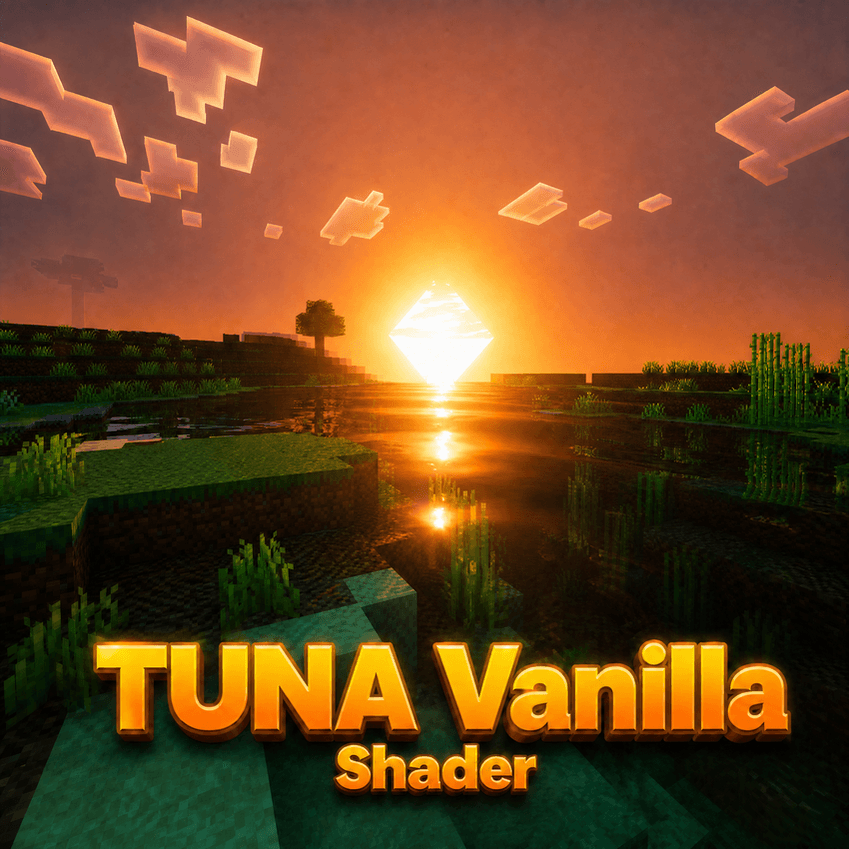
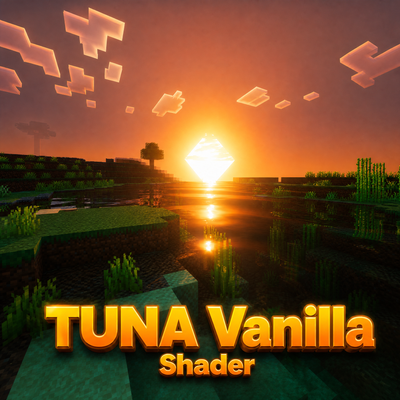
TUNA Vanilla shader logo

TUNA Vanilla shader

By👤PRATUNA

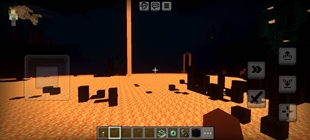
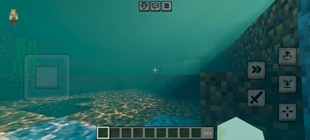
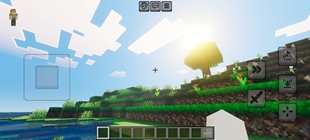
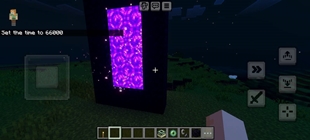
shader for vibrant visual dynamic light, realistic water, and more make by Thai people

Why TUNA Vanilla shader is a top-tier shader mod for Minecraft 1.21.132

Developed by the talented creator PRATUNA, TUNA Vanilla shader stands out as a highly recommended selection for your Minecraft client. It is fully optimized, compatibility-tested, and brings a major upgrade to the gameplay experience in Minecraft version 1.21.132.

⚙️ Quick Resource Specs

Mod CreatorPRATUNA
Latest Version1.21.132
Supported Game Versions1.21.132, 1.21.131, 1.21.130, 1.21.124, 1.21.123
File Size2.18 KB
Last UpdatedUpdated: August 14, 2026
Total Downloads255 downloads
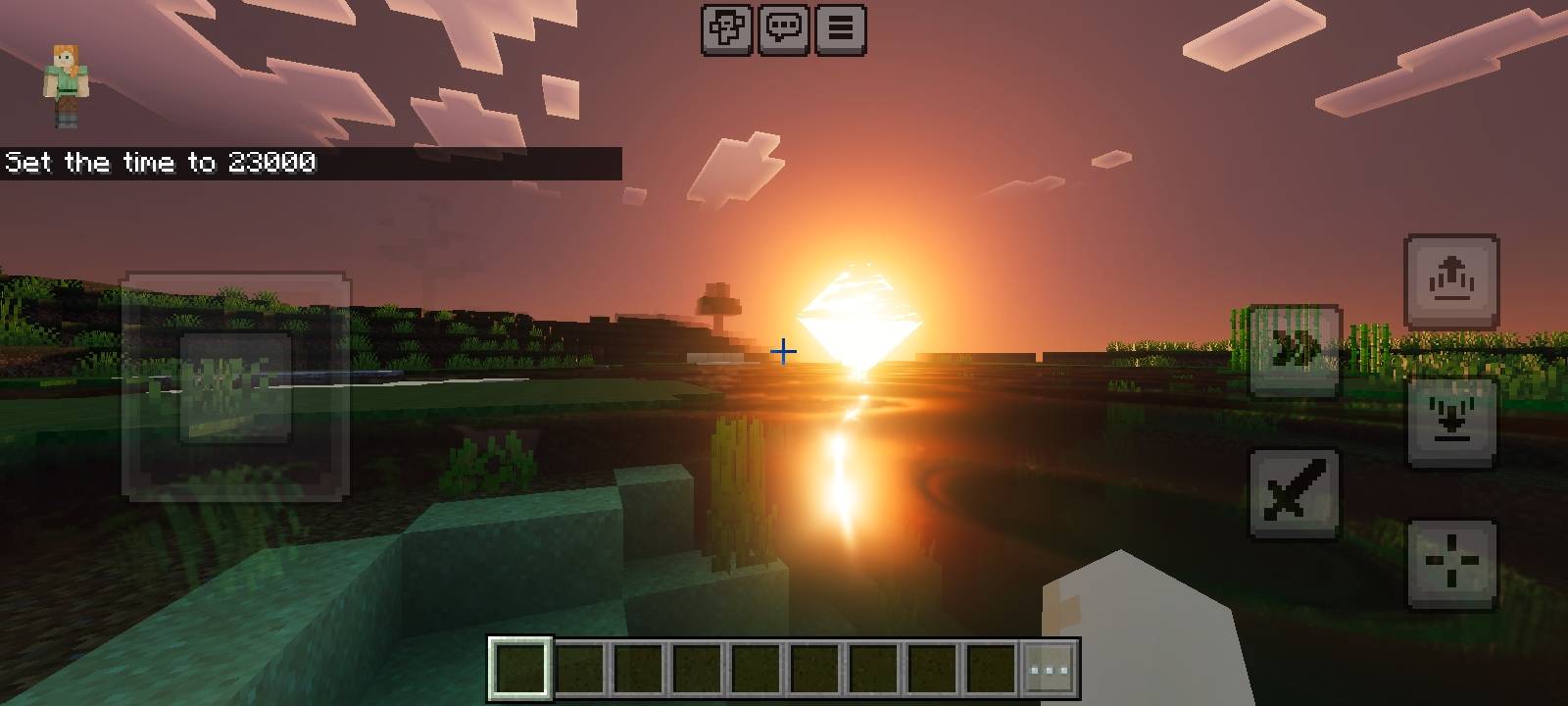
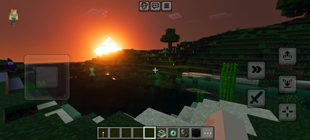
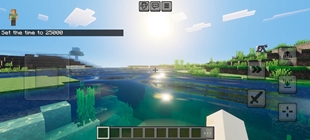
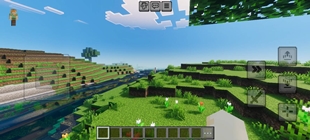
TUNA Vanilla shader screenshot active
Looking for the best shaders updates? TUNA Vanilla shader by PRATUNA provides excellent features tailored for Minecraft 1.21.132 players. It stands out in the shaders category for its stability and beautiful execution.

Recommended to download files named TUNA-VibrantVisuals-Cinema

TUNA Vibrant Visuals Cinema 1.1.1 — Updates

Version 1.1.1 is an updated and import-fixed version of the original TUNA pack.

Weather-responsive water

A companion behavior pack was added with a JavaScript weather system. When the supported Script API is available, it reads Rain and Thunder states. During rain, small ripple particles appear around the player. During thunderstorms, the ripples become larger, last longer, and appear more frequently.

The original TUNA water waves and caustics were preserved as the main visual baseline. The pack does not falsely claim to dynamically rewrite shader wave amplitude at runtime across every Bedrock version.

Wet-surface PBR

PBR texture sets and MERS data were added for smooth-stone-related surfaces, smooth basalt, and brick surfaces. These materials use lower roughness values to create stronger wet-looking highlights and reflections when Vibrant Visuals is enabled.

This is a PBR-based wet-surface treatment. It is not a guaranteed runtime switch that changes roughness only while it is raining, because the stable resource-pack API does not provide a reliable weather hook for every target version.

Subtle ore emission

Emissive masks were added for diamond, emerald, redstone, and deepslate ore variants. The emissive effect is limited to the colored ore patterns, while the surrounding stone remains dark.

Colored local-light treatments were also added for selected diamond, emerald, and redstone ores. These produce blue, green, and red lighting around the ore blocks to enhance the underground atmosphere.

Low, Medium, and Ultra profiles

The three subpacks were properly registered in manifest.json and connected to real override folders.

Low reduces PBR and emission cost while preserving the signature TUNA water look. Medium provides a balance between visual quality and performance. Ultra uses stronger reflections and brighter ore emission for medium-end devices.


TUNA Vibrant Visual cinema 1.1.5 - Updates

Improved foliage lighting so sunlight can pass through leaves and flower petals more naturally.

• Added soft backlighting around leaves and flowers when the sun shines from behind them.

• Enhanced Godrays and volumetric sunlight for stronger, more visible sunbeams.

• Improved atmospheric light scattering for a softer and deeper cinematic look.

• Changed rain-on-water effects to expanding water ripples instead of water splashes.

The Ultimate Guide to TUNA Vanilla shader

If you are exploring the vast world of Minecraft modifications, TUNA Vanilla shader by PRATUNA is a standout shader that deserves your attention. With over 255 downloads, it has become a staple for players looking to enhance their experience. As the creator describes it, this project is "shader for vibrant visual dynamic light, realistic water, and more make by Thai people". Whether you are a veteran builder constructing massive cities, or simply a casual player looking to upgrade your survival world, this guide will provide you with all the essential details on how TUNA Vanilla shader alters the game.

What Makes It Special?

Unlike standard shaders that simply alter superficial elements, TUNA Vanilla shader introduces a wide array of visual and mechanical features designed to seamlessly blend into the vanilla aesthetic. PRATUNA has clearly spent significant time refining the project to ensure that every aspect feels polished and responsive for version 1.21.132.

Installation Guide

Getting TUNA Vanilla shader up and running is straightforward. Follow these step-by-step instructions:

  1. Verify Your Version: Ensure your Minecraft launcher is set to version 1.21.132.
  2. Install Mod Loader (if required): If this is a mod, download the compatible loader (Forge, Fabric, NeoForge).
  3. Download the File: Click the secure download button above to retrieve the official file from CurseForge.
  4. Move the File: Place the downloaded file into your `mods`, `shaderpacks`, or `resourcepacks` folder depending on the shader type.
  5. Launch and Enjoy: Open Minecraft, navigate to the respective settings menu, and activate TUNA Vanilla shader.

Compatibility & Performance

Compatibility is robust. TUNA Vanilla shader is designed specifically for version 1.21.132, taking full advantage of the latest engine optimizations. During typical gameplay, this addition maintains a stable frame rate, though lower-end laptops might experience slight stuttering. We recommend pairing this with performance boosters like Sodium or Iris to guarantee a silky-smooth experience.


Details

Downloads:255
Created:1 day ago
Updated:5 hours ago
Project ID:1649803
License:All Rights Reserved
Environment:Client

Game Versions

1.21.1321.21.1311.21.1301.21.1241.21.1231.21.122

🤝 Join Community for Support

Need help installing this resource or want to see more showcases? Join our community!

Subscribe on YouTubeFollow on Instagram

TUNA Vanilla shader

Screenshot 0
Screenshot 1
Screenshot 2
Screenshot 3
Screenshot 4
Screenshot 5
Screenshot 6
Screenshot 7
Screenshot 8
Screenshot 9
Screenshot 10
Screenshot 11
Screenshot 12
Screenshot 13
P
PRATUNA
SHADERS CREATOR
Downloads255
Version1.21.132
TypeSHADERS
File Size2.18 KB

About This shaders

shader for vibrant visual dynamic light, realistic water, and more make by Thai people

Recommended to download files named TUNA-VibrantVisuals-Cinema

TUNA Vibrant Visuals Cinema 1.1.1 — Updates

Version 1.1.1 is an updated and import-fixed version of the original TUNA pack.

Weather-responsive water

A companion behavior pack was added with a JavaScript weather system. When the supported Script API is available, it reads Rain and Thunder states. During rain, small ripple particles appear around the player. During thunderstorms, the ripples become larger, last longer, and appear more frequently.

The original TUNA water waves and caustics were preserved as the main visual baseline. The pack does not falsely claim to dynamically rewrite shader wave amplitude at runtime across every Bedrock version.

Wet-surface PBR

PBR texture sets and MERS data were added for smooth-stone-related surfaces, smooth basalt, and brick surfaces. These materials use lower roughness values to create stronger wet-looking highlights and reflections when Vibrant Visuals is enabled.

This is a PBR-based wet-surface treatment. It is not a guaranteed runtime switch that changes roughness only while it is raining, because the stable resource-pack API does not provide a reliable weather hook for every target version.

Subtle ore emission

Emissive masks were added for diamond, emerald, redstone, and deepslate ore variants. The emissive effect is limited to the colored ore patterns, while the surrounding stone remains dark.

Colored local-light treatments were also added for selected diamond, emerald, and redstone ores. These produce blue, green, and red lighting around the ore blocks to enhance the underground atmosphere.

Low, Medium, and Ultra profiles

The three subpacks were properly registered in manifest.json and connected to real override folders.

Low reduces PBR and emission cost while preserving the signature TUNA water look. Medium provides a balance between visual quality and performance. Ultra uses stronger reflections and brighter ore emission for medium-end devices.


TUNA Vibrant Visual cinema 1.1.5 - Updates

Improved foliage lighting so sunlight can pass through leaves and flower petals more naturally.

• Added soft backlighting around leaves and flowers when the sun shines from behind them.

• Enhanced Godrays and volumetric sunlight for stronger, more visible sunbeams.

• Improved atmospheric light scattering for a softer and deeper cinematic look.

• Changed rain-on-water effects to expanding water ripples instead of water splashes.

📌Supported Minecraft Versions: 1.21.132, 1.21.131, 1.21.130, 1.21.124, 1.21.123, 1.21.122

How to Install

1. Download Iris Shader Mod or OptiFine for Minecraft 1.21+. 2. Open Minecraft and go to Options > Video Settings > Shader Packs. 3. Tap 'Open Shader Folder' and place the downloaded .zip file inside.