Why Visuals Deferred is a top-tier shader mod for Minecraft 1.21.100
Developed by the talented creator yogamerzyt, Visuals Deferred stands out as a highly recommended selection for your Minecraft client. It is fully optimized, compatibility-tested, and brings a major upgrade to the gameplay experience in Minecraft version 1.21.100.
⚙️ Quick Resource Specs
| Mod Creator | yogamerzyt |
| Latest Version | 1.21.100 |
| Supported Game Versions | 1.21.100, 1.21.80 |
| File Size | 7.18 MB |
| Last Updated | |
| Total Downloads | 1,411 downloads |
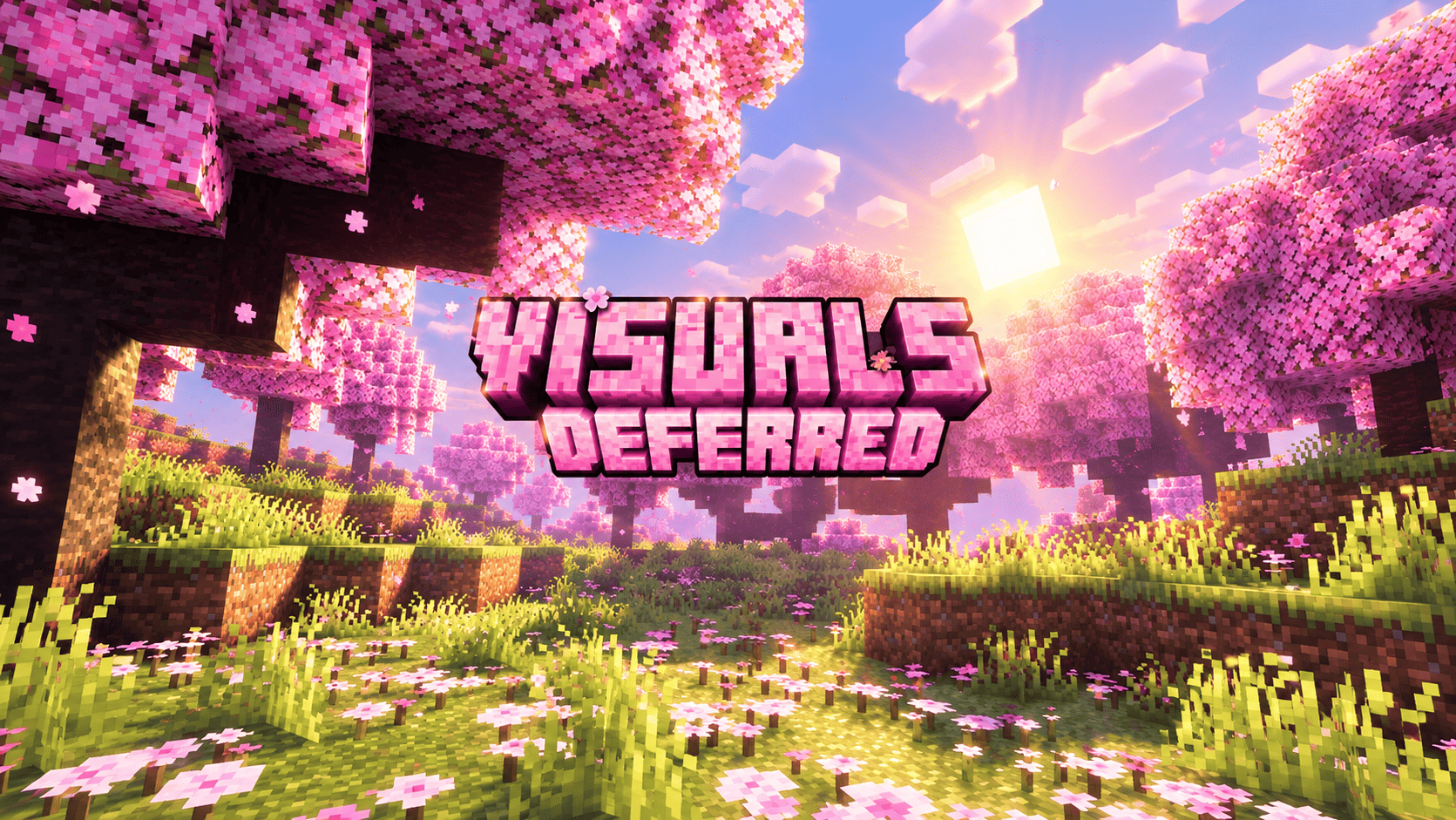
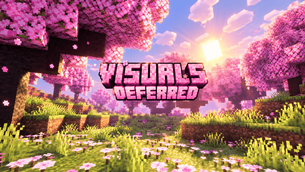
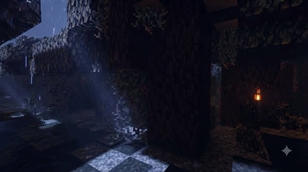
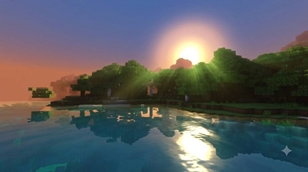
Visuals Deferred is a lighting-focused resource pack for Minecraft Bedrock Edition, designed to push Deferred Lighting (Vibrant Visuals) toward a warmer, brighter and far more colorful look. Every forest, river, sunrise and cherry grove has been tuned so that light becomes the star of the scene, without touching your gameplay. Whether you are exploring a misty forest at dawn, sailing along a quiet river, or building under a rain-soaked night sky, the pack keeps the image warm, readable and full of depth.
GOLDEN SUN RAYS
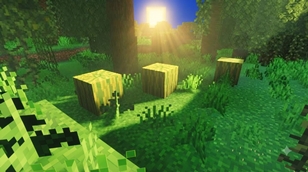
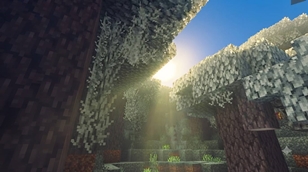
The biggest change is the volumetric fog. Air scattering has been increased in the forest, jungle, plains, cherry grove, taiga, swamp, desert and pale garden biomes, so sunlight cuts through the trees as soft, visible beams. Forests glow with golden-green shafts, jungles carry a fresh green haze, and cherry groves are wrapped in gentle pink light. The fog stays thin enough to keep the world clear, so you get atmosphere instead of a wall of haze.
DRAMATIC SUNRISE AND SUNSET
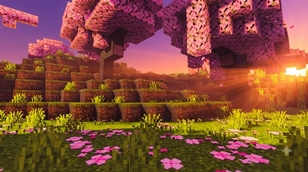
The sky has been rebuilt around richer colors. The sun is brighter, its halo is stronger, and the horizon now blends from deep orange into rose and violet before night falls. Dawn and dusk gain extra color stops, which makes every morning and evening feel cinematic. Midday skies are a cleaner, more saturated blue.
VIVID, SATURATED COLORS
Color grading has been raised across highlights, midtones and shadows, with a slightly warmer highlight tint and a small exposure lift. Grass, leaves, birch, spruce, swamp and mangrove color maps are more vibrant, and cherry leaves are a deeper, livelier pink. Shadows keep a soft blue-violet tone, so the scene never looks flat.
GLOWING LIGHT SOURCES
Emissive intensity has been increased, so lava, glowstone and other glowing blocks stand out clearly. Point light colors for torches, lanterns, campfires, candles, portals and more are brighter and more saturated, giving your builds and caves a warm, colorful glow.
BIOME HIGHLIGHTS
Forests and jungles are the stars, with strong beams filtering through the canopy. Plains and rivers get a bright, airy haze and glowing water. Cherry groves feel soft and dreamlike, with pink tones in both the air and the leaves. Taiga and cold biomes keep a cooler blue tint so they still feel like winter, while deserts pick up a warm, dusty gold.
CLEARER, SPARKLING WATER
Water uses cleaner teal-blue tones with slightly stronger wave detail. Biome water colors have been made richer, and underwater fog has been tuned for a brighter, more inviting look in rivers, lakes and oceans.
MOODY NIGHTS
Nights stay dark and atmospheric, but moonlight is a little bluer and stronger, so rain, shadows and moon shafts read clearly without losing the mood.
REQUIREMENTS AND TIPS
This pack needs Minecraft Bedrock 1.21.60 or newer and a device that supports Vibrant Visuals or Deferred Lighting. To install, open the .mcpack file with Minecraft, wait for the import message, then activate it in Global Resources and turn on Vibrant Visuals (or the Deferred Technical Preview on older versions). Keep it above other packs for the best result. If the image feels too bright on your screen, lower the exposure in the color grading file, or reduce the fog scattering values for less haze. Performance depends on your device, so lower the render distance if you notice slowdowns.
Visuals Deferred is a tuned edition based on Visuality Deferred v2.1, and full credit goes to the original creators. Screenshots and feedback are always welcome, and if you share the pack, please keep the credits below intact. Enjoy the light!
Credits
- Visuals Deferred by yogamerzyt
- Minecraft and Vibrant Visuals / Deferred Lighting: Mojang Studios / Microsoft. This pack is not affiliated with or endorsed by Mojang or Microsoft.
The Ultimate Guide to Visuals Deferred
If you are exploring the vast world of Minecraft modifications, Visuals Deferred by yogamerzyt is a standout shader that deserves your attention. With over 1,411 downloads, it has become a staple for players looking to enhance their experience. As the creator describes it, this project is "Visuals Deferred adds vivid colors, golden volumetric sun rays, glowing lights and dramatic sunrises to Minecraft Bedrock's Vibrant Visuals / Deferred Lighting.". Whether you are a veteran builder constructing massive cities, or simply a casual player looking to upgrade your survival world, this guide will provide you with all the essential details on how Visuals Deferred alters the game.
What Makes It Special?
Unlike standard shaders that simply alter superficial elements, Visuals Deferred introduces a wide array of visual and mechanical features designed to seamlessly blend into the vanilla aesthetic. yogamerzyt has clearly spent significant time refining the project to ensure that every aspect feels polished and responsive for version 1.21.100.
Installation Guide
Getting Visuals Deferred up and running is straightforward. Follow these step-by-step instructions:
- Verify Your Version: Ensure your Minecraft launcher is set to version 1.21.100.
- Install Mod Loader (if required): If this is a mod, download the compatible loader (Forge, Fabric, NeoForge).
- Download the File: Click the secure download button above to retrieve the official file from CurseForge.
- Move the File: Place the downloaded file into your `mods`, `shaderpacks`, or `resourcepacks` folder depending on the shader type.
- Launch and Enjoy: Open Minecraft, navigate to the respective settings menu, and activate Visuals Deferred.
Compatibility & Performance
Compatibility is robust. Visuals Deferred is designed specifically for version 1.21.100, taking full advantage of the latest engine optimizations. During typical gameplay, this addition maintains a stable frame rate, though lower-end laptops might experience slight stuttering. We recommend pairing this with performance boosters like Sodium or Iris to guarantee a silky-smooth experience.