Why BaKu Shader is a top-tier shader mod for Minecraft 1.21.100
Developed by the talented creator Baku_Studio, BaKu Shader stands out as a highly recommended selection for your Minecraft client. It is fully optimized, compatibility-tested, and brings a major upgrade to the gameplay experience in Minecraft version 1.21.100.
⚙️ Quick Resource Specs
| Mod Creator | Baku_Studio |
| Latest Version | 1.21.100 |
| Supported Game Versions | 1.21.100 |
| File Size | 445.84 KB |
| Last Updated | |
| Total Downloads | 3,130 downloads |
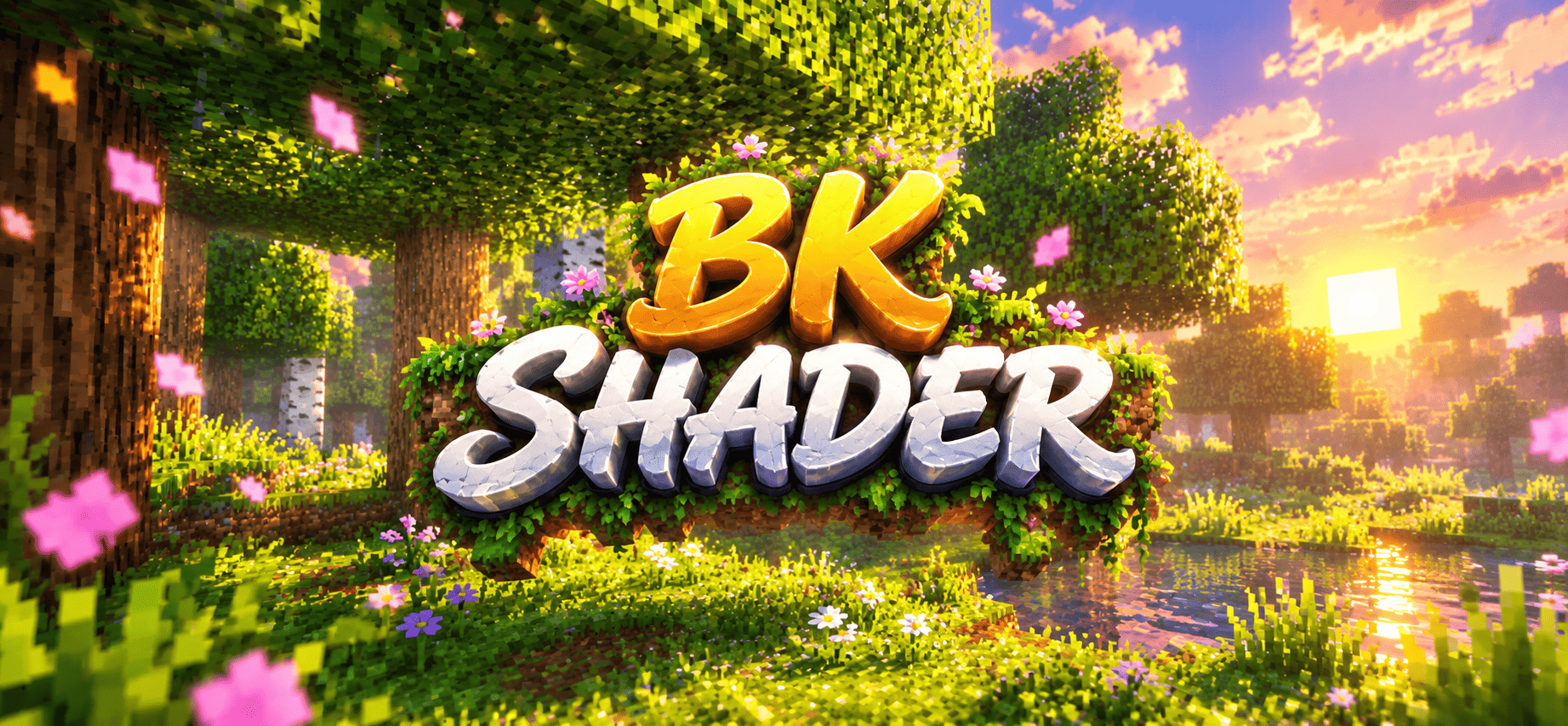
BaKu Shader is a lightweight, fully custom atmosphere pack built to make vanilla Minecraft feel cinematic — without touching your FPS the way heavy shader mods do. Every biome in the Overworld, along with the Nether and its sub-biomes, has been given its own custom fog colour, density, and mood, so travelling across the map actually feels like moving through different worlds.
What's changed:
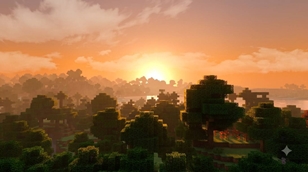
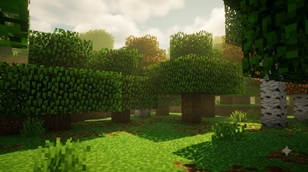
🌲 Forests & Woodlands — Deep, saturated greens with a soft golden haze drifting between the trees. Birch, oak, and jungle canopies now carry richer, more natural colour gradients instead of the flat vanilla tint.
🌊 Oceans & Rivers — Warm oceans get a tropical teal glow, cold oceans shift to a steel-blue chill, and rivers stay crisp and clear. Underwater visibility and fog density were tuned separately so caves and open water never feel the same.
💎 Lush & Dripstone Caves — This is where the pack really shines. Lush Caves now carry a glowing cyan-teal mist that makes glow berries and moss pop, while Dripstone Caves get a warm, dusty amber haze for that deep-underground feeling.
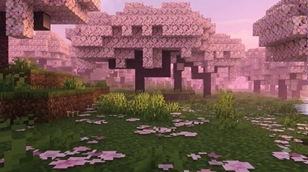
🌸 Cherry Grove — A soft, dreamy pink fog blankets the whole biome, making every petal drop feel like a scene out of an anime.
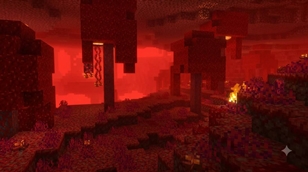
🔥 Nether — Reworked fog across Crimson Forest, Warped Forest, Soulsand Valley, and Basalt Deltas, each with its own distinct colour identity instead of one flat red haze over everything. The main Nether wastes now glow with a deeper, more intense ember tone.
☀️ Sky, Sun & Moon — Brand new sun texture with a soft bloom and light-ray glow for those golden-hour moments, plus a completely hand-crafted 8-phase moon (yes, all 8 phases actually look correct in-game, not just recoloured circles). Clouds and weather (rain/snow) textures were also refreshed for a softer, less "blocky" look.
🎨 Colour Grading — New grass, foliage, and birch colour maps give the whole world a slightly richer, more vibrant palette without looking unnatural or over-saturated.
Performance: Since this pack works entirely through vanilla fog and colour systems (no custom shader code), it runs on any device that supports resource packs — phones, tablets, consoles, and low-end PCs included. No RTX or "Vibrant Visuals" support required.
Compatible with: Survival, Creative, Realms, and most other resource/texture packs (it only touches fog, sky, and colour maps — no block textures are overridden, so it stacks cleanly with your favourite texture pack).
Installation:
- Download the
.mcpackfile - Tap it to auto-import into Minecraft
- Go to your World Settings → Resource Packs → activate BK Shader
- Move it to the top of your active pack list if you're using it with another texture pack
This is a fully original pack — every fog setting, texture, and colour map was built from scratch for this release. No assets were copied from any other shader or resource pack.
Got feedback or a biome that still doesn't feel right? Drop a comment — updates are planned based on community feedback.
🎨 Credits
- Created by: Baku_Studio
- Pack: BaKu Shader
- Type: Fog / Atmosphere / Colour-grading Resource Pack (no custom textures overridden)
- Engine version: 1.20.0+
- License: Free to use and share. Please credit Baku_Studio and link back to the original download page if reposting.
The Ultimate Guide to BaKu Shader
If you are exploring the vast world of Minecraft modifications, BaKu Shader by Baku_Studio is a standout shader that deserves your attention. With over 3,130 downloads, it has become a staple for players looking to enhance their experience. As the creator describes it, this project is "BaKu Shader brings cinematic fog, glowing skies, and rich colour-grading to every biome — from misty forests to glowing caves, pink cherry groves to a blazing Nether.". Whether you are a veteran builder constructing massive cities, or simply a casual player looking to upgrade your survival world, this guide will provide you with all the essential details on how BaKu Shader alters the game.
What Makes It Special?
Unlike standard shaders that simply alter superficial elements, BaKu Shader introduces a wide array of visual and mechanical features designed to seamlessly blend into the vanilla aesthetic. Baku_Studio has clearly spent significant time refining the project to ensure that every aspect feels polished and responsive for version 1.21.100.
Installation Guide
Getting BaKu Shader up and running is straightforward. Follow these step-by-step instructions:
- Verify Your Version: Ensure your Minecraft launcher is set to version 1.21.100.
- Install Mod Loader (if required): If this is a mod, download the compatible loader (Forge, Fabric, NeoForge).
- Download the File: Click the secure download button above to retrieve the official file from CurseForge.
- Move the File: Place the downloaded file into your `mods`, `shaderpacks`, or `resourcepacks` folder depending on the shader type.
- Launch and Enjoy: Open Minecraft, navigate to the respective settings menu, and activate BaKu Shader.
Compatibility & Performance
Compatibility is robust. BaKu Shader is designed specifically for version 1.21.100, taking full advantage of the latest engine optimizations. During typical gameplay, this addition maintains a stable frame rate, though lower-end laptops might experience slight stuttering. We recommend pairing this with performance boosters like Sodium or Iris to guarantee a silky-smooth experience.