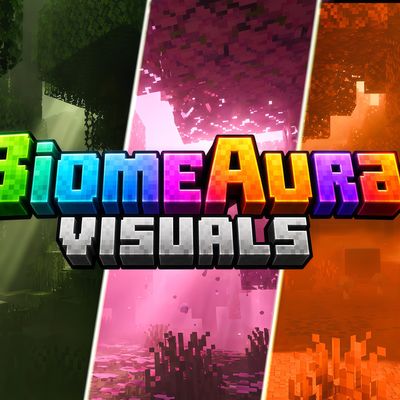
Why BiomeAura Visuals is a top-tier shader mod for Minecraft 1.21.100
Developed by the talented creator Baku_Studio, BiomeAura Visuals stands out as a highly recommended selection for your Minecraft client. It is fully optimized, compatibility-tested, and brings a major upgrade to the gameplay experience in Minecraft version 1.21.100.
⚙️ Quick Resource Specs
| Mod Creator | Baku_Studio |
| Latest Version | 1.21.100 |
| Supported Game Versions | 1.21.100 |
| File Size | 62.17 KB |
| Last Updated | |
| Total Downloads | 3,295 downloads |
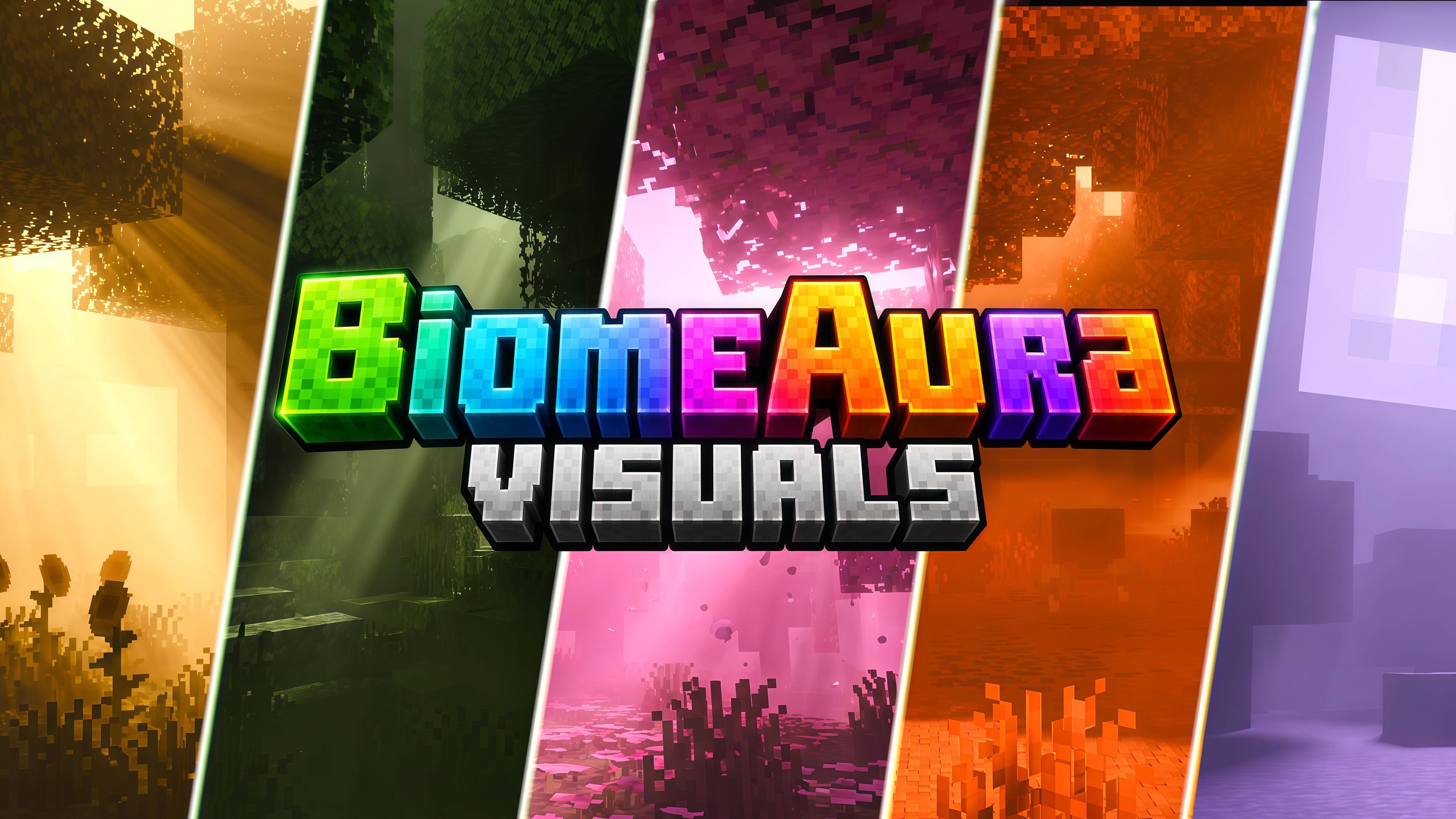
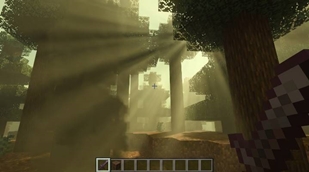
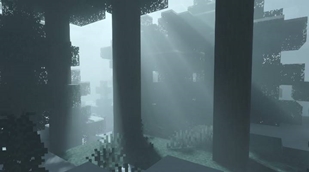
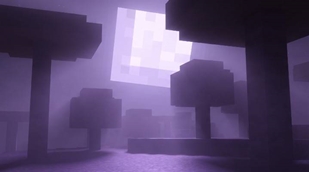
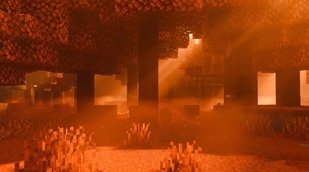
BiomeAura Visuals is a Vibrant Visuals resource pack for Minecraft Bedrock built around one idea: no two biomes should feel the same. Standard Vibrant Visuals gives the whole Overworld a fairly uniform sky and fog treatment — BiomeAura rewrites that biome-by-biome, tuning three things Mojang's PBR pipeline exposes to creators: volumetric fog colour and density, directional light-shaft colour and strength, and full day-night sky/colour-grading curves.
Seven biomes were the starting point, each hand-tuned by studying real in-game reference screenshots for their natural mood:
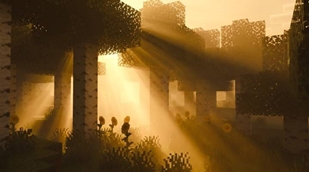
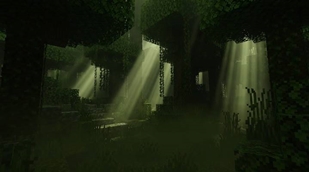
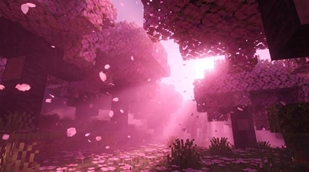
Jungle — a deep, mossy green haze with light shafts filtering through the canopy, like sunlight through wet leaves. Cold Taiga — pale, desaturated grey-teal fog, cold and still, closer to an overcast dawn than a bright winter sky. Cherry Grove — vivid pink-magenta fog with a soft, glowing light source, tuned so the blossoms feel like the main light in the scene. Taiga — a hazy khaki-olive fog, lighter and warmer than the Jungle, giving that "dusty afternoon in the pines" feeling. Birch Forest — golden-hour sepia haze with a strong warm god-ray, built to catch the birch trunks in a single dramatic beam. Mushroom Island — violet-lavender fog under an oversized, glowing moon-lit sky, brighter ambient light than any other biome to sell the "giant moon" mood. Dappled Forest — the boldest palette in the pack: saturated orange-red fog and light, an autumn-dying-embers feel from ground to canopy.
Version 1.1.0 extends the same philosophy to the dimensions people actually spend hours in: Nether Wastes (ember red-orange), Crimson Forest (deep magenta-red), Warped Forest (cool teal-cyan), Soulsand Valley (pale ghost-cyan), Basalt Deltas (ashen smoke-orange), and The End (void violet with a faint starlight glow).
Every biome gets its own linked set of four files — atmospherics, fogs, lighting, and color_grading — rather than reusing one global preset, so each location genuinely looks and feels distinct, at every time of day and night, not just at noon.
Requirements: Minecraft Bedrock / Pocket Edition 1.21.120+, with Vibrant Visuals enabled in Video Settings (Graphics Mode → checklist → Vibrant Visuals). This is a rendering feature, so it needs a reasonably modern device/GPU — if the option isn't visible in your settings, your device doesn't currently support it.
Compatibility: This is a pure resource pack — no gameplay changes, no behaviour pack, fully vanilla-safe. Works alongside any datapack or add-on. If you run it with another Vibrant Visuals atmosphere pack active, disable the other one first to avoid identifier conflicts.
Credits
Pack & colour direction: Baku_Studio Rendering framework: Built on Mojang's official Vibrant Visuals (PBR deferred lighting) system for Minecraft Bedrock — this pack only supplies JSON configuration, no engine modification. Colour research: Palette for each biome derived from studying real gameplay reference screenshots, biome by biome.
The Ultimate Guide to BiomeAura Visuals
If you are exploring the vast world of Minecraft modifications, BiomeAura Visuals by Baku_Studio is a standout shader that deserves your attention. With over 3,295 downloads, it has become a staple for players looking to enhance their experience. As the creator describes it, this project is "BiomeAura Visuals — a hand-tuned Vibrant Visuals atmosphere pack where every biome breathes its own colour: mossy jungle green, ghost-grey Cold Taiga, blossom-pink Cherry Grove, golden Birch Forest haze, violet Mushroom Island moonlight, fiery Dappled ...". Whether you are a veteran builder constructing massive cities, or simply a casual player looking to upgrade your survival world, this guide will provide you with all the essential details on how BiomeAura Visuals alters the game.
What Makes It Special?
Unlike standard shaders that simply alter superficial elements, BiomeAura Visuals introduces a wide array of visual and mechanical features designed to seamlessly blend into the vanilla aesthetic. Baku_Studio has clearly spent significant time refining the project to ensure that every aspect feels polished and responsive for version 1.21.100.
Installation Guide
Getting BiomeAura Visuals up and running is straightforward. Follow these step-by-step instructions:
- Verify Your Version: Ensure your Minecraft launcher is set to version 1.21.100.
- Install Mod Loader (if required): If this is a mod, download the compatible loader (Forge, Fabric, NeoForge).
- Download the File: Click the secure download button above to retrieve the official file from CurseForge.
- Move the File: Place the downloaded file into your `mods`, `shaderpacks`, or `resourcepacks` folder depending on the shader type.
- Launch and Enjoy: Open Minecraft, navigate to the respective settings menu, and activate BiomeAura Visuals.
Compatibility & Performance
Compatibility is robust. BiomeAura Visuals is designed specifically for version 1.21.100, taking full advantage of the latest engine optimizations. During typical gameplay, this addition maintains a stable frame rate, though lower-end laptops might experience slight stuttering. We recommend pairing this with performance boosters like Sodium or Iris to guarantee a silky-smooth experience.