
Why OriginGui is a top-tier texture pack mod for Minecraft 1.21
Developed by the talented creator Marlon_129YT, OriginGui stands out as a highly recommended selection for your Minecraft client. It is fully optimized, compatibility-tested, and brings a major upgrade to the gameplay experience in Minecraft version 1.21.
⚙️ Quick Resource Specs
| Mod Creator | Marlon_129YT |
| Latest Version | 1.21 |
| Supported Game Versions | Minecraft 1.21+ |
| File Size | 1.53 MB |
| Last Updated | |
| Total Downloads | 39 downloads |
Origin UI
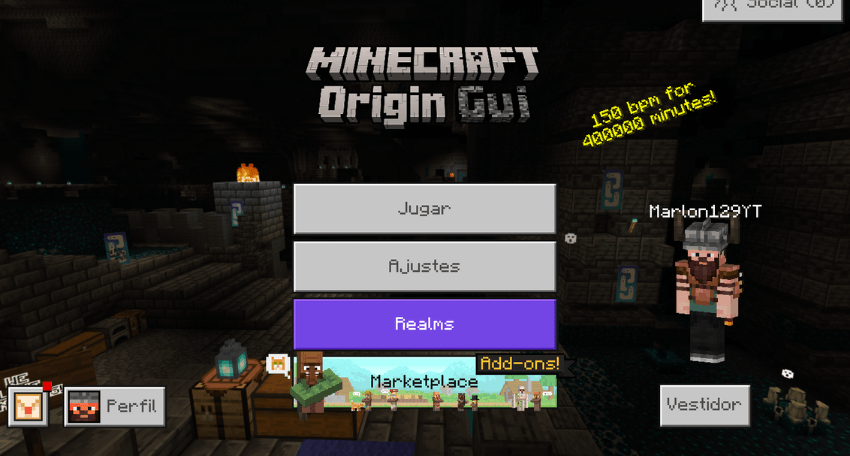
Origin UI is a user interface resource pack for Minecraft Bedrock Edition, designed to improve the game's visual experience with a cleaner style, better usability, customizable themes, more efficient inventory management, optimized HUD elements, and numerous quality-of-life improvements.
New Release 1.0.7 Quick Crafting
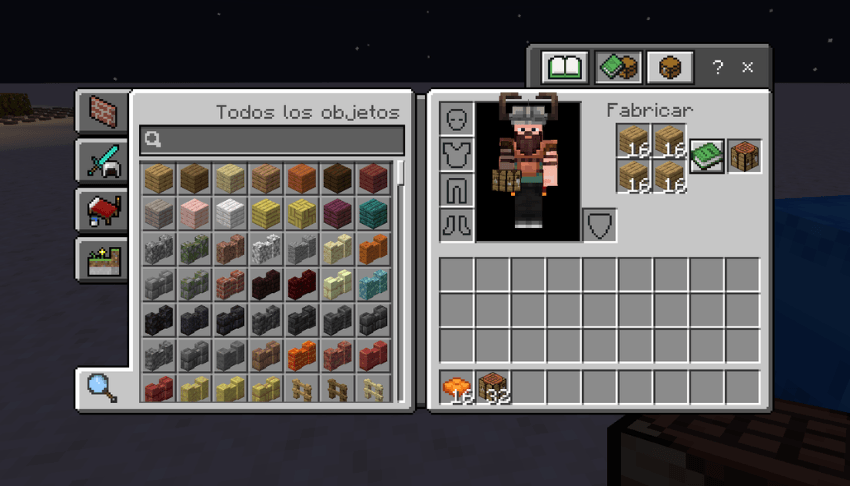
Quick Crafting speeds up crafting and trading in Minecraft Bedrock. It adds a quick Crafting button to the inventory, crafting table, stonecutter, and trading screens, allowing you to perform multiple actions with a single tap, especially useful on mobile devices.
Features
Custom Loading Screen
A redesigned loading screen with a minimalist style, featuring a chunk loading progress indicator, visible percentage, bottom progress bar, and loading spinner.
Compatible with the Overworld, Nether, End, Realms, and world-saving screens.
Dark Mode and Light Mode
Available through subpacks.
- Light Mode: The standard interface, enhanced with Origin UI optimizations.
- Dark Mode: A fully dark interface covering buttons, dialog boxes, tabs, inventory, containers, pause screens, HUD elements, and much more.
Added
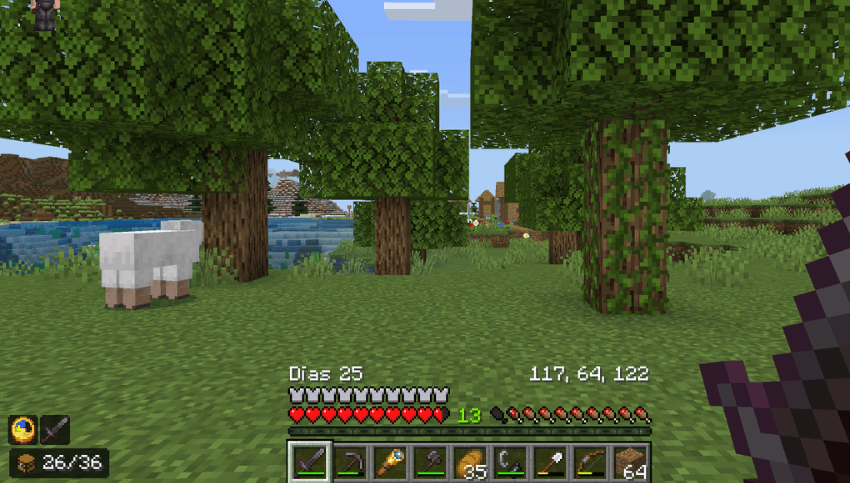
- Days Played HUD: Located on the left side, at the bottom of the HUD.
- Coordinates HUD: Located on the right side, at the bottom of the HUD.
Changed
- Removed the
Coord:prefix.- Coordinates now display only the X, Y, Z values.
Fixed
- Fixed the position of the coordinates to prevent them from extending outside the hotbar area.
How to Enable
- Go to World Settings and enable Show Coordinates.
- Go to Settings > How to Play and enable the options related to days played / position, if available.
- Activate the Origin UI texture pack.
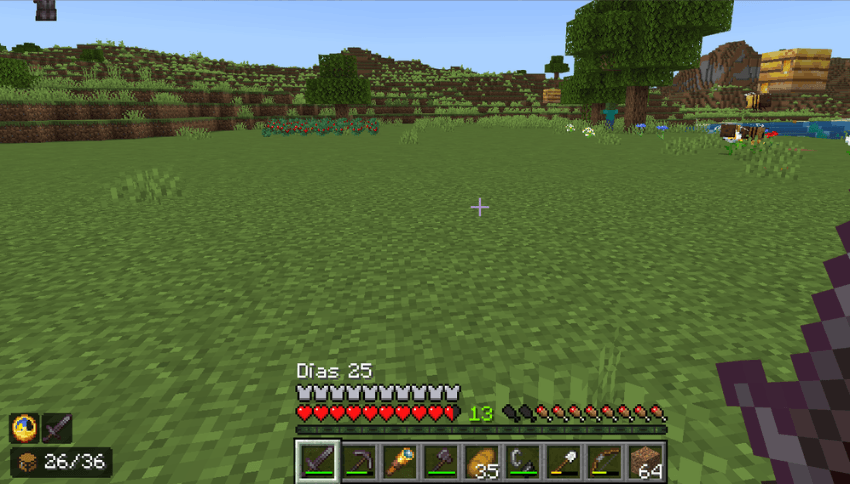
Bordered Ores
Ore textures now feature visible borders, making them easier to recognize while exploring and mining.
Includes coal, iron, copper, gold, diamond, emerald, lapis lazuli, redstone, Nether quartz, Nether gold, ancient debris, and all deepslate ore variants.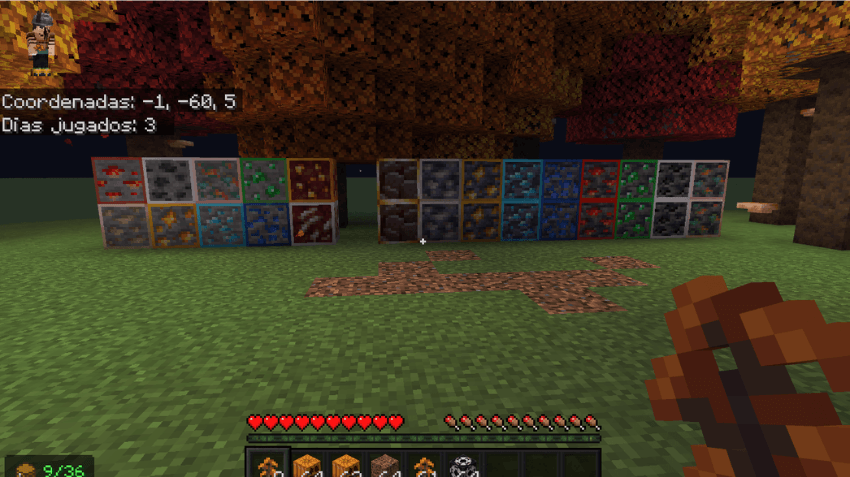
Inventory Organizer
Origin UI includes an integrated quick item management system with Default, Move / Quick Loot, Drop One, and Drop All modes.
It also includes an inventory item counter, HUD slot counter, quick loot buttons, quick discard buttons, container support, and other inventory improvements.
Quick modes can be disabled using$disable_quick_modes.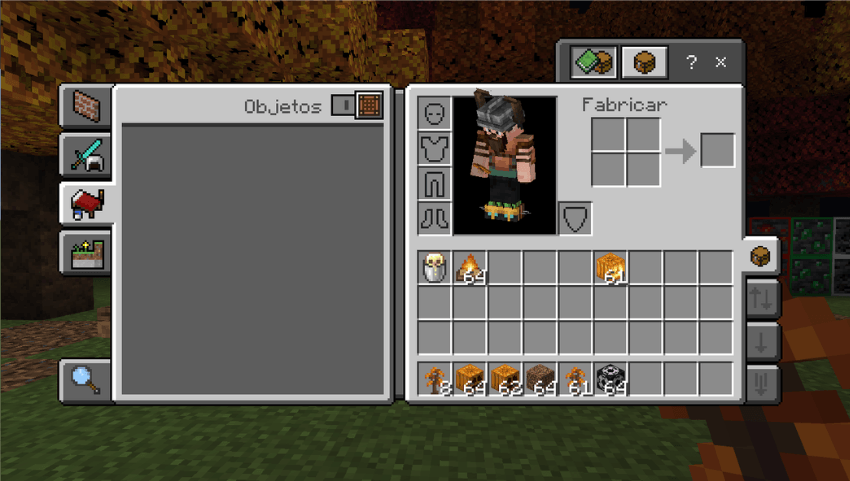
HUD Item Preview
The selected item is displayed directly on the HUD, allowing you to see at a glance which item you have equipped without opening the inventory.
HUD Clock
A visible clock has been added directly to the HUD, allowing you to check the in-game time at any moment.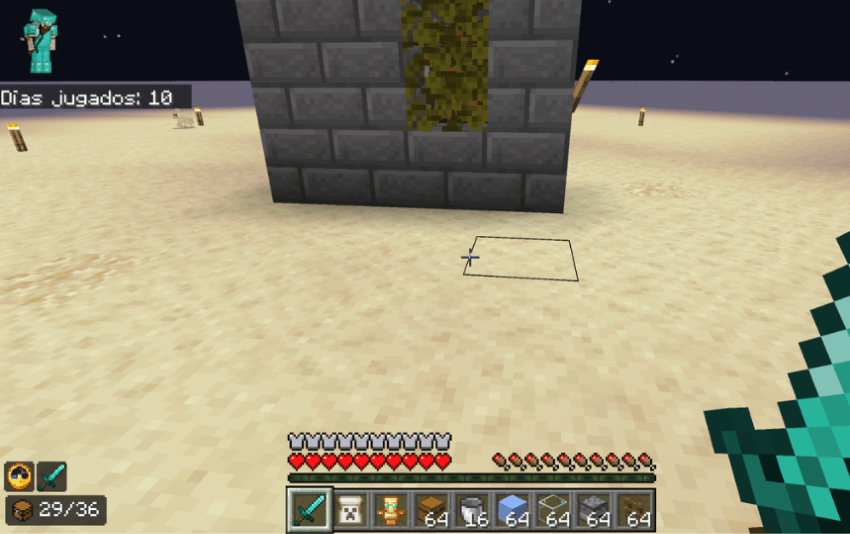
HUD and Interface Improvements
Cleaner durability bars, optimized slot highlighting, improved tooltips, a redesigned pause screen, general gameplay interface improvements, and a custom title logo.
- Removed the pumpkin overlay when wearing a pumpkin.
- Removed the spyglass overlay when using a spyglass.
Changes and Improvements
- Renamed:
Díasis now displayed asDay, referring to the number of days played. - Inventory Counter: when the inventory reaches half of its capacity, the counter will no longer appear in red.
- The counter will only appear in red when the inventory is completely full, displaying the text
FULL. - Updated System: Origin UI now uses its own custom code and no longer depends on code from other packs or projects.
Information
- Version: 1.0.2
- Minecraft Bedrock: 1.21.100+ / 1.26.45+
- Platforms: Windows, Android, iOS, Xbox, PlayStation
Credits
Created by Marlon129YT.
Redistribution or republication of this resource pack without authorization is not permitted.
The Ultimate Guide to OriginGui
If you are exploring the vast world of Minecraft modifications, OriginGui by Marlon_129YT is a standout texture that deserves your attention. With over 39 downloads, it has become a staple for players looking to enhance their experience. As the creator describes it, this project is "Origin UI is a user interface resource pack for Minecraft Bedrock Edition, designed to improve the game's visual experience with a cleaner style, better usability, customizable themes, more efficient inventory management, optimized HUD elements". Whether you are a veteran builder constructing massive cities, or simply a casual player looking to upgrade your survival world, this guide will provide you with all the essential details on how OriginGui alters the game.
What Makes It Special?
Unlike standard textures that simply alter superficial elements, OriginGui introduces a wide array of visual and mechanical features designed to seamlessly blend into the vanilla aesthetic. Marlon_129YT has clearly spent significant time refining the project to ensure that every aspect feels polished and responsive for version 1.21.
Installation Guide
Getting OriginGui up and running is straightforward. Follow these step-by-step instructions:
- Verify Your Version: Ensure your Minecraft launcher is set to version 1.21.
- Install Mod Loader (if required): If this is a mod, download the compatible loader (Forge, Fabric, NeoForge).
- Download the File: Click the secure download button above to retrieve the official file from CurseForge.
- Move the File: Place the downloaded file into your `mods`, `shaderpacks`, or `resourcepacks` folder depending on the texture type.
- Launch and Enjoy: Open Minecraft, navigate to the respective settings menu, and activate OriginGui.
Compatibility & Performance
Compatibility is robust. OriginGui is designed specifically for version 1.21, taking full advantage of the latest engine optimizations. During typical gameplay, this addition maintains a stable frame rate, though lower-end laptops might experience slight stuttering. We recommend pairing this with performance boosters like Sodium or Iris to guarantee a silky-smooth experience.



