Why Gojo UI is a top-tier texture pack mod for Minecraft 1.21
Developed by the talented creator Amime_lover99, Gojo UI stands out as a highly recommended selection for your Minecraft client. It is fully optimized, compatibility-tested, and brings a major upgrade to the gameplay experience in Minecraft version 1.21.
⚙️ Quick Resource Specs
| Mod Creator | Amime_lover99 |
| Latest Version | 1.21 |
| Supported Game Versions | 1.21, 1.20, 1.19, 1.18, 1.17 |
| File Size | 2.94 MB |
| Last Updated | |
| Total Downloads | 329 downloads |
# Gojo UI
A custom interface pack for **Minecraft Bedrock Edition** and **MCPE**.
Gojo UI gives Minecraft a cleaner menu layout, extra HUD information, and a custom title-screen background. It is a **resource pack only**. It does not add new items, mobs, or worlds.
---
## What you get
### Custom menus
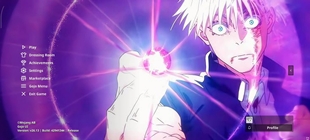
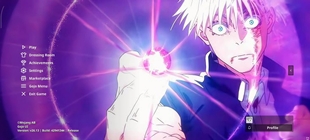
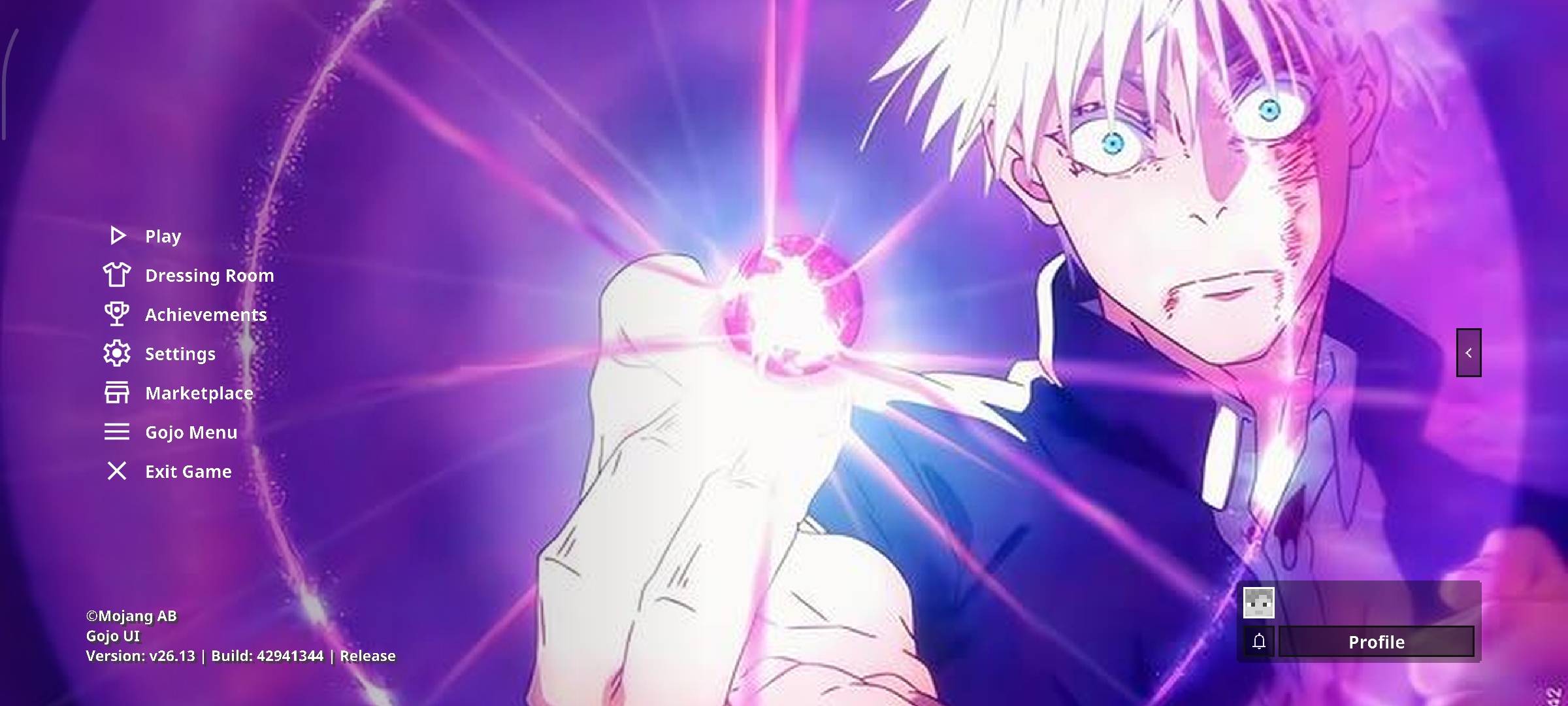
- Redesigned start screen with a side menu
- Cleaner play, pause, settings, and chat screens
- Worlds and friends combined on one play screen
- Custom buttons, icons, dialogs, and fonts
- Import world / export world / quick play buttons shown on mobile
- World folder name shown in the world list (Windows, iOS, Android)
### HUD extras
- Compass, clock, and recovery compass on the HUD
- XP amount and XP percent
- Boss bar percent
- Held-item durability
- Arrow count while holding a bow or crossbow
- Chunk position (on by default)
- Optional Overworld / Nether coordinates
- Optional item ID label
- Inventory overlay on the HUD (Tab on PC; toggle on mobile)
- Chat docked lower, closer to Java-style chat
- F1-style hide GUI button for touch
### Inventory helpers
Best in **Classic UI**:
- Quick-craft button
- Auto-move / auto-drop / creative destroy modes
- Chest take-all / dump buttons
- Empty-slot and held-item counters
### World look
- Grass sides use the top grass texture
- Clearer water and much less underwater / lava fog
- Block-break, explosion, and splash-potion particles turned down
- Pumpkin and spyglass overlays made easier to see through
---
## Theme
The menu wallpaper is a custom Gojo-inspired background. Menus stay on the left. The artwork fills the rest of the screen.
---
## Install
1. Download **Gojo UI.mcpack**.
2. Open the file so Minecraft imports it.
3. Go to **Settings → Global Resources** and turn **Gojo UI** on.
You can also enable it on a single world.
5. Restart your Minecraft
**Important:** restart the game after enabling the pack or some screens will not update.
### Load order
- Use this pack as your main UI pack.
- Put any extra background / theme packs **above** Gojo UI.
---
## Requirements
- Minecraft Bedrock / MCPE
- No behavior pack
- Works in single player and on most servers (resource pack only)
For the custom fonts to behave, English as the game language works best.
---
## Settings you can change
Open the pack and edit `betmc_config/config.json` to toggle:
- Chunk / dimension coordinates
- Item ID label
- Enchantment text on the HUD
- World folder names on the play screen
- Menu fonts (Noto Sans, Nunito, Comic Relief, Samsung One)
- Custom background on or off
Compass, clock, and similar HUD icons use numeric item IDs. After a big Minecraft update those IDs can change. If the wrong item appears on the HUD, update the IDs in that config file.
---
## Notes / known limits
- This pack is based on a beta UI framework. A Minecraft update can shift menus.
- Some inventory extras work only in **Classic UI**, not Pocket UI.
- The HUD inventory overlay is more complete on PC than on mobile.
- A music-player tab exists in settings, but music files are not included.
---
## Credits
**Gojo UI** uses the **BetMC UI** framework by **BetSoi2411 / BetMC2411**.
BetMC UI is licensed under **GNU GPL-3.0**. This pack keeps that license.
Additional HUD / dialog / chat code credited in the original pack:
- Asaki Yuki
- TLGM2308
Background art is fan-made menu artwork for this pack.
Satoru Gojo and Jujutsu Kaisen belong to their original owners. This is an unofficial fan project and is not approved by those owners or by Mojang / Microsoft.
---
## Support
After installing, restart the game.
If menus look mixed with another UI pack, disable the other UI pack or change the resource pack order.
The Ultimate Guide to Gojo UI
If you are exploring the vast world of Minecraft modifications, Gojo UI by Amime_lover99 is a standout texture that deserves your attention. With over 329 downloads, it has become a staple for players looking to enhance their experience. As the creator describes it, this project is "Gojo UI is a custom Minecraft Bedrock / MCPE interface pack. It restyles the main menu, settings, pause, chat, and HUD, then uses a Gojo-themed background on the title and play screens. No behavior pack required.". Whether you are a veteran builder constructing massive cities, or simply a casual player looking to upgrade your survival world, this guide will provide you with all the essential details on how Gojo UI alters the game.
What Makes It Special?
Unlike standard textures that simply alter superficial elements, Gojo UI introduces a wide array of visual and mechanical features designed to seamlessly blend into the vanilla aesthetic. Amime_lover99 has clearly spent significant time refining the project to ensure that every aspect feels polished and responsive for version 1.21.
Installation Guide
Getting Gojo UI up and running is straightforward. Follow these step-by-step instructions:
- Verify Your Version: Ensure your Minecraft launcher is set to version 1.21.
- Install Mod Loader (if required): If this is a mod, download the compatible loader (Forge, Fabric, NeoForge).
- Download the File: Click the secure download button above to retrieve the official file from CurseForge.
- Move the File: Place the downloaded file into your `mods`, `shaderpacks`, or `resourcepacks` folder depending on the texture type.
- Launch and Enjoy: Open Minecraft, navigate to the respective settings menu, and activate Gojo UI.
Compatibility & Performance
Compatibility is robust. Gojo UI is designed specifically for version 1.21, taking full advantage of the latest engine optimizations. During typical gameplay, this addition maintains a stable frame rate, though lower-end laptops might experience slight stuttering. We recommend pairing this with performance boosters like Sodium or Iris to guarantee a silky-smooth experience.