Why DREAM VISUALS is a top-tier shader mod for Minecraft 1.21.130
Developed by the talented creator UDGAMER, DREAM VISUALS stands out as a highly recommended selection for your Minecraft client. It is fully optimized, compatibility-tested, and brings a major upgrade to the gameplay experience in Minecraft version 1.21.130.
⚙️ Quick Resource Specs
| Mod Creator | UDGAMER |
| Latest Version | 1.21.130 |
| Supported Game Versions | 1.21.130, 1.21.100, 1.21.80 |
| File Size | 33.95 KB |
| Last Updated | |
| Total Downloads | 3,155 downloads |
🌌 DREAM VISUALS
✨ Step Into a World of Dreams — Where Every Biome Comes to Life!
Welcome to DREAM VISUALS, a beautifully crafted Vibrant Visuals shader pack for Minecraft Bedrock Edition & Pocket Edition, created by UDGAMER.
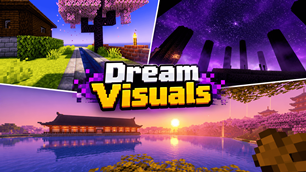
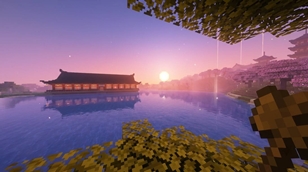
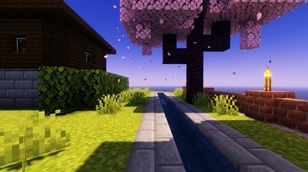
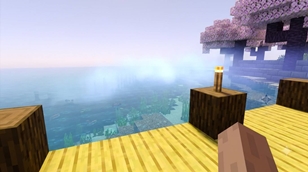
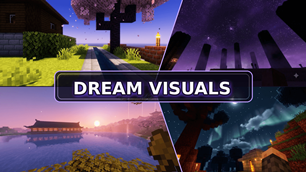
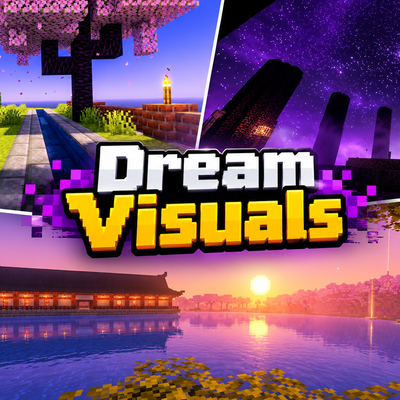
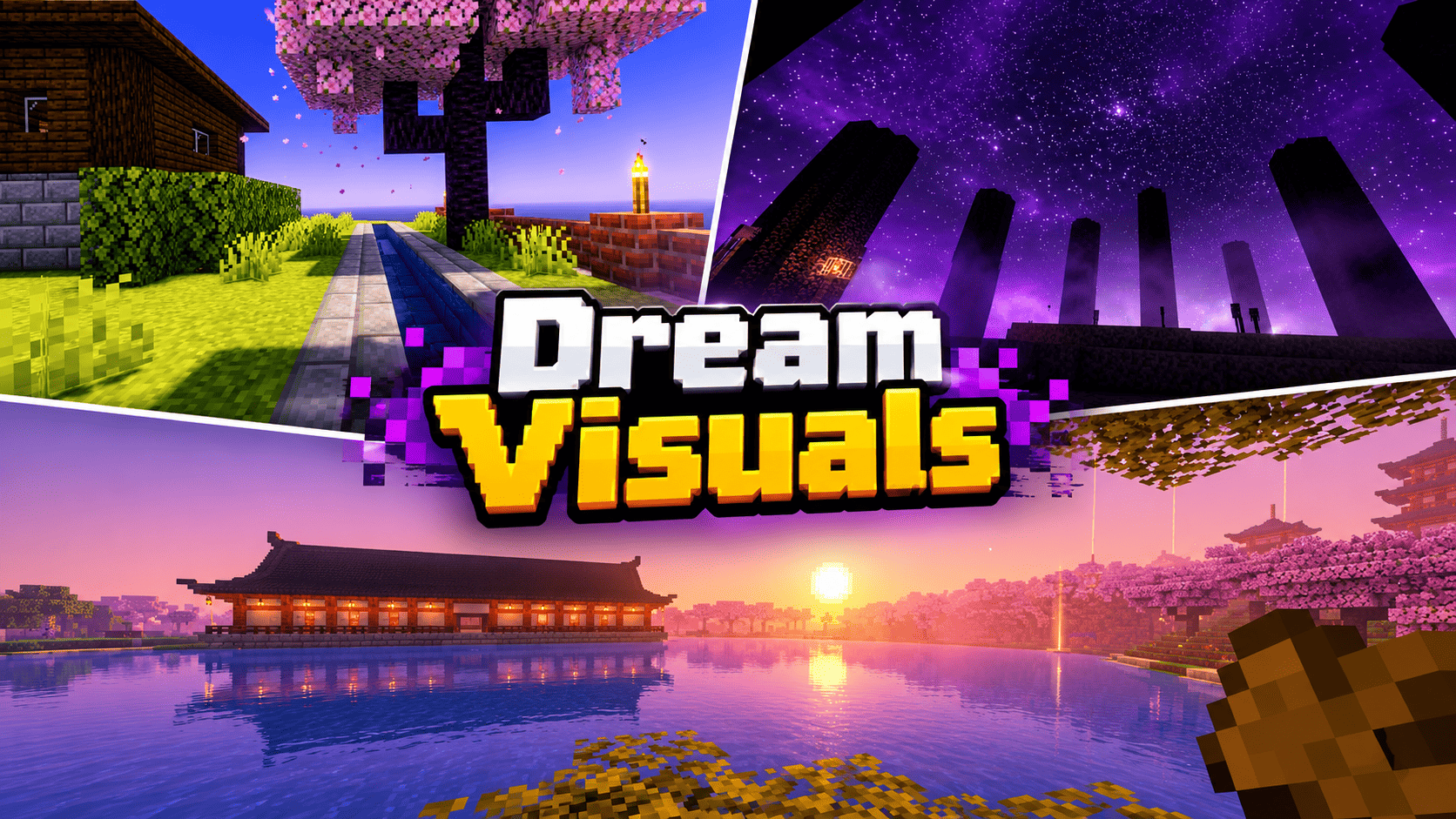
🌈 Experience Minecraft like never before! DREAM VISUALS transforms your surroundings with breathtaking atmospheric lighting, unique biome-based fog, beautiful sky colours, immersive water, and carefully designed lighting effects.
Built entirely from scratch, this pack features its own original colour palettes, fog recipes, and lighting values. Every visual detail is designed to create a distinctive atmosphere while keeping the natural beauty of Minecraft alive.
☀️ One Sun. Countless Colours. Endless Dreams.
━━━━━━━━━━━━━━━━━━━━━━━━
🌅 01 — A SKY FULL OF DREAMS
Experience beautiful skies that change the entire mood of your Minecraft world.
-
💜 Soft lavender-blue morning skies.
-
🌸 Stunning peach and magenta sunsets.
-
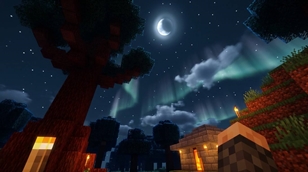
🌌 Deep navy night skies.
-
☀️ Beautiful sunlight with a soft atmospheric glow.
-
🌫️ Natural-looking horizon haze.
-
🌙 A gentle halo surrounding the moon.
-
🩵 Subtle teal tones along the nighttime horizon.
-
💜 Beautiful lavender-tinted shadows.
Every moment of the day brings a new atmosphere to explore!
🌫️ 02 — BIOME-BASED FOG & GOD RAYS
Light should belong to the biome.
One of the defining features of DREAM VISUALS is its biome-specific fog and lighting atmosphere.
Different environments receive their own distinctive colours:
-
🌸 Cherry Groves: Soft pink atmospheric sunlight.
-
🌴 Jungles: Beautiful green light rays.
-
🏜️ Deserts: Warm golden sunlight.
-
❄️ Snowy Biomes: Cool icy-blue atmosphere.
-
🌿 Swamps: Deep, mysterious green fog.
-
🌲 Forests: Cool green atmospheric mist.
-
🌾 Plains: Soft lavender haze.
-
🌊 Oceans: Thick and atmospheric sea fog.
Volumetric-style fog effects and coloured light shafts help create a unique feeling in every biome.
💎 03 — BEAUTIFUL & CRYSTAL-CLEAR WATER
Discover a more colourful underwater world!
-
🩵 Clear water with visible seabeds.
-
🌊 Bright turquoise tones in warm oceans.
-
💙 Deep blue colours in cold oceans.
-
🩵 Balanced blue shades in normal oceans.
-
✨ Gentle waves that add movement to the water surface.
Explore the oceans and enjoy their beautiful natural colours!
🔥 04 — THE NETHER: A WORLD OF FIRE
Enter a darker and more atmospheric dimension with distinctive environmental colours.
-
❤️ Deep red atmospheric tones.
-
🔥 Dense, short-range fog.
-
🧡 Powerful red-orange visual grading around lava.
-
🩵 Unique teal colours in Soul Sand Valleys and Warped Forests.
-
🌋 Smoky grey-purple atmosphere in Basalt Deltas.
The Nether gets its own distinctive visual identity!
💜 05 — THE END: BEYOND THE ORDINARY
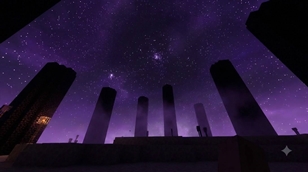
Experience a mysterious dimension filled with beautiful purple tones.
-
💜 Deep violet sky.
-
🌌 Bright purple horizon.
-
🌫️ Atmospheric purple fog.
-
💗 Unique magenta-blue colour grading.
A completely different atmosphere for your End adventures!
🕯️ 06 — COLOURFUL LIGHTING SYSTEM
Different light sources bring their own colours to the environment.
-
🧡 Torches and lanterns — Warm orange lighting.
-
🩵 Soul torches — Beautiful cyan lighting.
-
❤️ Redstone torches — Red lighting.
-
🔥 Lava and fire — Distinctive fiery colours.
-
✨ Glowstone and similar blocks — Their own lighting colours.
Every light source contributes to the atmosphere of your world.
🎮 07 — COMPATIBILITY & SUPPORTED VERSIONS
Made for Minecraft Bedrock Edition & Pocket Edition.
-
✅ Minecraft Bedrock Edition.
-
✅ Minecraft Pocket Edition.
-
✅ Version 1.21.80 and newer.
-
✅ Supported 26.x releases.
-
✅ Devices compatible with Vibrant Visuals.
Important: Your device must support Minecraft Vibrant Visuals.
⚙️ 08 — HOW TO INSTALL
Getting started with DREAM VISUALS is simple!
Step 1: Download and import the resource pack.
Step 2: Open Minecraft.
Step 3: Navigate to Settings → Video.
Step 4: Enable Vibrant Visuals.
Step 5: Open Global Resources or your World Resource Packs.
Step 6: Activate DREAM VISUALS.
Step 7: Enter your world and enjoy the experience!
✨ 09 — RECOMMENDED VIDEO SETTINGS
For a beautiful visual experience, try these settings:
-
Bloom: Approximately 30.
-
Reflection Quality: Medium or Higher.
-
Shadow Quality: Adjust according to your device.
Note: Bloom, shadow quality, and reflection quality are controlled by Minecraft's in-game video settings.
⚠️ 10 — IMPORTANT NOTES
DREAM VISUALS is designed around the features supported by Minecraft's Vibrant Visuals JSON system.
The following features are not included:
-
Aurora ribbons.
-
The End black-hole sky.
-
Custom sky lanterns.
These features are outside the supported functionality used by this pack.
━━━━━━━━━━━━━━━━━━━━━━━━
🏆 11 — ORIGINAL CREATION & CREDITS
| Information | Details |
|---|---|
| Pack Name | DREAM VISUALS |
| Creator | UDGAMER |
| Platform | Minecraft Bedrock / Pocket Edition |
| Graphics System | Vibrant Visuals |
| Minimum Version | 1.21.80 |
| Pack Type | Visual Enhancement |
💠 100% ORIGINAL VISUAL DESIGN
DREAM VISUALS has been developed with its own original:
-
🎨 Colour palettes.
-
🌫️ Fog recipes.
-
💡 Lighting values.
-
🌈 Visual configurations.
No third-party shader or resource pack content is used. No vanilla textures or assets from other packs are included.
Minecraft is a trademark of Mojang AB / Microsoft. DREAM VISUALS is an independent project and is not affiliated with or endorsed by Mojang or Microsoft.
━━━━━━━━━━━━━━━━━━━━━━━━
❤️ THANK YOU FOR SUPPORTING DREAM VISUALS!
Your adventures deserve a beautiful atmosphere.
Explore new colours, discover unique biome environments, enjoy stunning sunsets, and capture unforgettable moments in your Minecraft world.
📸 Share your screenshots and show us your DREAM VISUALS experience!
🌌 DREAM VISUALS — SEE MINECRAFT DIFFERENTLY.
Created with passion by UDGAMER. ❤️
The Ultimate Guide to DREAM VISUALS
If you are exploring the vast world of Minecraft modifications, DREAM VISUALS by UDGAMER is a standout shader that deserves your attention. With over 3,155 downloads, it has become a staple for players looking to enhance their experience. As the creator describes it, this project is "DREAM VISUALS turns Minecraft Bedrock into a soft, cinematic dreamscape. Biome-coloured sun rays, misty volumetric fog, glowing lights and rich pink, purple and blue skies. Made for Vibrant Visuals (1.21.80+).". Whether you are a veteran builder constructing massive cities, or simply a casual player looking to upgrade your survival world, this guide will provide you with all the essential details on how DREAM VISUALS alters the game.
What Makes It Special?
Unlike standard shaders that simply alter superficial elements, DREAM VISUALS introduces a wide array of visual and mechanical features designed to seamlessly blend into the vanilla aesthetic. UDGAMER has clearly spent significant time refining the project to ensure that every aspect feels polished and responsive for version 1.21.130.
Installation Guide
Getting DREAM VISUALS up and running is straightforward. Follow these step-by-step instructions:
- Verify Your Version: Ensure your Minecraft launcher is set to version 1.21.130.
- Install Mod Loader (if required): If this is a mod, download the compatible loader (Forge, Fabric, NeoForge).
- Download the File: Click the secure download button above to retrieve the official file from CurseForge.
- Move the File: Place the downloaded file into your `mods`, `shaderpacks`, or `resourcepacks` folder depending on the shader type.
- Launch and Enjoy: Open Minecraft, navigate to the respective settings menu, and activate DREAM VISUALS.
Compatibility & Performance
Compatibility is robust. DREAM VISUALS is designed specifically for version 1.21.130, taking full advantage of the latest engine optimizations. During typical gameplay, this addition maintains a stable frame rate, though lower-end laptops might experience slight stuttering. We recommend pairing this with performance boosters like Sodium or Iris to guarantee a silky-smooth experience.