Why Velocity shaders is a top-tier shader mod for Minecraft 1.21
Developed by the talented creator Haiikkuu, Velocity shaders stands out as a highly recommended selection for your Minecraft client. It is fully optimized, compatibility-tested, and brings a major upgrade to the gameplay experience in Minecraft version 1.21.
⚙️ Quick Resource Specs
| Mod Creator | Haiikkuu |
| Latest Version | 1.21 |
| Supported Game Versions | Minecraft 1.21+ |
| File Size | 6.89 MB |
| Last Updated | |
| Total Downloads | 47 downloads |
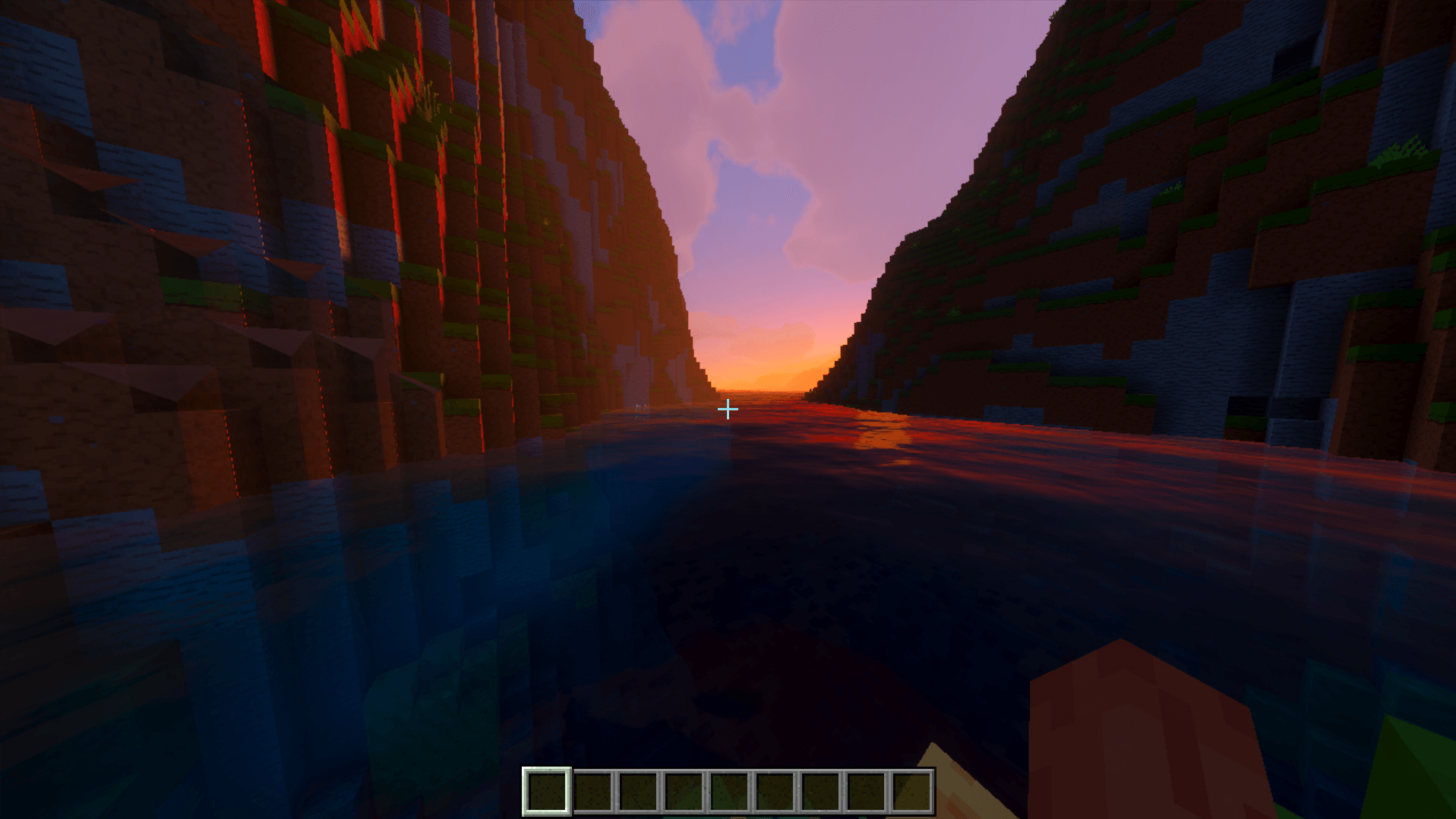
⚡ VELOCITY SHADER (Minecraft: Bedrock Edition)
Next-Gen Deferred Lighting • Real-Time Cascaded Shadows • Physical PBR Water • Atmospheric Scattering
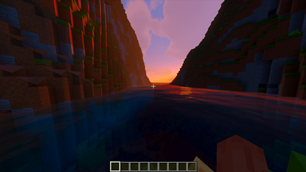
Velocity Shader brings cutting-edge deferred shading and physically-based rendering (PBR) to Minecraft: Bedrock Edition. Built on the official RenderDragon Deferred Technical Preview, Velocity Shader delivers breathtaking cinematic visuals—dynamic directional shadows, realistic water with animated caustics, volumetric atmospheric sky scattering, per-biome tonemapping, and glowing emissives—all while keeping your experience lightweight, smooth, and stutter-free.
🌟 KEY FEATURES
☀️ Dynamic Orbital Lighting & Soft Shadows
- Real-Time Cascaded Shadows: True directional shadow maps that respond dynamically to sun and moon angles, terrain elevations, and player builds.
- Realistic Diurnal Curves: Smooth solar transitions from daylight illumination to fiery golden-hour sunsets and deep lunar radiance.
- Ambient Bounce Lighting: Realistic indirect light calculations that brighten shadowed valleys, alcoves, and overhangs naturally.
🌊 Next-Gen PBR Water & Caustics
- Physical Wave Propagation: Dynamically simulated multi-octave water wave depth, speed, and frequency.
- Animated Caustic Networks: Realistic light refraction patterns projected onto ocean beds and lake bottoms (
caustics.png). - Sub-Surface Absorption: Water clarity shifts naturally from crystal-clear shallow shores to deep-ocean indigo based on depth and suspended sediments.
🌌 Atmospheric Scattering & Dynamic Horizons
- Rayleigh & Mie Scattering: Realistic atmospheric light scattering turning the sky vibrant azure at noon and deep crimson/amber at dusk.
- Horizon Glow: Natural horizon gradient blending eliminating jarring render chunk edges.
- Aurora Borealis & Polar Skies: High-latitude night skies illuminated by soft atmospheric curtains.
✨ Emissive Materials & Point Lighting (PBR / MER)
- Point Light Emission: Torches, redstone lanterns, campfires, sea lanterns, and glowstones emit real colored light radiosity.
- Glowing Entities: Emissive eye textures for Endermen, Ender Dragon, glowing squids, and soul entities.
- Metallic, Emissive, Roughness (MER): Finely tuned roughness and metallic surfaces that catch realistic specular highlights.
🎨 Per-Biome Color Grading
Custom tailored exposure, contrast, and color curves for every biome:
- Lush Caves & Jungles: Vibrant greens, soft ambient humidity, and warm sunlight penetration.
- Deserts & Badlands: High dynamic range exposure with sun-bleached warmth.
- The Nether: Menacing crimson and basalt haze with heightened emissive contrast.
- The End: Otherworldly void styling with balanced stellar contrast.
⚙️ SUBPACK OPTIONS (Choose In-Game)
Velocity Shader comes with built-in subpacks selectable directly from the pack settings:
| Preset | Description | Best For |
|---|---|---|
| Beautiful Sky (Default) | Custom realistic skybox, atmospheric clouds, and horizon fog integration. | Maximum immersion & cinematic gameplay |
| Vanilla Sky | Retains Minecraft's vanilla dynamic block cloud simulation with PBR lighting. | Classic Minecraft sky aesthetic |
To switch: Go to Settings > Global Resources > click Velocity Shader > click the Gear icon.
📋 REQUIREMENTS & COMPATIBILITY
- Platform: Minecraft: Bedrock Edition on Windows 10 / 11 (PC). (Also compatible with Android/iOS preview builds supporting the RenderDragon Deferred pipeline).
- Game Version: Minecraft Bedrock 1.20.30+ (including 1.20.80, 1.21+, 1.26+).
- Hardware: Dedicated or modern integrated GPU supporting DirectX 11/12 (NVIDIA GeForce, AMD Radeon, or Intel Arc / Iris Xe).
📥 STEP-BY-STEP INSTALLATION GUIDE
Step 1: Download & Import
- Download
Velocity-Shader.mcpack(6.89 MB). - Double-click the file (or open it with Minecraft).
- Minecraft will launch and show a top notification:
Import started...$\to$Successfully imported 'Velocity Shader'.
Step 2: Activate the Resource Pack
- In Minecraft, navigate to Settings > Global Resources > My Packs.
- Find Velocity Shader and click Activate.
- (Optional) Click the Gear icon on Velocity Shader to select your preferred cloud subpack.
Step 3: Enable Deferred Lighting in Your World
Because RenderDragon PBR is part of Minecraft's Deferred Technical Preview:
- Create a New World (or click the Pencil / Edit icon on an existing world).
- Scroll down on the left sidebar to Experiments.
- Toggle ON $\to$ Render Dragon Features for Creators (or Deferred Technical Preview).
- Launch the world and enter Video Settings to adjust deferred lighting and shadow qualities to your liking!
🚀 MAXIMUM FPS PAIRING (60 $\to$ 600 FPS)
Want maximum performance while running Velocity Shader? Pair it with our Oxygen FPS Optimizer:
- Uncaps Bedrock's 60 FPS Lock: Disables the default V-Sync clamp (
gfx_vsync:0). - Zero Overdraw: Eliminates laggy background particle simulations without changing any block/item textures.
- Recommended Video Settings:
- Render Distance: 8 – 16 Chunks
- Anti-Aliasing: 1 (Off)
- Fancy Graphics & Smooth Lighting: Set to your performance taste
❓ FREQUENTLY ASKED QUESTIONS (FAQ)
Q: Why does the world look normal without shadows?
A: Make sure you enabled Render Dragon Features for Creators in your world's Experiments tab. Without this toggle, Bedrock falls back to standard legacy rasterization.
Q: Can I use this on multiplayer servers (Hive, Cubecraft, etc.)?
A: If the server enables or supports Deferred Technical Preview, you can use it in Global Resources. On servers with experiments disabled, the pack safely falls back to standard visuals without crashing.
Q: Does this shader modify vanilla item or mob textures?
A: No. Velocity Shader is a pure lighting, water, and PBR shader pack. All non-shader asset bloat has been removed to keep the pack lightweight (~6.9 MB) and 100% vanilla-faithful.
📜 CHANGELOG
Version 1.0.0
- Initial release of Velocity Shader.
- Full RenderDragon Deferred Technical Preview PBR pipeline integration.
- Dynamic orbital directional lights & soft cascaded shadow maps.
- Multi-octave wave physics water with animated caustic reflection projection.
- Rayleigh & Mie volumetric atmospheric scattering & horizon blending.
- Multi-subpack cloud selection (Beautiful Skybox vs. Vanilla Dynamic Clouds).
- Purged all non-shader clutter, reducing pack size to a clean 6.89 MB.
The Ultimate Guide to Velocity shaders
If you are exploring the vast world of Minecraft modifications, Velocity shaders by Haiikkuu is a standout shader that deserves your attention. With over 47 downloads, it has become a staple for players looking to enhance their experience. As the creator describes it, this project is "use shader on any device without losing you fps". Whether you are a veteran builder constructing massive cities, or simply a casual player looking to upgrade your survival world, this guide will provide you with all the essential details on how Velocity shaders alters the game.
What Makes It Special?
Unlike standard shaders that simply alter superficial elements, Velocity shaders digs deep into the game's engine to provide a cohesive, performance-focused experience. Haiikkuu has clearly spent significant time refining the project to ensure that every aspect feels polished and responsive for version 1.21.
Installation Guide
Getting Velocity shaders up and running is straightforward. Follow these step-by-step instructions:
- Verify Your Version: Ensure your Minecraft launcher is set to version 1.21.
- Install Mod Loader (if required): If this is a mod, download the compatible loader (Forge, Fabric, NeoForge).
- Download the File: Click the secure download button above to retrieve the official file from CurseForge.
- Move the File: Place the downloaded file into your `mods`, `shaderpacks`, or `resourcepacks` folder depending on the shader type.
- Launch and Enjoy: Open Minecraft, navigate to the respective settings menu, and activate Velocity shaders.
Compatibility & Performance
Compatibility is robust. Velocity shaders is designed specifically for version 1.21, taking full advantage of the latest engine optimizations. Since this is heavily focused on optimization, you can expect significant frame rate improvements on both low-end and high-end hardware.