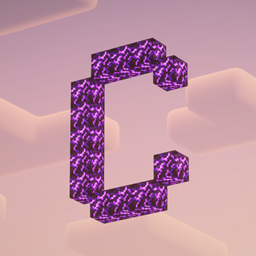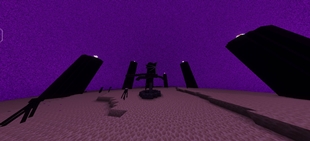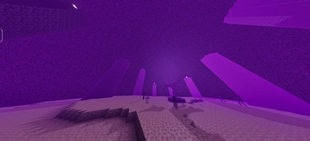
Why Crafty Visuals is a top-tier shader mod for Minecraft 1.21
Developed by the talented creator CraftPie, Crafty Visuals stands out as a highly recommended selection for your Minecraft client. It is fully optimized, compatibility-tested, and brings a major upgrade to the gameplay experience in Minecraft version 1.21.
⚙️ Quick Resource Specs
| Mod Creator | CraftPie |
| Latest Version | 1.21 |
| Supported Game Versions | Minecraft 1.21+ |
| File Size | 5.15 MB |
| Last Updated | |
| Total Downloads | 16 downloads |
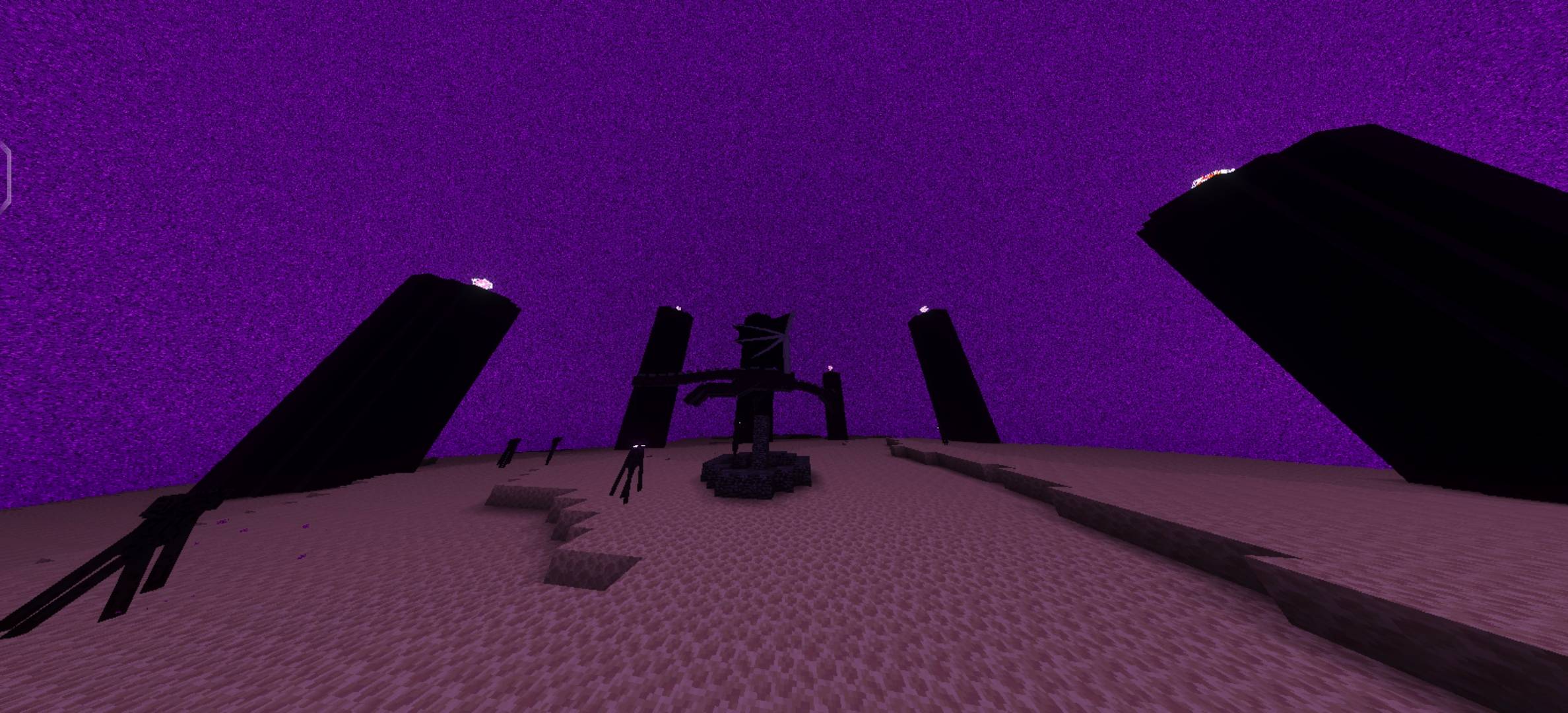
🌌 CRAFTY VISUALS
A New Dimension of Minecraft Bedrock Visuals
Created by Craft Pie
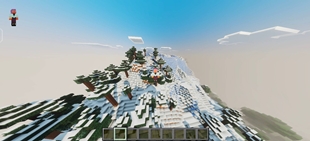
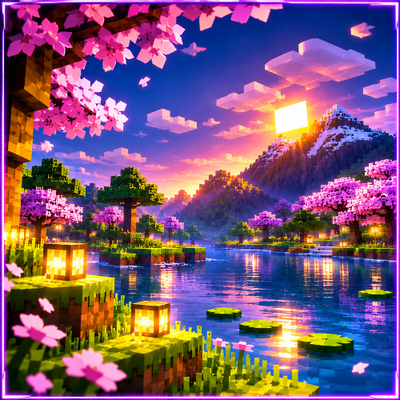
Experience Minecraft Bedrock in a whole new way with vibrant colors, beautiful skies, immersive lighting, and breathtaking landscapes.
✨ See Your World Differently. Experience Every Moment.
🟦 01 — ABOUT CRAFTY VISUALS
Crafty Visuals is a visual enhancement pack created for Minecraft Bedrock Edition. Designed with a focus on vibrant colors, beautiful environments, and immersive atmosphere, this pack brings a fresh visual identity to your Minecraft world.
Minecraft is a game built around creativity, exploration, and imagination. Every sunrise, every mountain, every forest, and every ocean creates a unique experience. Crafty Visuals aims to make these everyday moments feel even more beautiful.
Whether you are exploring a peaceful village, building your dream house, travelling through a beautiful landscape, or watching the sunset over an ocean, Crafty Visuals brings a colorful visual experience to your adventure.
The pack focuses on enhancing the atmosphere of Minecraft while preserving its recognizable block-based world. Its visual direction combines vivid colors, cinematic inspiration, and a carefully designed aesthetic that makes the environment feel more alive.
🌈 Transform Your Minecraft World Without Changing Its Identity.
🟪 02 — VISUAL EXPERIENCE
🌅 Beautiful Skies & Sunsets
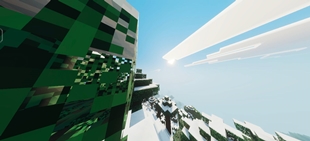
Experience Minecraft skies with a vibrant visual atmosphere. The sky is one of the most recognizable parts of Minecraft, and Crafty Visuals is designed to give your world a fresh and colorful appearance.
From peaceful mornings to atmospheric evenings, the environment becomes a beautiful part of your gameplay experience.
💎 Vibrant Colors
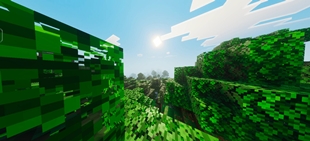
Crafty Visuals focuses on a colorful visual style that enhances the appearance of the Minecraft environment. Natural landscapes, forests, mountains, and water become part of a more visually expressive world.
The visual direction is designed to feel vibrant without losing the familiar Minecraft aesthetic.
🌊 Immersive Water Environments
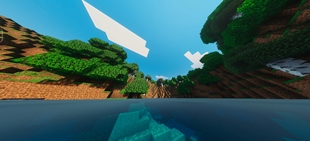
Water is an important part of Minecraft exploration. Oceans, rivers, lakes, and waterfalls create some of the most memorable landscapes in the game.
Crafty Visuals aims to provide a more atmospheric visual experience when exploring these environments, making water landscapes an enjoyable part of your adventure.
🌄 Atmospheric Landscapes
Explore mountains, forests, plains, and distant horizons with a visual style designed to make the Minecraft environment feel more immersive.
Whether you are exploring a new biome or building a beautiful base, the surroundings become an important part of your visual experience.
🟩 03 — WHY CRAFTY VISUALS?
Crafty Visuals is created for players who enjoy beautiful Minecraft environments and want to experience their worlds with a fresh visual identity.
- 🌈 Vibrant and colorful visual atmosphere.
- 🌅 Beautiful environment and sky aesthetics.
- 🌊 Immersive landscapes and water environments.
- 🌄 A visually expressive Minecraft world.
- 🎨 A unique visual identity for your gameplay.
- 🏡 Perfect for exploring, building, and screenshots.
- 📸 Great for cinematic scenes and creative worlds.
- 💜 Designed to preserve the recognizable Minecraft style.
Crafty Visuals is all about making your Minecraft world feel more beautiful.
🟨 04 — A NEW WAY TO EXPERIENCE MINECRAFT
Every Minecraft world has its own story. A peaceful survival base, a creative city, a mountain village, or a hidden forest home can become something special when the environment feels right.
Crafty Visuals is designed to complement these experiences with its colorful visual atmosphere.
🏡 For Builders
Build beautiful structures and explore your creations in a more atmospheric environment. From modern houses to fantasy-inspired castles, your surroundings become part of the overall visual experience.
🌲 For Explorers
Travel through Minecraft landscapes and enjoy the visual atmosphere of different environments. Discover new places and experience your adventure with a fresh visual style.
📸 For Content Creators
Create screenshots, cinematic scenes, and beautiful Minecraft content. Crafty Visuals is designed to provide an appealing visual atmosphere for creative projects.
💜 For Everyday Players
Enjoy your regular Minecraft gameplay with a new visual identity. Whether you are gathering resources, building a home, or exploring the world, Crafty Visuals brings a fresh aesthetic to your adventure.
🟦 05 — INSTALLATION GUIDE
Crafty Visuals is intended for Minecraft Bedrock Edition. Installation methods may vary depending on your device, Minecraft version, and the file format provided with the download.
📱 ANDROID INSTALLATION
- Download Crafty Visuals from the official CurseForge project page.
- Open your device's Downloads folder or file manager.
- Locate the downloaded shader or resource pack file.
- If the file is a .mcpack or .mcaddon, tap it and select Minecraft to open it.
- Wait for Minecraft to launch and complete the import process.
- Open Minecraft Bedrock Edition.
- Create a new world or open the settings of an existing world.
- Navigate to the Resource Packs section.
- Locate Crafty Visuals under Available Packs.
- Select the pack and activate it.
- Save your world settings and enter the world.
- Check whether the visual changes are working correctly.
Android Tip: If the file does not open automatically, check its extension and make sure Minecraft Bedrock is installed. Do not rename the internal shader files.
💻 WINDOWS 10 / 11 INSTALLATION
- Download Crafty Visuals to your Windows computer.
- Locate the downloaded pack in your Downloads folder.
- Double-click the .mcpack or .mcaddon file if supported.
- Alternatively, right-click the file and select Open With.
- Select Minecraft Bedrock Edition.
- Wait until Minecraft finishes importing the pack.
- Launch Minecraft Bedrock Edition.
- Open your world settings.
- Navigate to Resource Packs.
- Activate Crafty Visuals under My Packs or Available Packs.
- Save your changes and launch the world.
- Explore your world and check the visual appearance.
Windows Tip: Make sure you are using Minecraft Bedrock Edition. Minecraft Java Edition uses a different resource-pack and shader system.
🍎 IPHONE & IPAD INSTALLATION
- Download Crafty Visuals using Safari or another supported browser.
- Open the Files application.
- Navigate to your Downloads folder.
- Locate the downloaded pack.
- Tap the file and select the Share or Open In option.
- Select Minecraft from the available applications.
- Wait for Minecraft to import the pack.
- Open Minecraft and access your world settings.
- Navigate to the Resource Packs section.
- Activate Crafty Visuals.
- Save your world settings and enter the world.
iOS Tip: If the file is provided as a ZIP archive, extract it only when the project instructions require it. Use the supported pack format whenever possible.
🎮 XBOX INSTALLATION
Xbox installation may require a supported Minecraft world-transfer method because direct importing of external resource packs is generally restricted.
- Prepare a Minecraft Bedrock world with Crafty Visuals activated on a compatible device.
- Verify that the pack works correctly on that device.
- If available, upload the world to a compatible Minecraft Realm.
- Open Minecraft on your Xbox.
- Access the Realm using the same supported account.
- Join the world and check whether the resource pack loads.
- Follow the available Minecraft options for accessing the world.
Xbox Tip: Realm access, subscriptions, and supported transfer methods depend on your account and platform.
🎮 PLAYSTATION INSTALLATION
PlayStation may have restrictions on directly importing external Minecraft Bedrock resource packs.
- Prepare a compatible Minecraft Bedrock world with Crafty Visuals activated.
- Verify that the pack works correctly on the original device.
- Use a supported Realm or another legitimate world-transfer method if available.
- Open Minecraft on your PlayStation.
- Access the transferred world through the supported method.
- Check whether Crafty Visuals loads correctly.
PlayStation Tip: Follow the current Minecraft platform restrictions and use only supported installation methods.
🕹️ NINTENDO SWITCH INSTALLATION
External resource pack importing may be restricted on Nintendo Switch. A supported Minecraft world-transfer method may be required.
- Prepare a compatible Minecraft Bedrock world with Crafty Visuals activated.
- Verify the pack on the device where it was installed.
- Use a supported Realm or compatible world-transfer option if available.
- Open the world on your Nintendo Switch.
- Check whether the pack loads correctly.
Switch Tip: Direct external pack importing may not be supported. Check the options available for your Minecraft account and platform.
🟪 06 — COMPATIBILITY & IMPORTANT INFORMATION
Crafty Visuals is developed for Minecraft Bedrock Edition. Compatibility may depend on the Minecraft version, rendering system, device, and the specific pack format.
- 📱 Designed for Minecraft Bedrock Edition.
- 🎨 Requires activation through the Resource Packs section.
- ⚙️ Visual appearance may vary between devices.
- 🌍 Some visual features may depend on the supported rendering system.
- 📦 Always use the correct pack version for your Minecraft installation.
- 💾 Create a backup before activating the pack in an existing world.
- 🔄 Update Minecraft and the pack when compatible releases become available.
Important: The availability of shader-style visual effects depends on Minecraft Bedrock's rendering capabilities and the specific version of the pack. Not every device or Minecraft version supports every visual effect.
🛠️ 07 — TROUBLESHOOTING
Pack Not Importing?
- Check whether the downloaded file is complete.
- Verify that the file extension is supported by Minecraft.
- Make sure Minecraft Bedrock Edition is installed.
- Download the pack again if the file appears corrupted.
Visual Changes Not Appearing?
- Open the world settings.
- Navigate to the Resource Packs section.
- Confirm that Crafty Visuals is activated.
- Check whether another resource pack is overriding it.
- Restart Minecraft and load the world again.
Performance Issues?
- Close unnecessary applications running in the background.
- Check your device's available memory.
- Use supported Minecraft graphics settings.
- Test the pack in a new world to identify possible conflicts.
If you experience an issue, provide your Minecraft version, device, and a description of the problem when reporting it.
📋 08 — LICENSE & USAGE
Crafty Visuals is a visual enhancement project created by Craft Pie.
- Use the pack for personal Minecraft gameplay.
- Do not redistribute the original pack without permission.
- Do not publish modified versions without permission.
- Do not claim the original work as your own.
- Respect the project's license and any applicable third-party licenses.
For permissions, redistribution requests, or other inquiries, contact the project author through the official project page.
💜 09 — THANK YOU FOR YOUR SUPPORT
Thank you for downloading and exploring Crafty Visuals!
Your support, feedback, and suggestions help improve the project and inspire future updates.
Whether you are exploring beautiful landscapes, building your dream home, creating cinematic screenshots, or enjoying a peaceful survival adventure, we hope Crafty Visuals makes your Minecraft world feel even more special.
🌅 Explore Beautiful Worlds.
🌈 Experience Vibrant Visuals.
💜 Enjoy Minecraft Your Way.
CRAFTY VISUALS
Created by Craft Pie
Minecraft Bedrock Visual Enhancement Pack
✨ Make Every Moment Beautiful. ✨
The Ultimate Guide to Crafty Visuals
If you are exploring the vast world of Minecraft modifications, Crafty Visuals by CraftPie is a standout shader that deserves your attention. With over 16 downloads, it has become a staple for players looking to enhance their experience. As the creator describes it, this project is "Transform your Minecraft world with Crafty Visuals! Enjoy vibrant colors, stunning sunsets, realistic lighting, beautiful reflections, and immersive visuals.". Whether you are a veteran builder constructing massive cities, or simply a casual player looking to upgrade your survival world, this guide will provide you with all the essential details on how Crafty Visuals alters the game.
What Makes It Special?
Unlike standard shaders that simply alter superficial elements, Crafty Visuals introduces a wide array of visual and mechanical features designed to seamlessly blend into the vanilla aesthetic. CraftPie has clearly spent significant time refining the project to ensure that every aspect feels polished and responsive for version 1.21.
Installation Guide
Getting Crafty Visuals up and running is straightforward. Follow these step-by-step instructions:
- Verify Your Version: Ensure your Minecraft launcher is set to version 1.21.
- Install Mod Loader (if required): If this is a mod, download the compatible loader (Forge, Fabric, NeoForge).
- Download the File: Click the secure download button above to retrieve the official file from CurseForge.
- Move the File: Place the downloaded file into your `mods`, `shaderpacks`, or `resourcepacks` folder depending on the shader type.
- Launch and Enjoy: Open Minecraft, navigate to the respective settings menu, and activate Crafty Visuals.
Compatibility & Performance
Compatibility is robust. Crafty Visuals is designed specifically for version 1.21, taking full advantage of the latest engine optimizations. During typical gameplay, this addition maintains a stable frame rate, though lower-end laptops might experience slight stuttering. We recommend pairing this with performance boosters like Sodium or Iris to guarantee a silky-smooth experience.