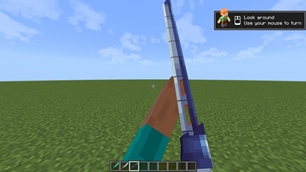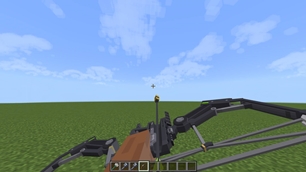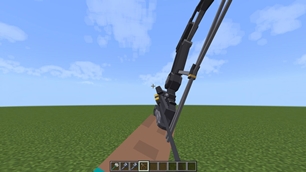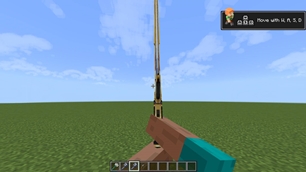
Why Perfect Tools Animation is a top-tier texture pack mod for Minecraft 1.21
Developed by the talented creator MilkshakeC9, Perfect Tools Animation stands out as a highly recommended selection for your Minecraft client. It is fully optimized, compatibility-tested, and brings a major upgrade to the gameplay experience in Minecraft version 1.21.
⚙️ Quick Resource Specs
| Mod Creator | MilkshakeC9 |
| Latest Version | 1.21 |
| Supported Game Versions | Minecraft 1.21+ |
| File Size | 8.36 MB |
| Last Updated | |
| Total Downloads | 5,397 downloads |
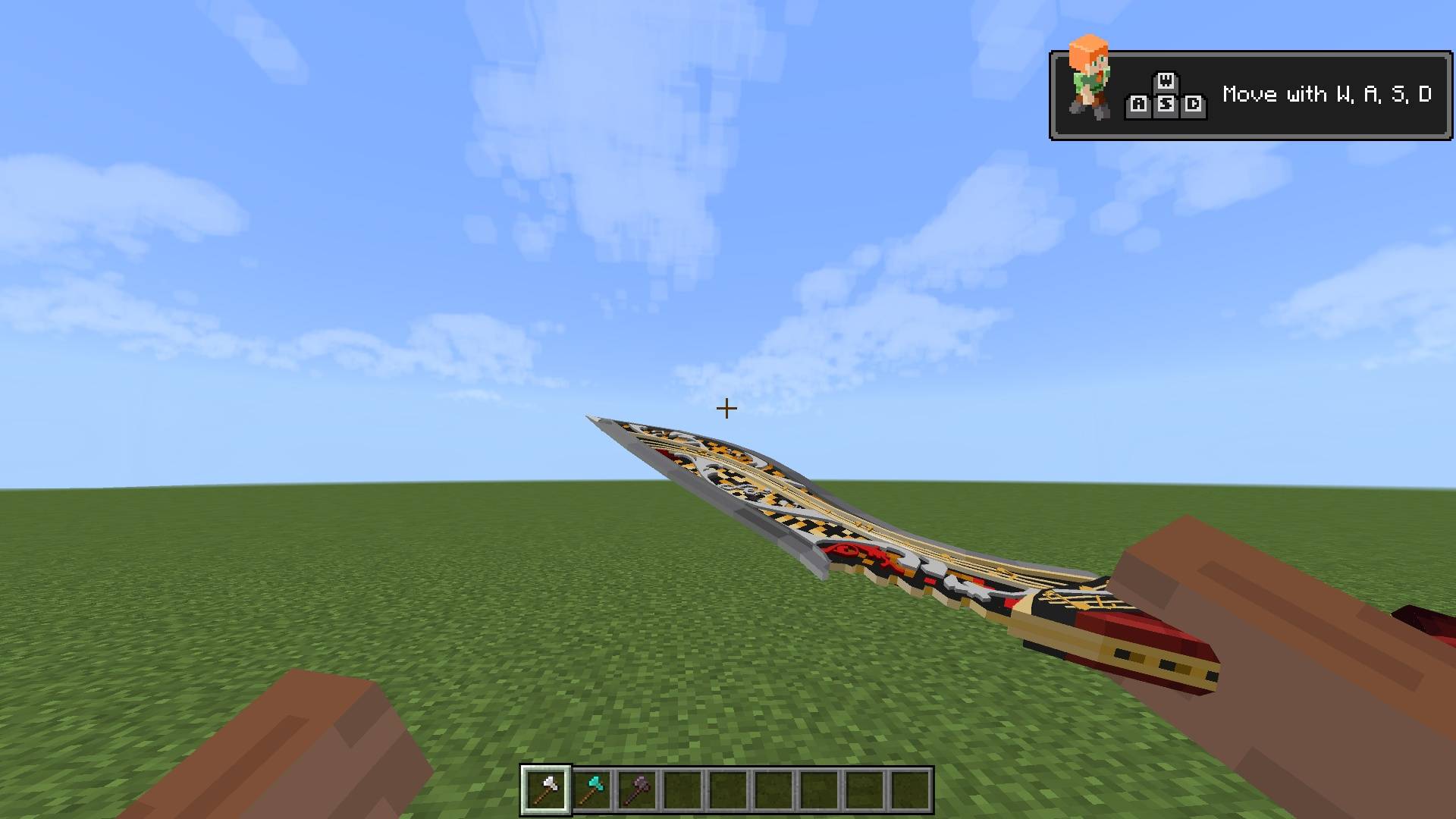
PERFECT TOOLS ANIMATION
By MILKSHAKEC9
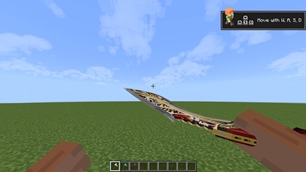
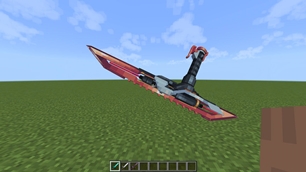
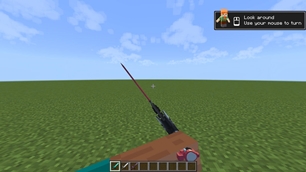
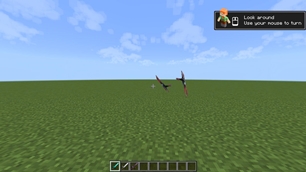
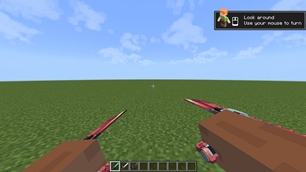
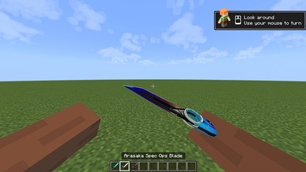
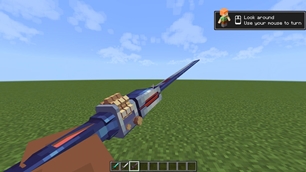
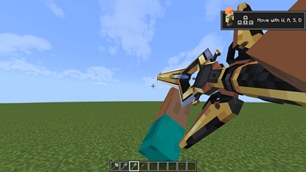
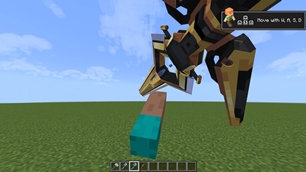
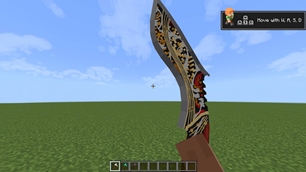
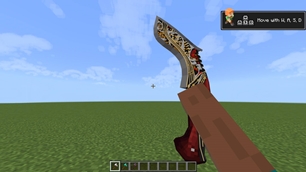
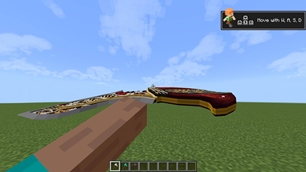
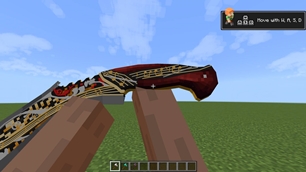
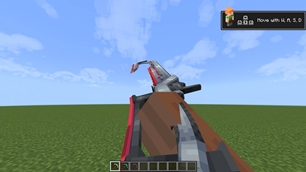
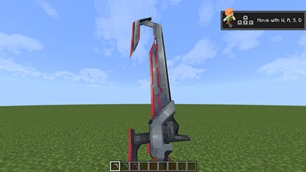
Give your Minecraft Bedrock experience a fresh visual upgrade with Perfect Tools Animation — a resource pack focused on custom item models, detailed textures, and immersive animations.
Designed to enhance the appearance and feel of selected tools and items, this pack brings a distinctive visual identity to your gameplay through carefully integrated models, textures, and animation systems.
Whether you prefer a cleaner setup or an expanded collection of visual content, Perfect Tools Animation offers two selectable profiles to suit your preference.
✦ FEATURES
-
Custom Item Models — Redesigned models for selected tools and items, giving them a distinctive appearance.
-
Detailed Textures — Custom visual designs with carefully arranged textures and model details.
-
First-Person Animations — Enhanced item presentation and animation for a more dynamic first-person experience.
-
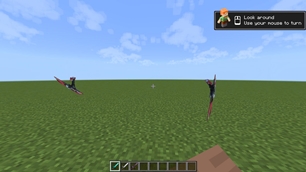
Third-Person Integration — Includes player animation and attachable registrations for supported content.
-
Animation Controllers — Uses dedicated animation controllers to manage different animation states.
-
Custom Visual Effects — Includes integrated render controllers, item models, and supporting visual assets.
-
Two Selectable Profiles — Choose between APEX Core and APEX Expanded.
✦ SUB-PACK OPTIONS
01. APEX CORE
A more focused profile featuring the core APEX item collection.
Includes:
-
HDD
-
XSD
-
NLJ
-
MK
-
SC
Recommended for players who prefer the core collection.
02. APEX EXPANDED
An expanded profile featuring the APEX collection alongside additional integrated item animation sets.
Includes:
-
APEX collection
-
Reborn
-
Wange
-
Thieve Sea
-
Mobius TB23
Recommended for players who want access to the expanded collection.
Note: Each profile has its own player entity and animation registrations. Select only the profile you intend to use.
✦ INSTALLATION GUIDE
-
Download the official
.mcpackfile. -
Open the file using Minecraft Bedrock Edition.
-
Wait for the resource pack import to complete.
-
Open your world settings.
-
Navigate to Resource Packs.
-
Activate Perfect Tools Animation.
-
Select your preferred sub-pack profile.
-
Enter your world and check the available content.
No separate Behavior Pack is included or required for the resource pack itself.
✦ COMPATIBILITY
-
Platform: Minecraft Bedrock Edition.
-
Minimum Engine Version: 1.26.0.
-
Resource Pack Format: Version 2.
-
Profiles: APEX Core and APEX Expanded.
Compatibility with other resource packs and animation packs may vary depending on their player entity definitions, animation registrations, and loading order.
For the best experience, avoid combining multiple packs that override the same player entity or item rendering definitions.
⚠ IMPORTANT — OFFICIAL REVIEW & REDISTRIBUTION POLICY
Reviews, showcases, reposts, and redistributions of Perfect Tools Animation MUST include a direct link to its official CurseForge or MCPEDL project page.
Creator attribution to MILKSHAKEC9 must always be clearly preserved.
The following rules apply:
-
Always provide a direct link to the official CurseForge or MCPEDL page when sharing or showcasing this pack.
-
Never claim ownership of the original pack or its work.
-
Do not remove or alter the original creator attribution.
-
Do not redistribute this pack without proper credit and an official source link.
-
Do not present this pack as your own creation.
Unauthorized redistribution or removal of creator attribution may result in a formal takedown request to the relevant hosting platform.
Please respect the creator's work and direct users to the official download source.
✦ CREDITS & INFORMATION
Project: Perfect Tools Animation
Creator & Branding: MILKSHAKEC9
Platform: Minecraft Bedrock Edition
Pack Type: Resource Pack
Sub-Pack Profiles: APEX Core / APEX Expanded
Thank you for checking out Perfect Tools Animation.
Created with attention to detail. Made for a distinctive Minecraft experience.
— MILKSHAKEC9
The Ultimate Guide to Perfect Tools Animation
If you are exploring the vast world of Minecraft modifications, Perfect Tools Animation by MilkshakeC9 is a standout texture that deserves your attention. With over 5,397 downloads, it has become a staple for players looking to enhance their experience. As the creator describes it, this project is "A Minecraft Bedrock animation and visual overhaul featuring custom tool models, textures, and immersive first-person animations. Includes two profiles: **APEX Core** and **APEX Expanded**. **Created by MilkshakeC9.**". Whether you are a veteran builder constructing massive cities, or simply a casual player looking to upgrade your survival world, this guide will provide you with all the essential details on how Perfect Tools Animation alters the game.
What Makes It Special?
Unlike standard textures that simply alter superficial elements, Perfect Tools Animation introduces a wide array of visual and mechanical features designed to seamlessly blend into the vanilla aesthetic. MilkshakeC9 has clearly spent significant time refining the project to ensure that every aspect feels polished and responsive for version 1.21.
Installation Guide
Getting Perfect Tools Animation up and running is straightforward. Follow these step-by-step instructions:
- Verify Your Version: Ensure your Minecraft launcher is set to version 1.21.
- Install Mod Loader (if required): If this is a mod, download the compatible loader (Forge, Fabric, NeoForge).
- Download the File: Click the secure download button above to retrieve the official file from CurseForge.
- Move the File: Place the downloaded file into your `mods`, `shaderpacks`, or `resourcepacks` folder depending on the texture type.
- Launch and Enjoy: Open Minecraft, navigate to the respective settings menu, and activate Perfect Tools Animation.
Compatibility & Performance
Compatibility is robust. Perfect Tools Animation is designed specifically for version 1.21, taking full advantage of the latest engine optimizations. During typical gameplay, this addition maintains a stable frame rate, though lower-end laptops might experience slight stuttering. We recommend pairing this with performance boosters like Sodium or Iris to guarantee a silky-smooth experience.