Why Footsteps Trail is a top-tier texture pack mod for Minecraft 1.21.132
Developed by the talented creator Mod_MC, Footsteps Trail stands out as a highly recommended selection for your Minecraft client. It is fully optimized, compatibility-tested, and brings a major upgrade to the gameplay experience in Minecraft version 1.21.132.
⚙️ Quick Resource Specs
| Mod Creator | Mod_MC |
| Latest Version | 1.21.132 |
| Supported Game Versions | 1.21.132, 1.21.131, 1.21.130, 1.21.124, 1.21.123 |
| File Size | 129.51 KB |
| Last Updated | |
| Total Downloads | 235 downloads |
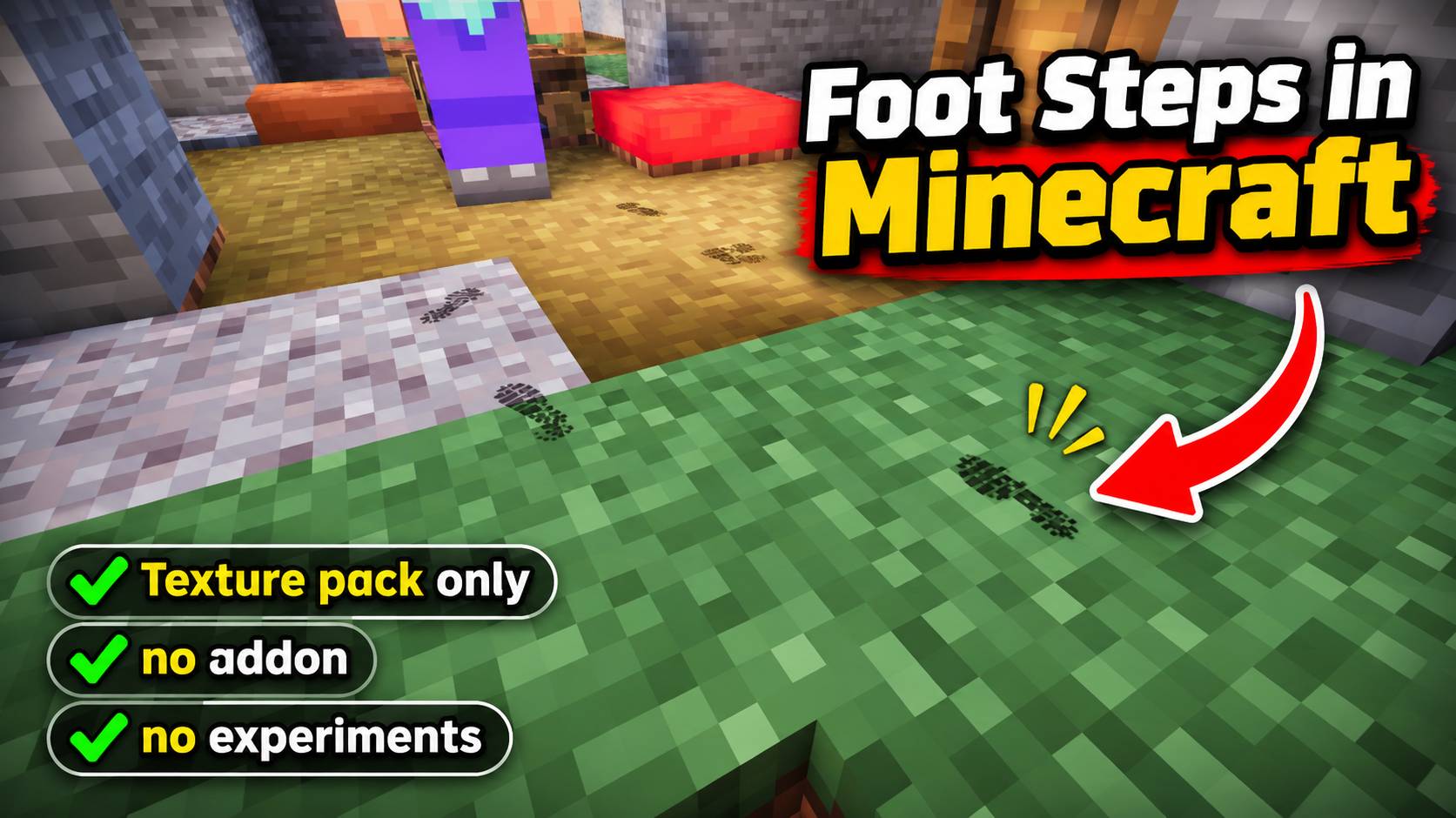
👣 Footsteps Trail
RESOURCE PACK · NO EXPERIMENTS · MULTIPLAYER READY
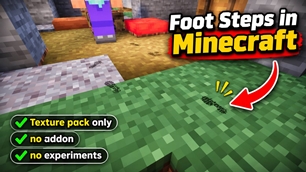
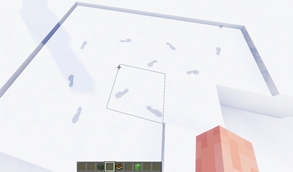
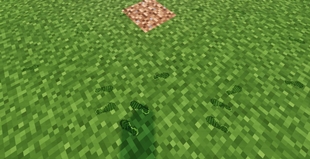
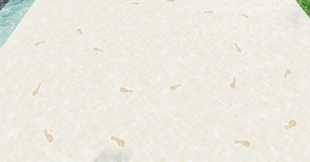
Every step you take now leaves a real footprint behind you. Pressed into sand, sunk into snow, smudged on stone, and always pointing the way you walked.
Look back and you'll see your whole path. Follow a friend's trail through the snow. Spot where someone walked out of the rain with muddy boots.
✨ Features
| 🧭 Directional prints Each print faces the way you walked |
🦶 Left, right, left Real alternating feet, side by side |
| 🌍 14 surface styles Every ground gets its own print |
🌧️ Wet & muddy steps After rain or a swim, until you dry off |
| 🪂 Landing prints Drop from a height, both feet land |
🏃 Matching stride Short steps sneaking, long ones sprinting |
| 🌫️ Smooth fade-out Prints fade away, never pop out |
❄️ Surface-based lifetime Snow keeps prints longest, metal shortest |
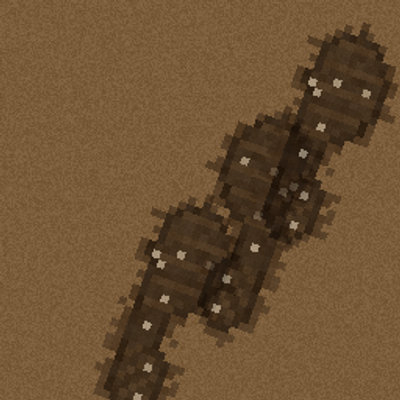
| 👟 Sneaker & boot soles Two tread patterns, mixed at random |
⚡ Lightweight Just one small particle per step |
| 🌙 Follows world lighting Bright by day, dim at night and in caves |
🎲 Natural variation A tiny twist and size change every step |
| 🧠 Smart detection Nothing while swimming, riding, gliding or invisible |
👥 Every player Friends leave trails you can follow |
🌍 Every Ground, Its Own Print
Picked automatically from the block under your feet:
Grass flattened blades · Dirt tread imprint · Sand deep dip with a raised rim · Snow deep blue-shadow print · Gravel kicked-out pebbles · Mud glossy splatter · Wood dusty print · Stone faint dust · Wool & Carpet pressed fabric · Moss & Hay soft organic print · Metal light smudge · Wet Floors water stain · Clay, Farmland & Path soft earth · Everything Else classic print
📦 How To Use
1. Open the .mcpack file to import it
2. Activate it in Global Resources or your world's Resource Packs
3. Start walking
⚙️ Want them off for a while? Use the Enable Footprints toggle in the pack's settings.
📌 Good To Know
• Needs Minecraft Bedrock 1.21.100 or newer. Works on existing worlds.
• Other packs that change the player (like rain effect packs) can conflict. Only the pack on top will work.
⚠️ Please Read
• Please don't reupload or repost this pack anywhere else.
• Making a video? Thank you! Just link the original page.
• Found a bug or have a question? Ask on Discord.
Join the Discord: discord.gg/Wvst4znsgk
Go leave your mark. 👣
· · ·
Download the New Bedrock Manager application to easily install and manage your Minecraft addons, worlds and more!
Download Now! (Windows only)


Want to play with friends on your own server? Host it with Godlike.
Use code MODMCPE40 for a discount.
The Ultimate Guide to Footsteps Trail
If you are exploring the vast world of Minecraft modifications, Footsteps Trail by Mod_MC is a standout texture that deserves your attention. With over 235 downloads, it has become a staple for players looking to enhance their experience. As the creator describes it, this project is "Players leave footsteps as they walk, with different prints for grass, dirt, sand, snow, gravel, mud, wood, stone and more. No cheats required! This is Only a Texture/Resource pack.". Whether you are a veteran builder constructing massive cities, or simply a casual player looking to upgrade your survival world, this guide will provide you with all the essential details on how Footsteps Trail alters the game.
What Makes It Special?
Unlike standard textures that simply alter superficial elements, Footsteps Trail introduces a wide array of visual and mechanical features designed to seamlessly blend into the vanilla aesthetic. Mod_MC has clearly spent significant time refining the project to ensure that every aspect feels polished and responsive for version 1.21.132.
Installation Guide
Getting Footsteps Trail up and running is straightforward. Follow these step-by-step instructions:
- Verify Your Version: Ensure your Minecraft launcher is set to version 1.21.132.
- Install Mod Loader (if required): If this is a mod, download the compatible loader (Forge, Fabric, NeoForge).
- Download the File: Click the secure download button above to retrieve the official file from CurseForge.
- Move the File: Place the downloaded file into your `mods`, `shaderpacks`, or `resourcepacks` folder depending on the texture type.
- Launch and Enjoy: Open Minecraft, navigate to the respective settings menu, and activate Footsteps Trail.
Compatibility & Performance
Compatibility is robust. Footsteps Trail is designed specifically for version 1.21.132, taking full advantage of the latest engine optimizations. During typical gameplay, this addition maintains a stable frame rate, though lower-end laptops might experience slight stuttering. We recommend pairing this with performance boosters like Sodium or Iris to guarantee a silky-smooth experience.